1. From the side menu, go to Settings > Account Settings > Booking Settings.
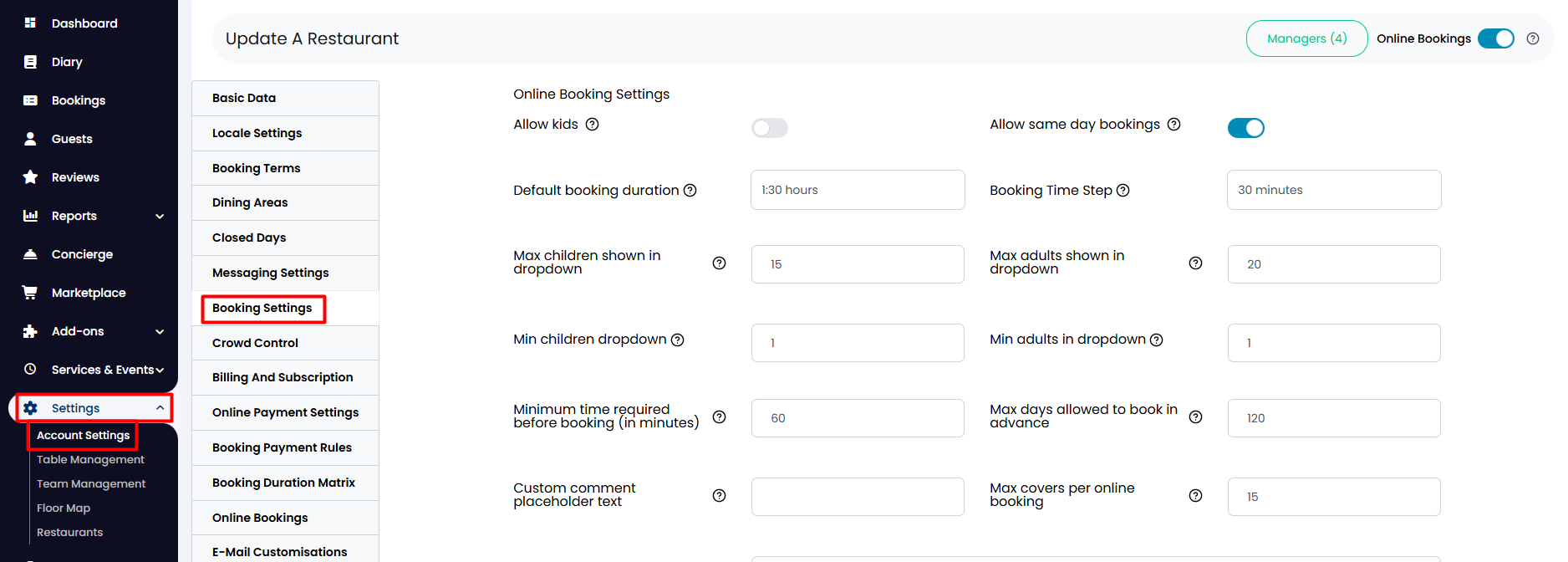
2. Scroll down and click on Widget booking form options to display new options. If you would like your guests to be able to tag their booking at the moment of reservation as a birthday, just click on the corresponding toggle to activate it.

3. They can also tag their booking as “Birthday” by selecting it as a special occasion and then labeling it as a Birthday. To do so, make sure you have also enabled the special occasion field as shown below.

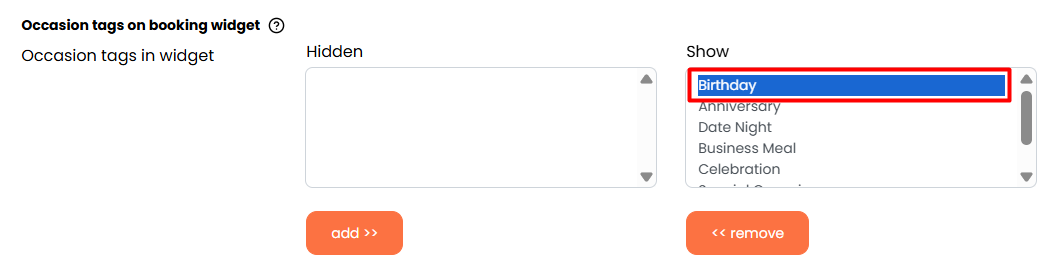
4. Beneath those options, you will find the Occasion tags on booking widget section, where you can customize the tags you want to be eligible for on the widget. Just check that the “Birthday” tag is in the Show column.
When finished, click on the Update button below.

Was this article helpful?
That’s Great!
Thank you for your feedback
Sorry! We couldn't be helpful
Thank you for your feedback
Feedback sent
We appreciate your effort and will try to fix the article