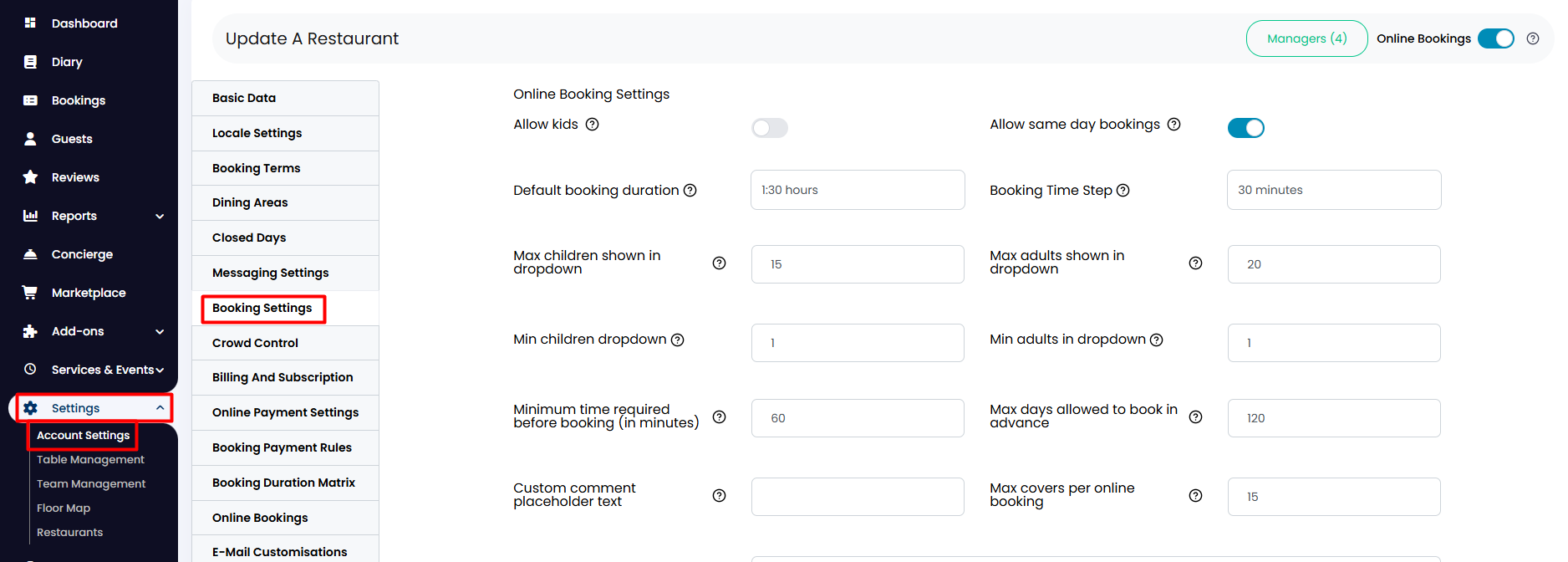
1. From the side menu, go to Settings > Account Settings > Booking Settings.
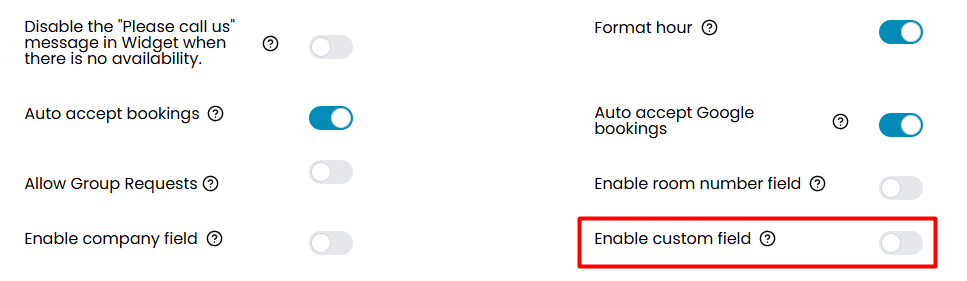
2. Scroll down and find the option Enable custom field. Click on the toggle to activate it.
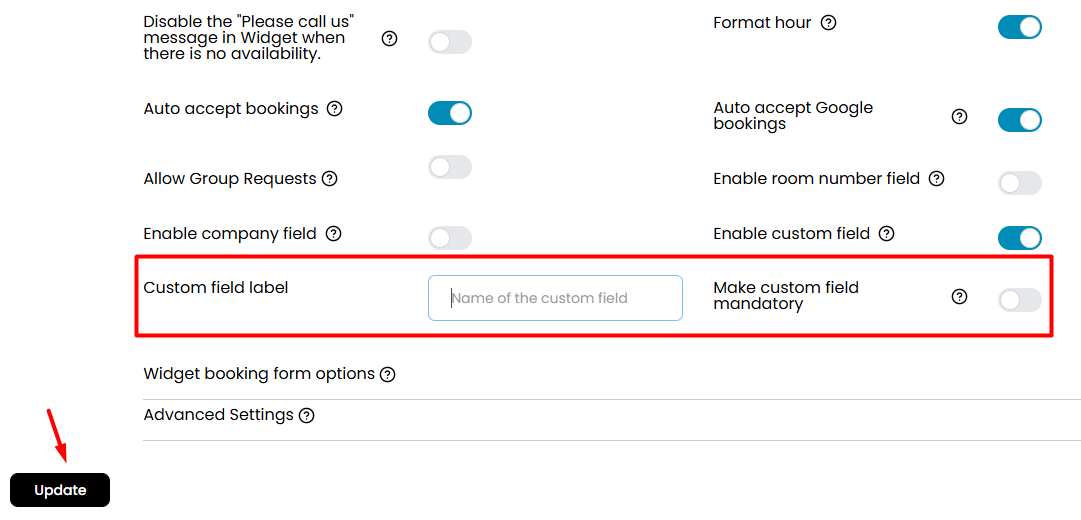
3. Once activated, two more options will appear for you to enter a name for your new custom field and to decide whether or not it should be mandatory at the moment of completing booking details. When finished, click on the Update button below.
Was this article helpful?
That’s Great!
Thank you for your feedback
Sorry! We couldn't be helpful
Thank you for your feedback
Feedback sent
We appreciate your effort and will try to fix the article