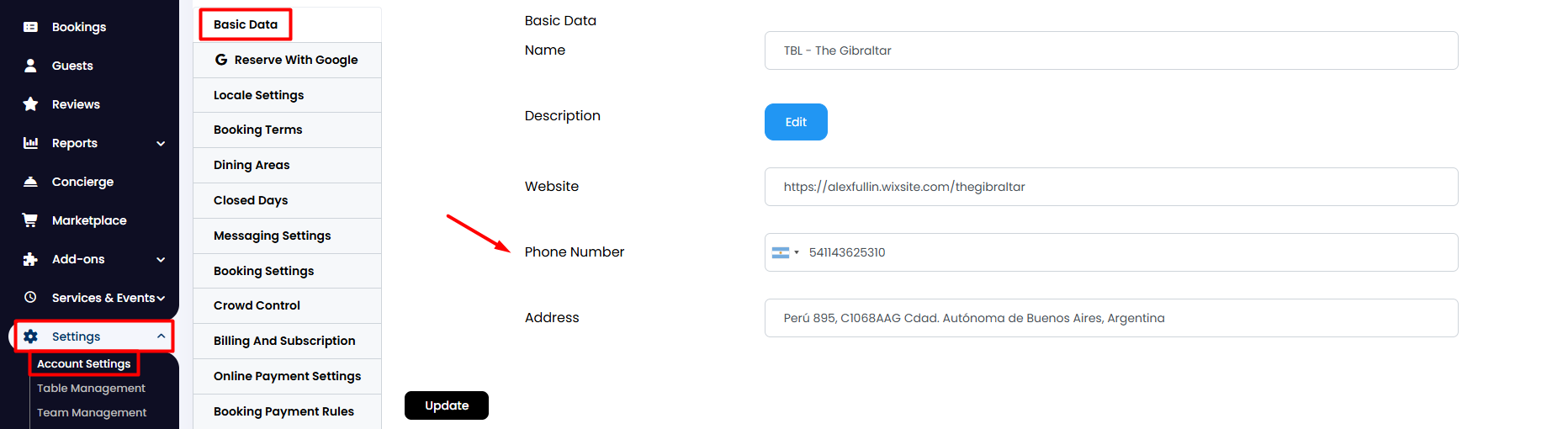
1. From the side menu, go to Settings > Account Settings > Basic Data.
2. On the Phone Number field, enter your restaurant's contact number. This ensures that guests can easily reach you when online bookings are not an option. Once finished, click the Update button below.
3. Next, from the side menu, go to Settings > Account Settings > Booking Settings.
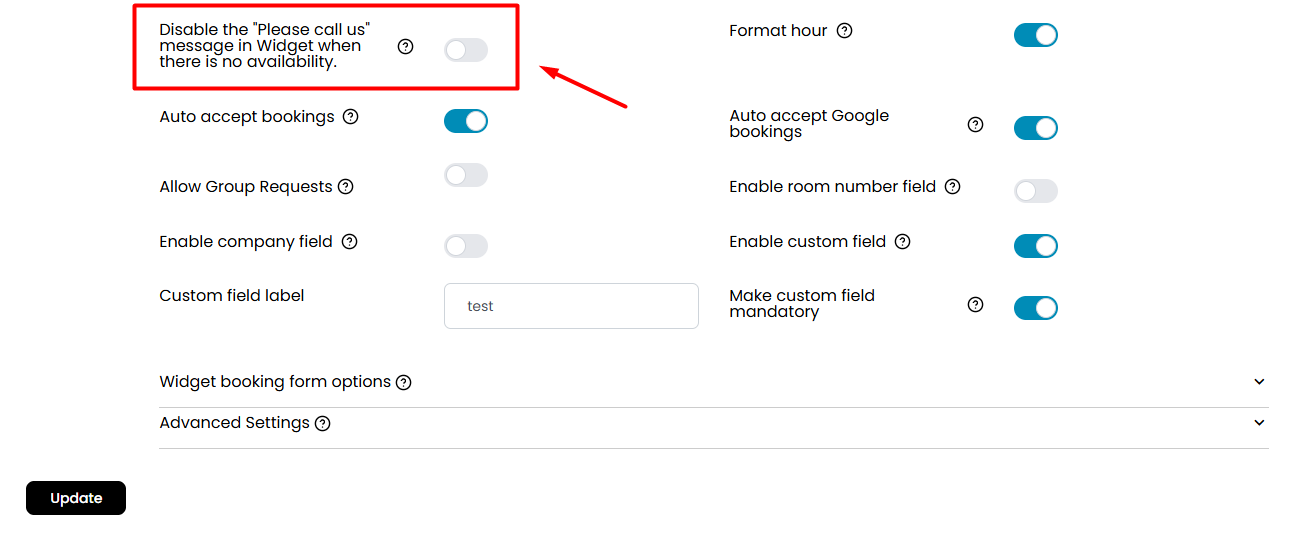
4. Look for the option labelled Disable the 'Please call us' message in Widget when there is no availability, and make sure this toggle is NOT activated. This setting allows your guests to see the message prompting them to call you when no online bookings are available.
5. Once you've made these adjustments, click on the Update button below to ensure all your settings are saved correctly.
Was this article helpful?
That’s Great!
Thank you for your feedback
Sorry! We couldn't be helpful
Thank you for your feedback
Feedback sent
We appreciate your effort and will try to fix the article