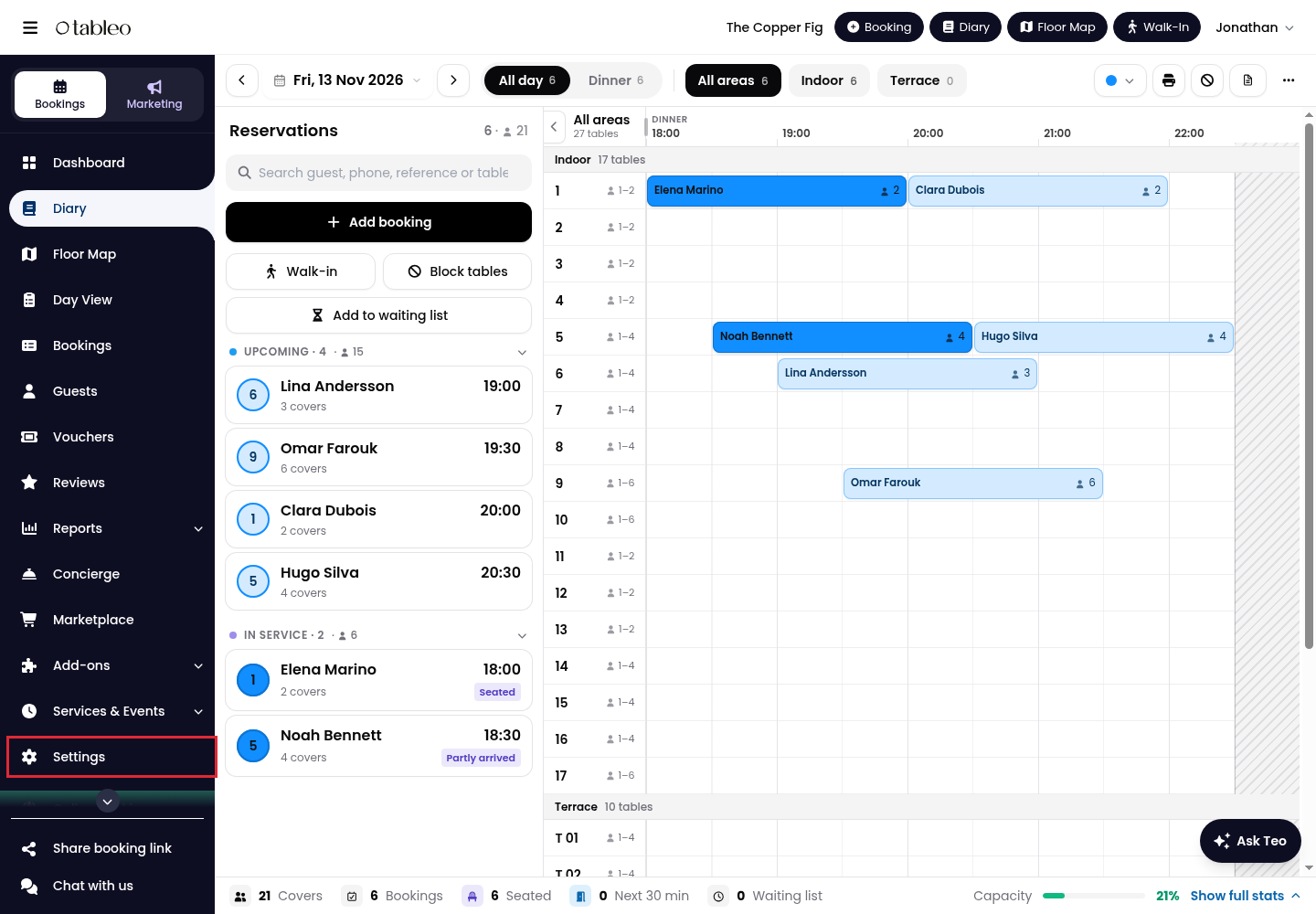
1. Click on Settings in the side menu.
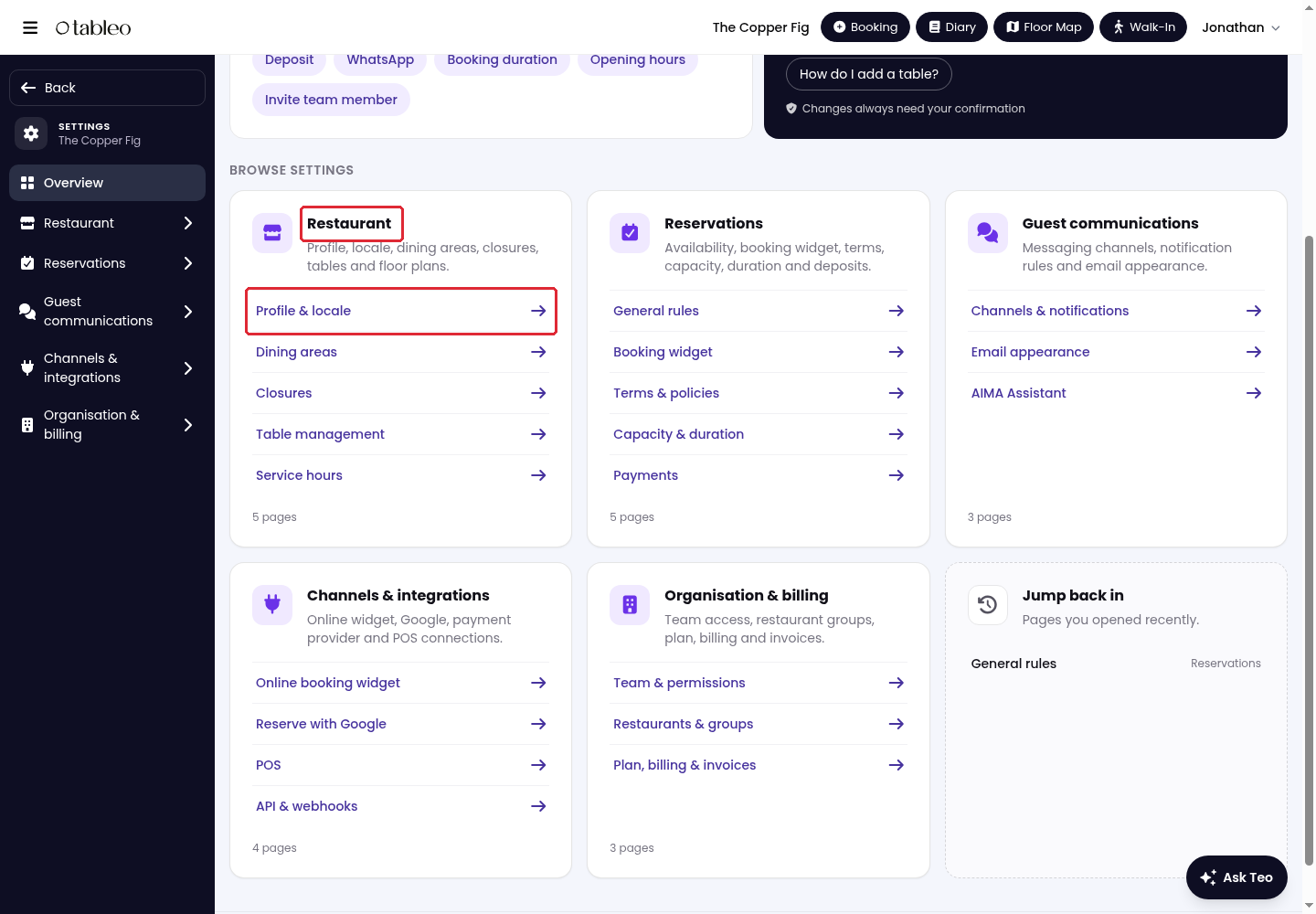
2. Under Restaurant, click on Profile & locale.
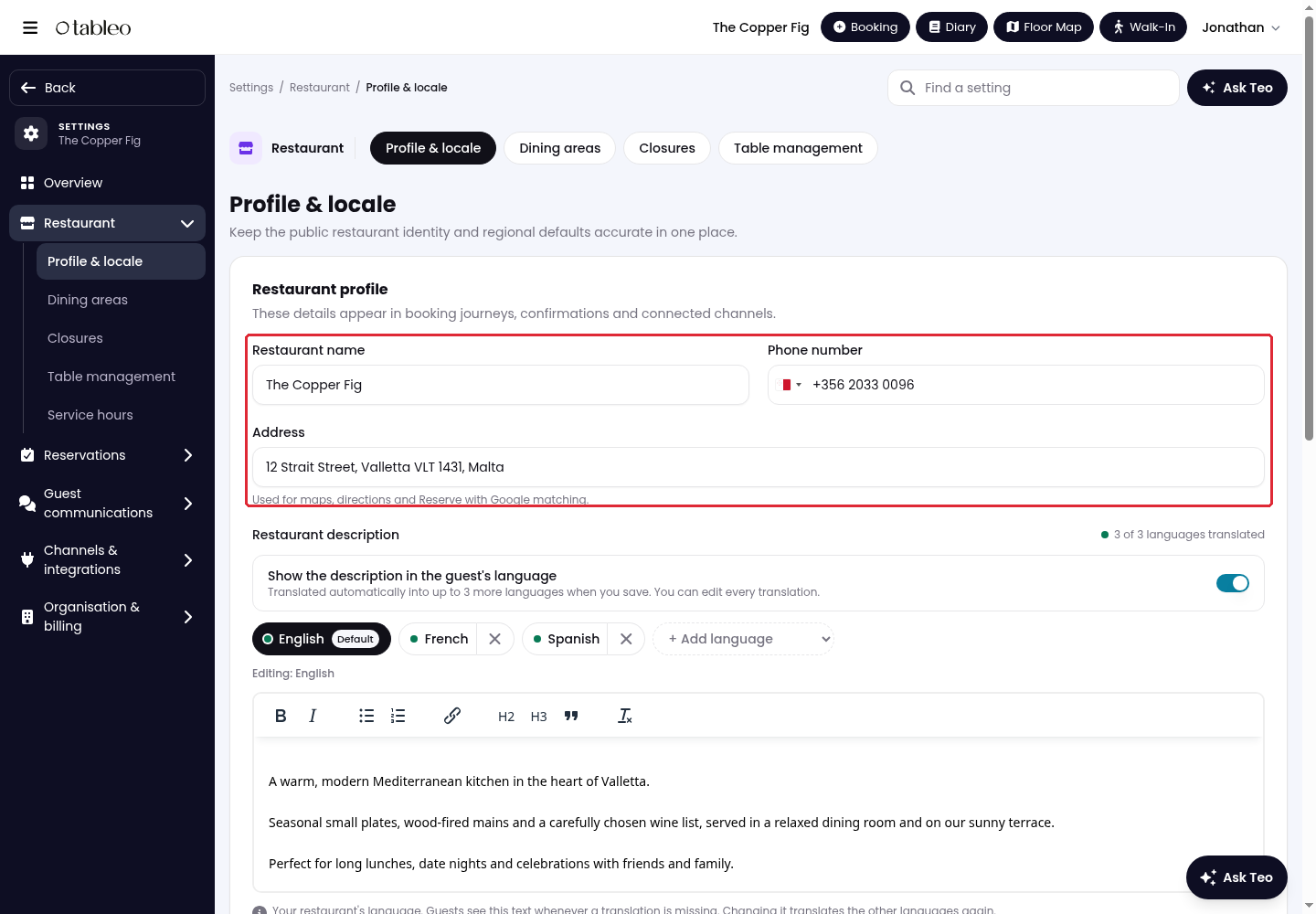
3. In Restaurant profile, update Restaurant name, Phone number and Address.
The Phone number appears in the widget when Ask guests to call is enabled. For Reserve with Google, the phone number and address must match those publicly listed on your Google Business Profile.
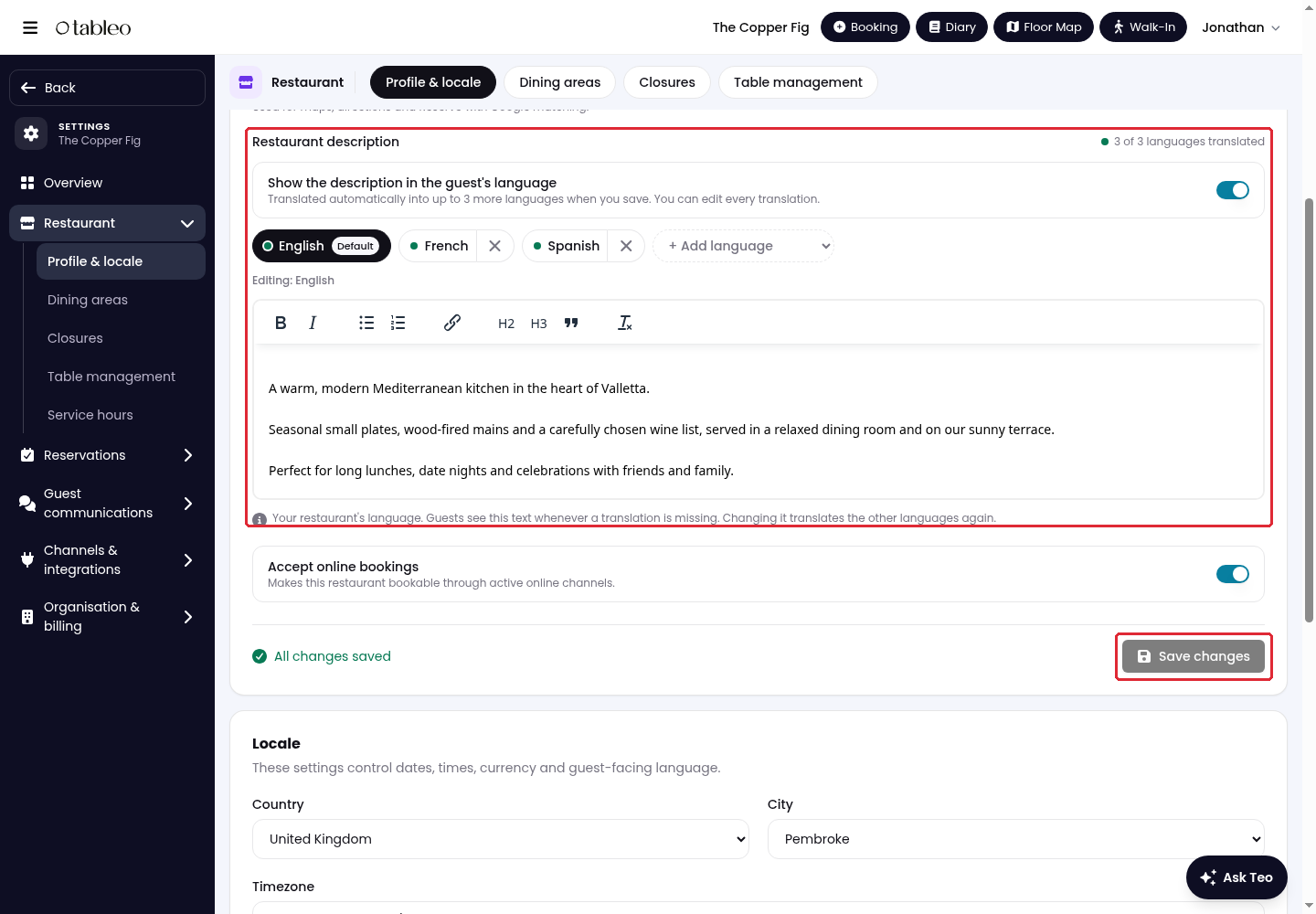
4. Update Restaurant description, then click on Save changes below the profile section.
For translation instructions, see How to add and translate your restaurant description.
5. Scroll to Locale. Review Country, City, Timezone and Language, and update the values that need changing.
Language changes the language inside Tableo. The widget automatically uses the guest's device language. Changing Timezone keeps existing bookings at their local time, but reminders, reports and what counts as today follow the new timezone.
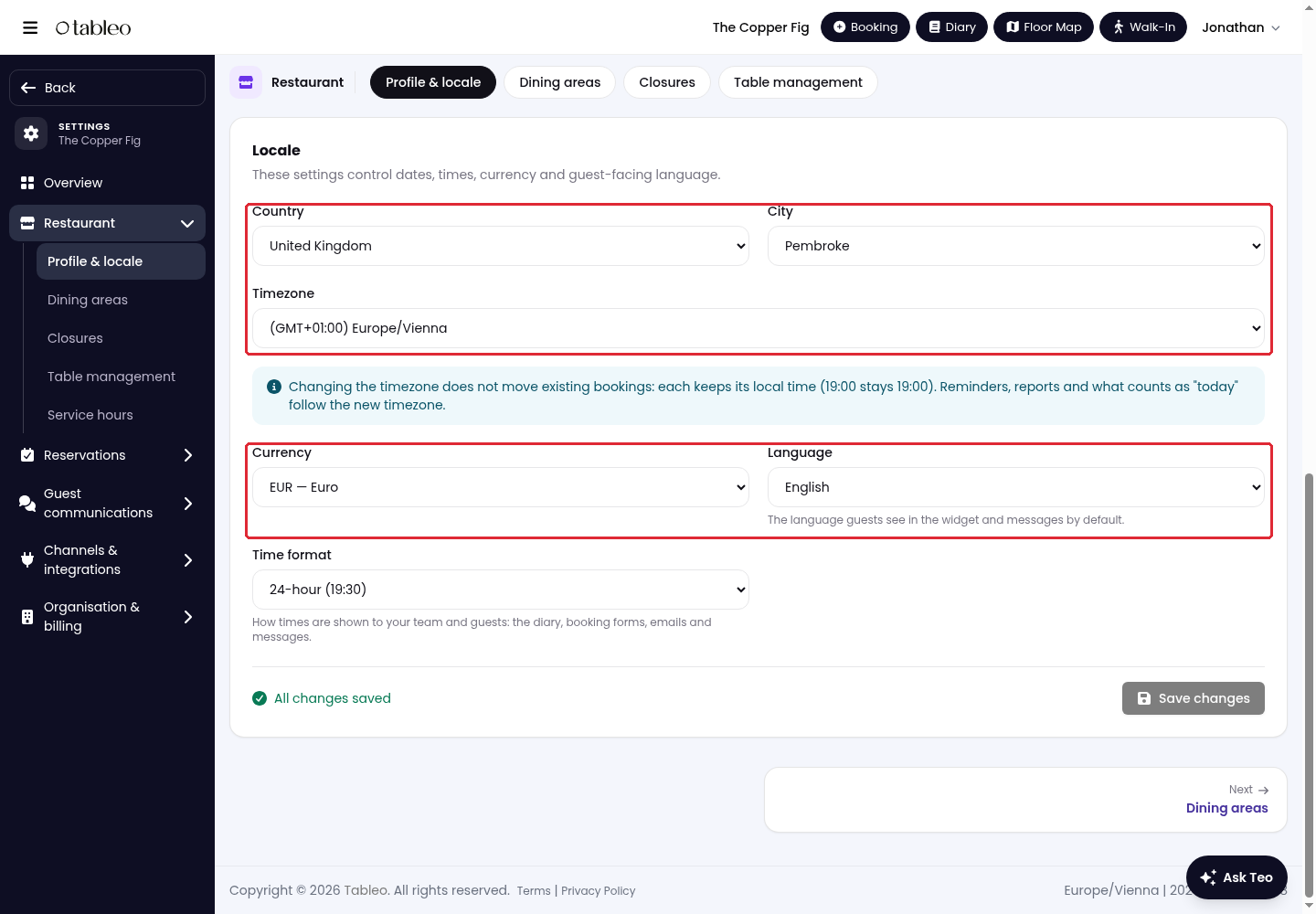
6. Click on Save changes inside the Locale section.
While we strive to ensure the accuracy and currency of the information in our knowledge base, some articles may contain minor discrepancies due to the constant evolution of our services and products.
Was this article helpful?
That’s Great!
Thank you for your feedback
Sorry! We couldn't be helpful
Thank you for your feedback
Feedback sent
We appreciate your effort and will try to fix the article