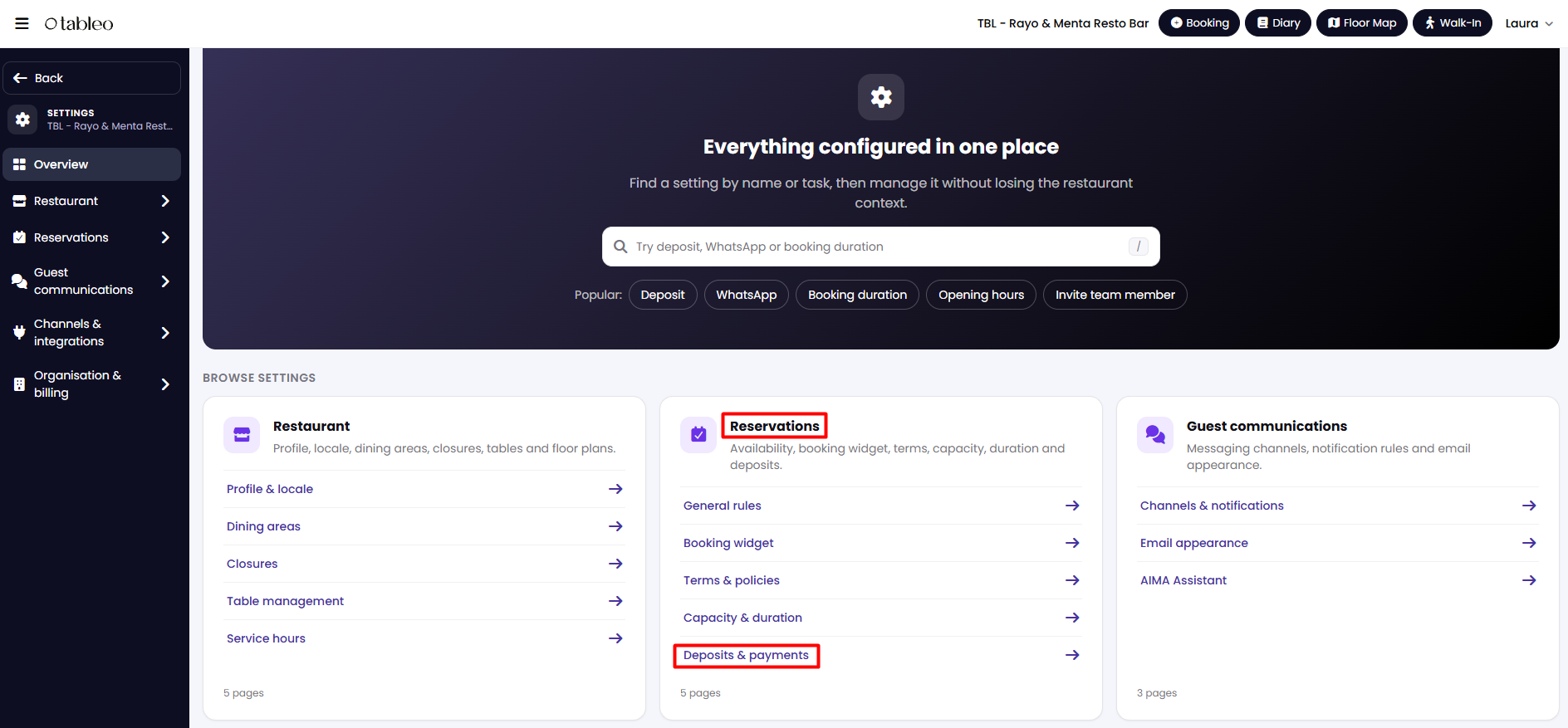
1. From the side menu, go to Settings > Reservations > Deposits & Payments.
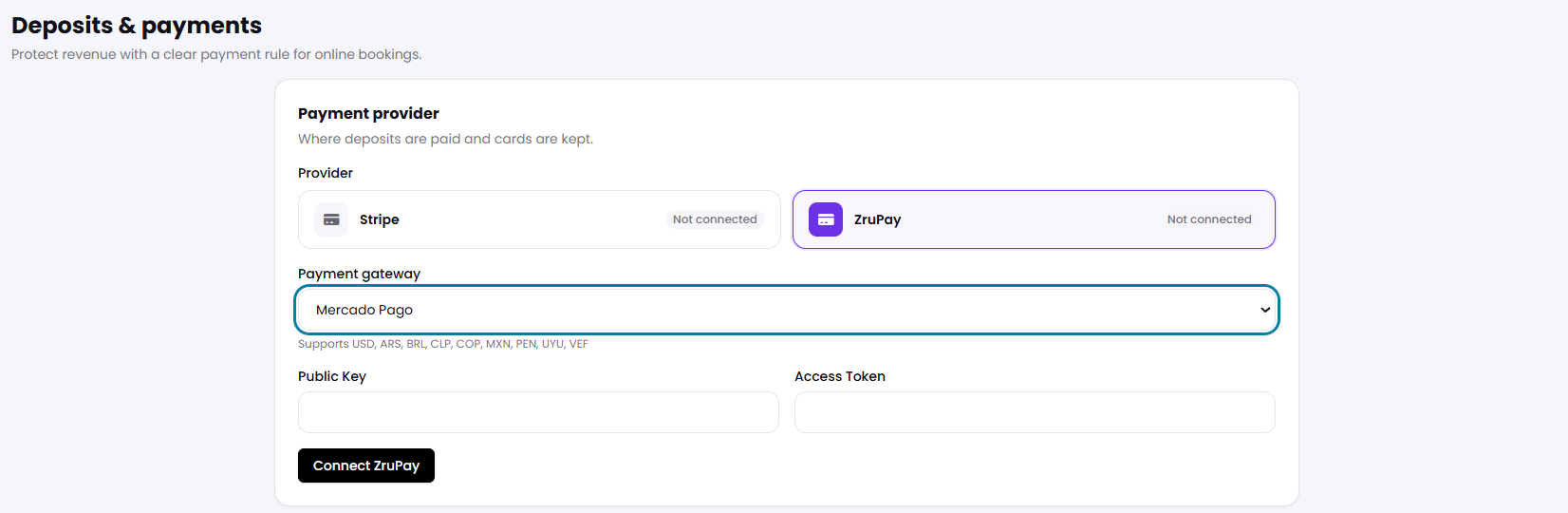
2. Select ZruPay, and then choose a payment gateway. Complete the information asked and click on Connect ZruPay.
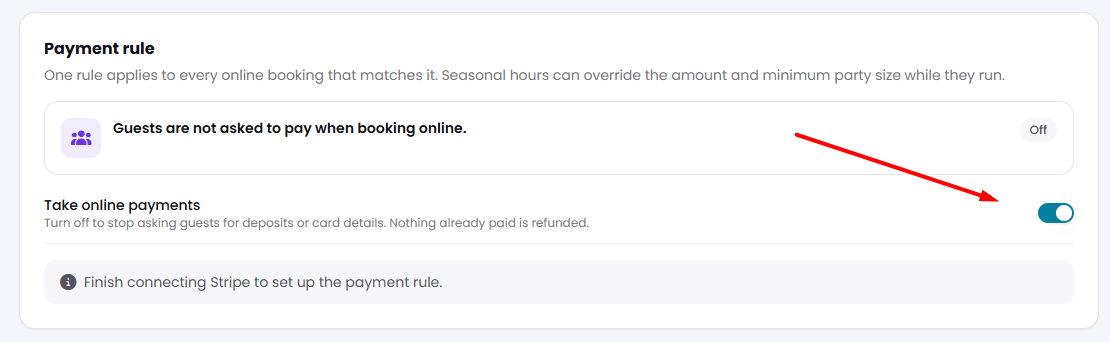
3. Make sure the toggle under Take online payments is activated. Then click Save changes at the bottom of the page.
4. To configure your payment policies, please follow the steps in this link.
Note: There are fees associated with accepting payments through Stripe. You can find information about these fees by clicking here.
While we strive to ensure the accuracy and currency of the information in our knowledge base, some articles may contain minor discrepancies due to the constant evolution of our services and products.
Was this article helpful?
That’s Great!
Thank you for your feedback
Sorry! We couldn't be helpful
Thank you for your feedback
Feedback sent
We appreciate your effort and will try to fix the article