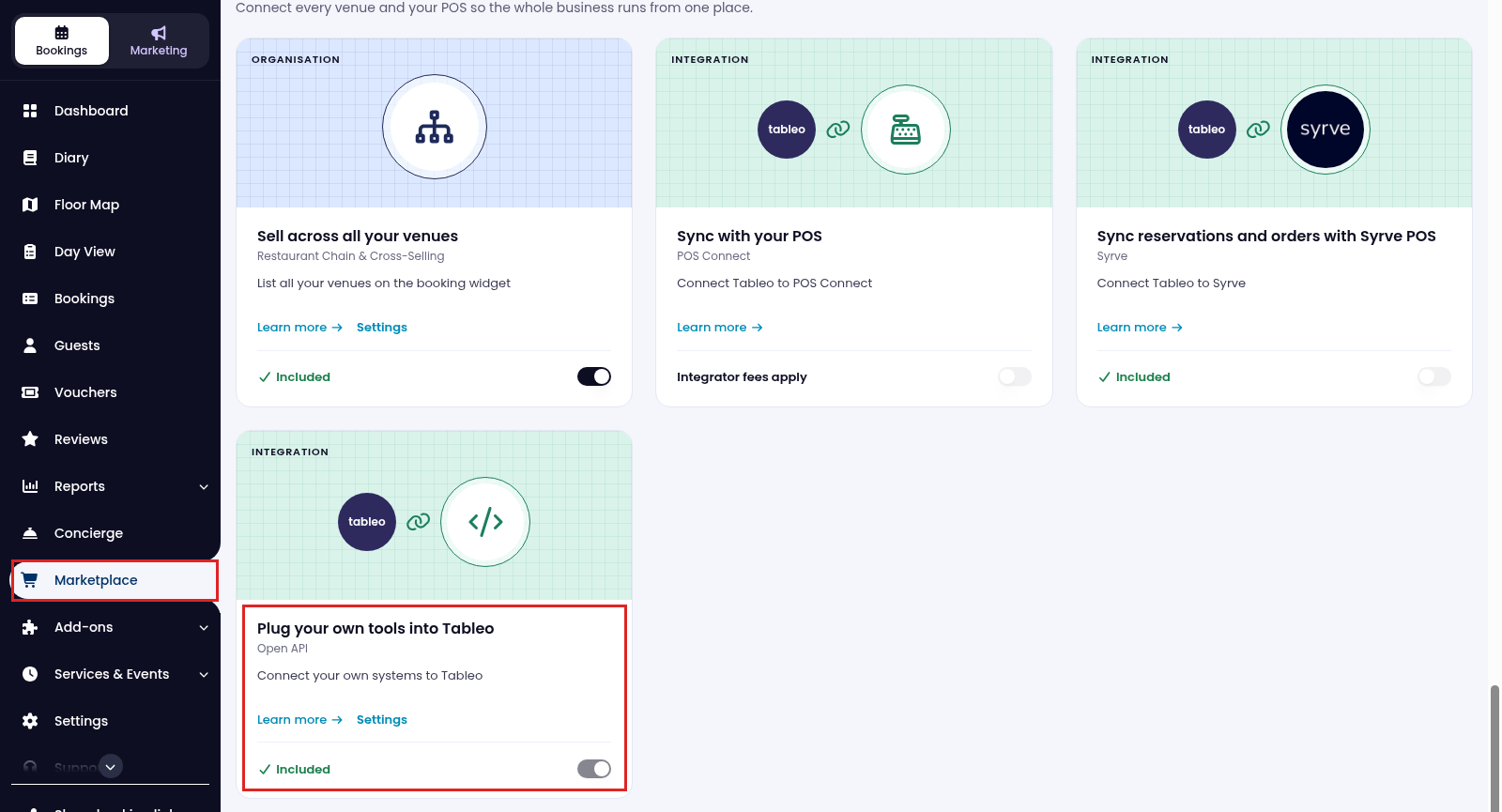
1. Click on Marketplace in the side menu and activate the Open API add-on if it is not already active. If it is included and already active, continue to the next step.
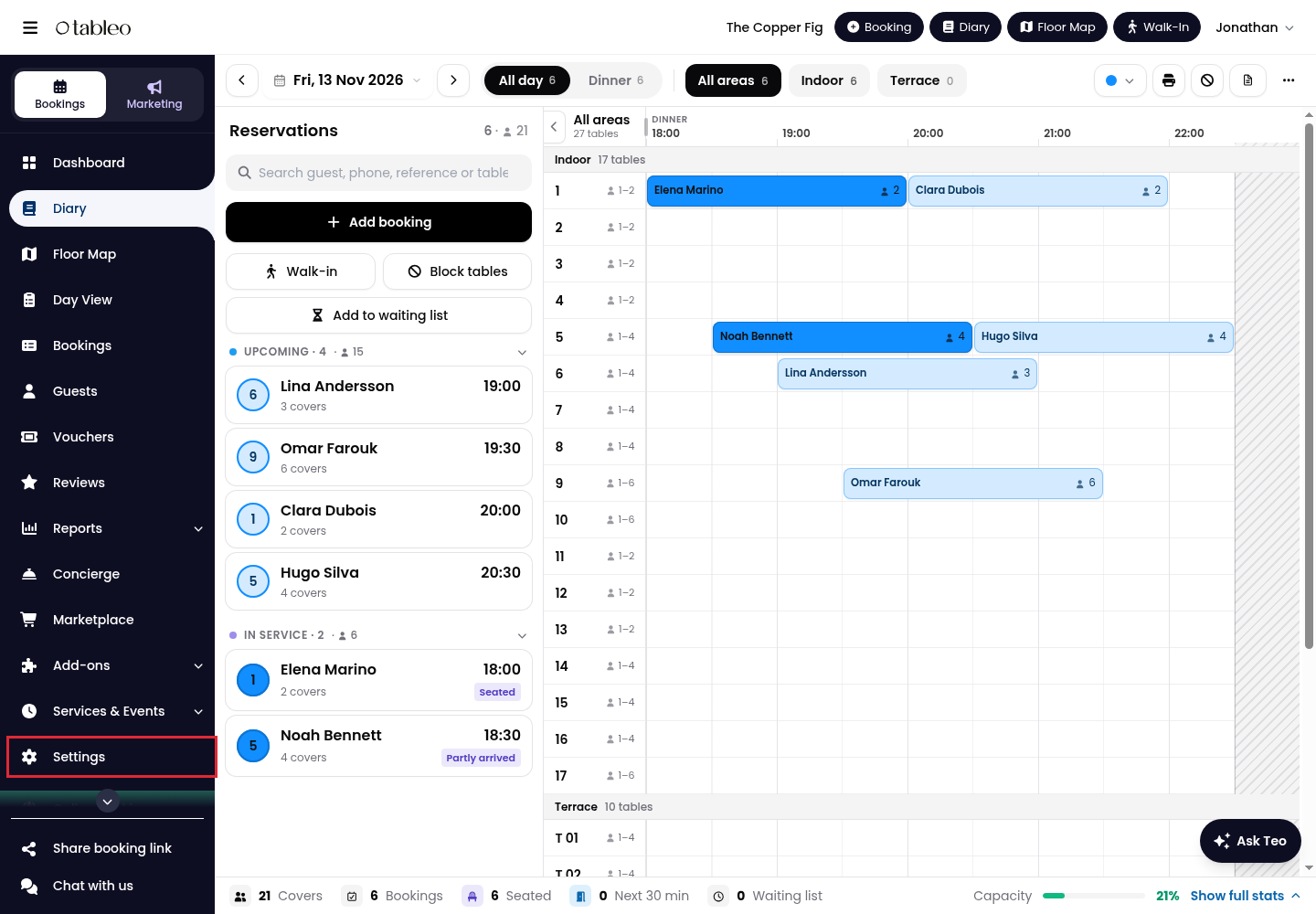
2. Click on Settings in the side menu.
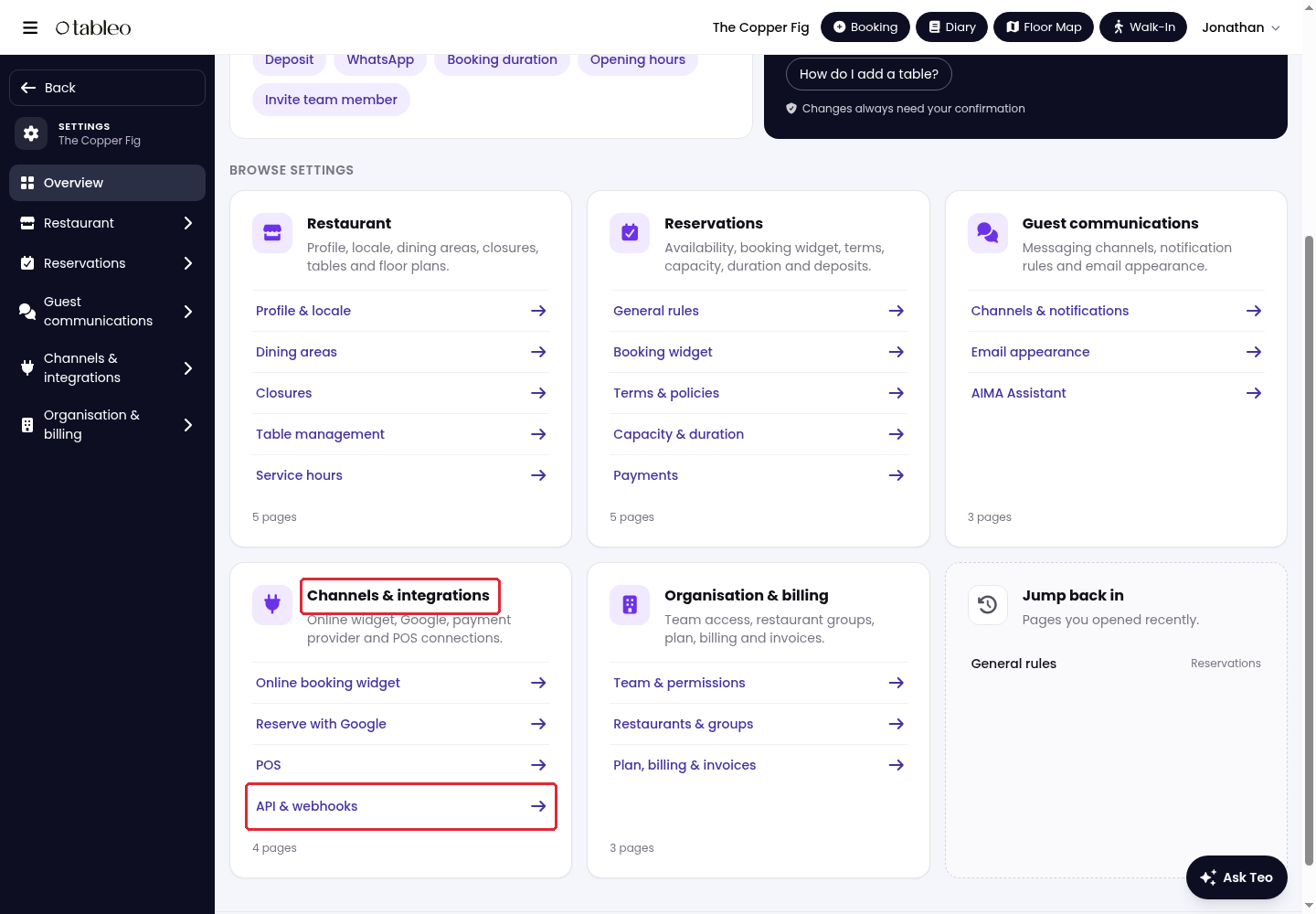
3. Under Channels & integrations, click on API & webhooks.
4. In API keys, enter a recognisable name in Name for the new key, then click on Create key.
API access requires the API Access add-on. Each key accesses this restaurant's data independently.
Store the generated token securely. Tokens are shown once. Give it only to the developer or trusted service that needs access; do not put it in public website code or screenshots.
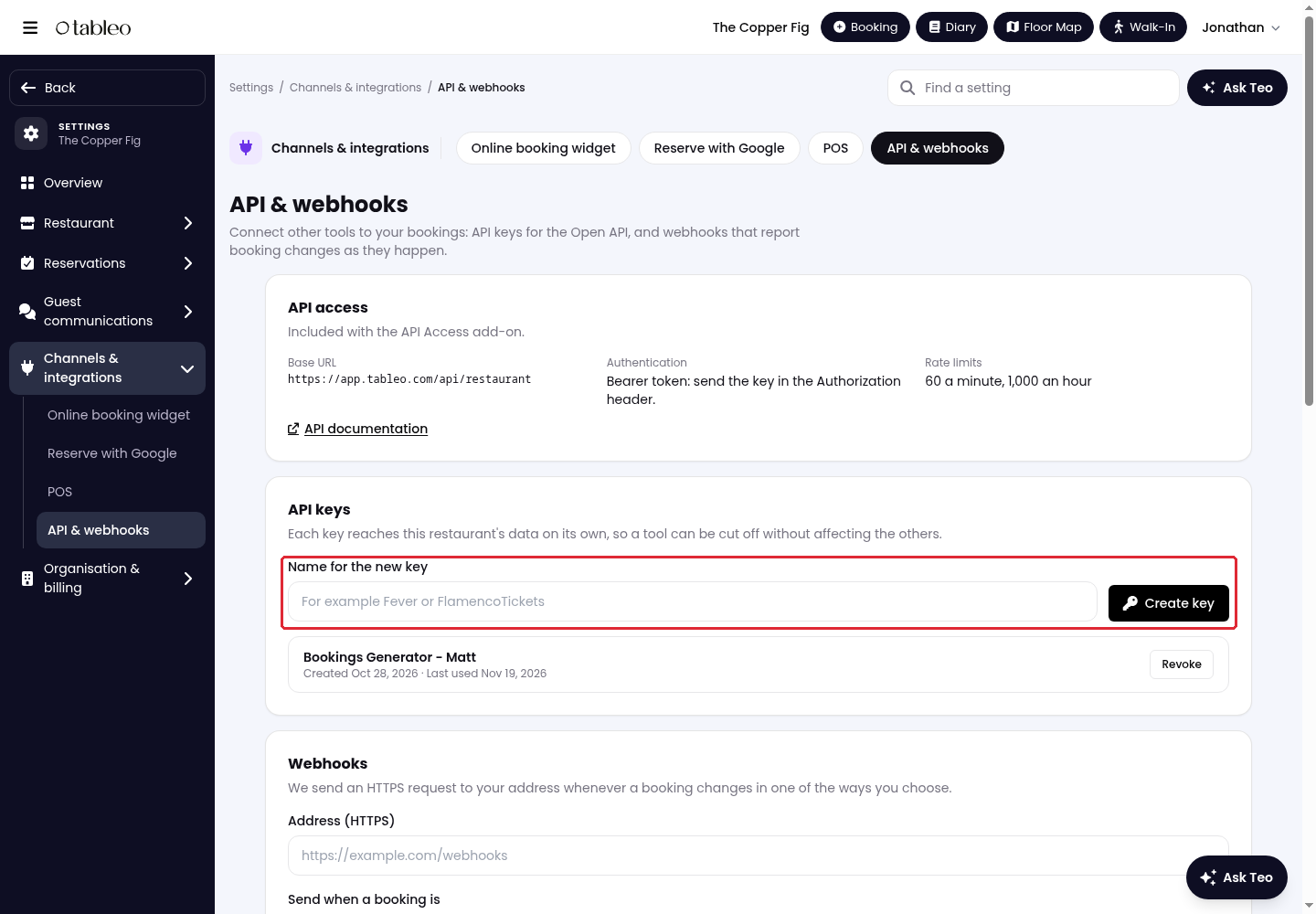
5. Give your developer the Base URL and authentication details shown under API access. Open API documentation for the supported endpoints.
Production requests use https://app.tableo.com/api/restaurant, with Authorization: Bearer <token> and Accept: application/json.
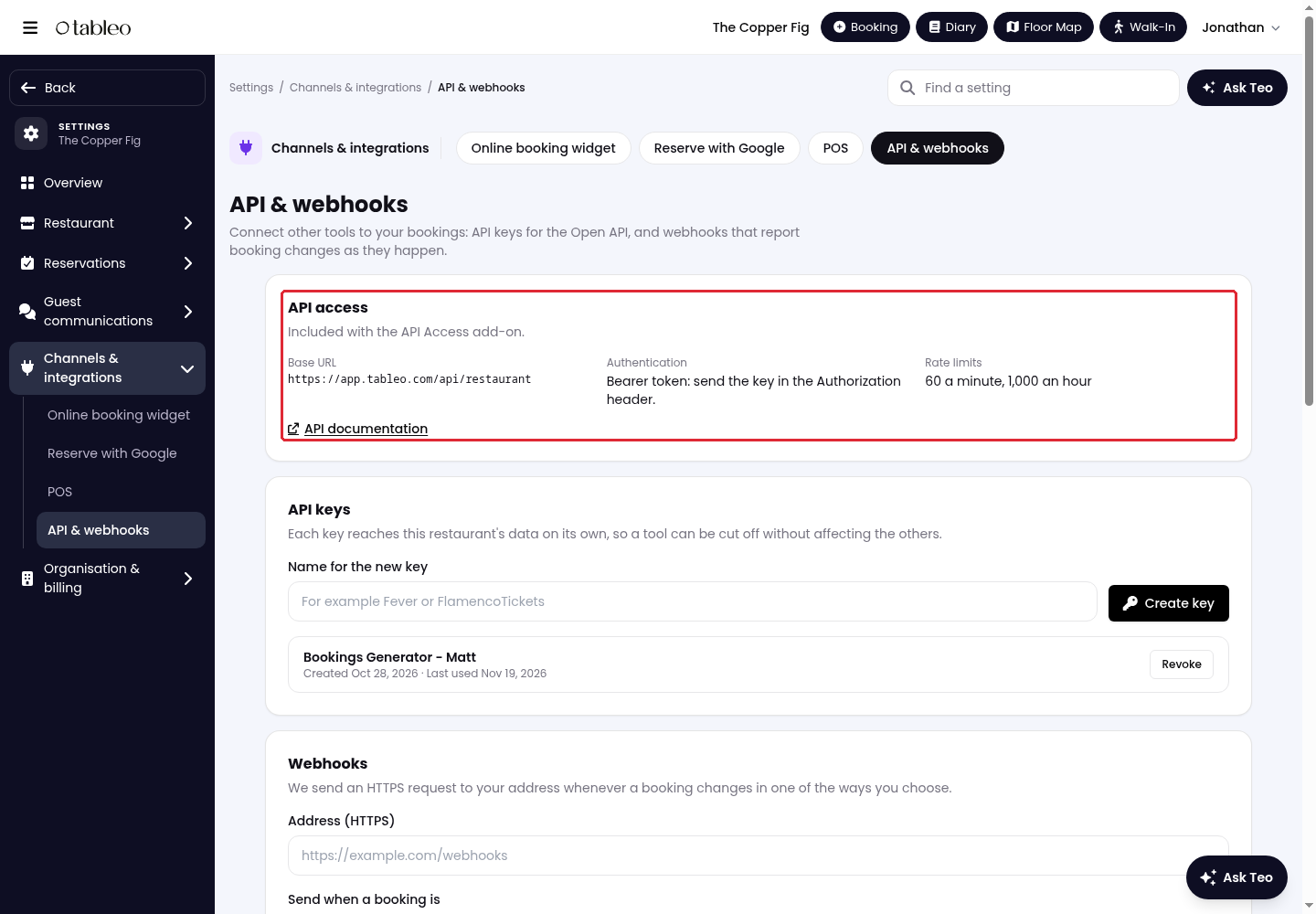
6. If a token is lost or a service should no longer have access, use Revoke for that key. Create a replacement only when the service still needs access.
While we strive to ensure the accuracy and currency of the information in our knowledge base, some articles may contain minor discrepancies due to the constant evolution of our services and products.
Was this article helpful?
That’s Great!
Thank you for your feedback
Sorry! We couldn't be helpful
Thank you for your feedback
Feedback sent
We appreciate your effort and will try to fix the article