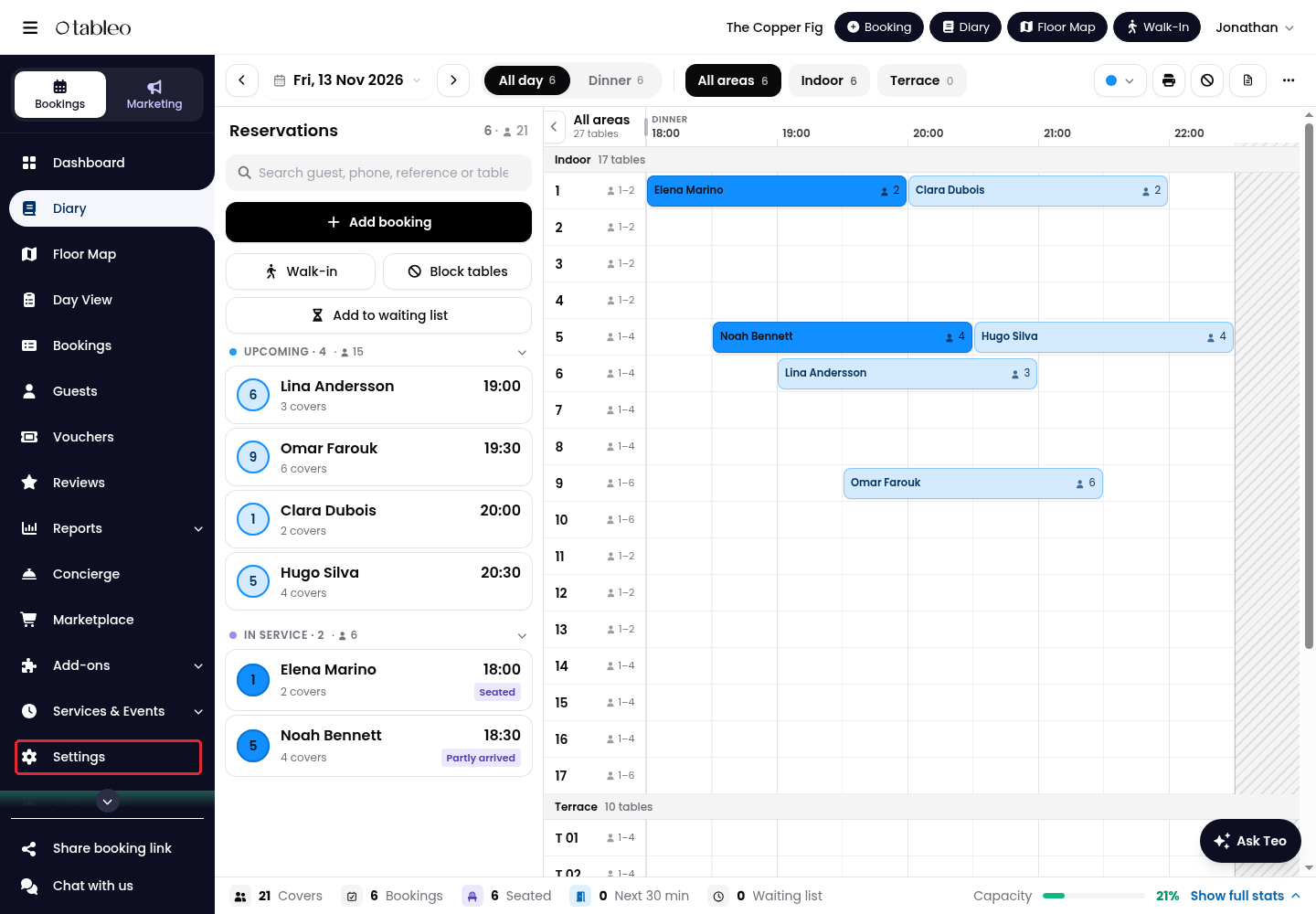
1. Click on Settings in the side menu.
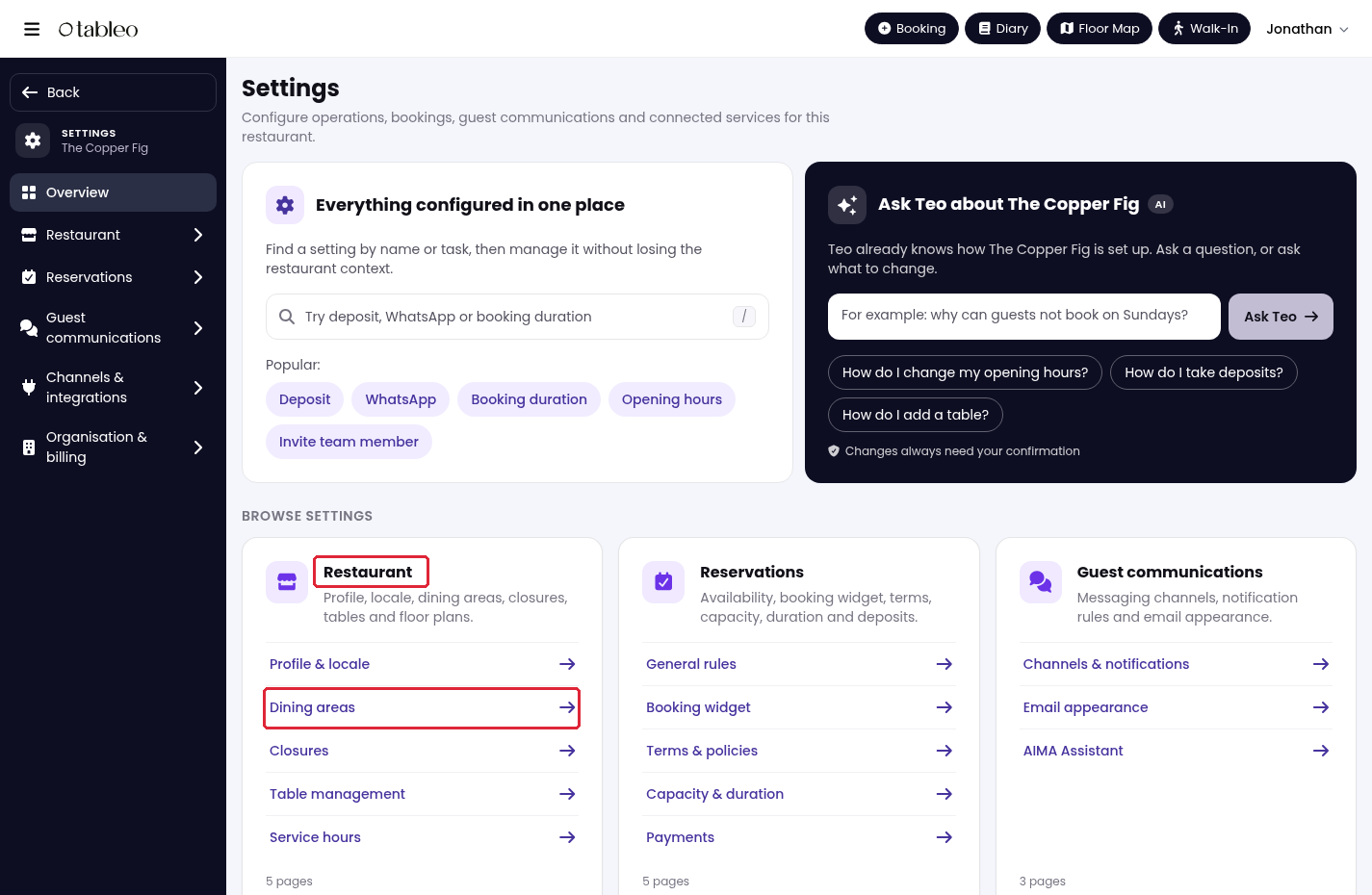
2. Under Restaurant, click on Dining areas.
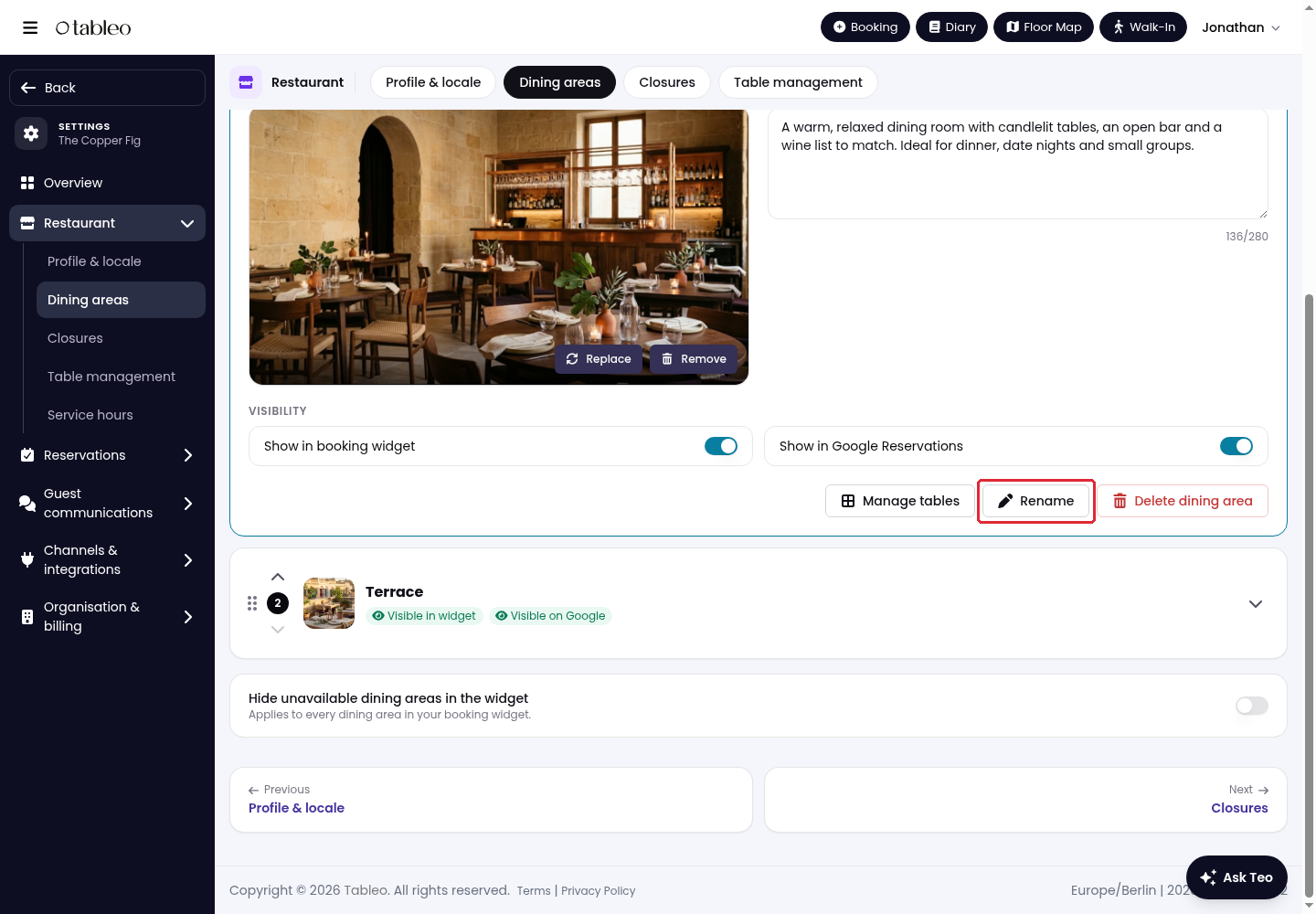
3. Expand the dining area you want to rename. Scroll to the bottom of its details and click on Rename.
4. Use Search names to find the new name, then select it from the list.
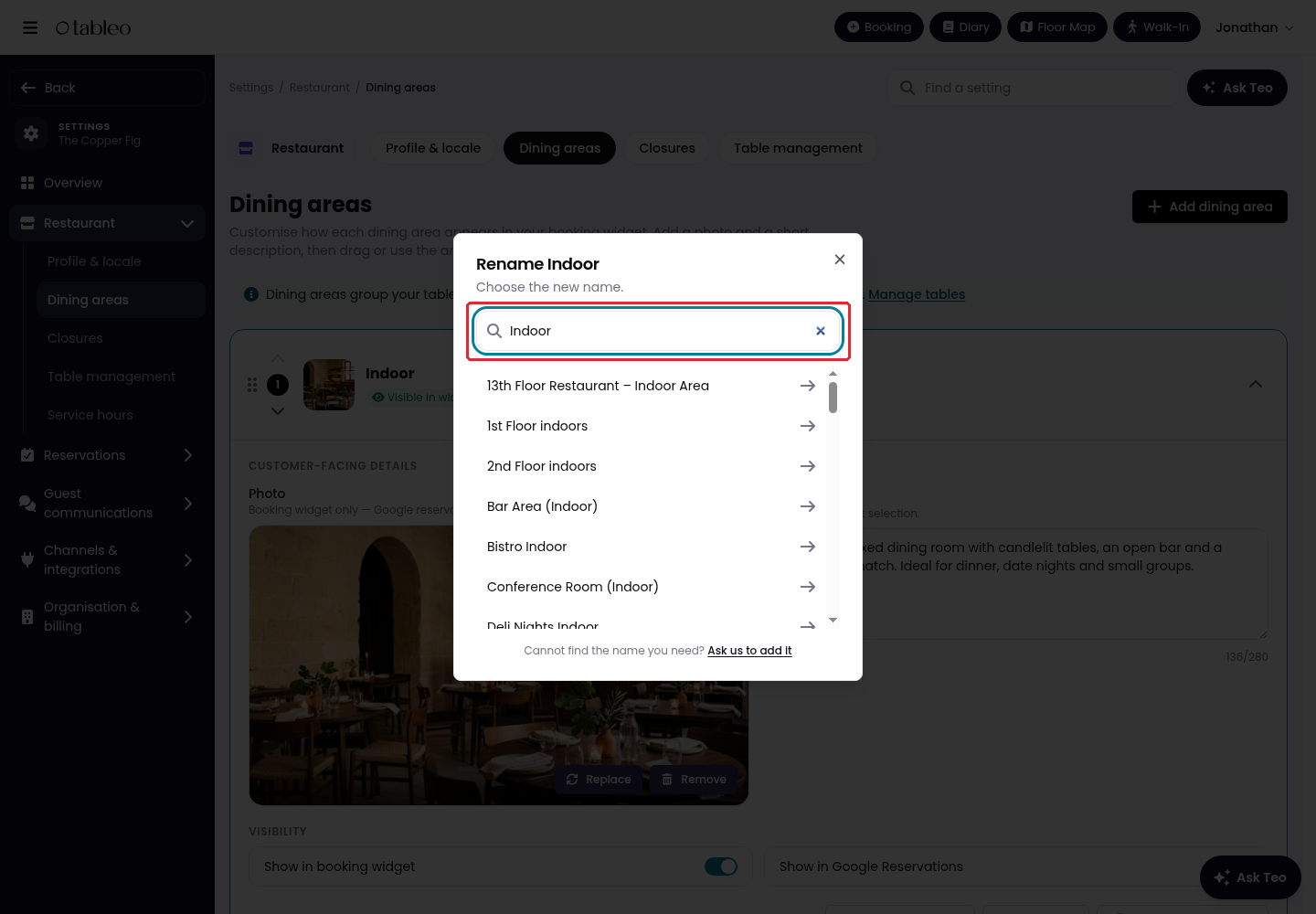
If the name you need is not listed, click on Ask us to add it to request it. Once it has been added, you can select it here.
While we strive to ensure the accuracy and currency of the information in our knowledge base, some articles may contain minor discrepancies due to the constant evolution of our services and products.
Was this article helpful?
That’s Great!
Thank you for your feedback
Sorry! We couldn't be helpful
Thank you for your feedback
Feedback sent
We appreciate your effort and will try to fix the article