From the Diary
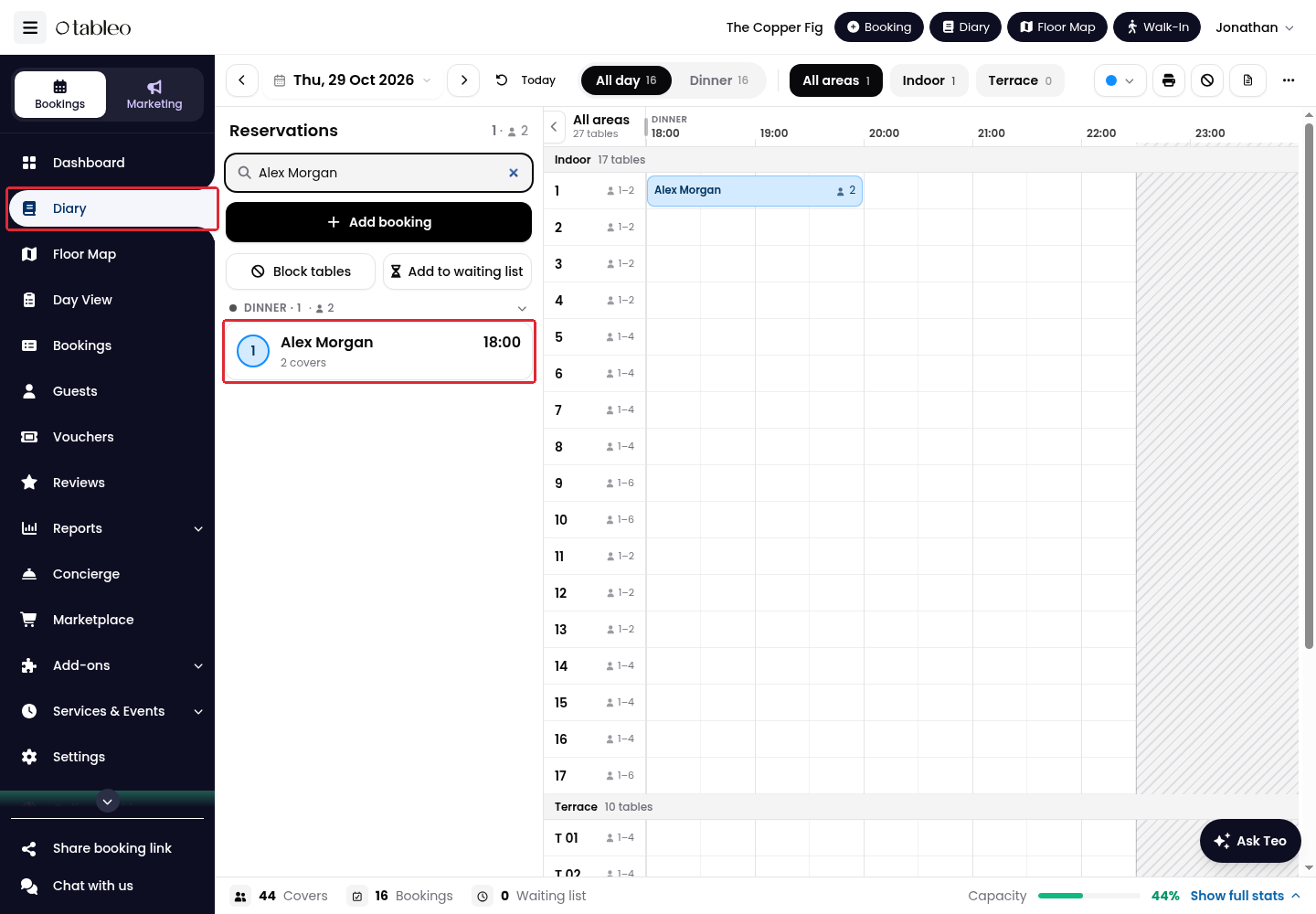
1. Click Diary in the side menu and select the booking date.
2. Click the booking in the reservations list or on the timeline.
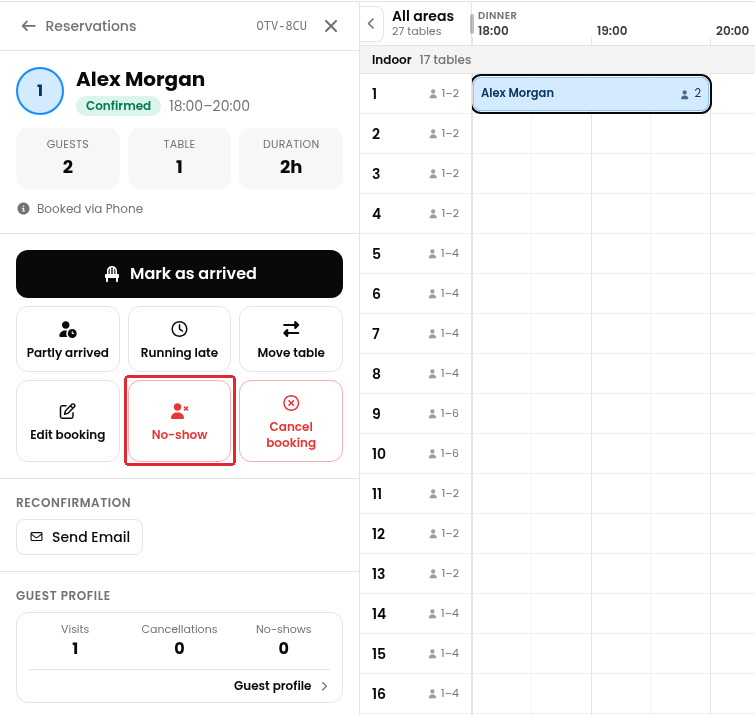
3. Click No-show in the booking details.
From the Bookings list
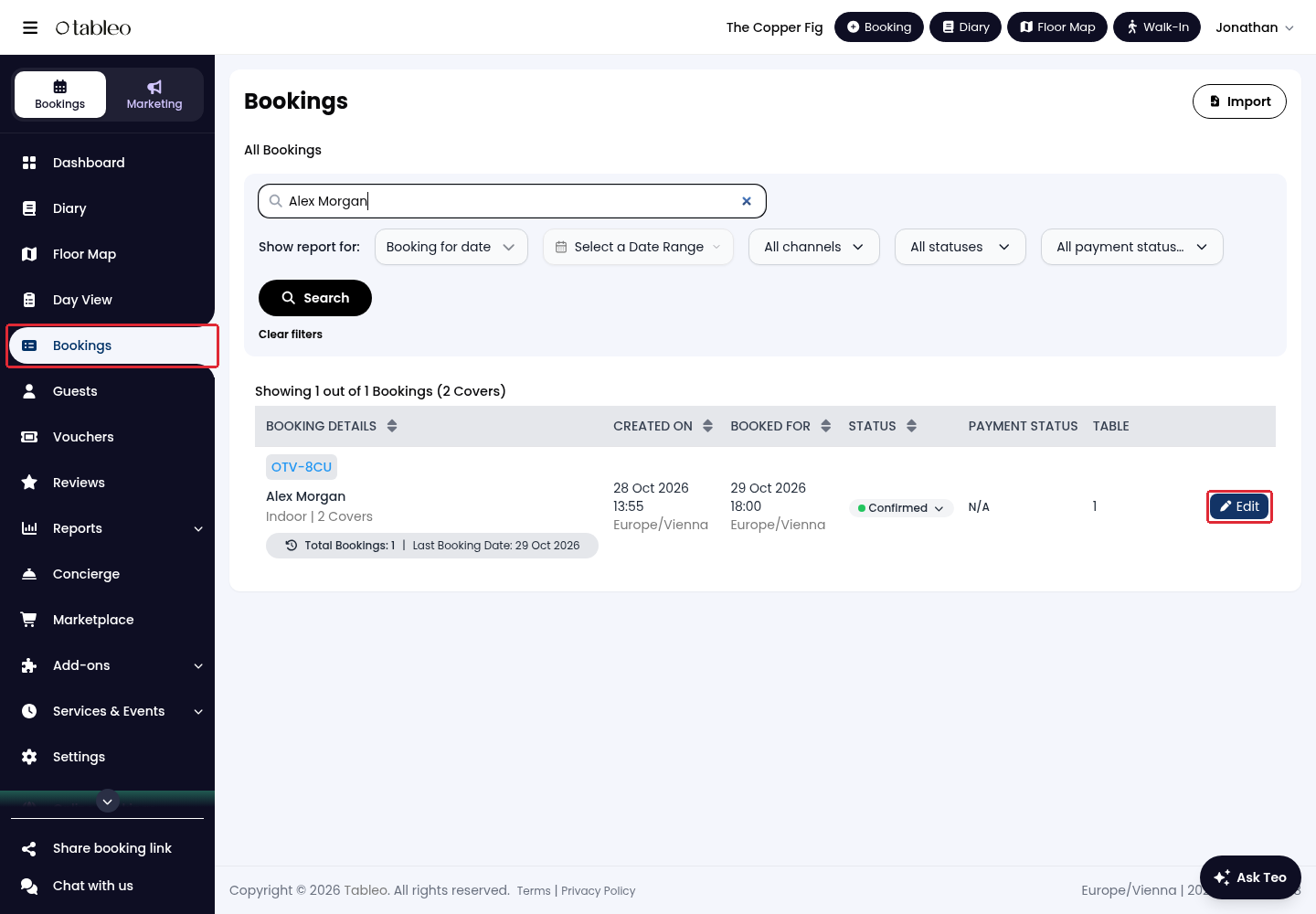
1. Click Bookings in the side menu. Find the booking using the search field or date filters, then click Edit.
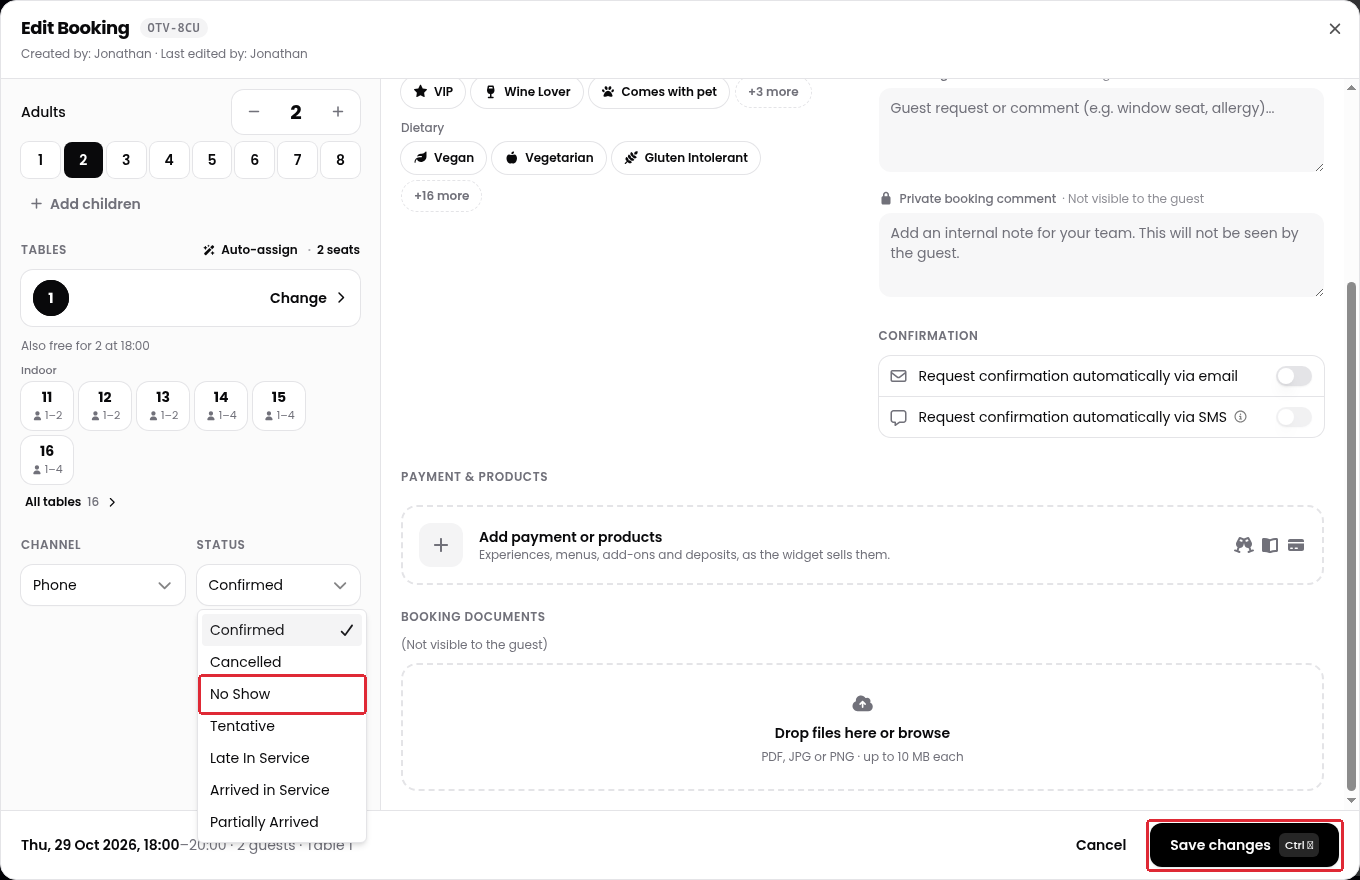
2. Scroll down in the booking form to Status, below Tables. Open the dropdown and select No Show.
3. Click Save changes.
Was this article helpful?
That’s Great!
Thank you for your feedback
Sorry! We couldn't be helpful
Thank you for your feedback
Feedback sent
We appreciate your effort and will try to fix the article