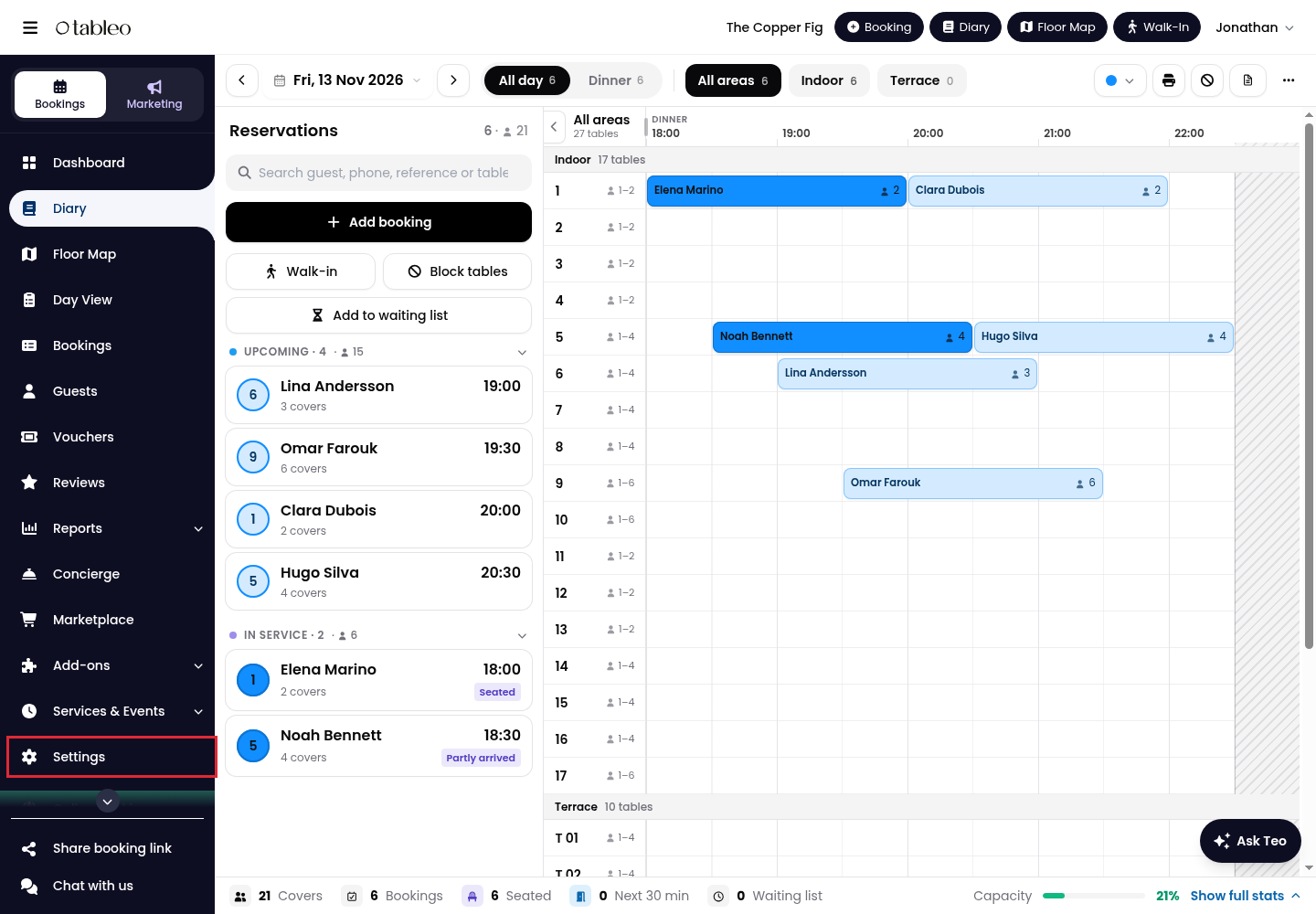
1. Click on Settings in the side menu.
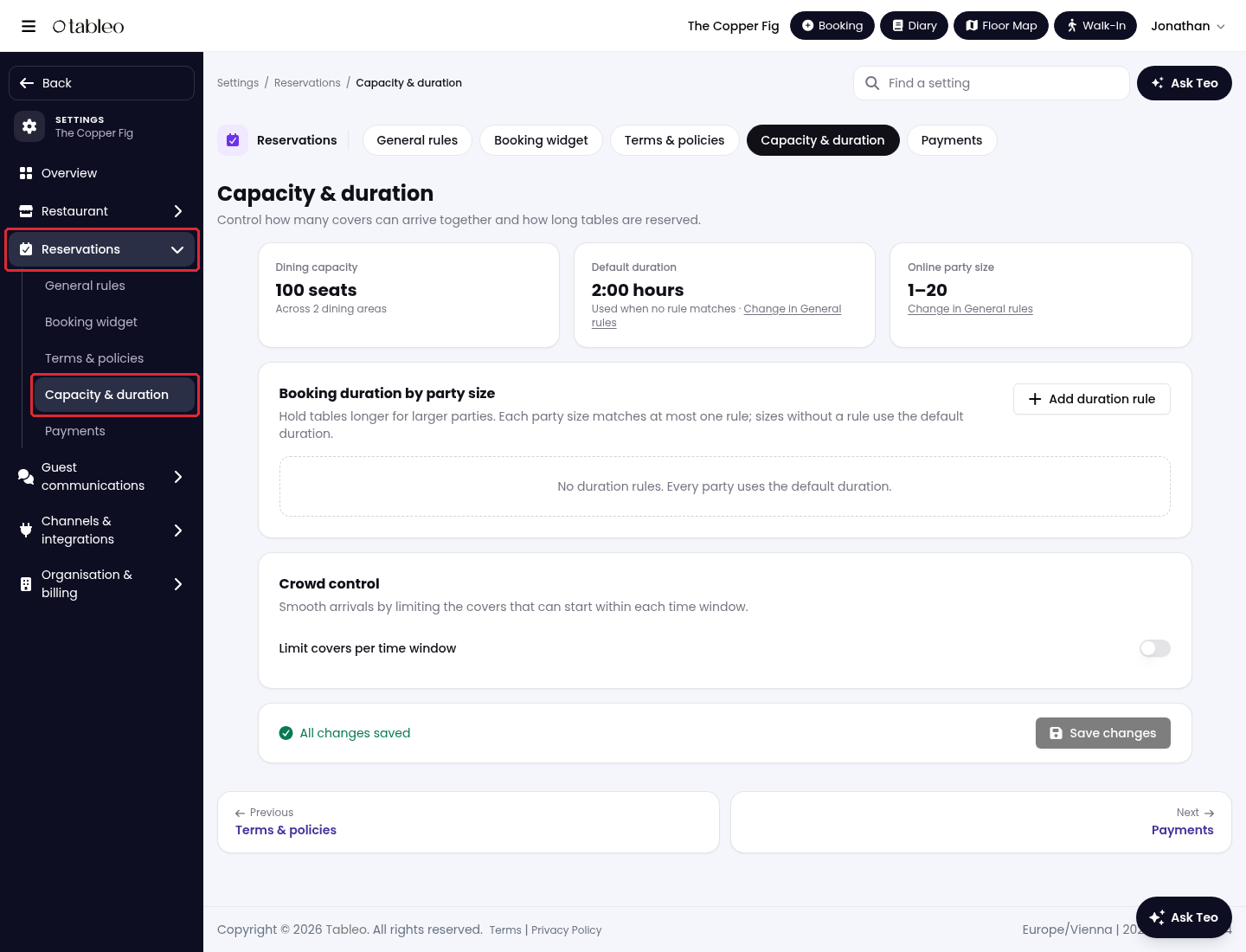
2. Expand Reservations, then click on Capacity & duration.
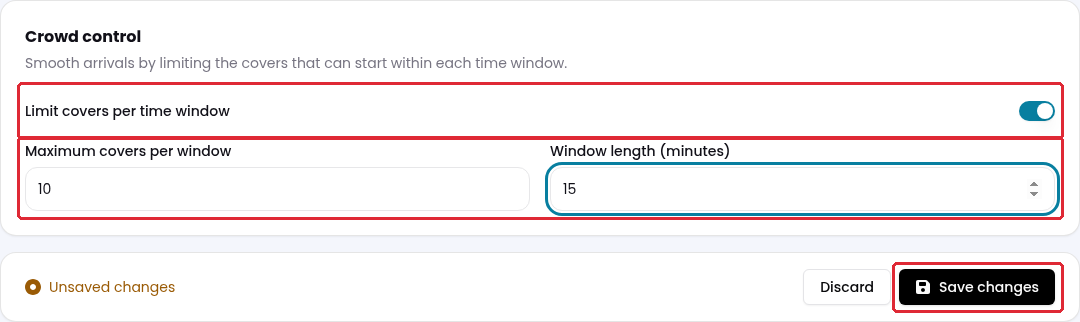
3. Scroll down to Crowd control and turn on Limit covers per time window.
4. In Maximum covers per window, enter the maximum number of guests who can start their booking within a time window. In Window length (minutes), enter the length of that window.
For example, enter 10 covers and 15 minutes to limit arrivals to 10 guests per 15-minute window. This controls arrivals, not the total number of guests who can be in the restaurant at once.
5. Click on Save changes.
To stop applying this arrival limit, turn off Limit covers per time window and click on Save changes. Other availability rules still apply.
While we strive to ensure the accuracy and currency of the information in our knowledge base, some articles may contain minor discrepancies due to the constant evolution of our services and products.
Was this article helpful?
That’s Great!
Thank you for your feedback
Sorry! We couldn't be helpful
Thank you for your feedback
Feedback sent
We appreciate your effort and will try to fix the article