General Crowd control sets the restaurant’s default arrival limit. Service-specific settings let you use a different limit, or bypass it, for one service on one weekday without changing the other services.
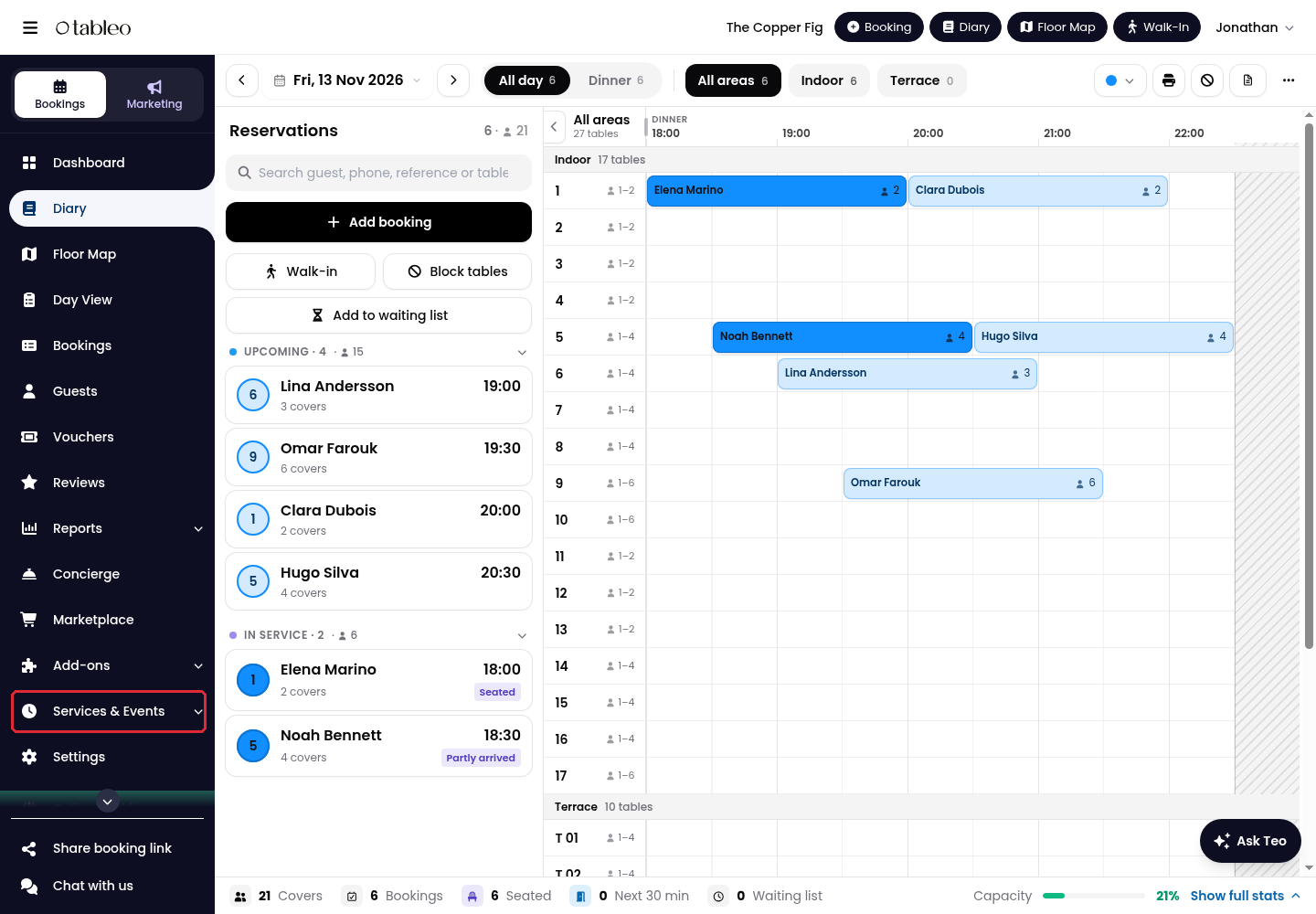
1. Click on Services & Events in the side menu.
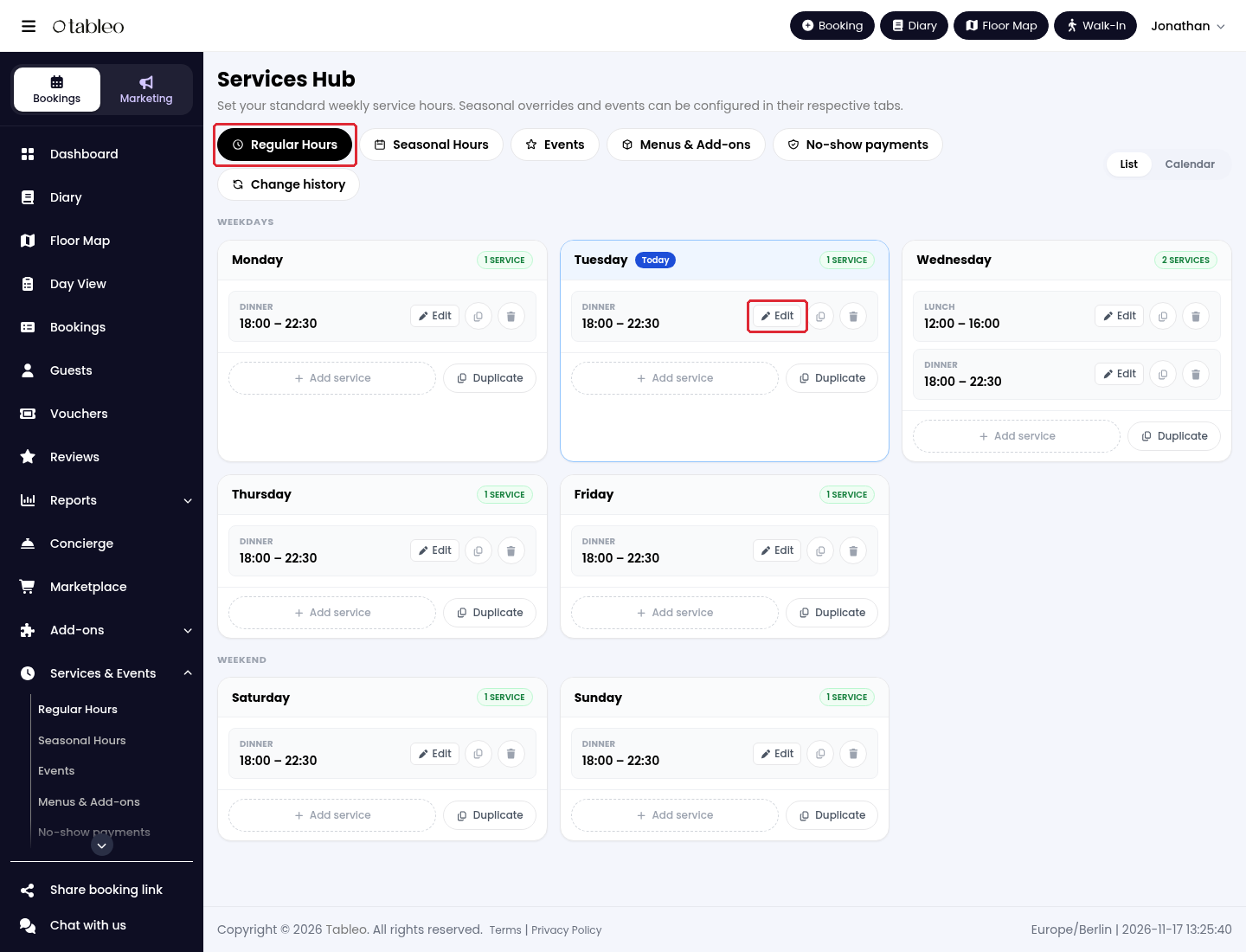
2. In Regular Hours, find the weekday and click on Edit beside the service you want to adjust. For example, choose Tuesday’s Dinner service.
3. Expand Advanced Settings and find Crowd Control.
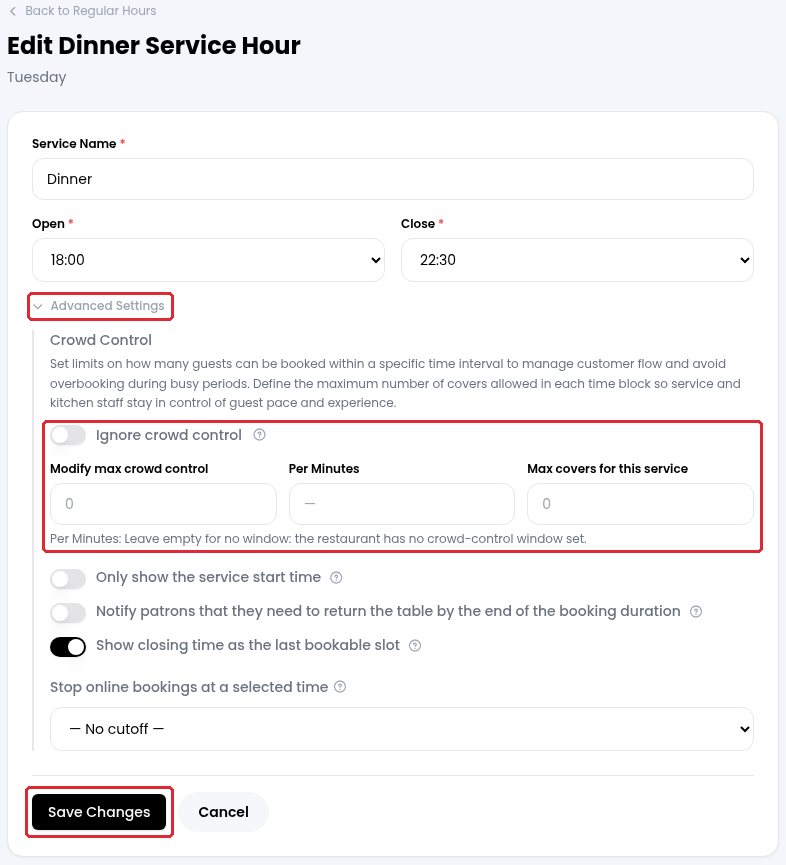
4. Choose how this service should handle crowd control:
- Modify max crowd control: enter a service-specific cover limit instead of the general crowd-control limit.
- Per Minutes: enter the time window for that limit. Leave it empty to use the restaurant’s window, if one is configured. If there is no restaurant window, leaving it empty does not set a time window. For example, 10 in Modify max crowd control and 15 in Per Minutes limits arrivals to 10 guests per 15-minute window for this service.
- Ignore crowd control: turn this on to let bookings for this service bypass crowd-control limits instead. Other availability rules still apply.
- Max covers for this service: set the maximum number of guests allowed for the service. This is separate from the cover limit for each time window.
5. Click on Save Changes. In Regular Hours, you can duplicate just this service or all services for the day. Use the corresponding Duplicate option, select the destination weekdays under Copy to, then click on Duplicate.
To change the restaurant-wide default, go to Settings → Reservations → Capacity & duration → Crowd control. See How to regulate the number of customers during the day for the general setup.
While we strive to ensure the accuracy and currency of the information in our knowledge base, some articles may contain minor discrepancies due to the constant evolution of our services and products.
Was this article helpful?
That’s Great!
Thank you for your feedback
Sorry! We couldn't be helpful
Thank you for your feedback
Feedback sent
We appreciate your effort and will try to fix the article