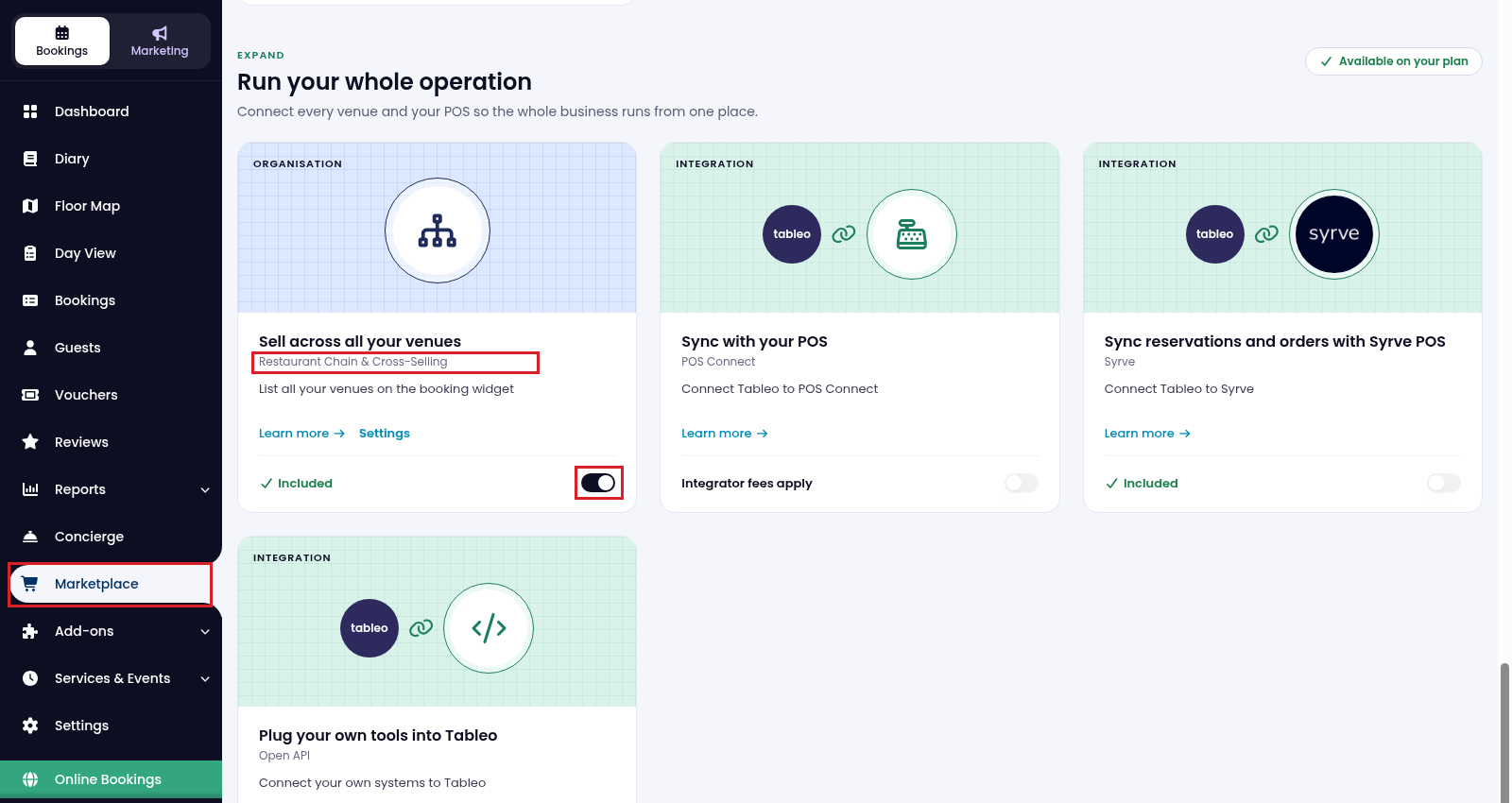
1. Open Marketplace in the side menu. Find Restaurant Chain & Cross-Selling and turn its switch on if it is not already active.
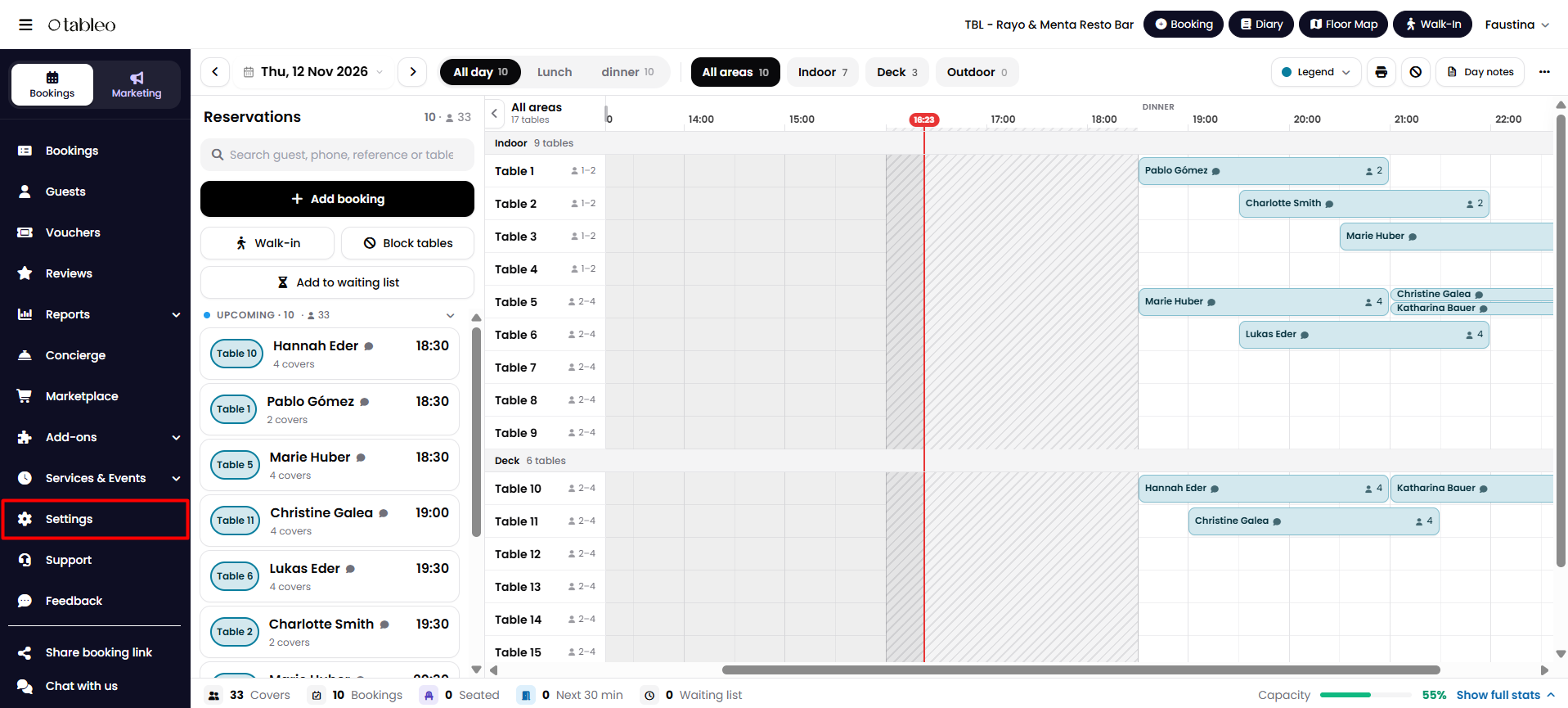
2. Click on Settings in the side menu.
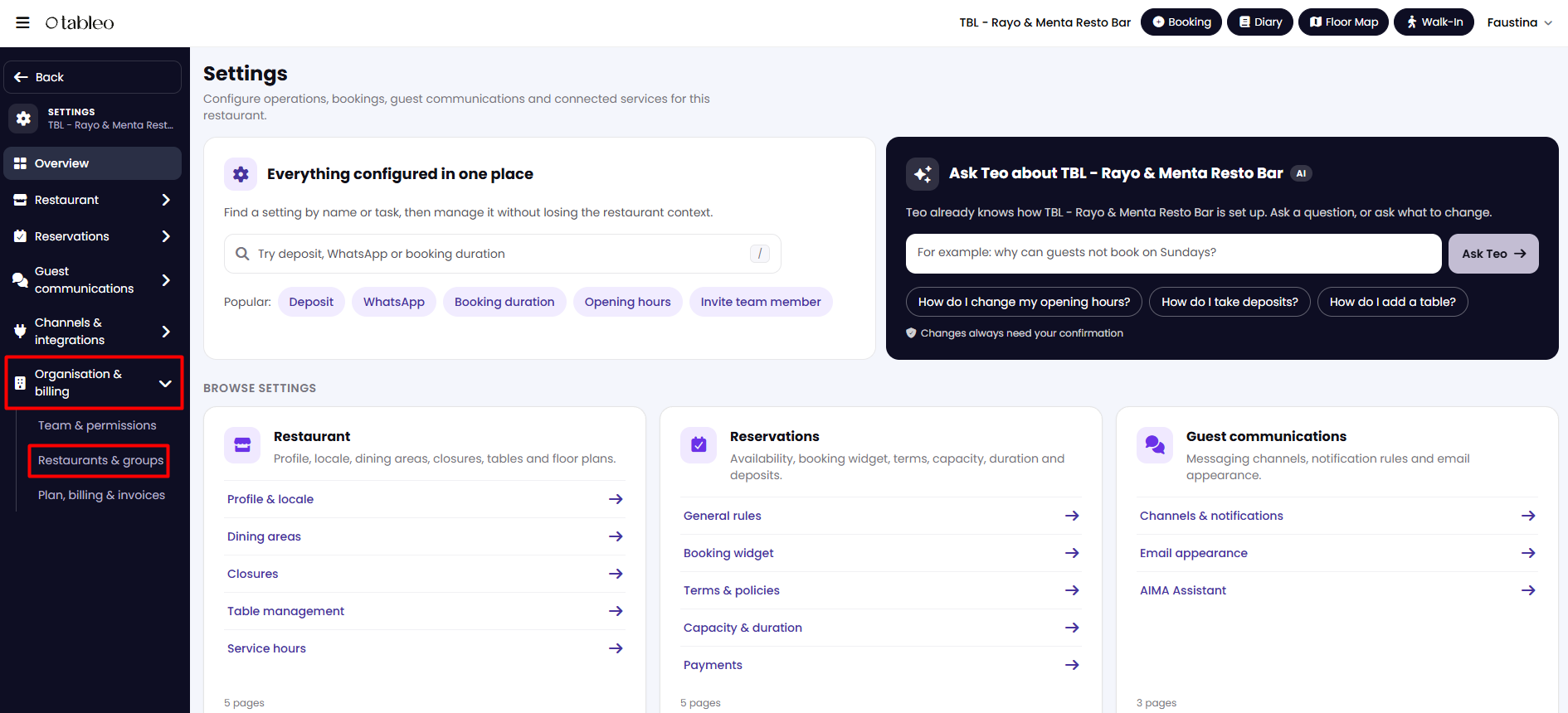
3. Open Organisation & billing → Restaurants & groups.
Create a restaurant group
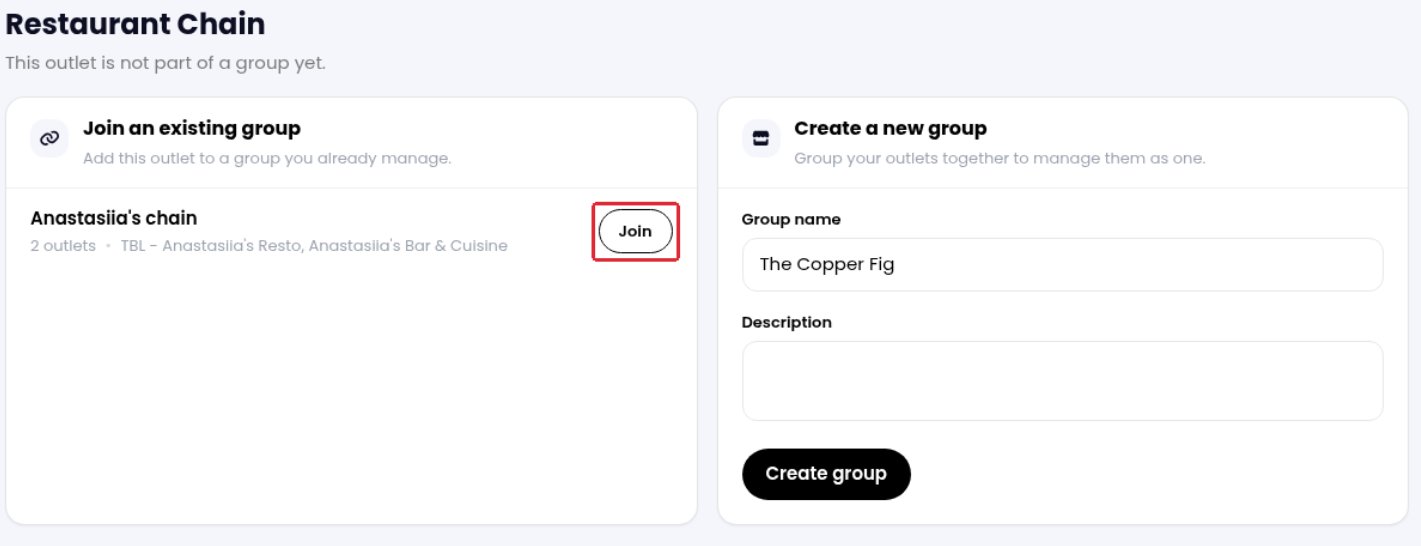
1. Under Create a new group, enter the Group name and, if needed, a Description.
2. Click Create group.
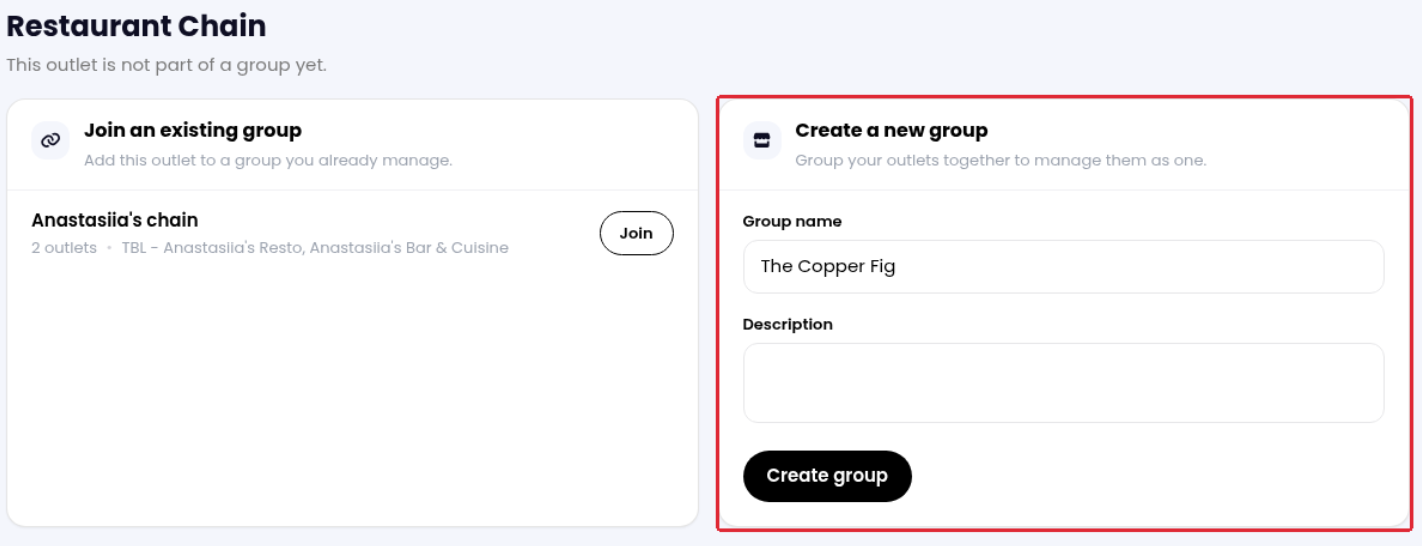
Add restaurants to an existing group
1. Open the restaurant you want to add, then open its Restaurants & groups page using the path above.
2. Under Join an existing group, find the group you manage and click Join beside it. Repeat for each restaurant you want to add to the same group.
When an outlet has no availability, the booking widget can offer guests another available time at the same venue, availability at another venue in the chain, or the option to join the waiting list.
Note: Each restaurant you want to add to a chain must already have a Tableo account. To set up another restaurant or discuss available plans, contact your Account Manager or cs@tableo.com.
While we strive to ensure the accuracy and currency of the information in our knowledge base, some articles may contain minor discrepancies due to the constant evolution of our services and products.
Was this article helpful?
That’s Great!
Thank you for your feedback
Sorry! We couldn't be helpful
Thank you for your feedback
Feedback sent
We appreciate your effort and will try to fix the article