Use Conversions to see bookings attributed to your campaigns and automations.
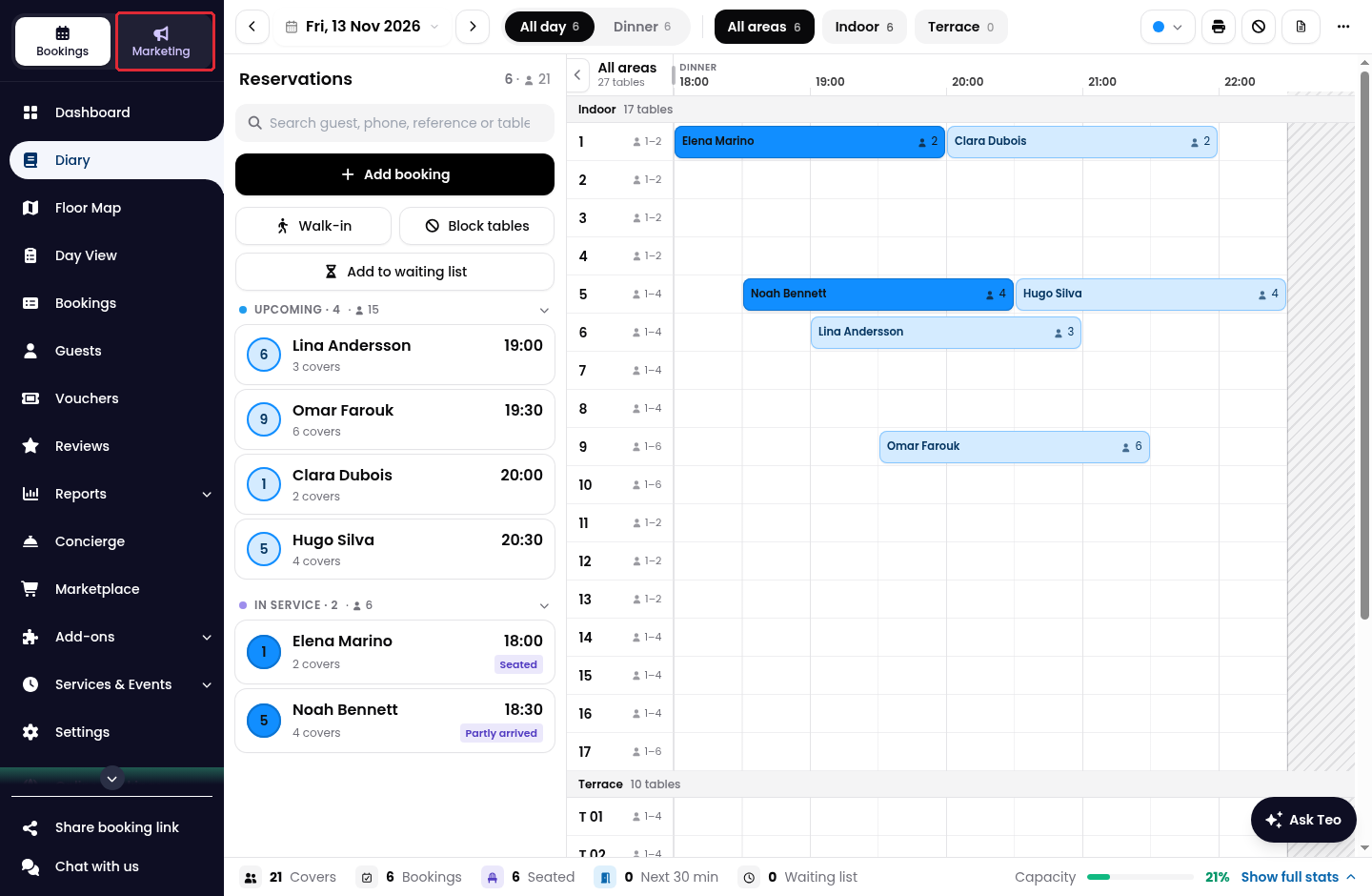
1. Click on Marketing in the side menu.
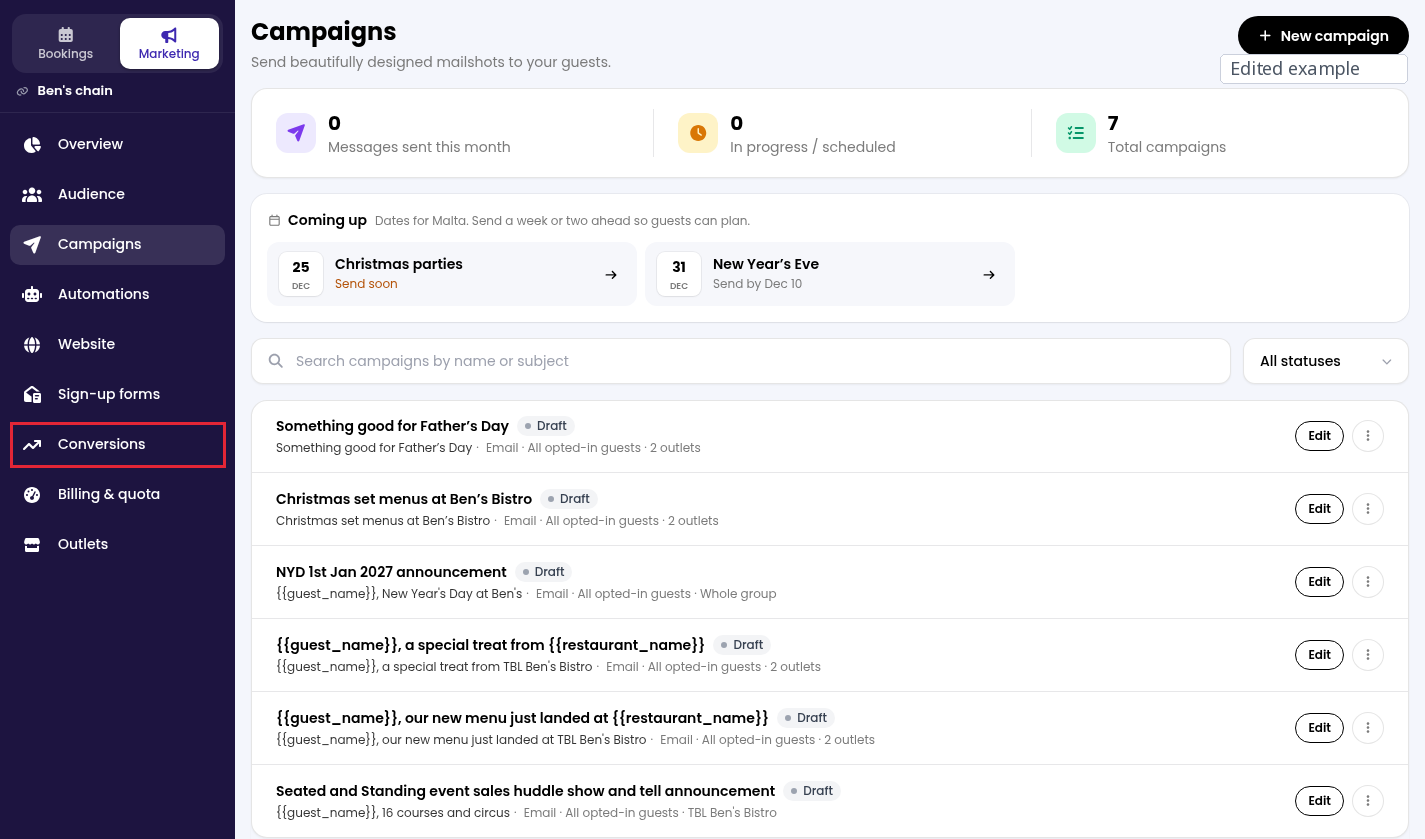
2. From Campaigns, open Conversions in the side menu to view bookings attributed to campaigns and automations. The page shows conversion totals, covers and booking details. If no bookings have been attributed yet, the list is empty.
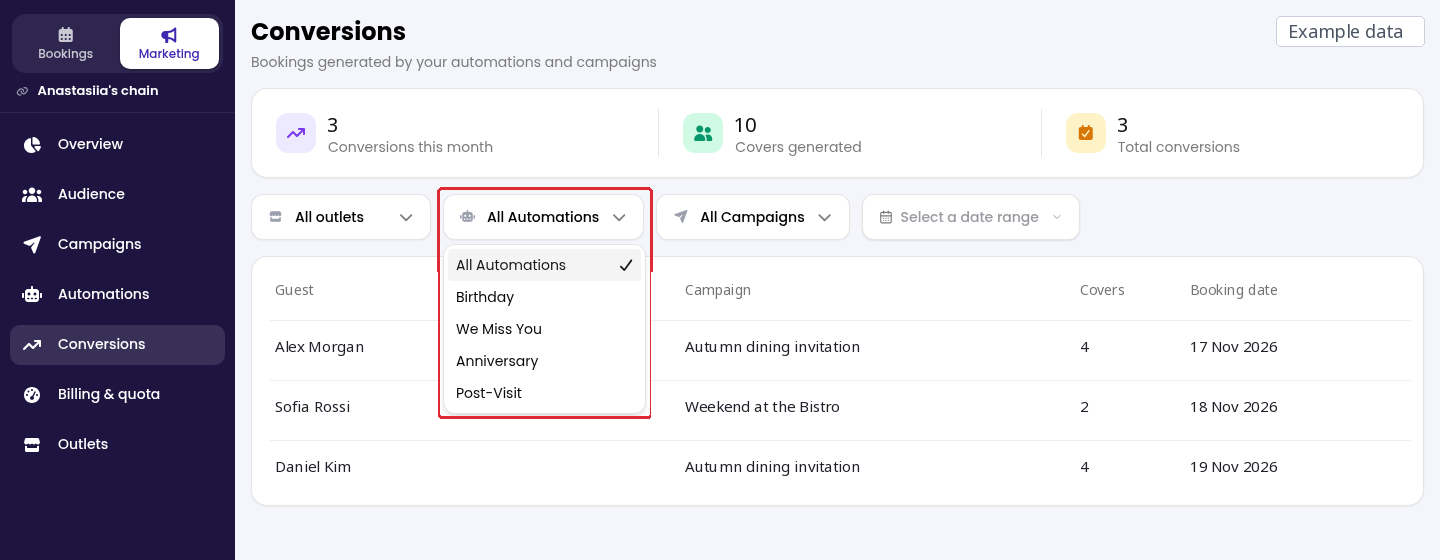
3. Use All Automations or All Campaigns to filter by a specific source. If you manage a group, use All outlets to filter by restaurant.
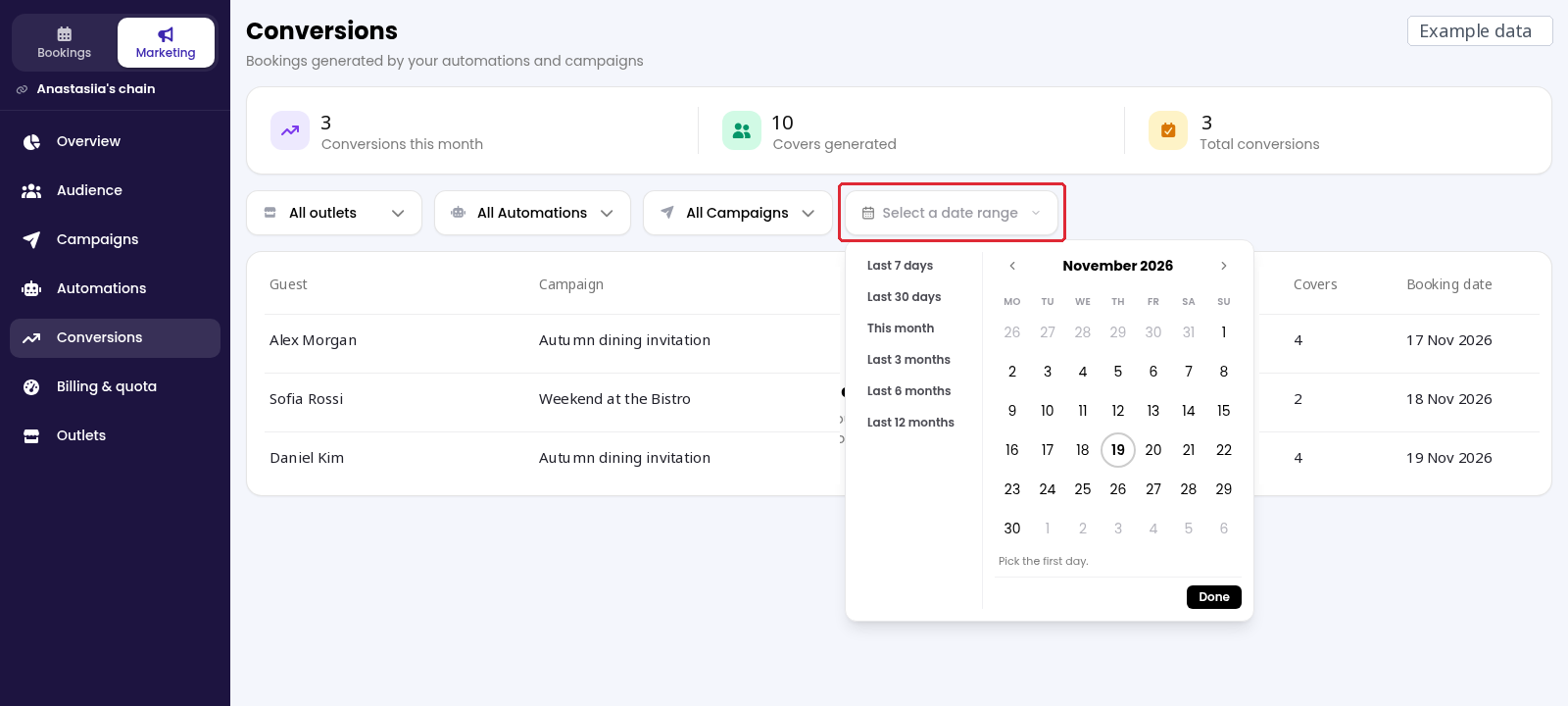
4. Click on Select a date range. Choose a preset period, or pick the first and last dates in the calendar and click on Done.
While we strive to ensure the accuracy and currency of the information in our knowledge base, some articles may contain minor discrepancies due to the constant evolution of our services and products.
Was this article helpful?
That’s Great!
Thank you for your feedback
Sorry! We couldn't be helpful
Thank you for your feedback
Feedback sent
We appreciate your effort and will try to fix the article