This feature allows you to redirect your guests to your restaurant’s website or to any other particular one after they place an online booking reservation. Note: if you prefer not to link any external website, the widget will automatically redirect them to Tableo’s success page).
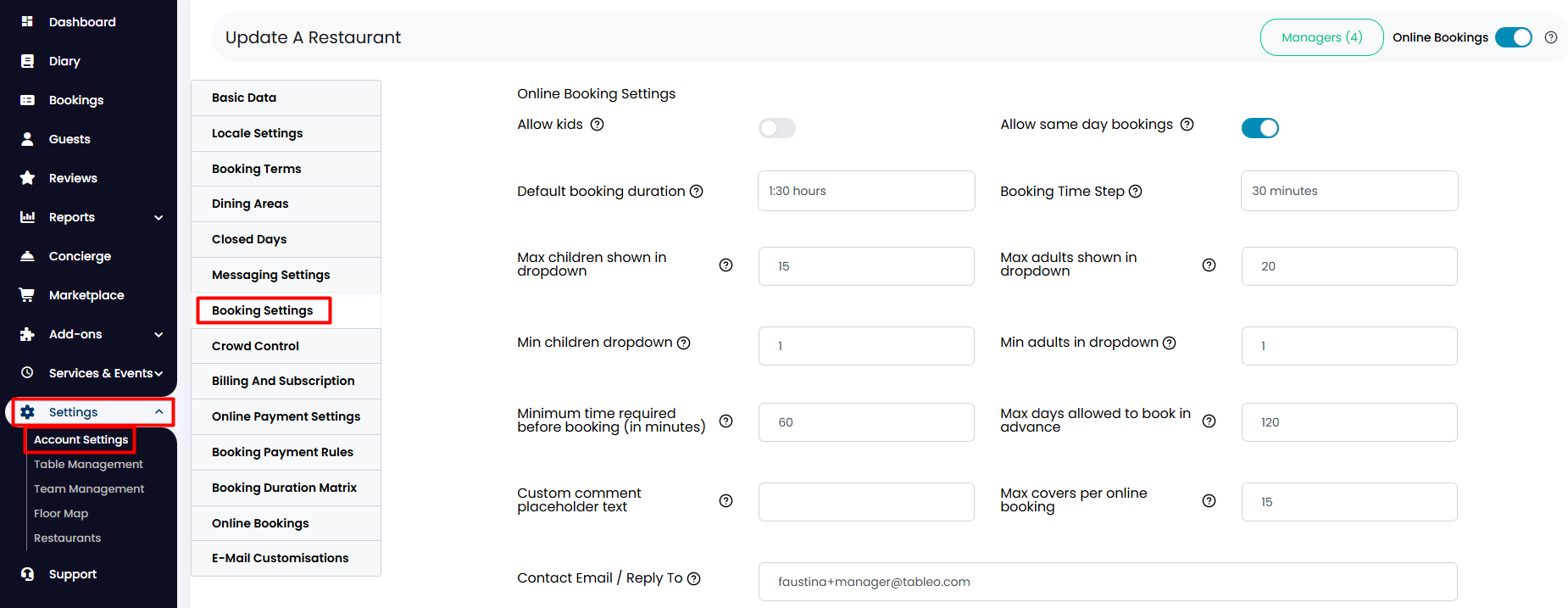
1. From the side menu, go to Settings > Account Settings > Booking Settings.
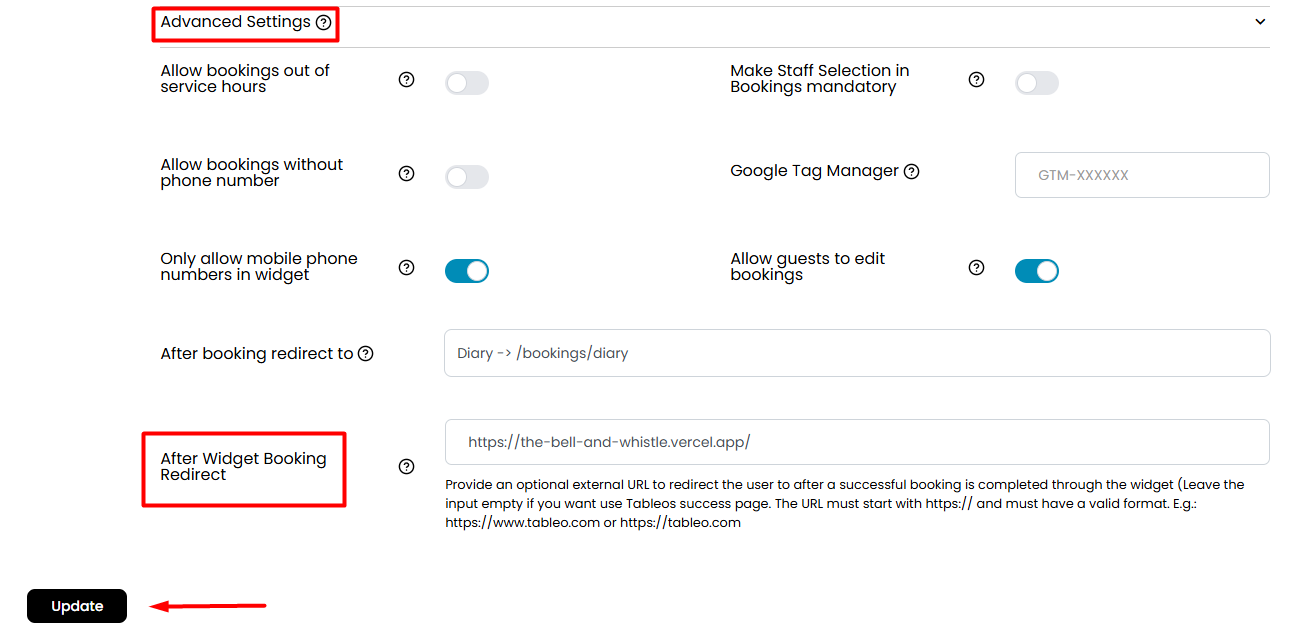
2. Scroll down and click on the Advanced Settings option to expand more settings. Find the one at the bottom that says After Widget Booking Redirect. In the marked field, you can insert the desired URL. Note: it must start with https:// and must have a valid format. E.g.: https://www.tableo.com or https://tableo.com
When finished, click the Update button below.
Was this article helpful?
That’s Great!
Thank you for your feedback
Sorry! We couldn't be helpful
Thank you for your feedback
Feedback sent
We appreciate your effort and will try to fix the article