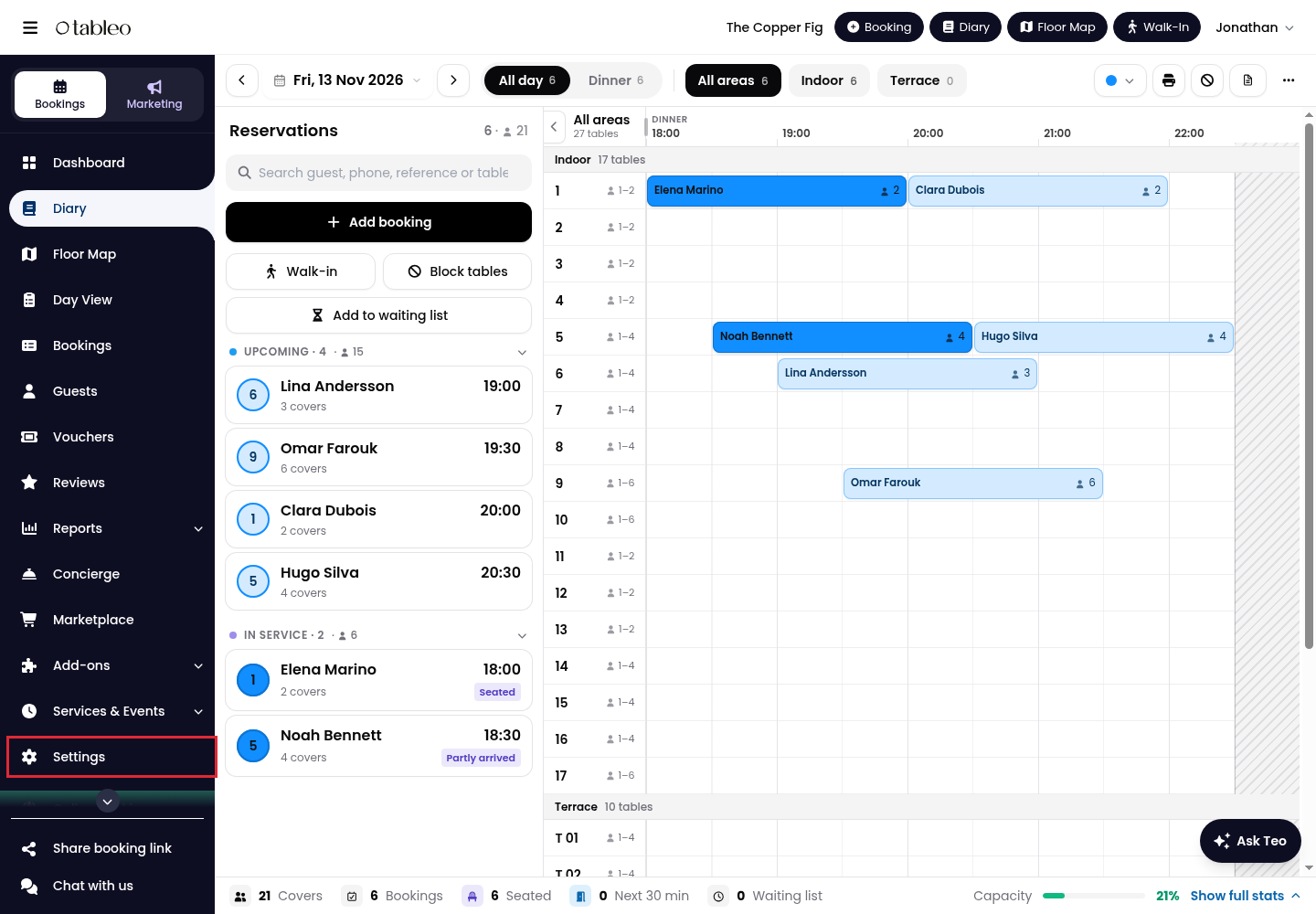
1. Click on Settings in the side menu.
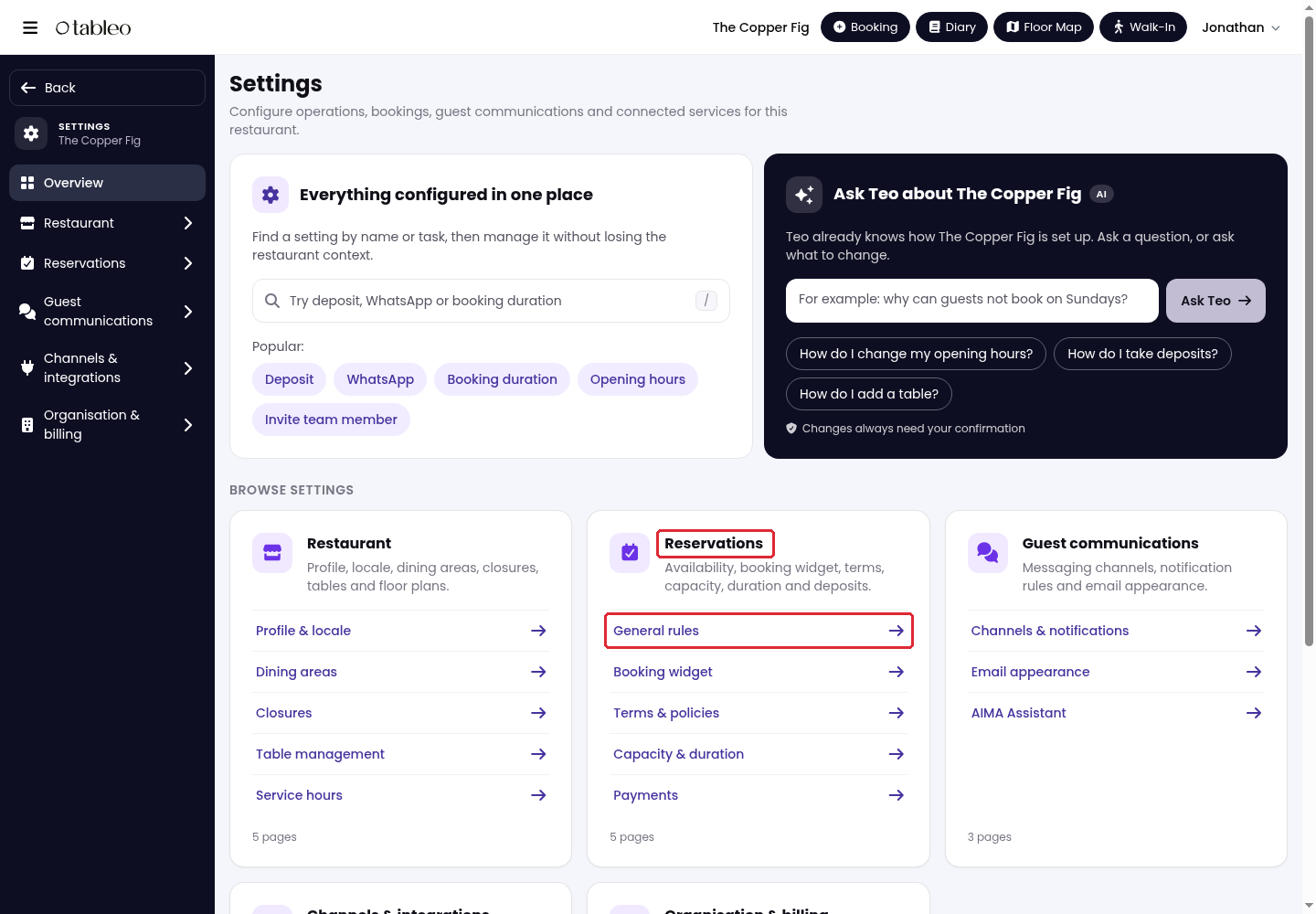
2. Go to Reservations > General rules.
3. Scroll down and expand Advanced rules. Under Booking pills, turn on Special occasion field to let guests indicate a special occasion while booking. Turn it off to hide the field.
4. Under Occasions guests can choose, click on the occasion chips to select or deselect the options offered to guests. Selected chips are dark with a checkmark; unticked options are hidden.
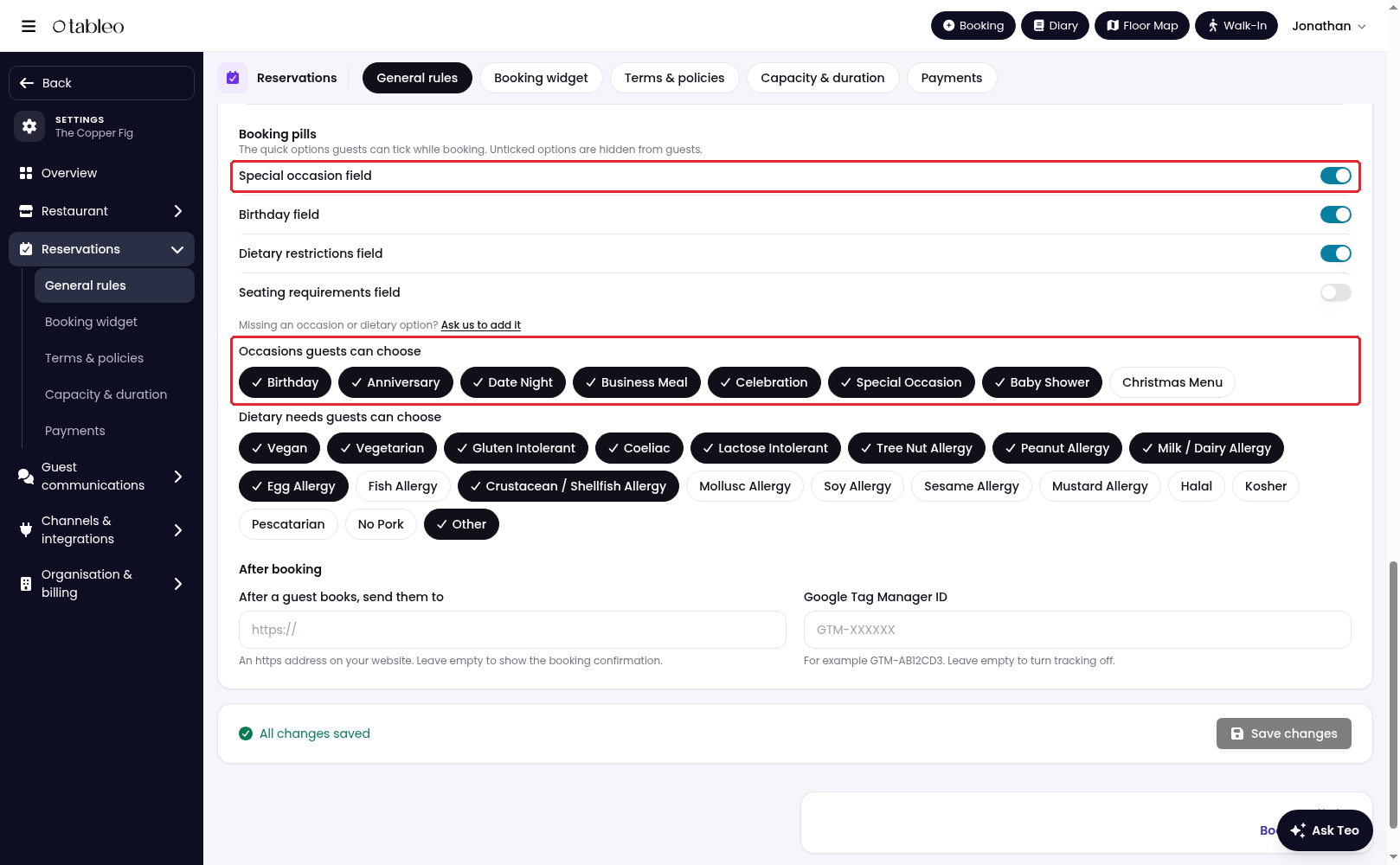
If an occasion is missing, click on Ask us to add it.
5. Click on Save changes at the bottom of the page.
While we strive to ensure the accuracy and currency of the information in our knowledge base, some articles may contain minor discrepancies due to the constant evolution of our services and products.
Was this article helpful?
That’s Great!
Thank you for your feedback
Sorry! We couldn't be helpful
Thank you for your feedback
Feedback sent
We appreciate your effort and will try to fix the article