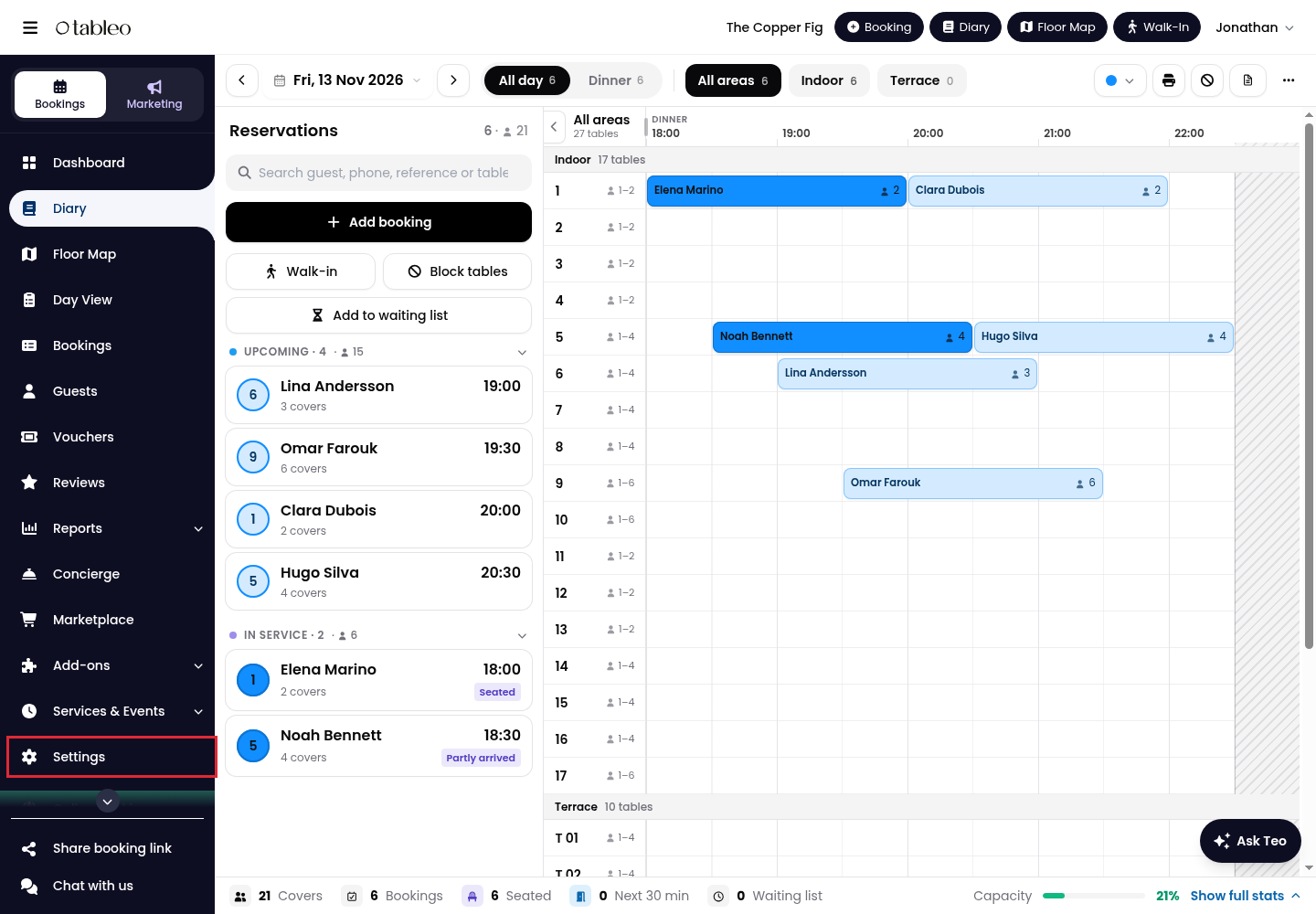
1. Click on Settings in the side menu.
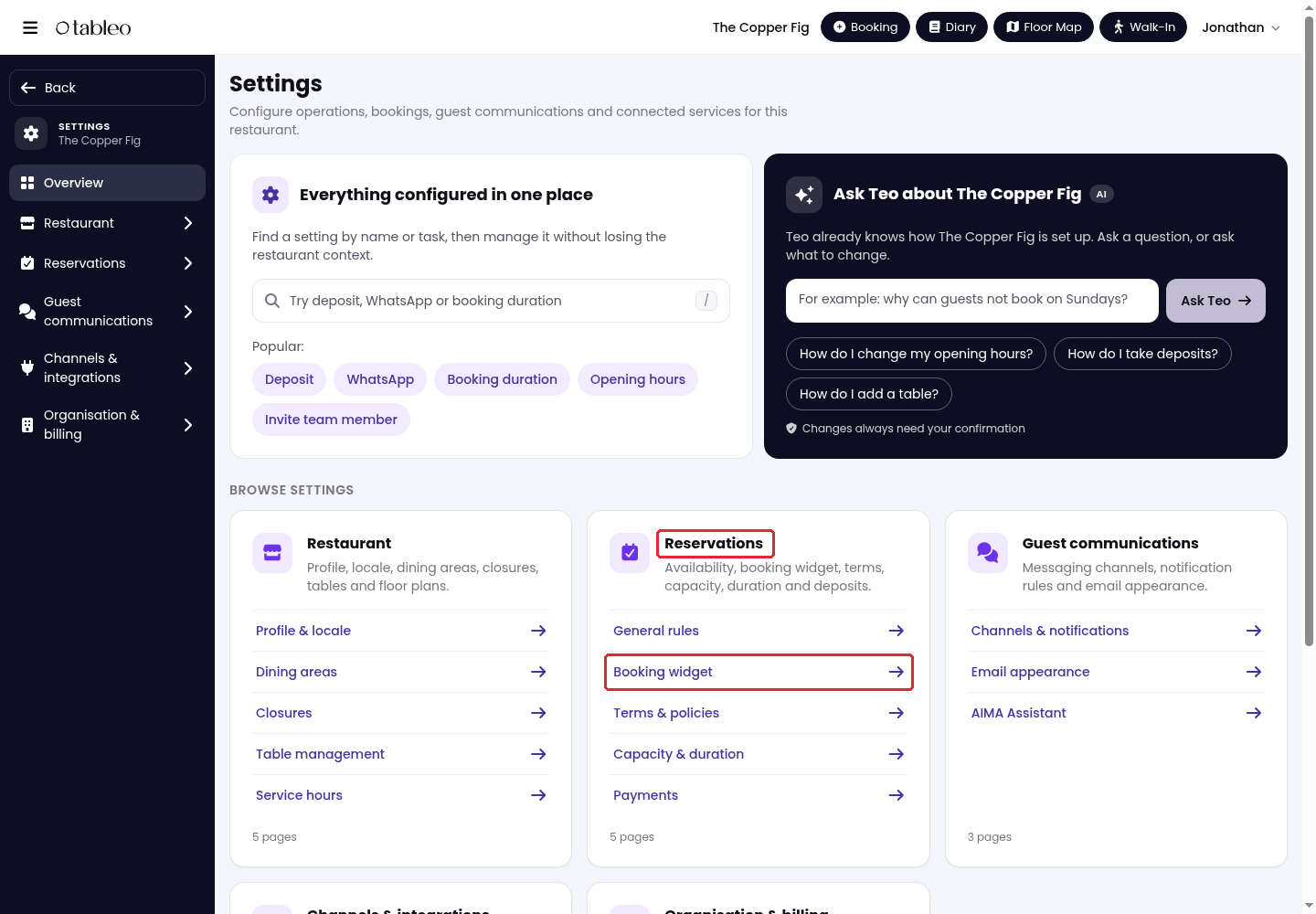
2. Go to Reservations > Booking widget.
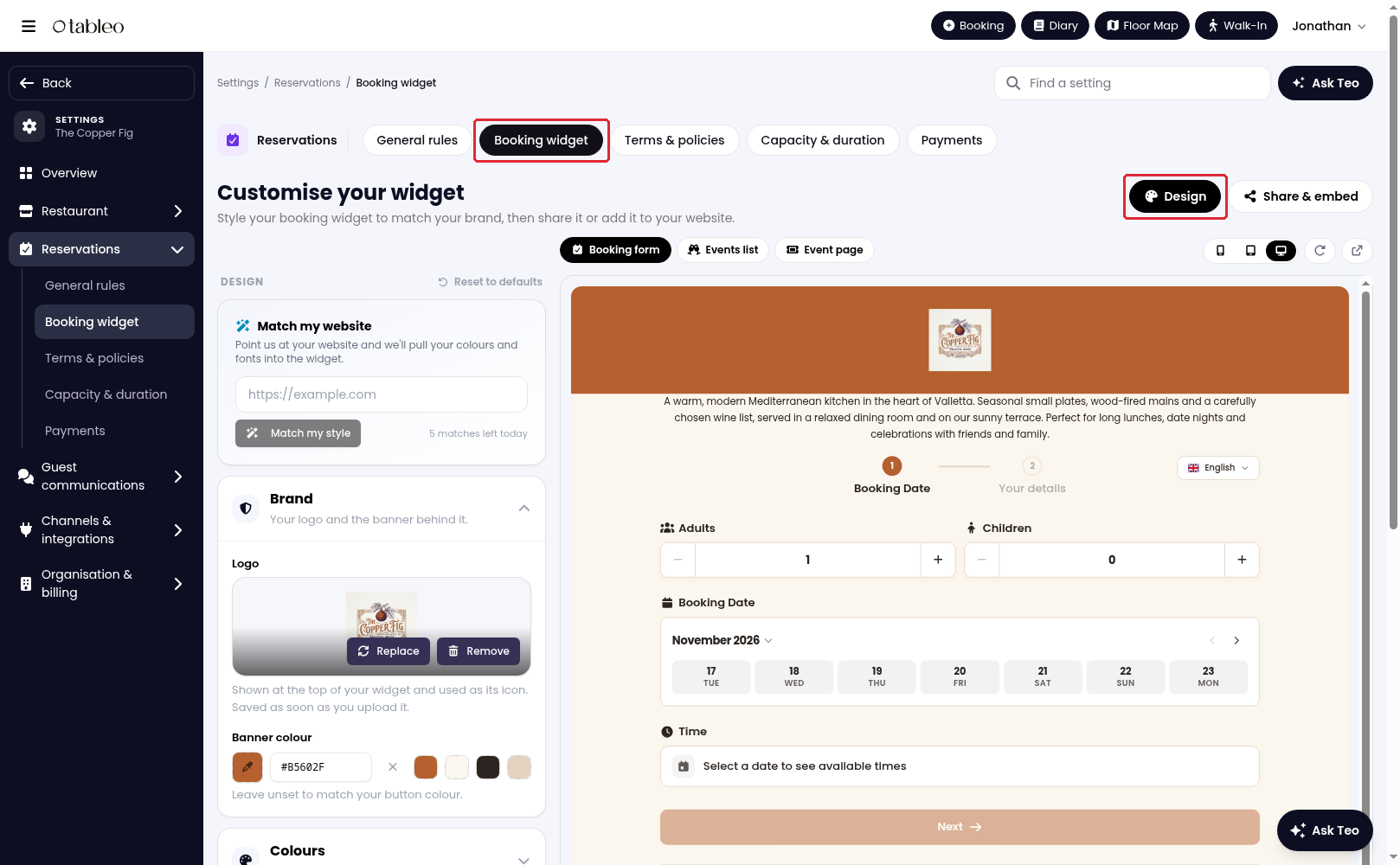
3. Select Design.
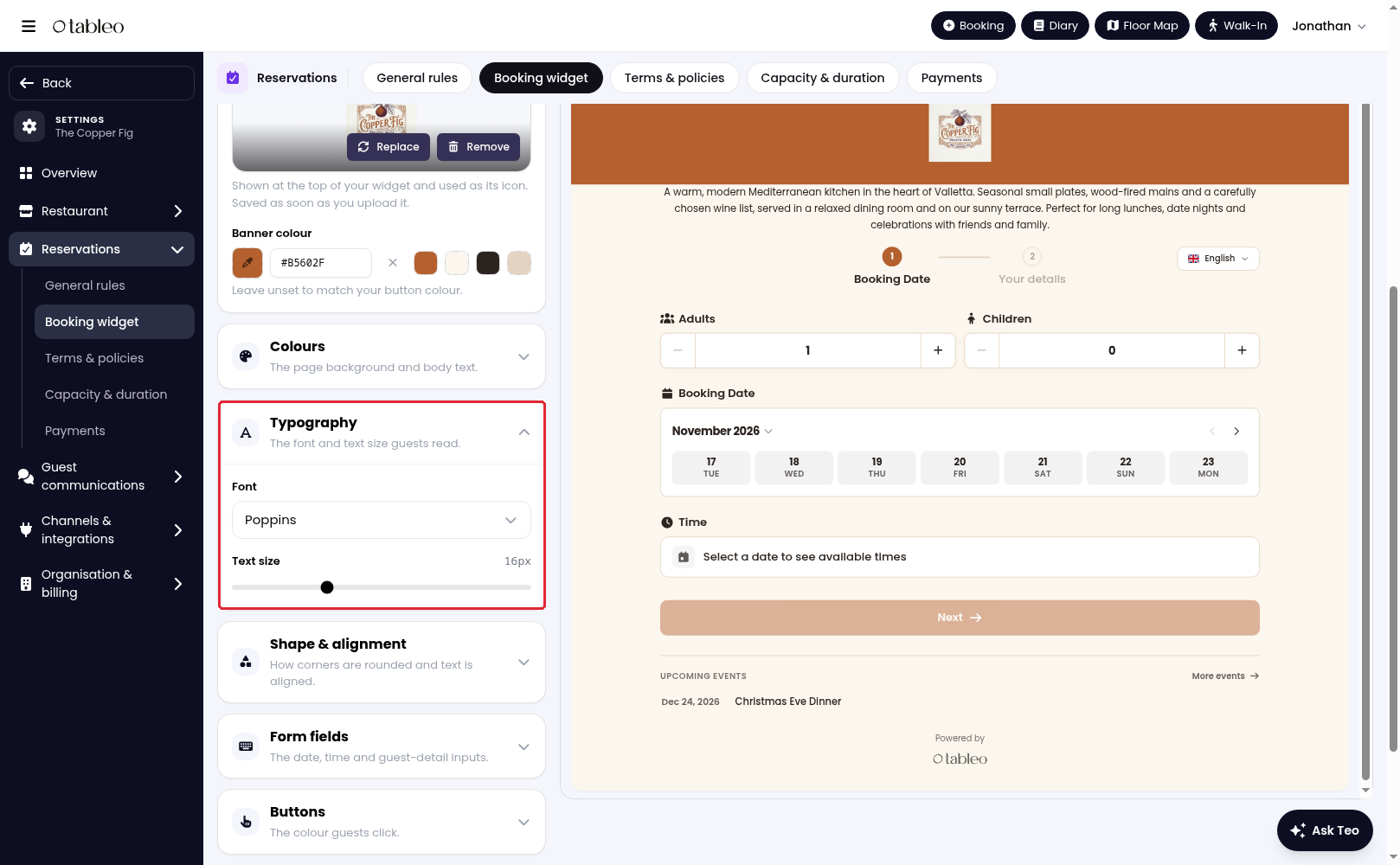
4. Adjust the colours and styling to suit your restaurant. For example, expand Typography to choose a Font and Text size.
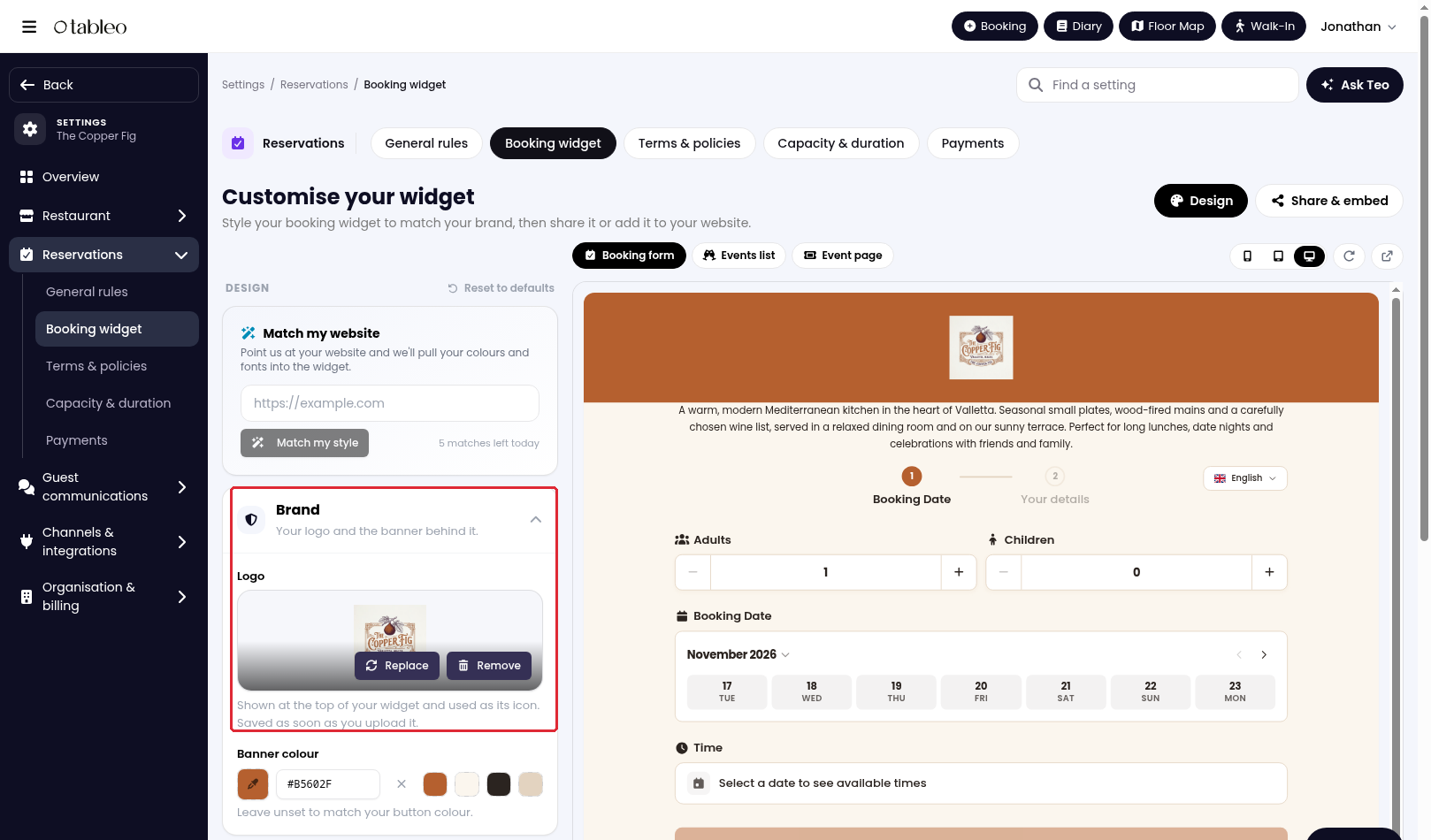
5. To change your logo, use Replace under Brand > Logo. Logo uploads are saved immediately, separately from other design changes.
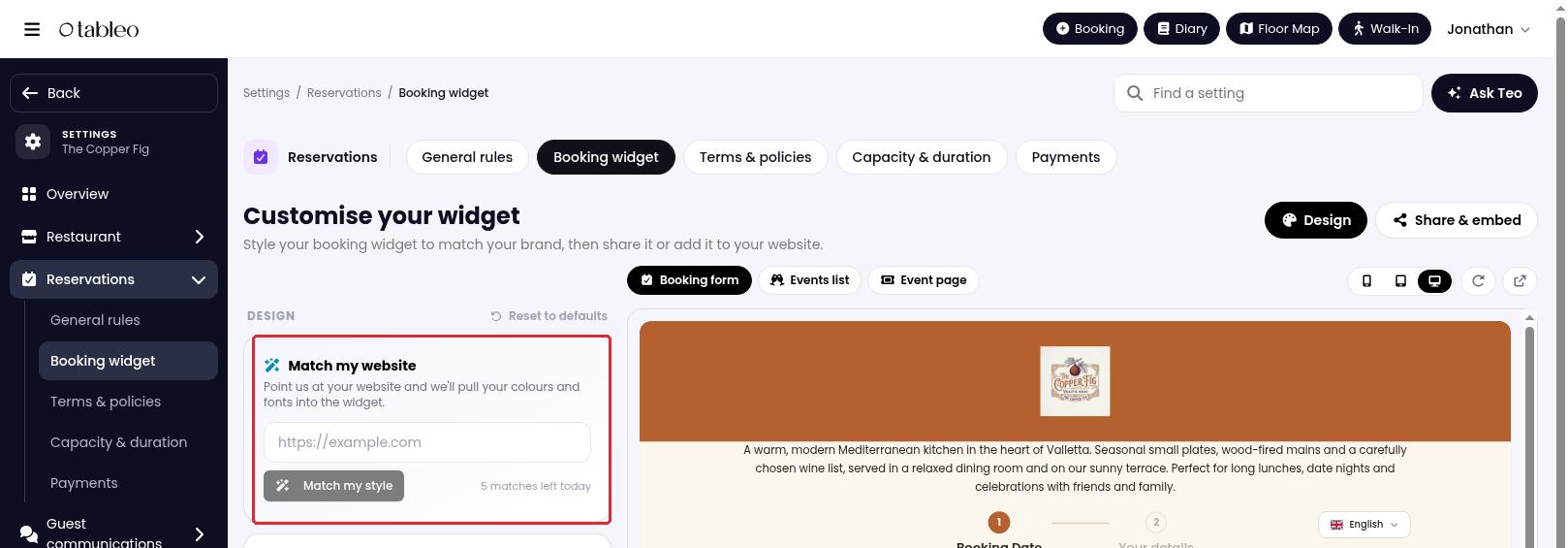
6. To use your website's colours and fonts, enter your URL in Your website address under Match my website, then click on Match my style.
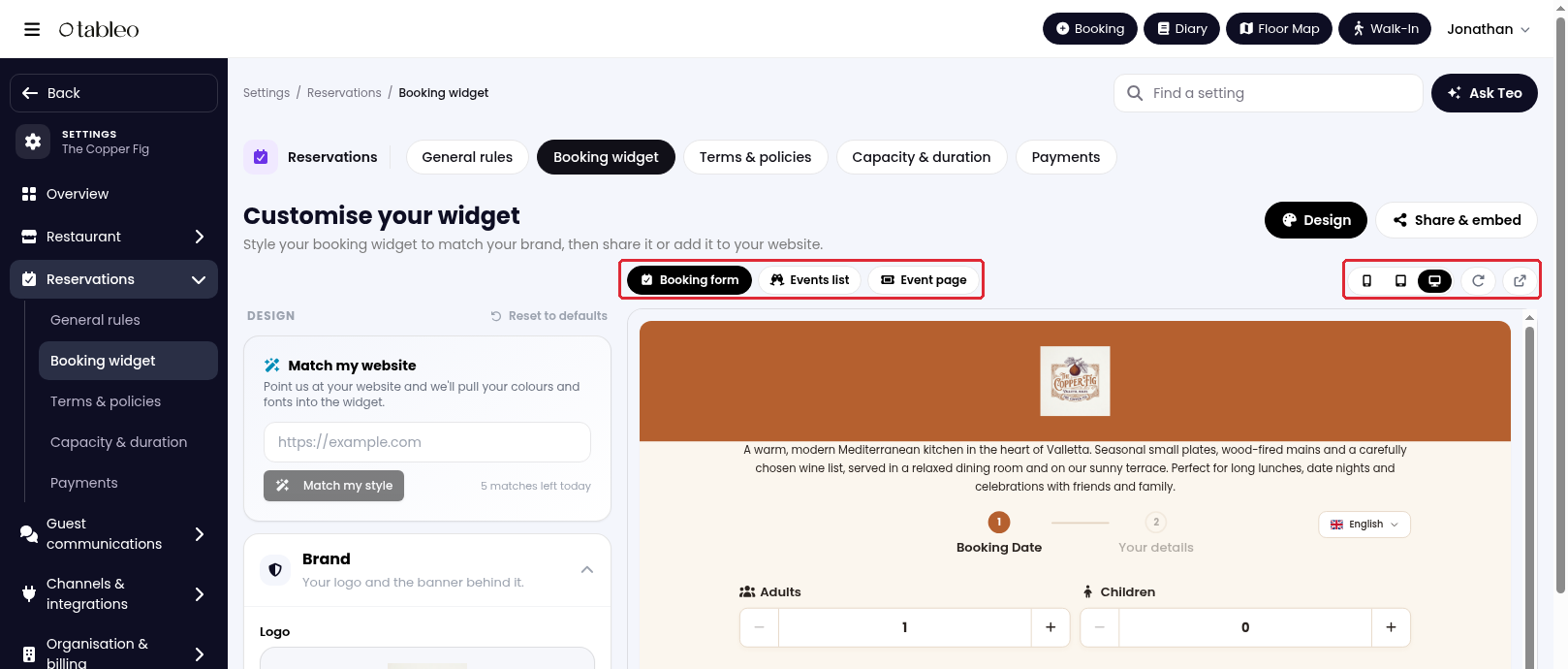
7. Check the preview using Mobile, Tablet and Desktop. Select Events list or Event page to check those views, or Open in a new tab to view the widget separately.
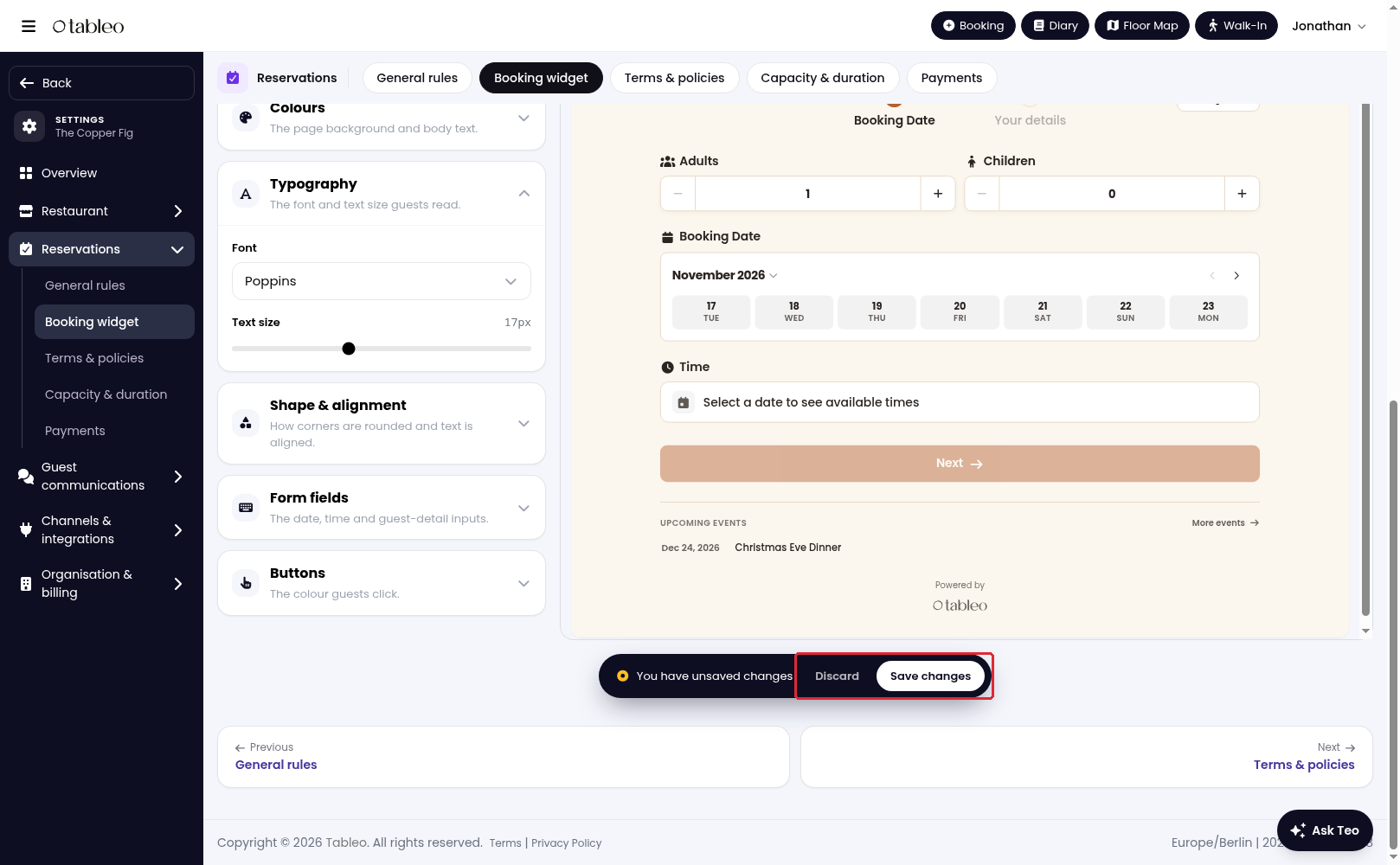
8. Click on Save changes to keep your design changes, or Discard to abandon unsaved changes.
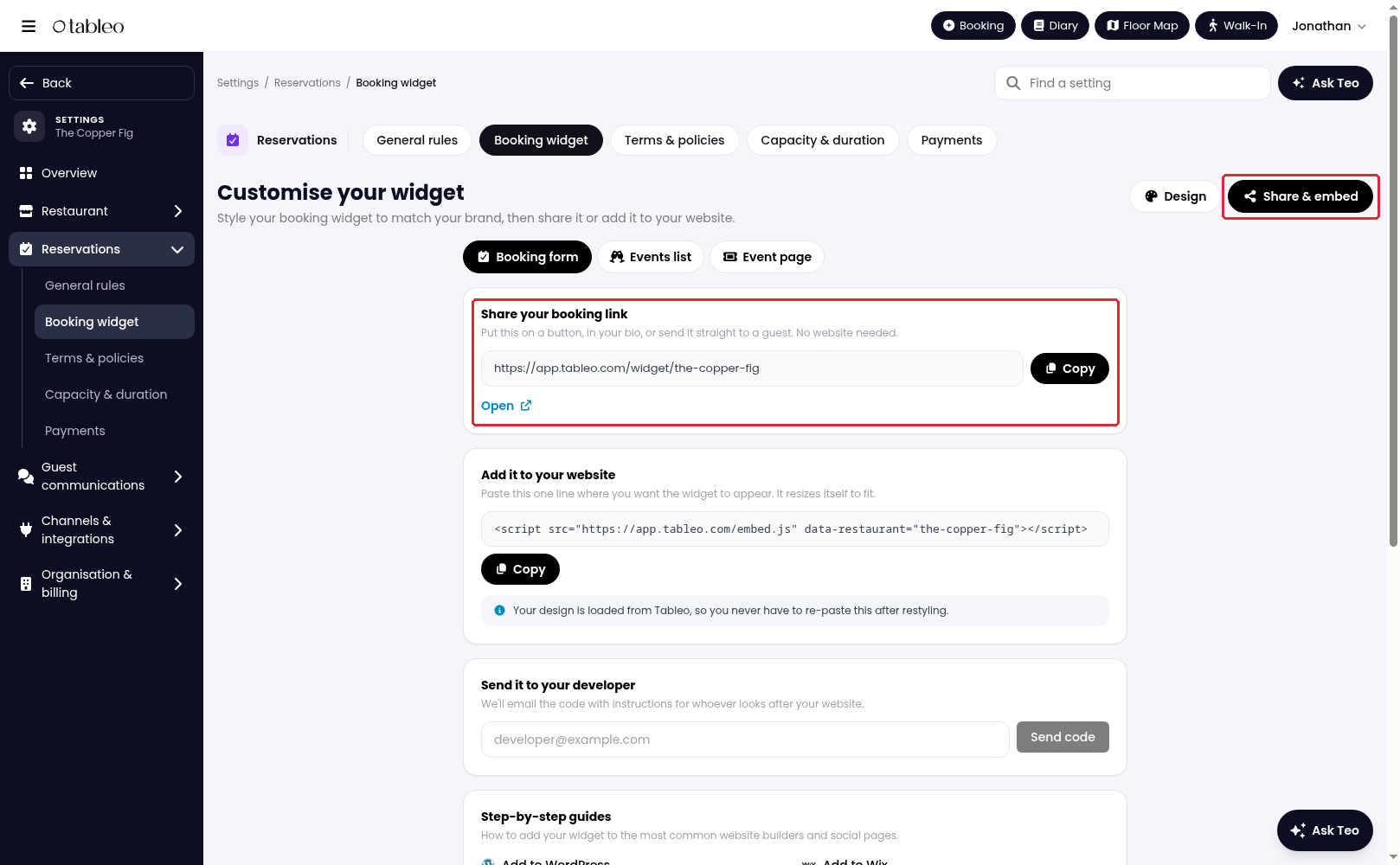
9. Click on Share & embed to copy your booking link or website code. You can also use Send it to your developer or follow Add to WordPress or Add to Wix for installation instructions.
While we strive to ensure the accuracy and currency of the information in our knowledge base, some articles may contain minor discrepancies due to the constant evolution of our services and products.
Was this article helpful?
That’s Great!
Thank you for your feedback
Sorry! We couldn't be helpful
Thank you for your feedback
Feedback sent
We appreciate your effort and will try to fix the article