There are two ways in which you can reset your password, as follows. In case you still have access to your account:
1. Click on your name in the top right corner of the screen and go to My Profile.

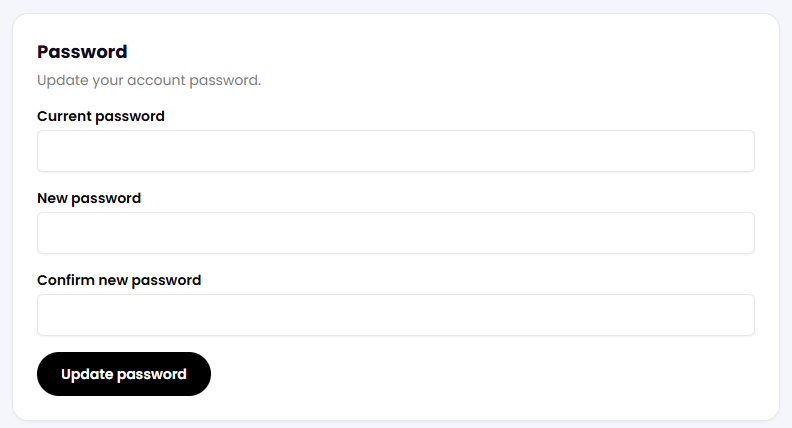
2. Scroll down and find the Password section, then click on the Update password button on the right.

3. Complete the fields as requested, and once you are done, click on the Update password button below.
Alternatively, if you've lost access to your account or would prefer to use another method, you can recover your password by following these steps:
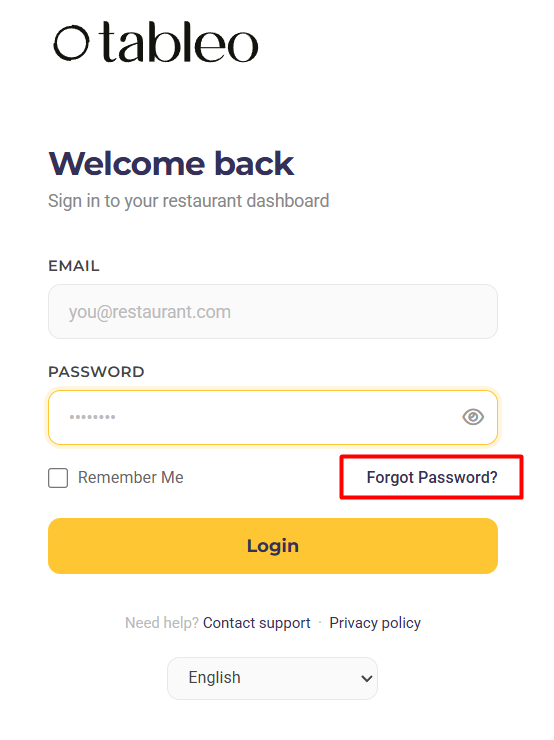
1. From Tableo’s App Website, click on the Forgot Password option.
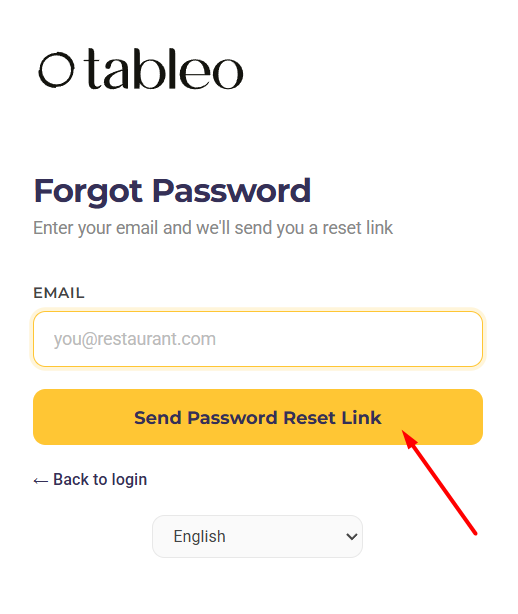
2. Introduce your email address and then hit the Send Password Reset Link button.
3. Check your email inbox and follow the instructions from there.
Was this article helpful?
That’s Great!
Thank you for your feedback
Sorry! We couldn't be helpful
Thank you for your feedback
Feedback sent
We appreciate your effort and will try to fix the article