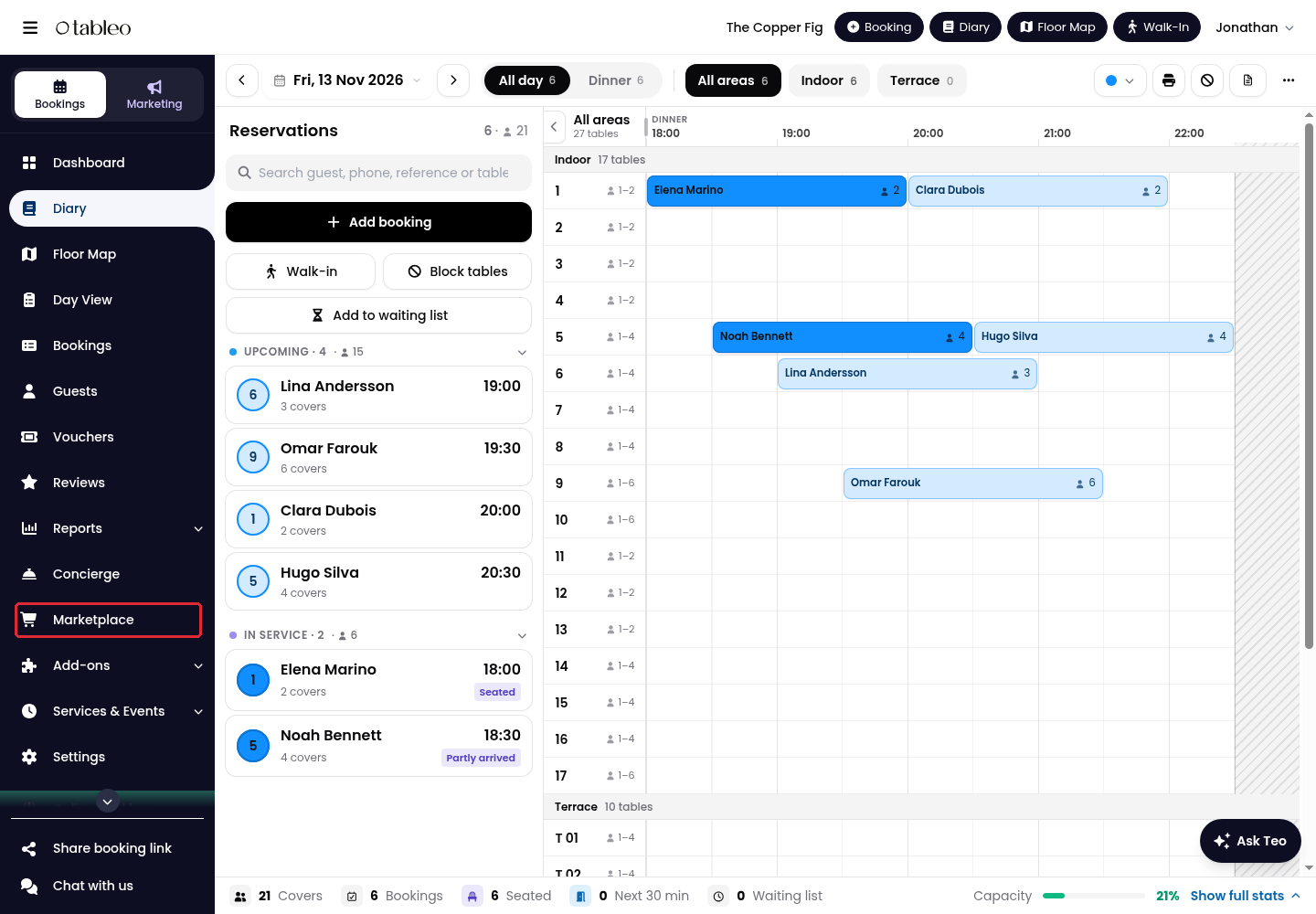
1. Click on Marketplace in the side menu.
2. Find Guest Notifications and activate the add-on if it is not already active.
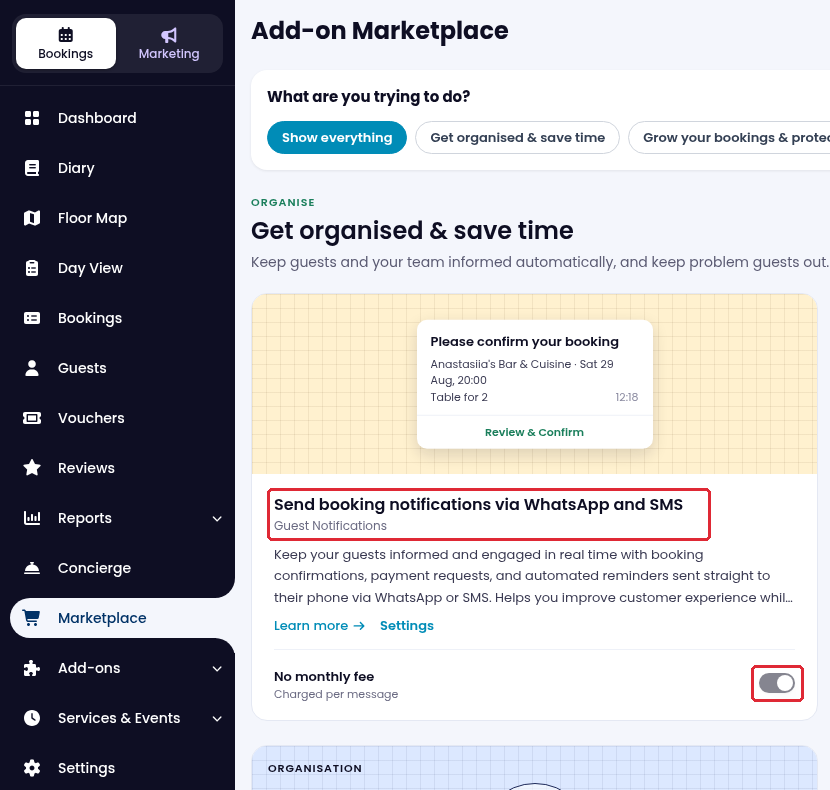
If the add-on is already active, continue to Settings. If the channel controls are unavailable, use Manage in Marketplace to review the prerequisite. Fees may apply; view Messaging Pricing.
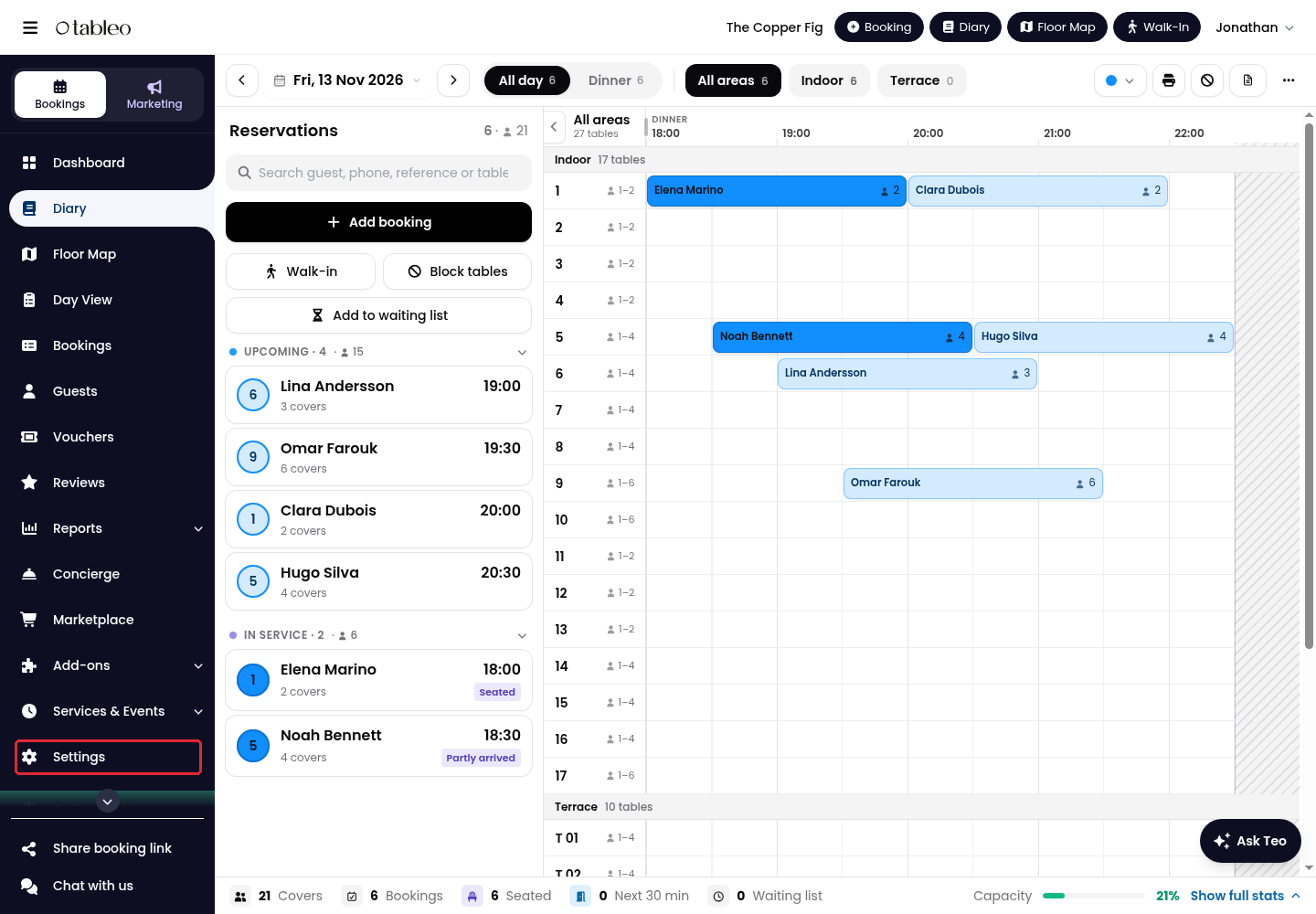
3. Click on Settings in the side menu.
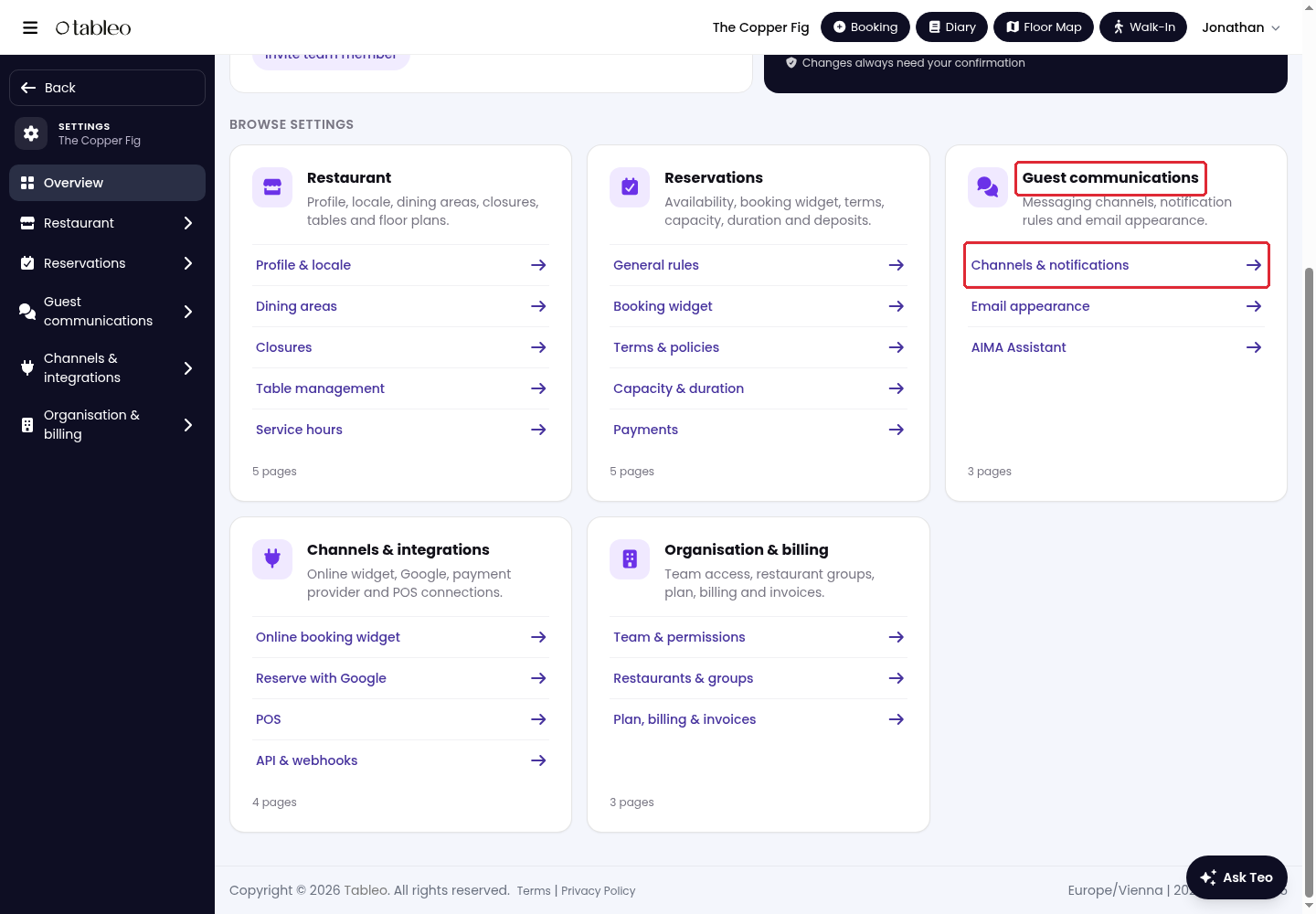
4. Under Guest communications, open Channels & notifications.
5. Open Guest notifications. Under Messaging channels, choose SMS and/or WhatsApp when available.
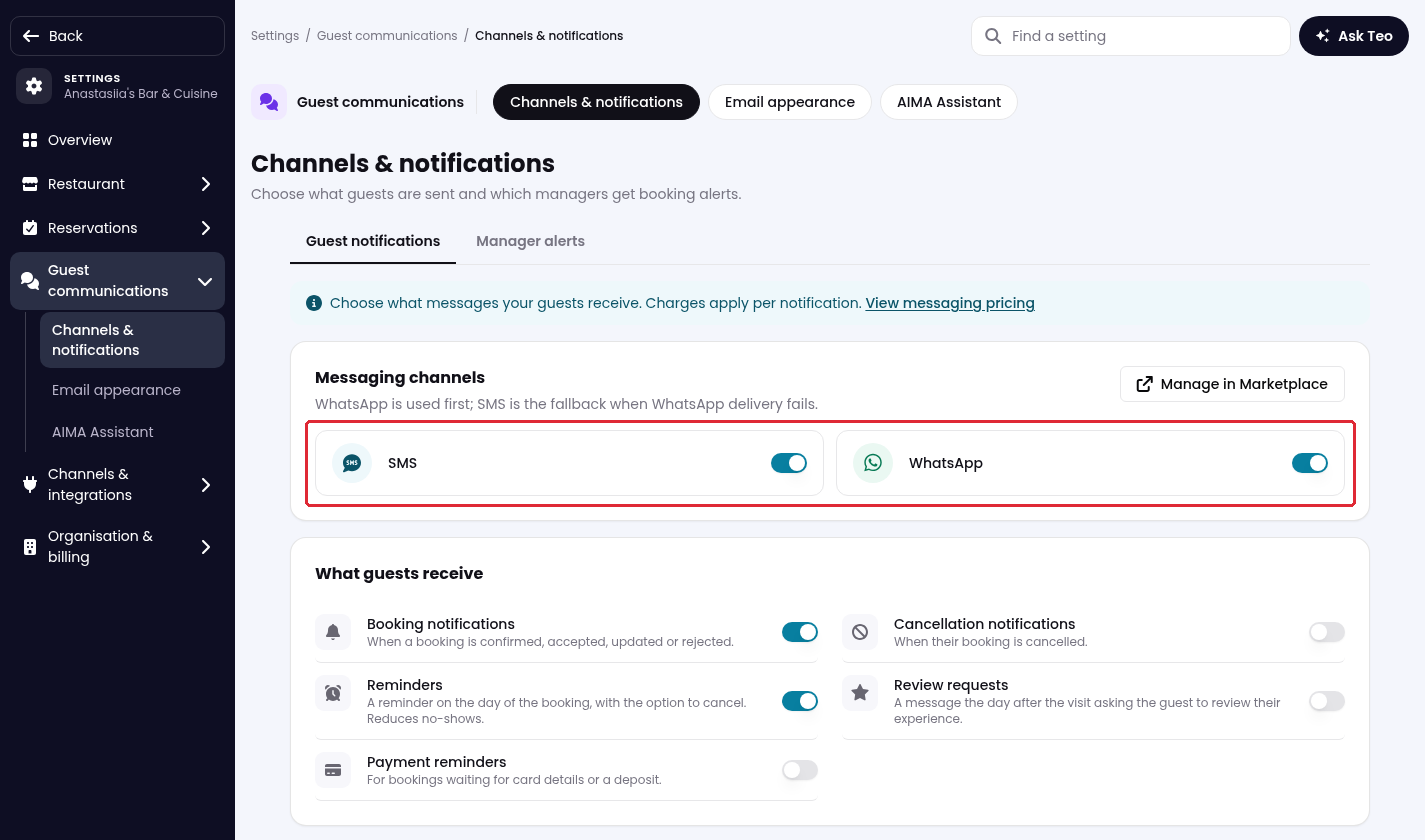
Email notifications are always sent, regardless of whether SMS or WhatsApp is enabled. If both messaging channels are enabled, WhatsApp is used first, with SMS as a fallback if delivery fails.
If neither channel is on, guests receive no messages through these channels. When both channels are on, WhatsApp is used first; SMS is the fallback when WhatsApp delivery fails. Manager alerts is a separate tab for staff alerts.
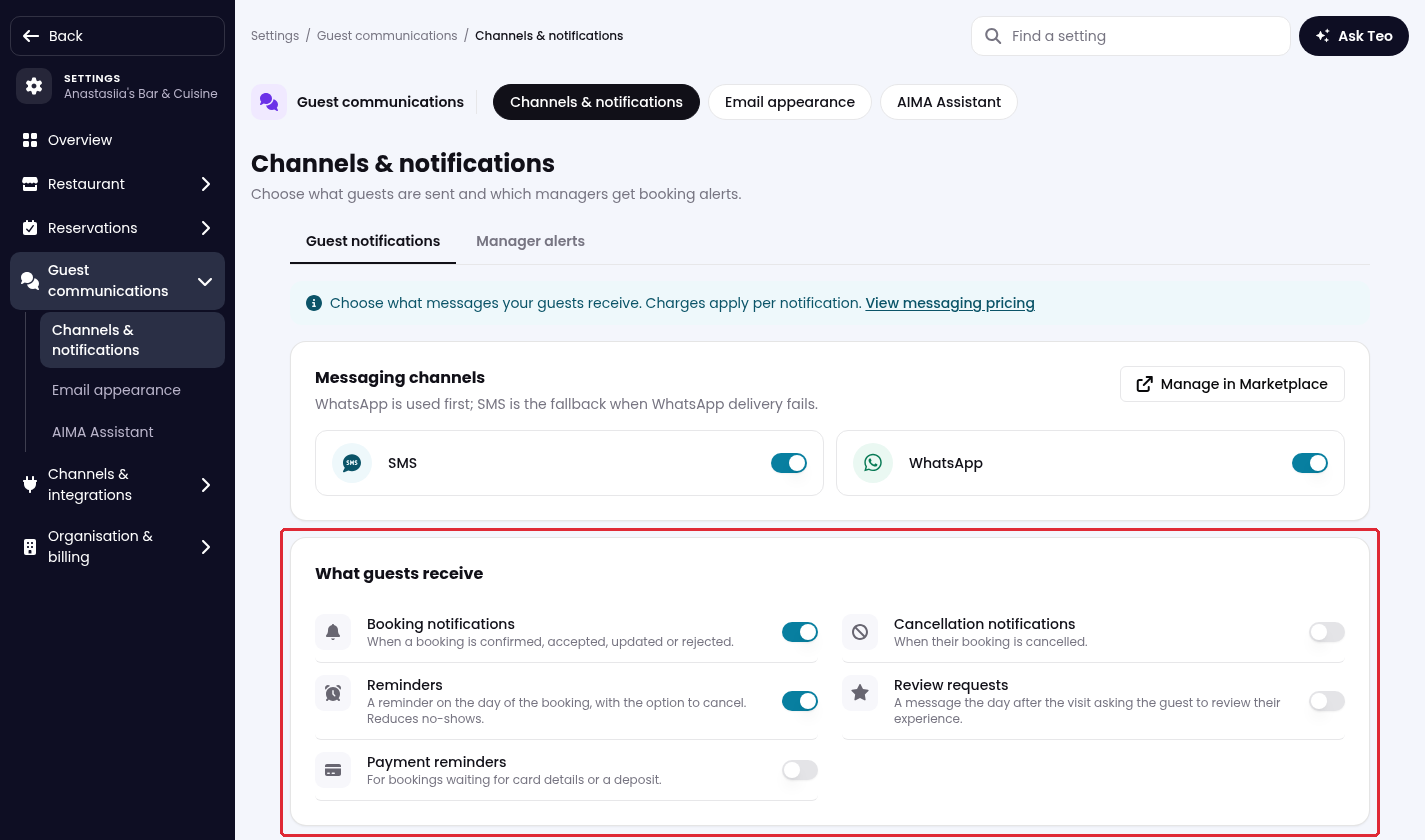
6. Under What guests receive, enable or disable Booking notifications, Cancellation notifications, Reminders, Review requests, and Payment reminders as required.
7. Scroll down to Additional settings. Set the Review link for SMS/WhatsApp, the SMS sender name, and the Reservation phone number as required, then click on Save changes.
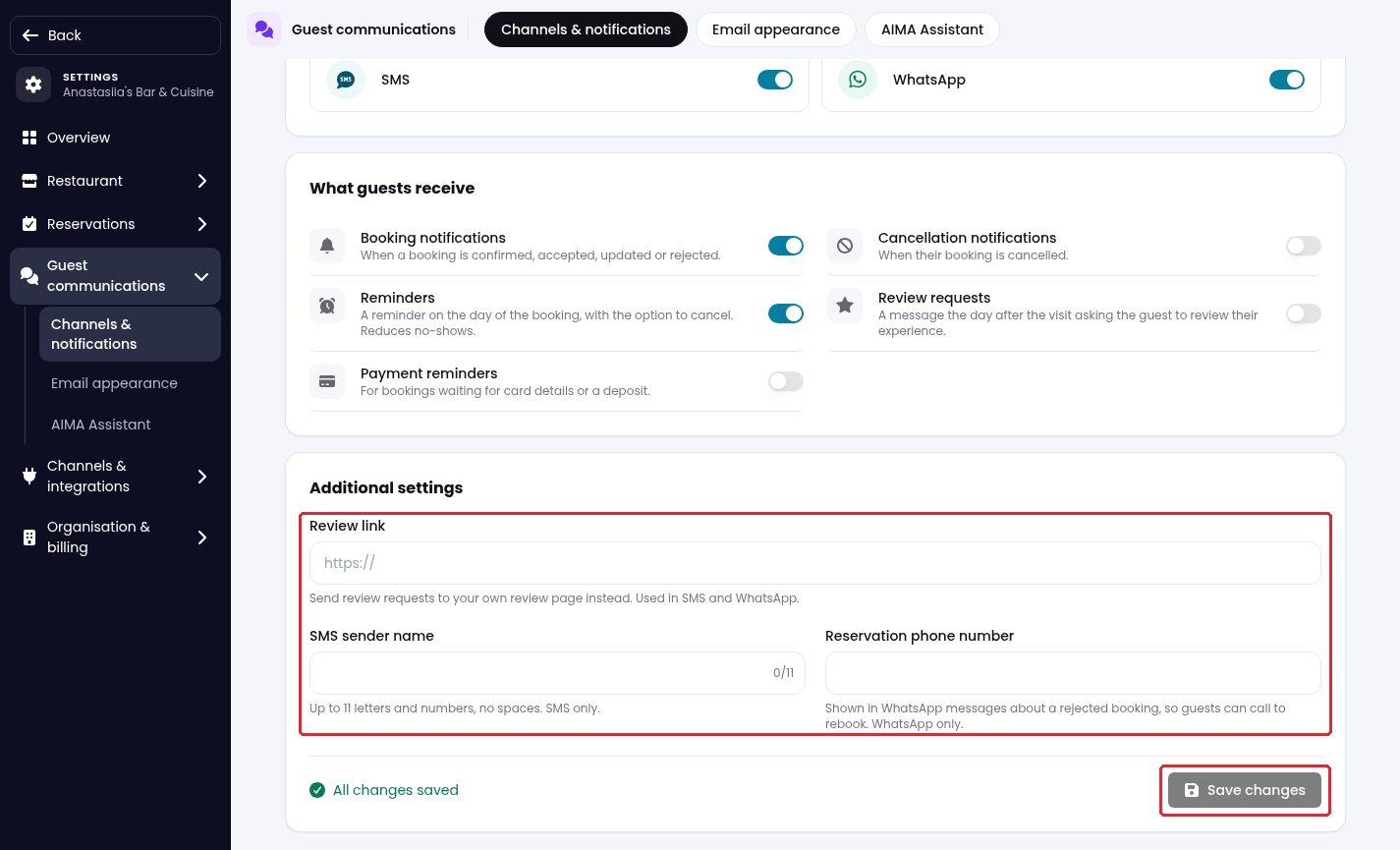
The SMS sender name is for SMS only and accepts up to 11 letters or numbers, without spaces. The Reservation phone number appears in WhatsApp messages about rejected bookings so guests can call to rebook.
While we strive to ensure the accuracy and currency of the information in our knowledge base, some articles may contain minor discrepancies due to the constant evolution of our services and products.
Was this article helpful?
That’s Great!
Thank you for your feedback
Sorry! We couldn't be helpful
Thank you for your feedback
Feedback sent
We appreciate your effort and will try to fix the article