Share one booking link for your restaurant group so guests can choose a location before booking. Your restaurants must already be linked in a group. See how to set up a restaurant group.
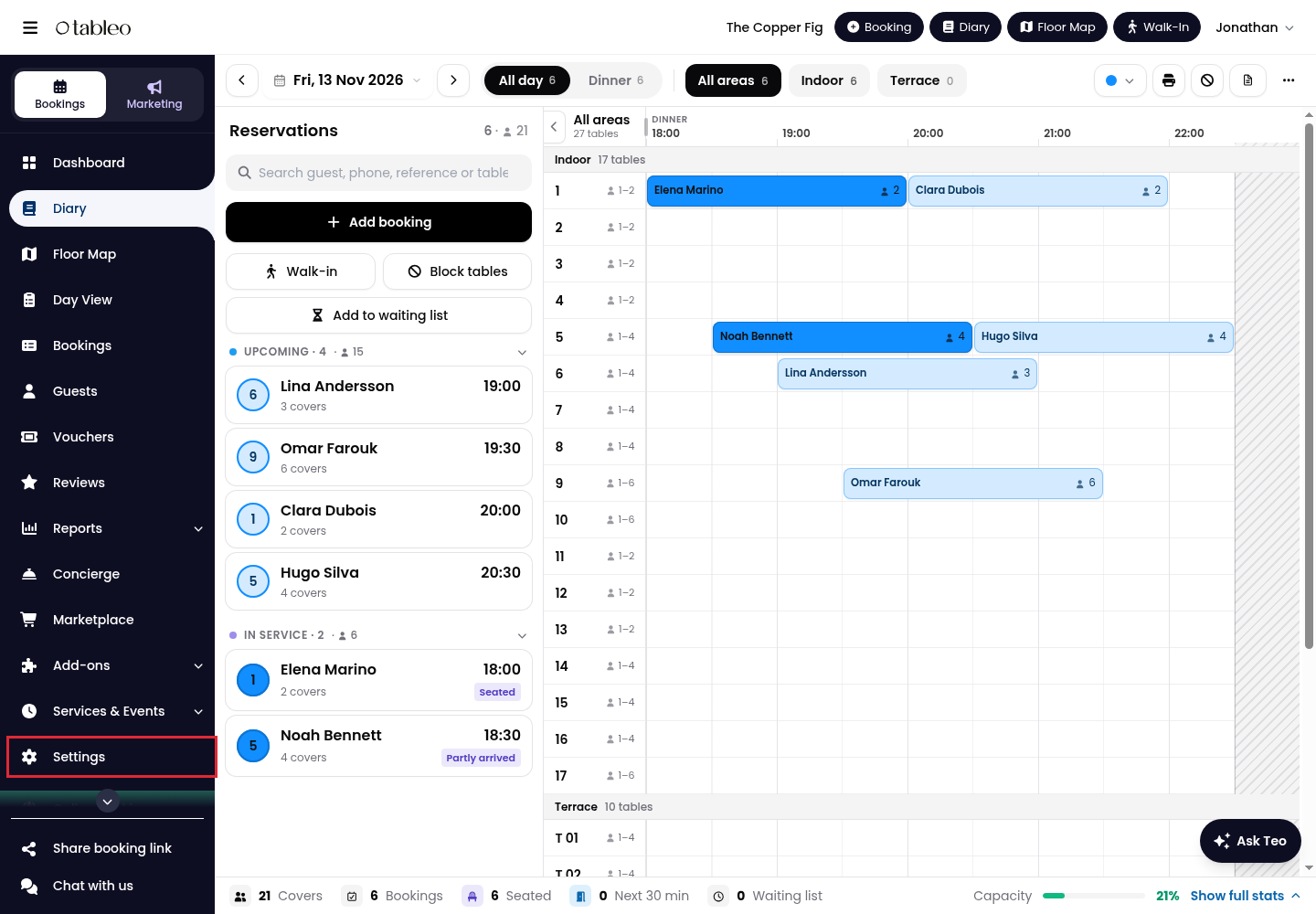
1. Click on Settings in the side menu.
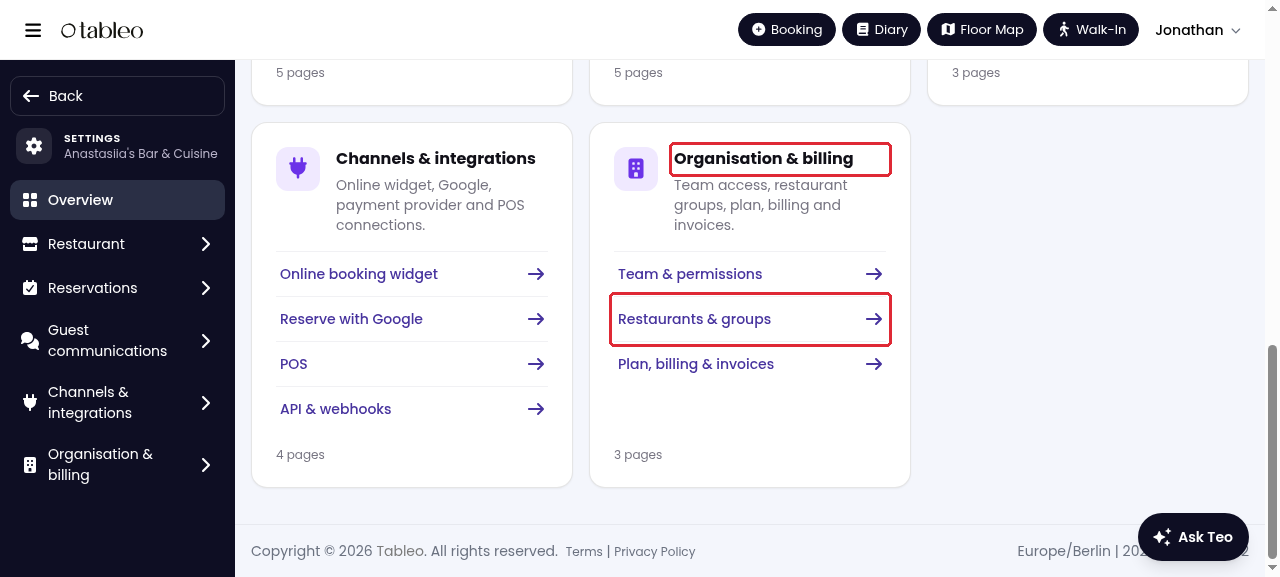
2. Under Organisation & billing, click on Restaurants & groups.
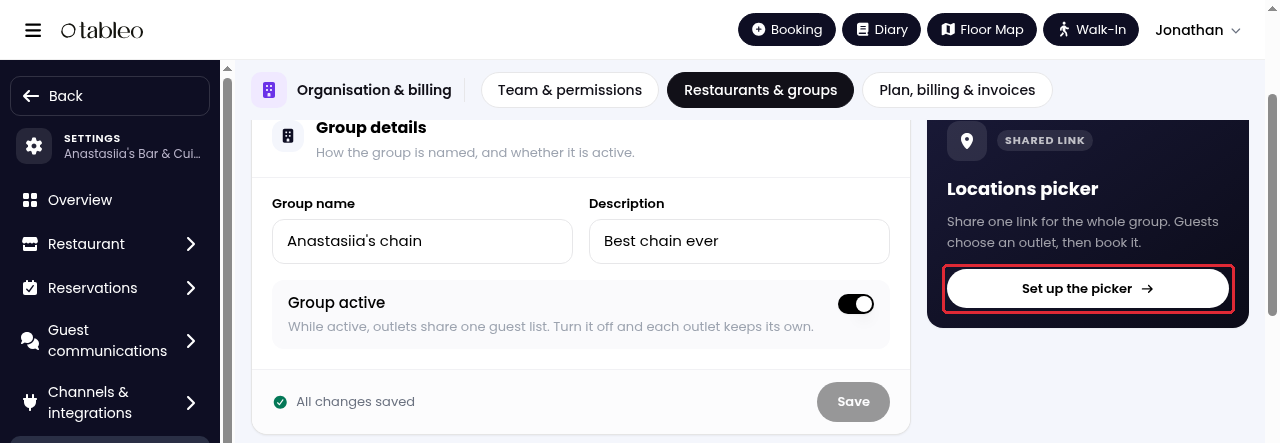
3. In Locations picker, click on Set up the picker.
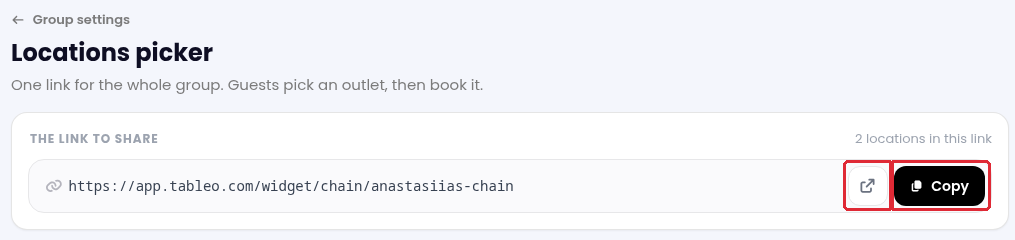
4. Under The link to share, click on Copy to share your group’s booking link. Use the open-link icon beside it to view the guest-facing picker.
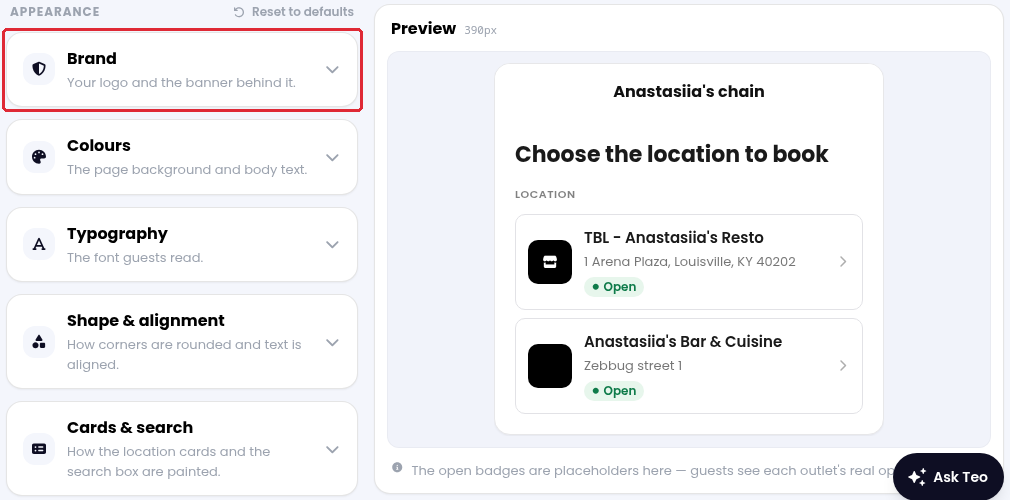
5. Use the sections under Appearance to customise your logo, colours, typography, and card design. Check the result in Preview.
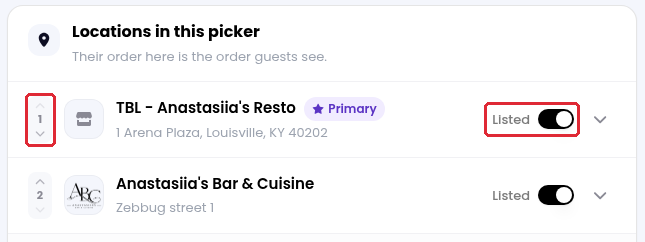
6. Under Locations in this picker, use the Listed switch to show or hide each outlet. Use the Move up and Move down arrows to change the order guests see.
While we strive to ensure the accuracy and currency of the information in our knowledge base, some articles may contain minor discrepancies due to the constant evolution of our services and products.
Was this article helpful?
That’s Great!
Thank you for your feedback
Sorry! We couldn't be helpful
Thank you for your feedback
Feedback sent
We appreciate your effort and will try to fix the article