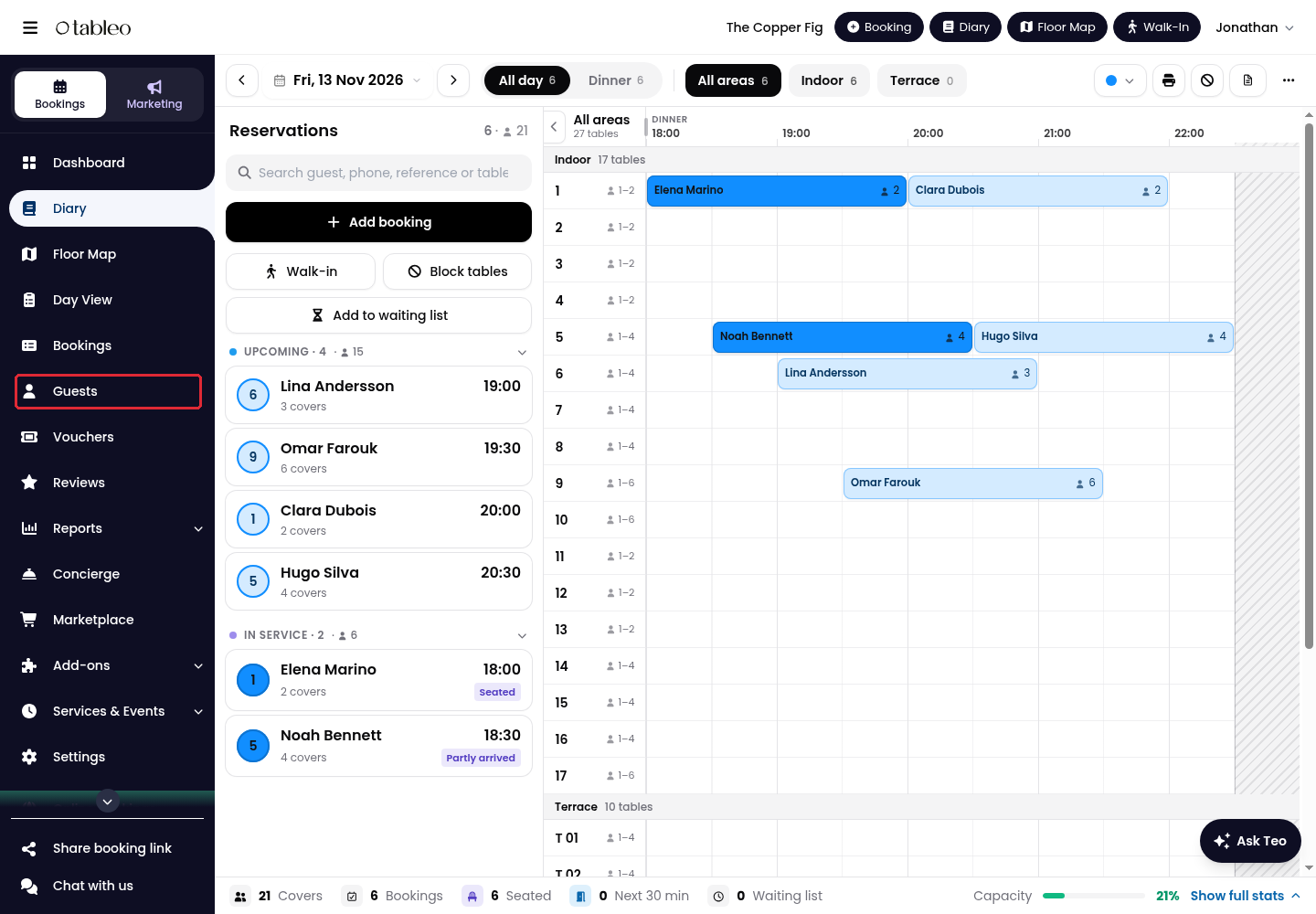
1. Click on Guests in the side menu.
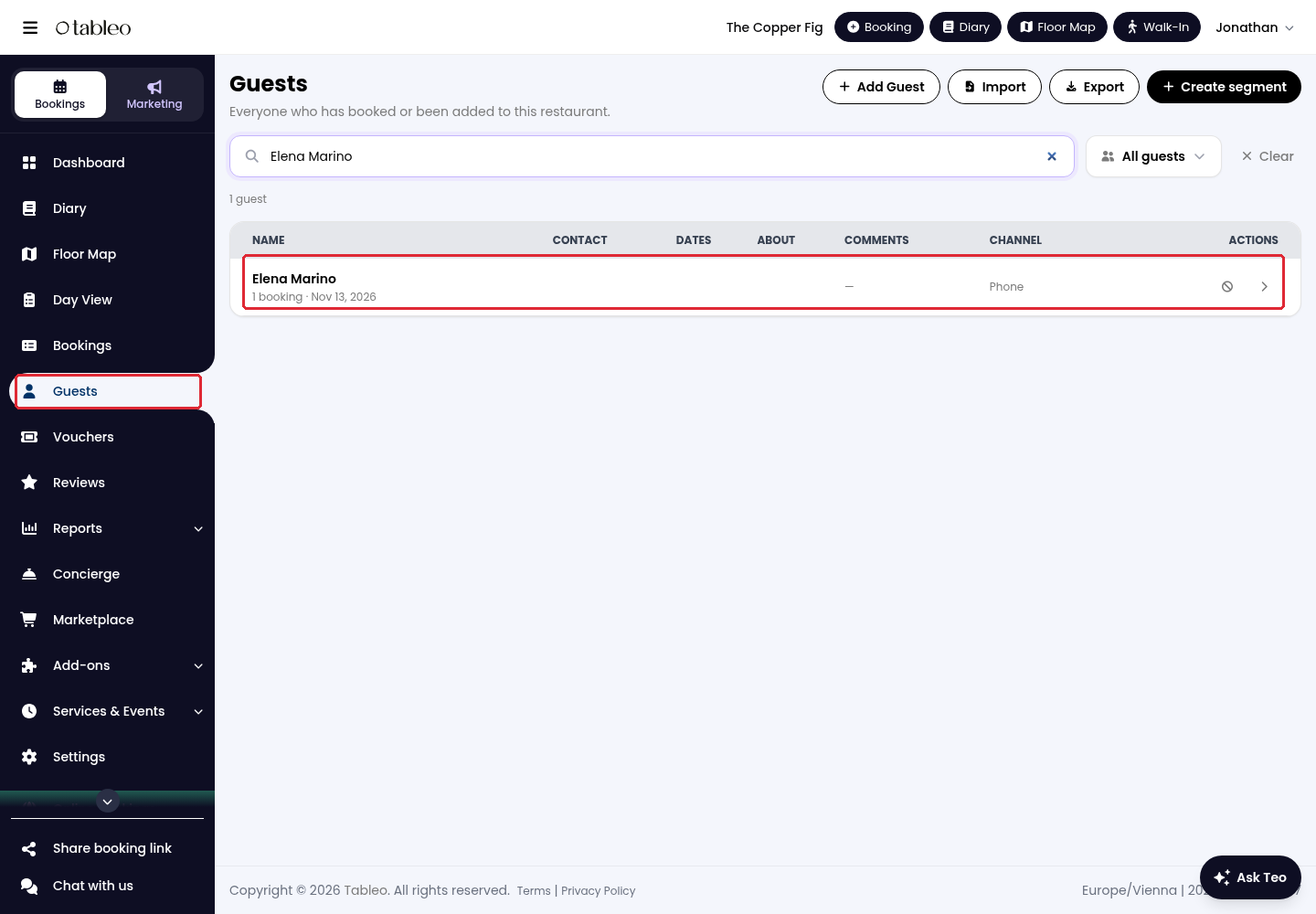
2. Use Search by name, email, or phone to find the guest, then click on their name or the arrow at the end of their row.
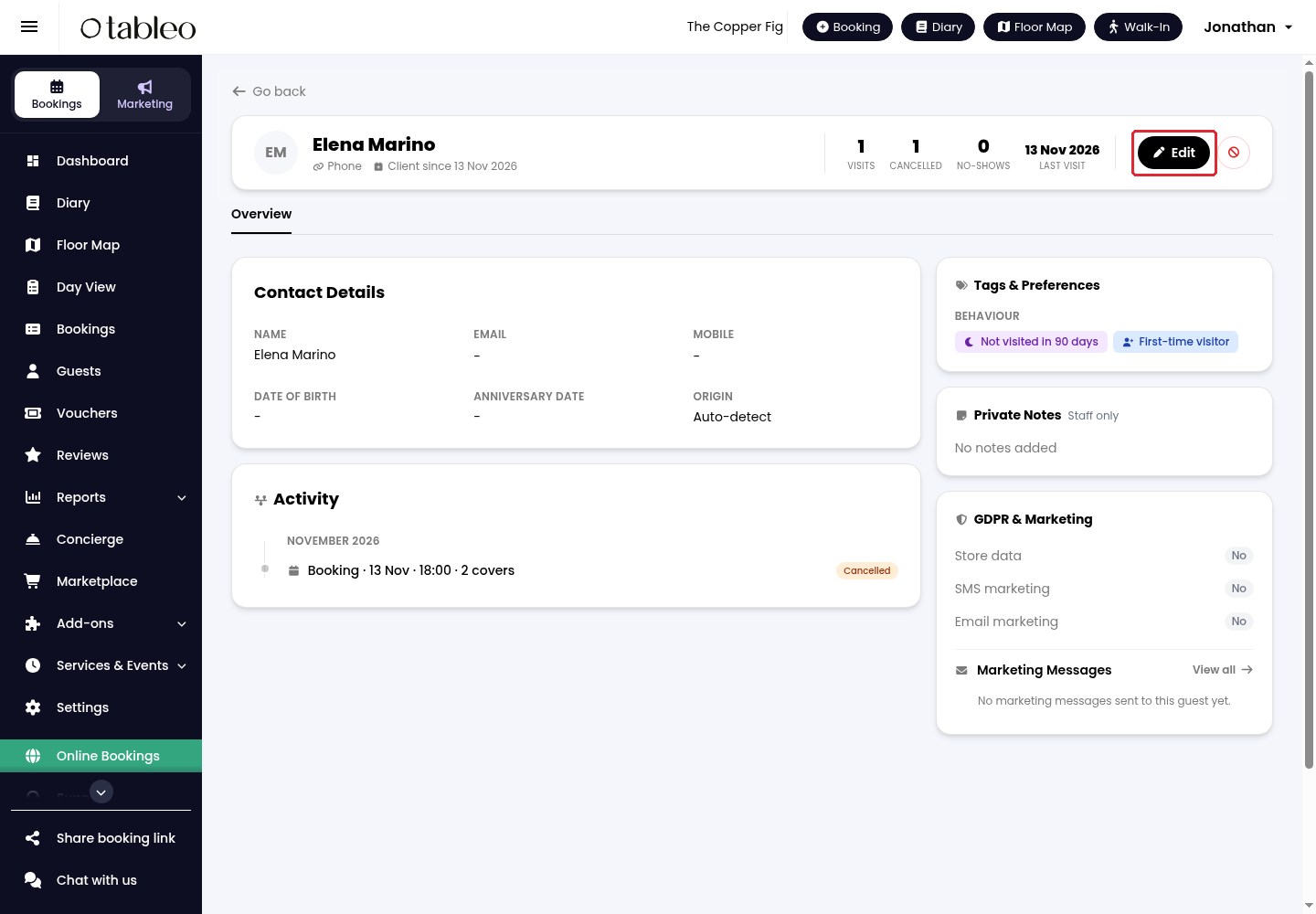
3. Click on Edit in the guest profile.
4. Update the relevant fields in Edit Guest, then click on Save.
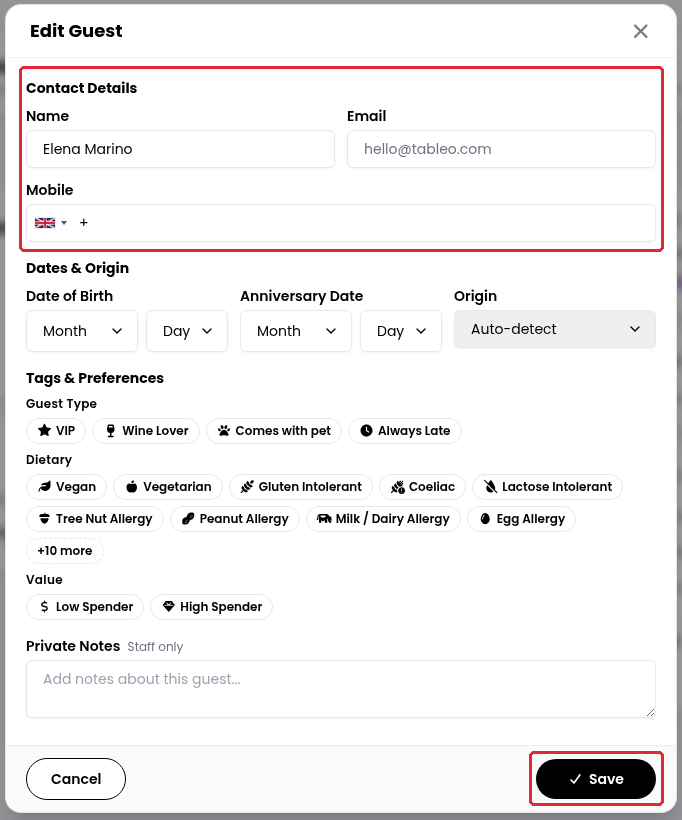
You can edit Name, Email, Mobile, Date of Birth, Anniversary Date, Origin, Tags & Preferences, and Private Notes. Private notes are for staff only.
While we strive to ensure the accuracy and currency of the information in our knowledge base, some articles may contain minor discrepancies due to the constant evolution of our services and products.
Was this article helpful?
That’s Great!
Thank you for your feedback
Sorry! We couldn't be helpful
Thank you for your feedback
Feedback sent
We appreciate your effort and will try to fix the article