Choose the weekdays when guests cannot book through Reserve with Google. Google shows no availability on the selected days.
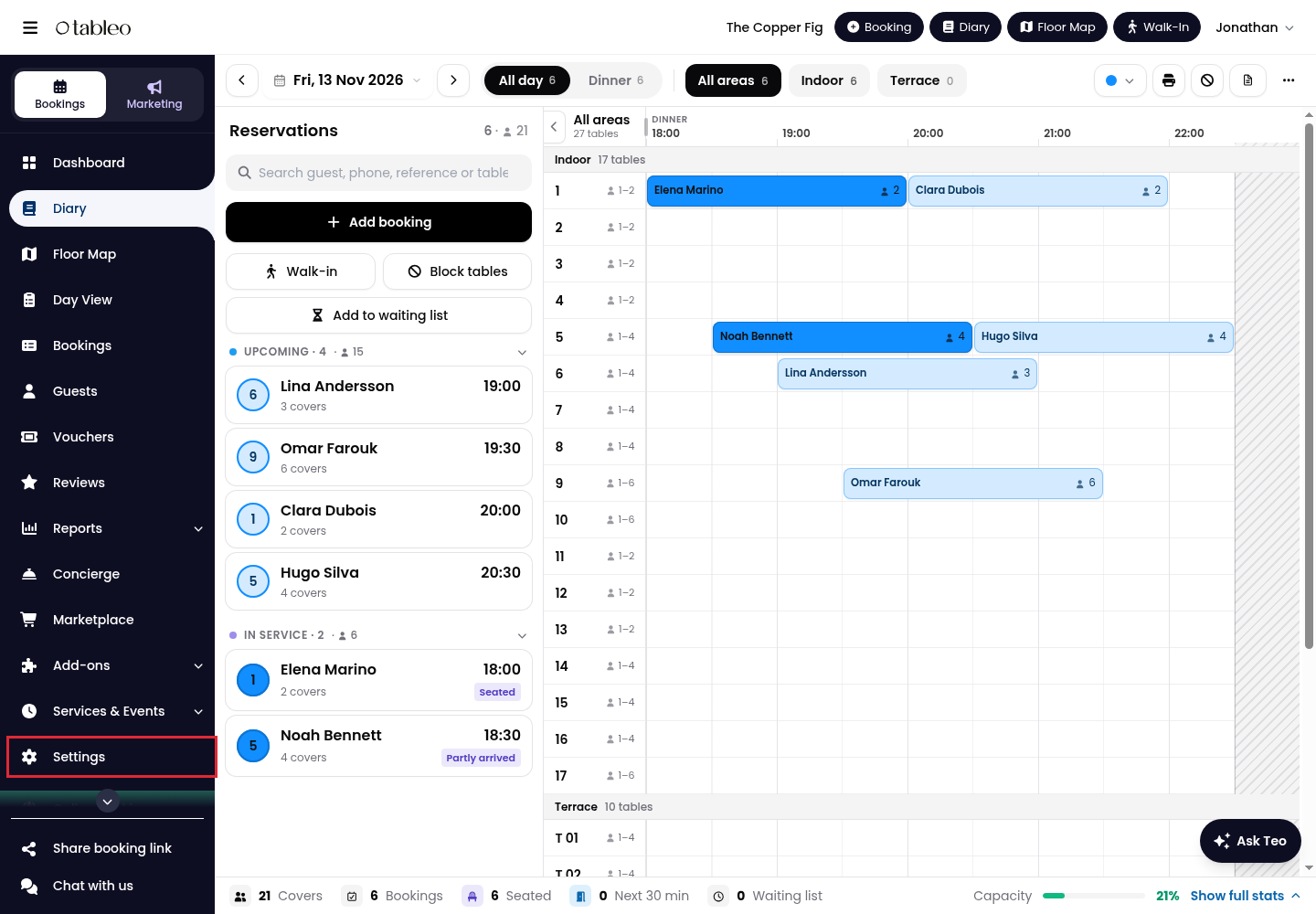
1. Click on Settings in the side menu.
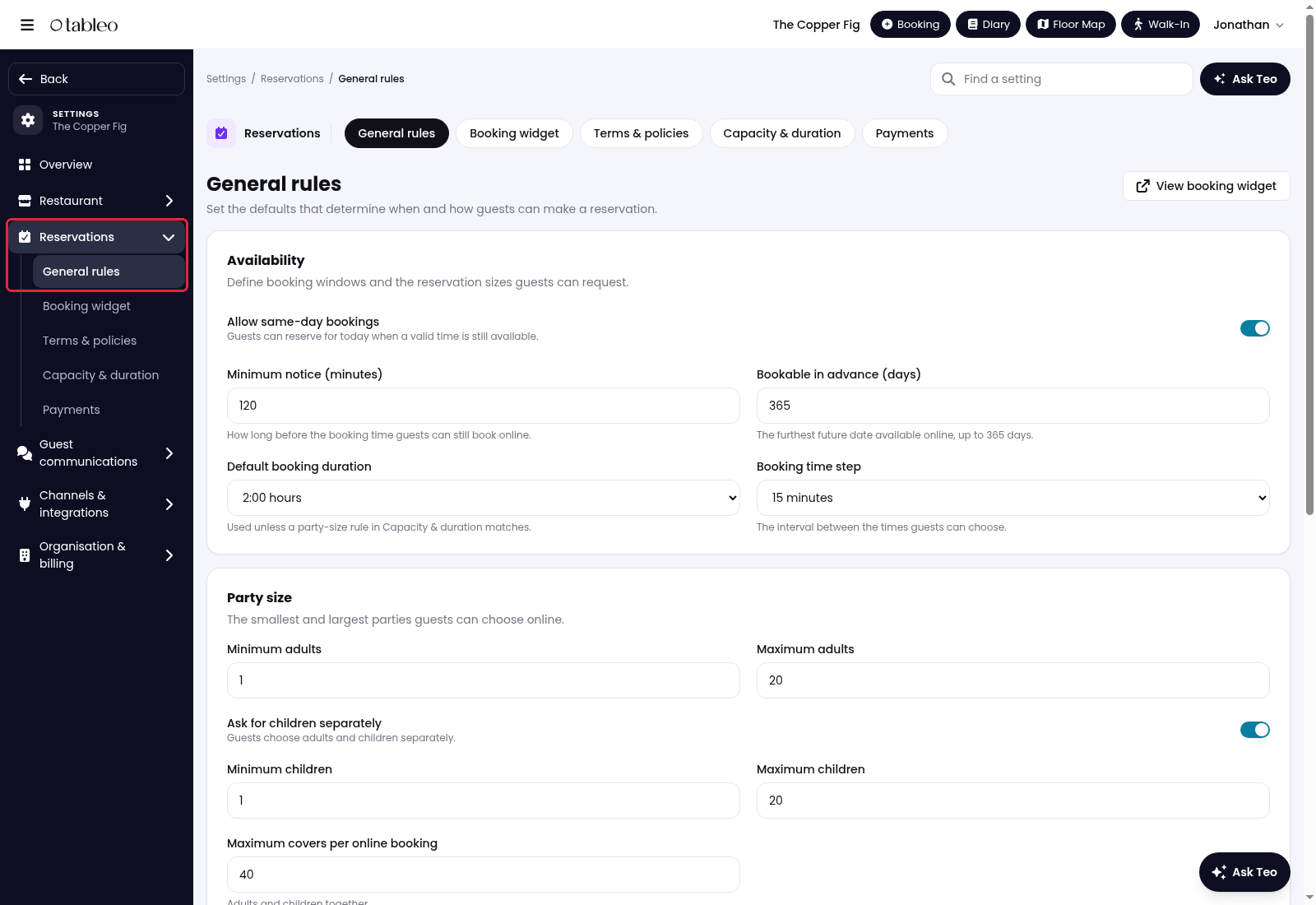
2. Select Reservations, then open General rules.
3. Scroll down to Days hidden on Reserve with Google and select the weekdays you want to hide. Deselect a day to make it available on Google again, subject to your other booking rules.
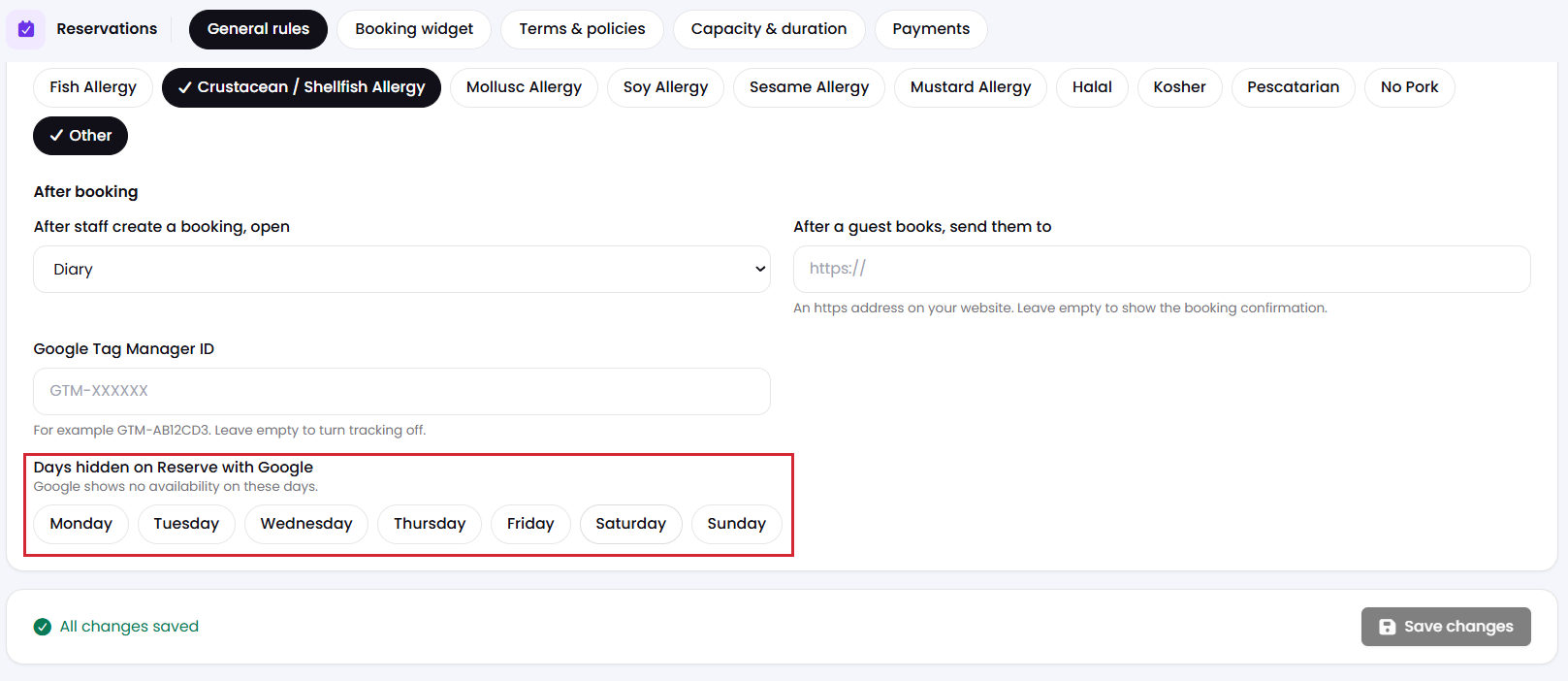
4. Save your changes.
While we strive to ensure the accuracy and currency of the information in our knowledge base, some articles may contain minor discrepancies due to the constant evolution of our services and products.
Was this article helpful?
That’s Great!
Thank you for your feedback
Sorry! We couldn't be helpful
Thank you for your feedback
Feedback sent
We appreciate your effort and will try to fix the article