1. Click Diary in the side menu, then click Add booking.
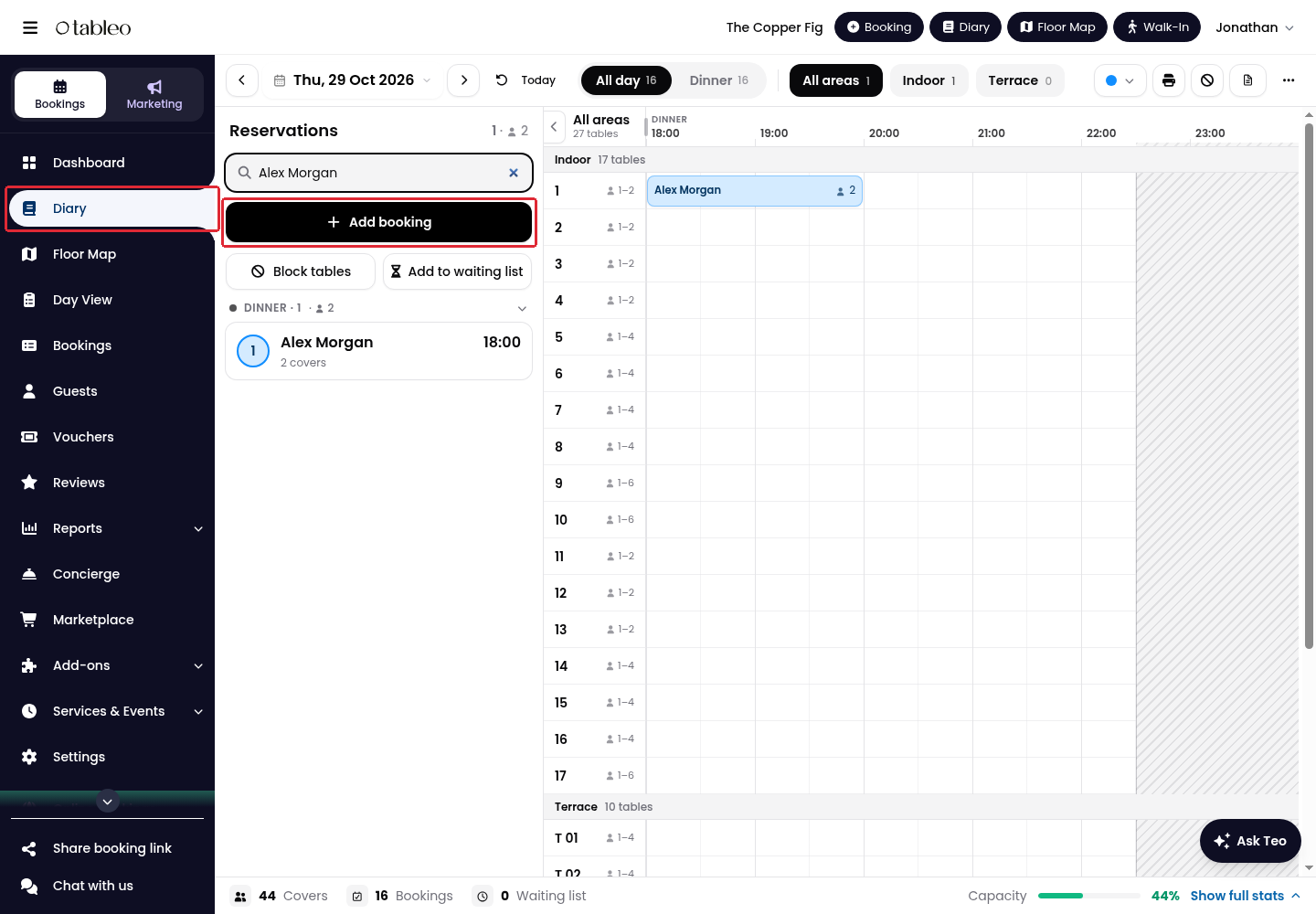
2. Select Walk-In. Walk-ins are booked without guest details.
3. Check the date and time, set the Duration and number of Adults, and use Add children if needed. Selecting Walk-In sets the date and time to now, so check them again even if you opened the form from another date.
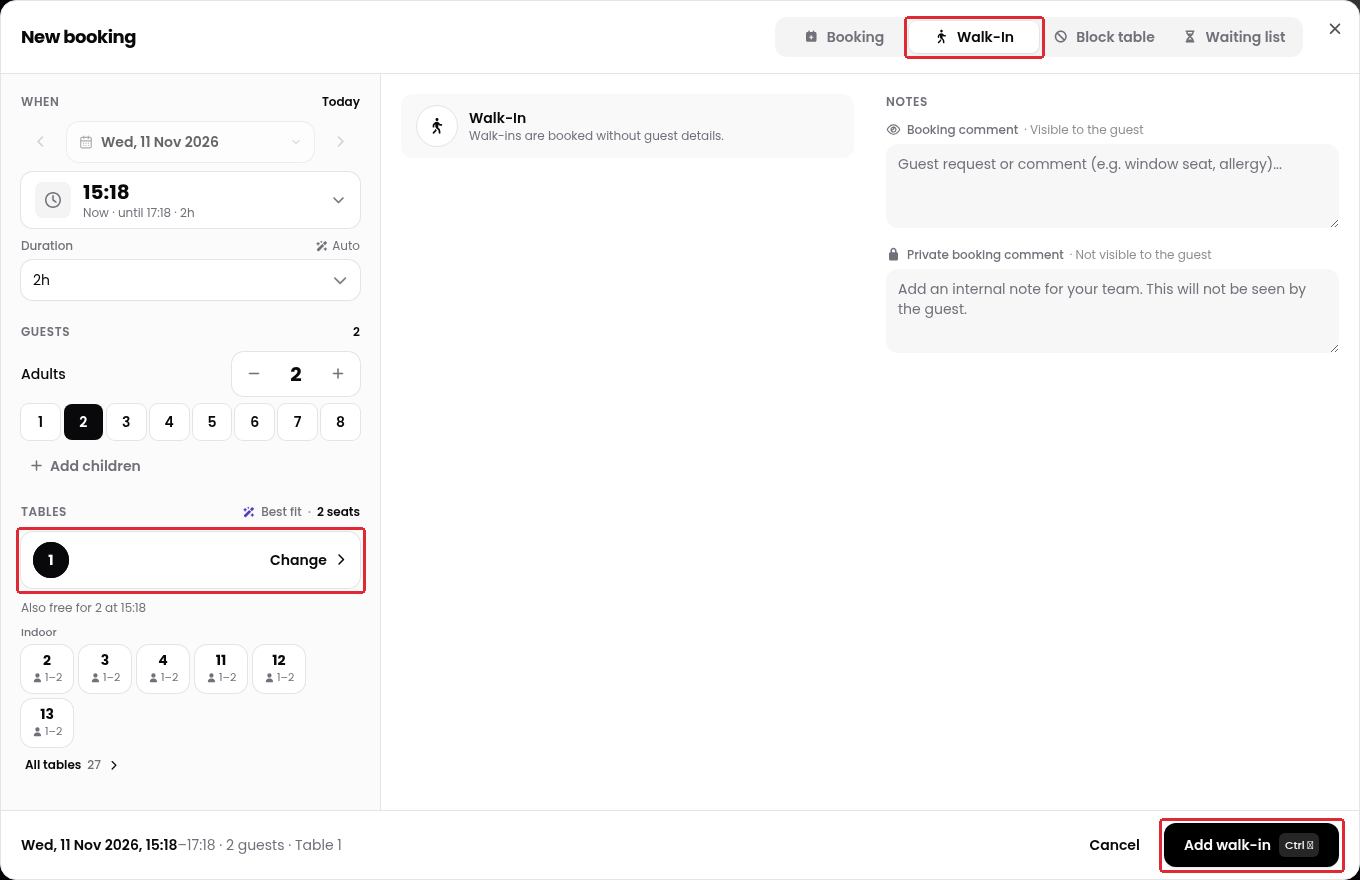
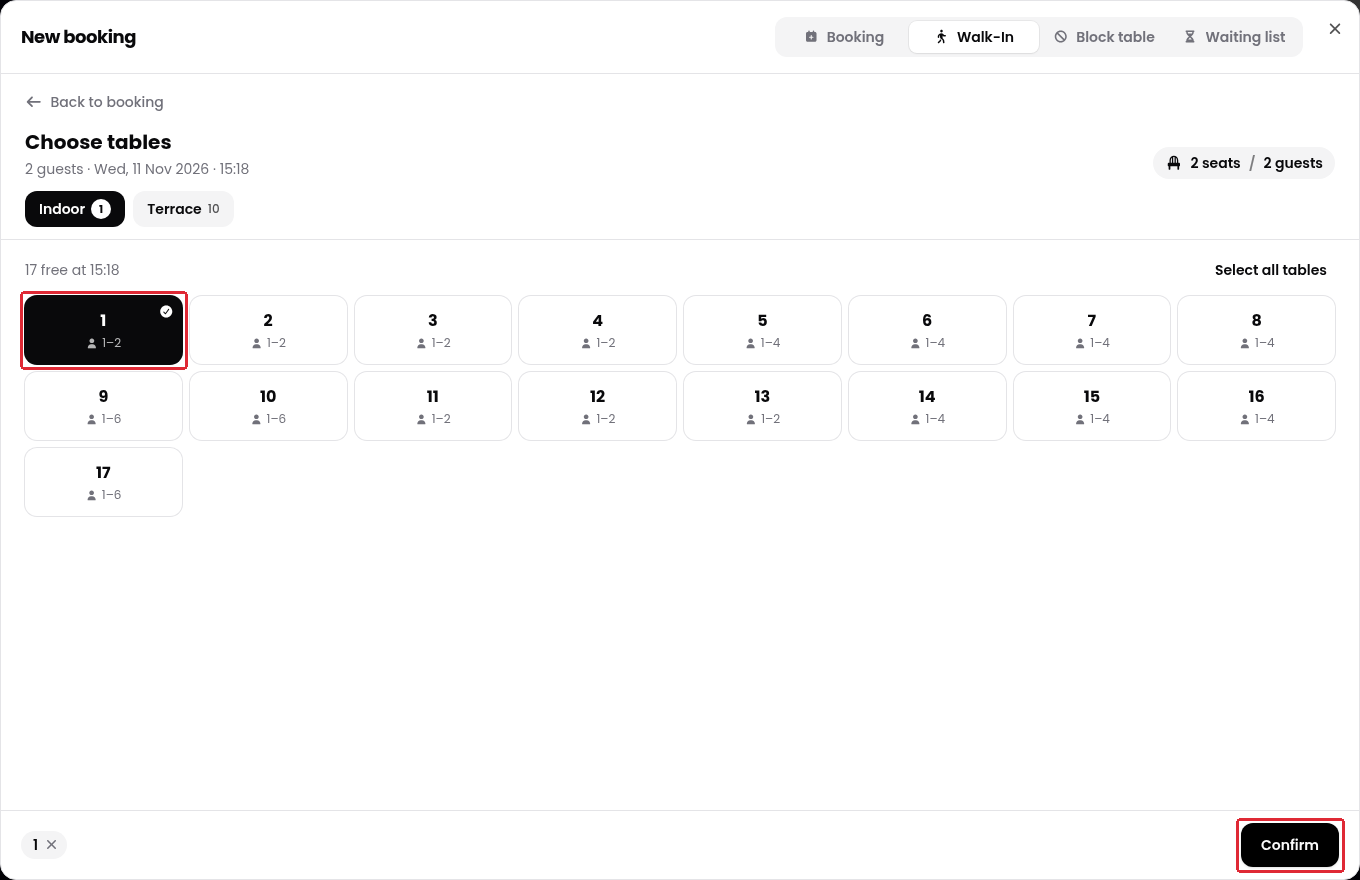
4. Check the suggested table under Tables. To choose another table, click Change, select the table in the relevant dining area, then click Confirm.
5. Add a Private booking comment if your team needs an internal note. Check the details, then click Add walk-in.
Alternatively, click an empty time slot for a table in the Diary, then select Walk-In. Check the date, time and table again, and complete the same steps above.
Was this article helpful?
That’s Great!
Thank you for your feedback
Sorry! We couldn't be helpful
Thank you for your feedback
Feedback sent
We appreciate your effort and will try to fix the article