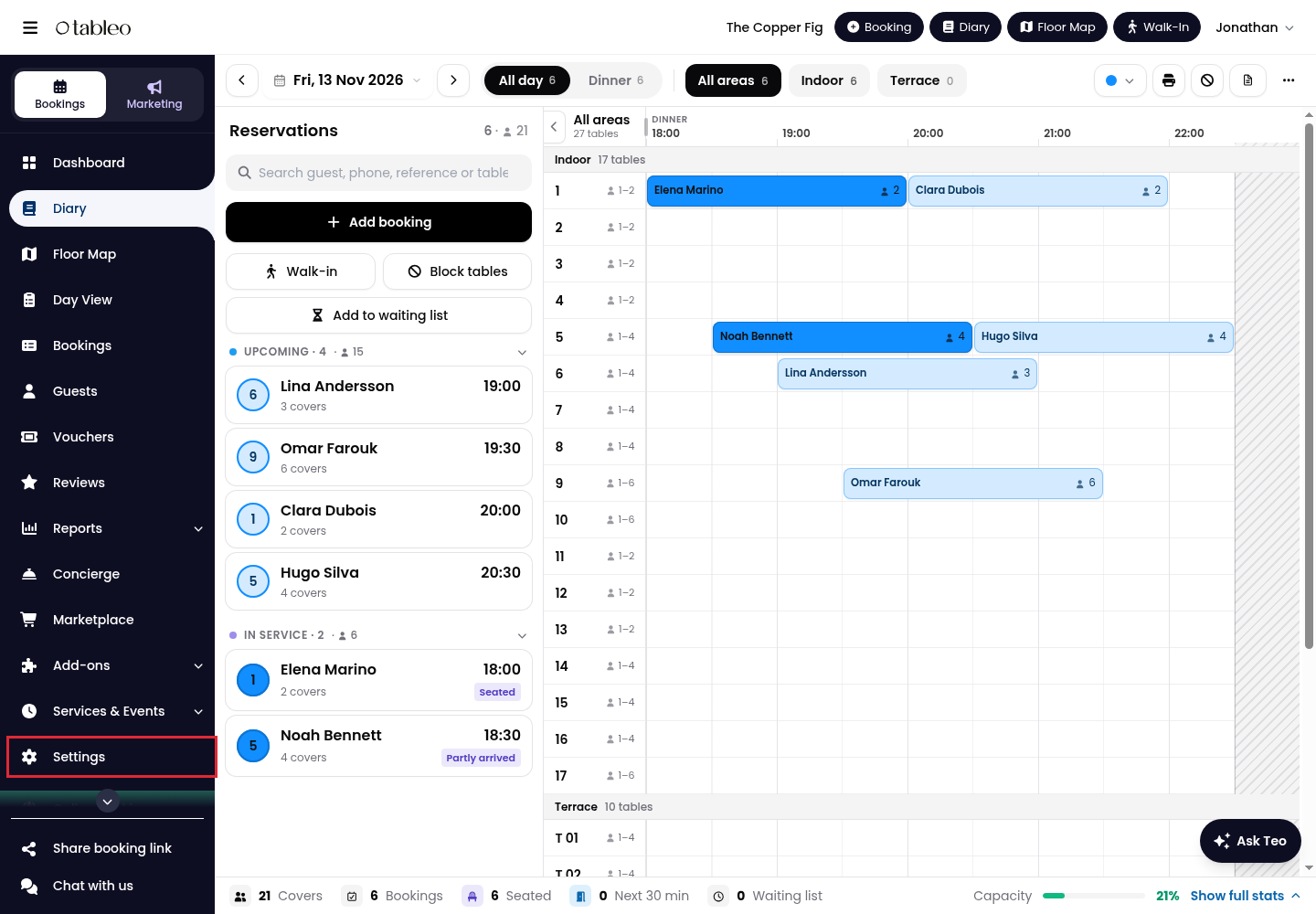
1. Click on Settings in the side menu.
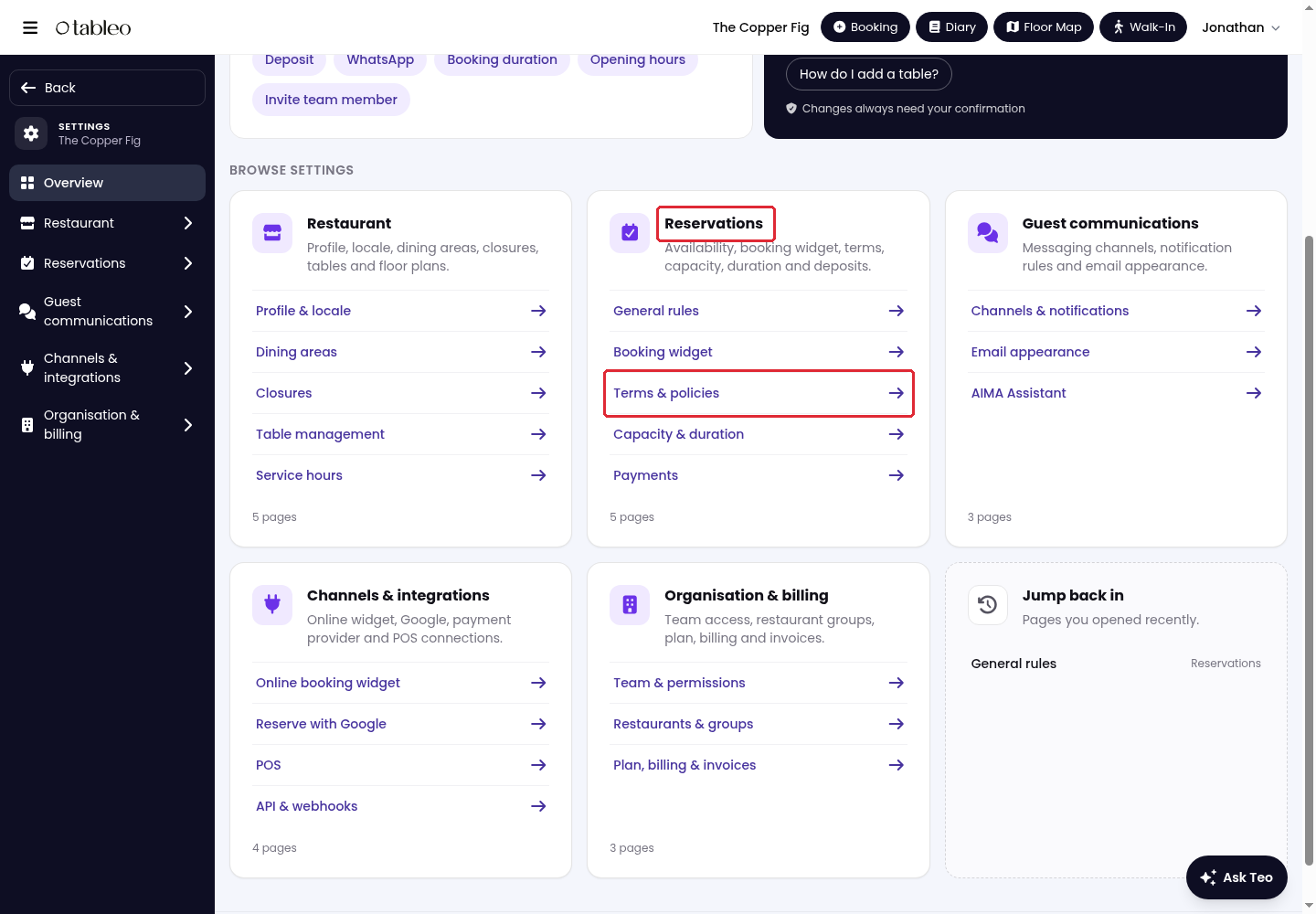
2. Under Reservations, click on Terms & policies.
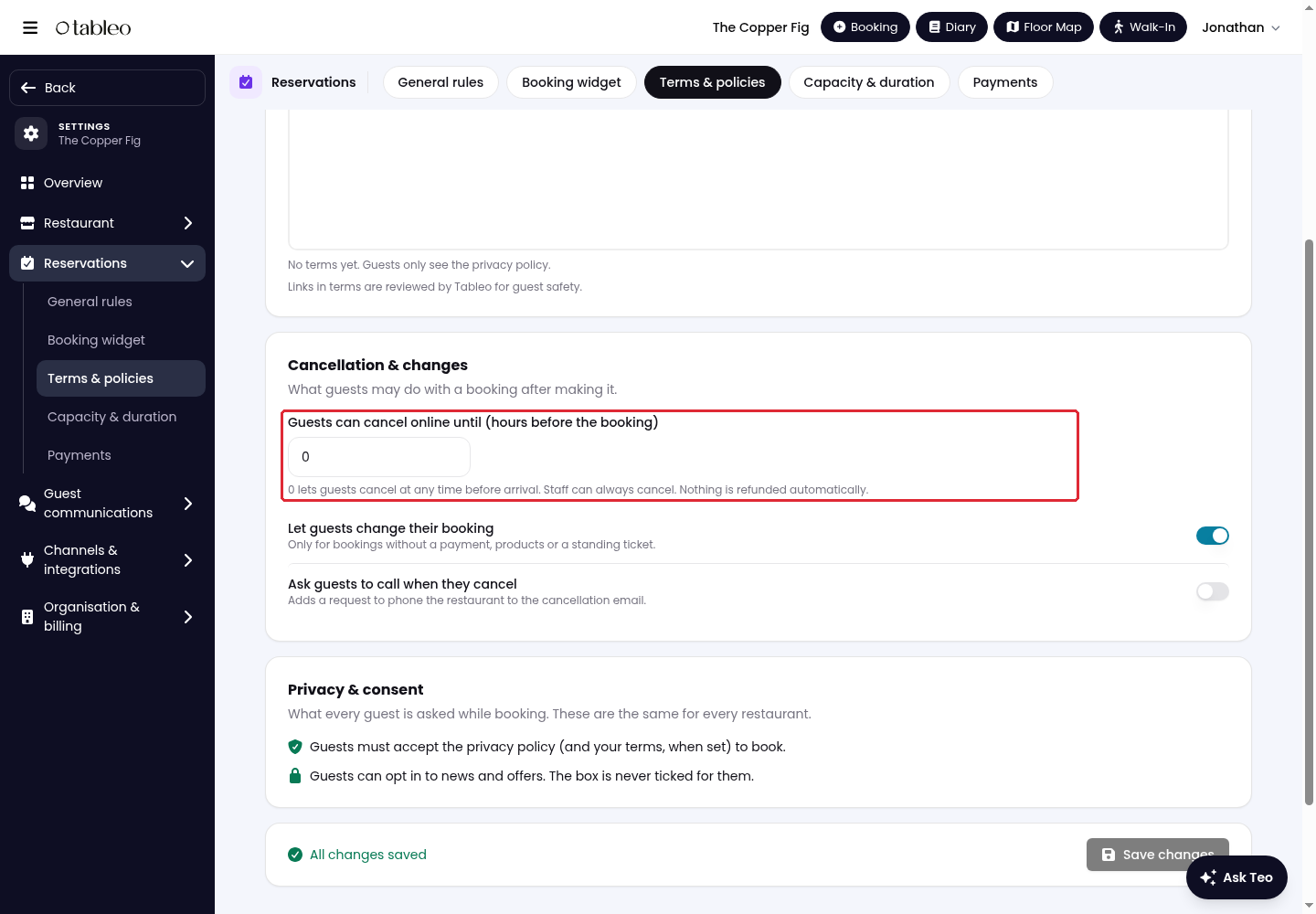
3. Scroll to Cancellation & changes. In Guests can cancel online until (hours before the booking), enter how many hours before arrival online cancellation should stop.
Enter 0 to let guests cancel at any time before arrival. Staff can always cancel a booking. Cancelling does not automatically refund a payment.
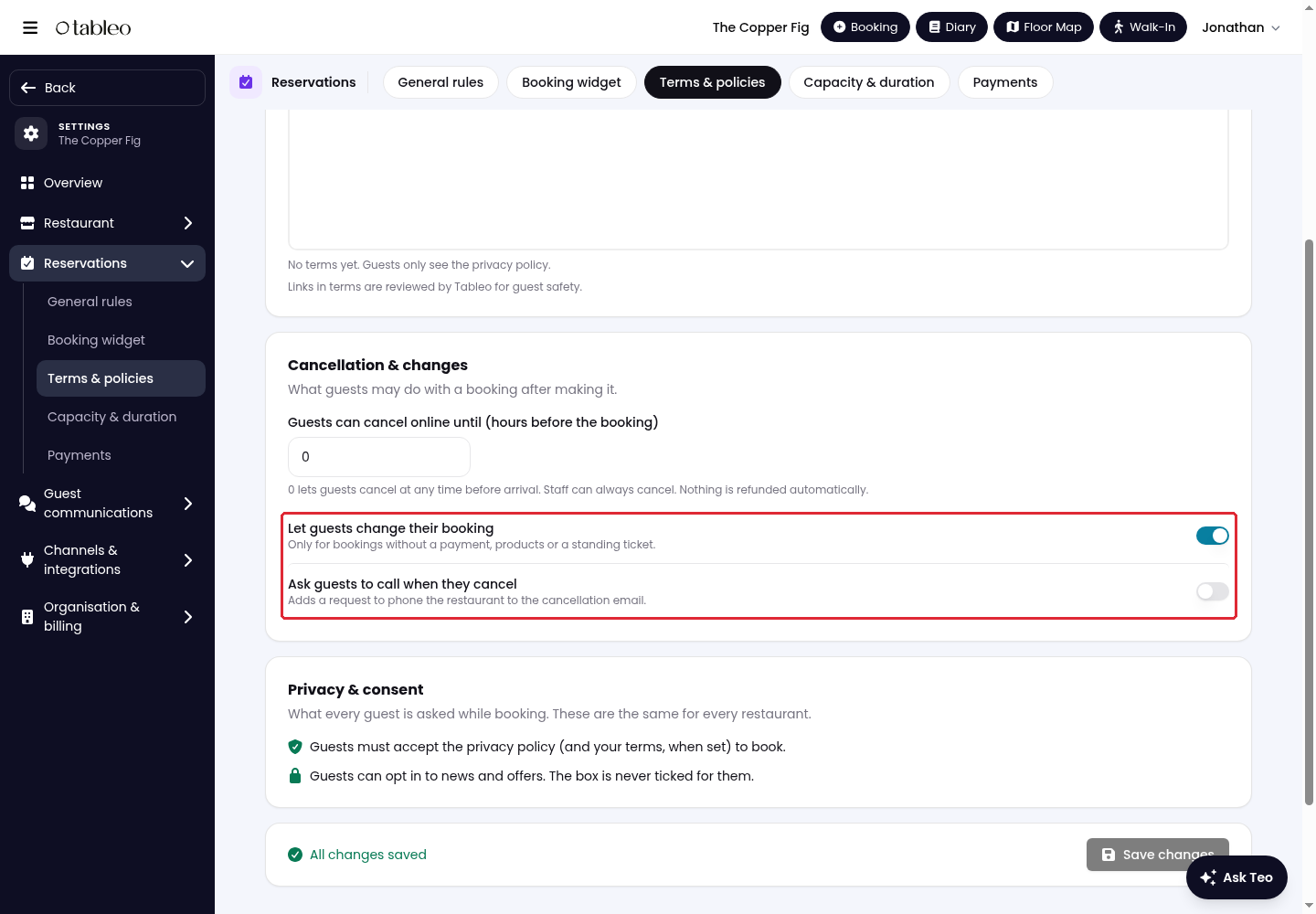
4. Turn Let guests change their booking on to allow guest changes, or off to prevent them. This option only applies to bookings without a payment, products or a standing ticket.
Turn on Ask guests to call when they cancel to add a request to phone the restaurant to the cancellation email.
5. Click on Save changes at the bottom of the page.
While we strive to ensure the accuracy and currency of the information in our knowledge base, some articles may contain minor discrepancies due to the constant evolution of our services and products.
Was this article helpful?
That’s Great!
Thank you for your feedback
Sorry! We couldn't be helpful
Thank you for your feedback
Feedback sent
We appreciate your effort and will try to fix the article