If you manage a chain of restaurants, you can share a single booking widget with your customers that lets diners choose between your venues.
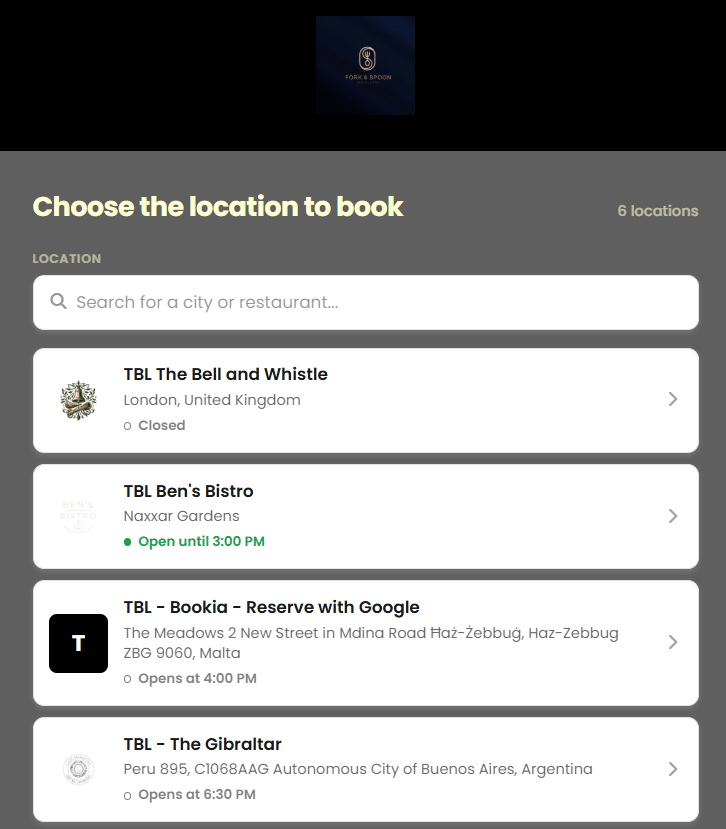
Here’s how to set it up:
Step 1: Ensure Your Chain Is Set Up in Tableo
We recommend that your restaurants are linked under one chain. See how to do this here →
Step 2: Copy the widget URL
1. Go to Settings > Account Settings > Online Bookings.
2. At the top of the page, select the Group Picker option.
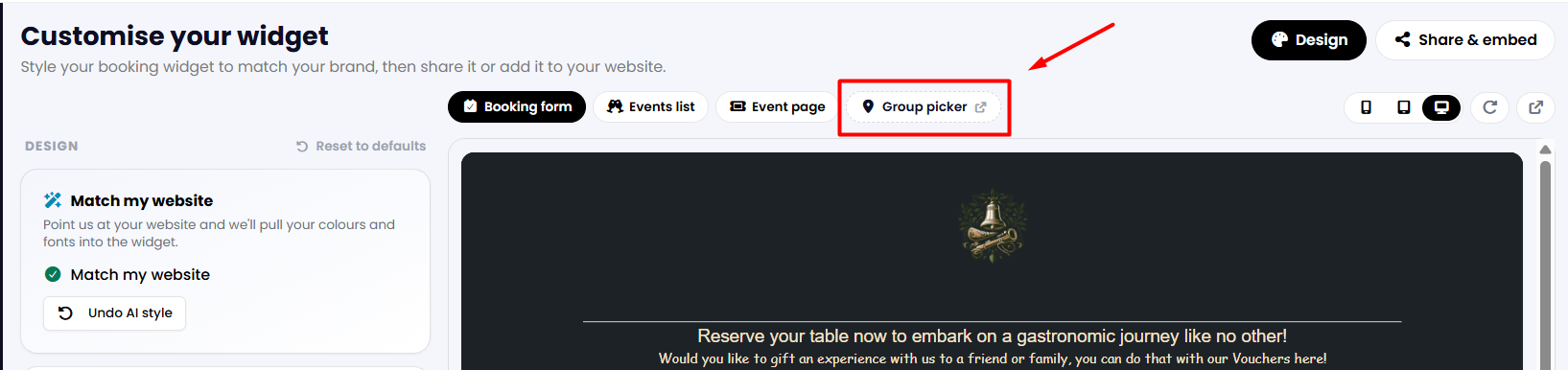
3. At the top of the screen, you can open a preview of your chain booking widget by clicking on the icon on the right, or copy the widget URL and share it directly with your customers.

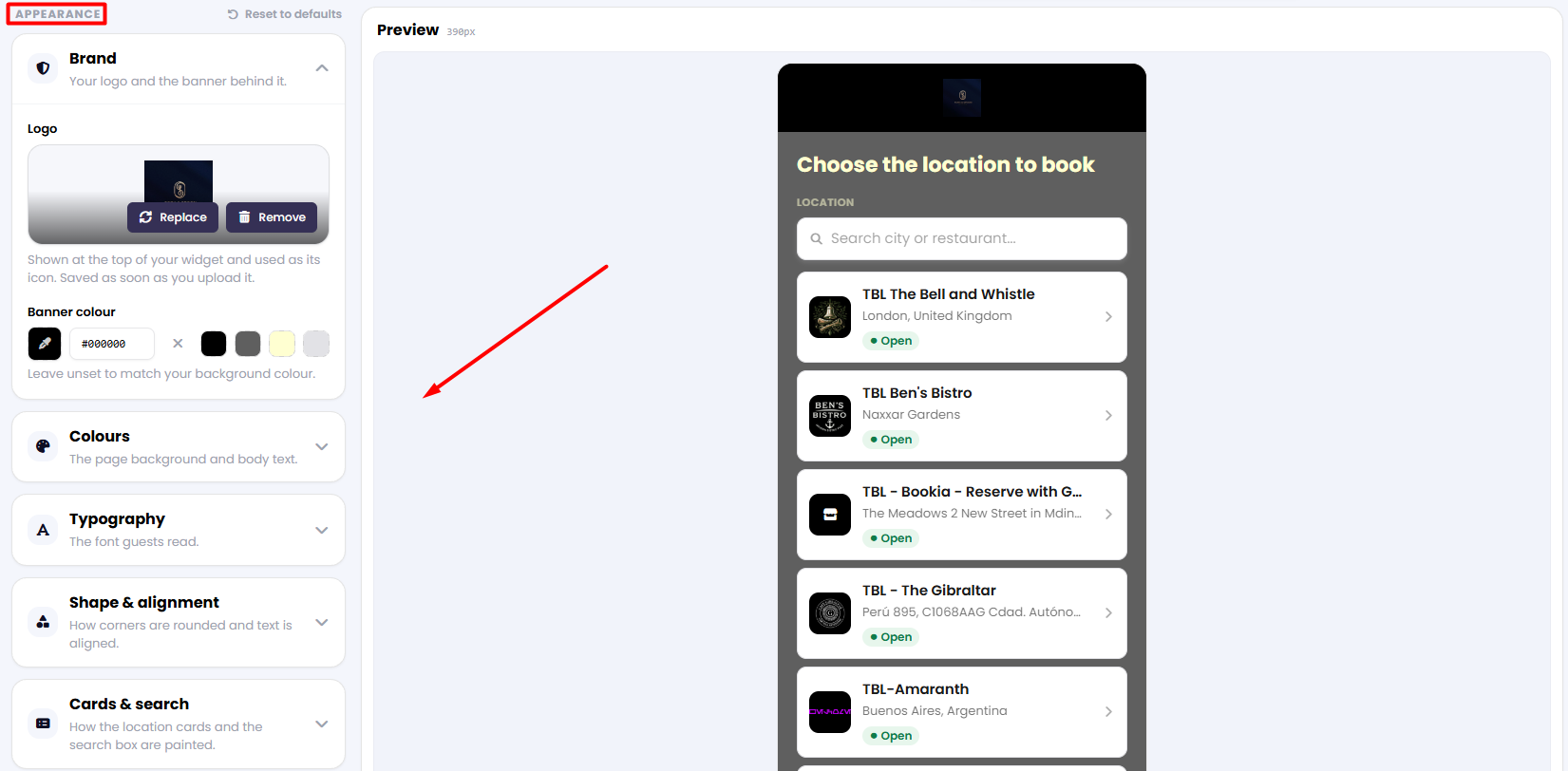
4. Scroll down to customise the appearance of your widget using the design tools available in the left-hand column.
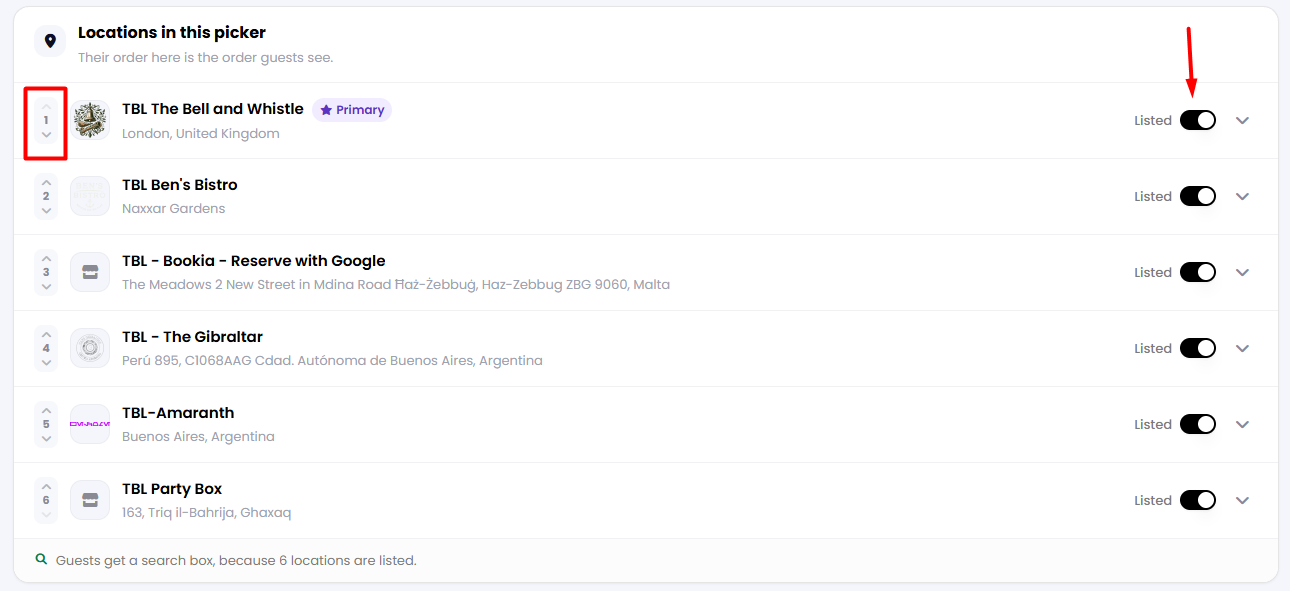
5. Further down the page, you will find the list of venues included in your restaurant group. Use the toggle on the right to choose whether a specific venue should be shown or hidden in the widget.
Use the up and down arrows on the left to change the order in which your venues appear. Venues will be displayed from top to bottom according to the order selected.
Was this article helpful?
That’s Great!
Thank you for your feedback
Sorry! We couldn't be helpful
Thank you for your feedback
Feedback sent
We appreciate your effort and will try to fix the article