The booking duration is set to a default time for all tables. However, you can also configure different booking durations based on the party size. You can find the guide in this link.
In case you want to change the duration of a booking in a specific table, you can do that only by editing the booking attached to that table manually. You can do that by:
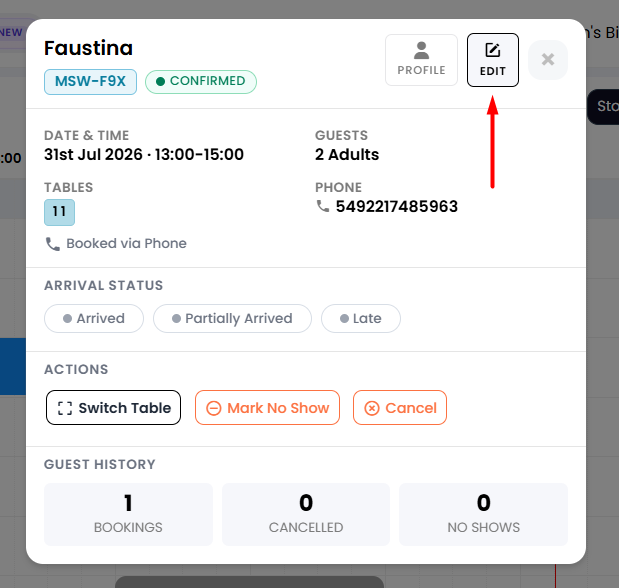
1. From the side menu, go to Diary. Find the booking in the table you want to fix, and click on it. A new tab will appear, where you will find an Edit button on top. Click on it.
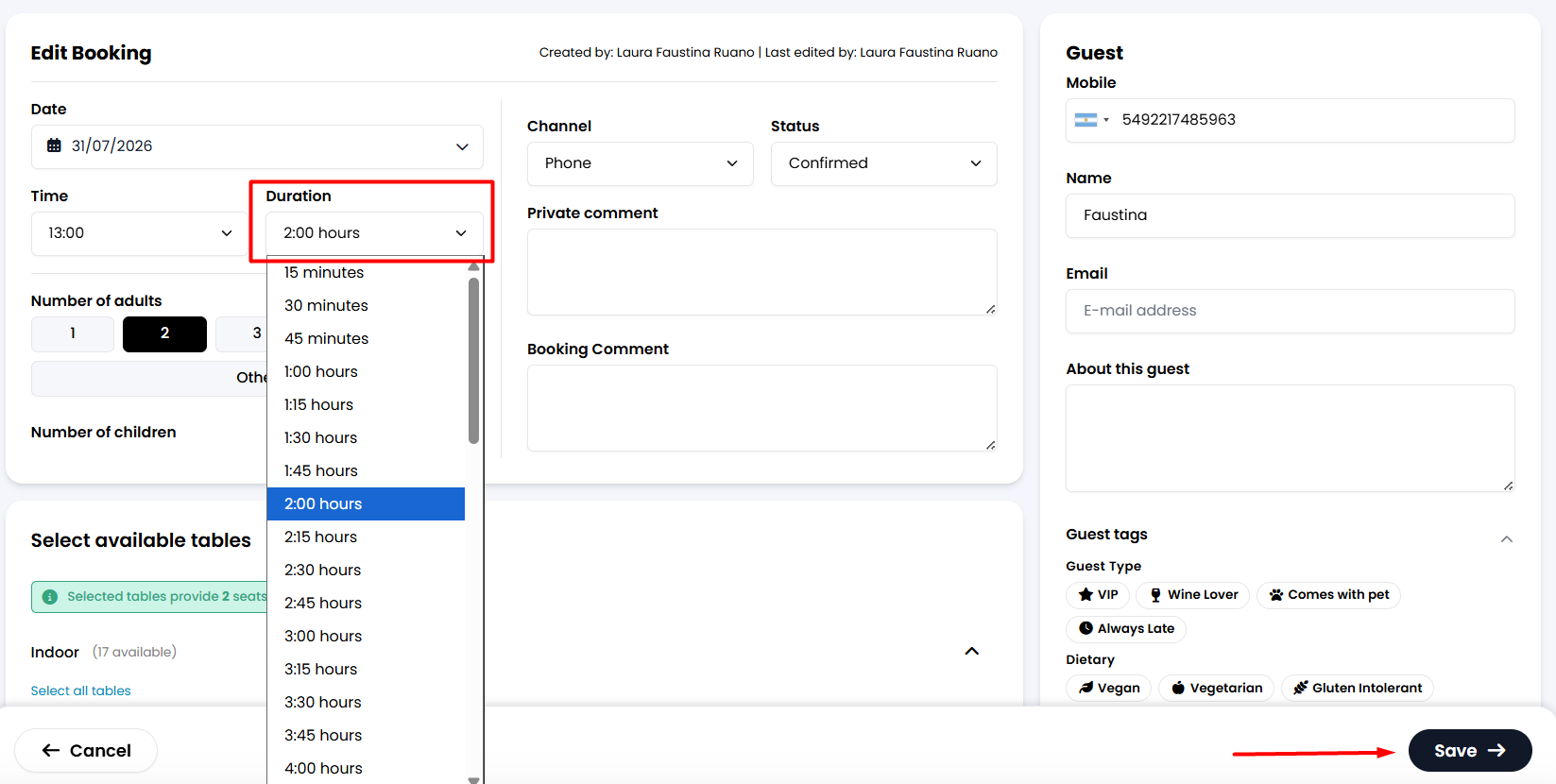
2. A new tab will appear. You will find an Edit Booking section, where you will see the Duration option. If you click there, different timing options will show. Choose the one that works best for you, and then click the Save button below.
Please bear in mind that the booking duration will be set only for this booking. If new bookings are assigned to that specific table, you can repeat the process in each one to adjust the duration as well.
Was this article helpful?
That’s Great!
Thank you for your feedback
Sorry! We couldn't be helpful
Thank you for your feedback
Feedback sent
We appreciate your effort and will try to fix the article