Bookia gift vouchers let guests buy a voucher on Bookia and spend it at your restaurant. Joining is free and optional, and it only takes a minute. You can get to the sign-up page in two ways. Both lead to the same page.
Option 1: From the dashboard
- Log in to Tableo and open the Dashboard.
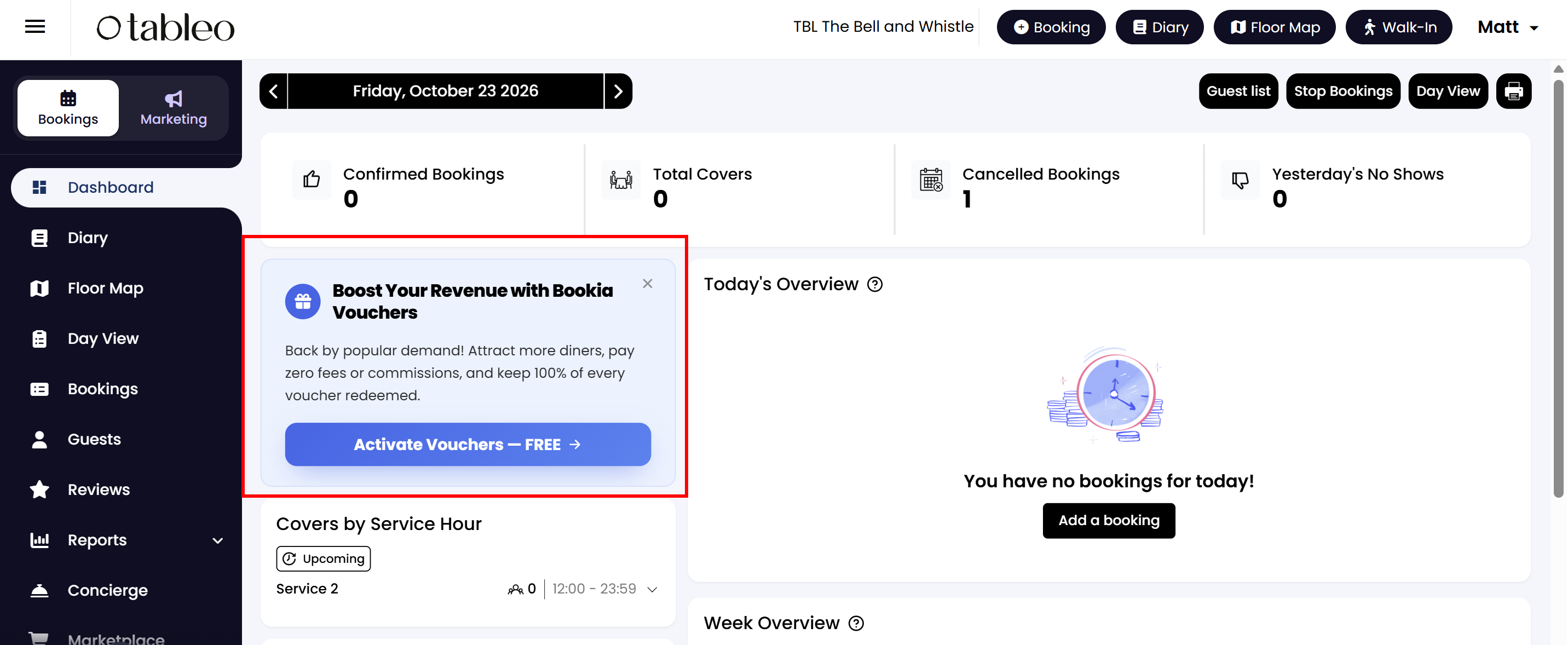
- Find the Boost Your Revenue with Bookia Vouchers offer and click Activate Vouchers – FREE.
Option 2: From the Add-ons menu
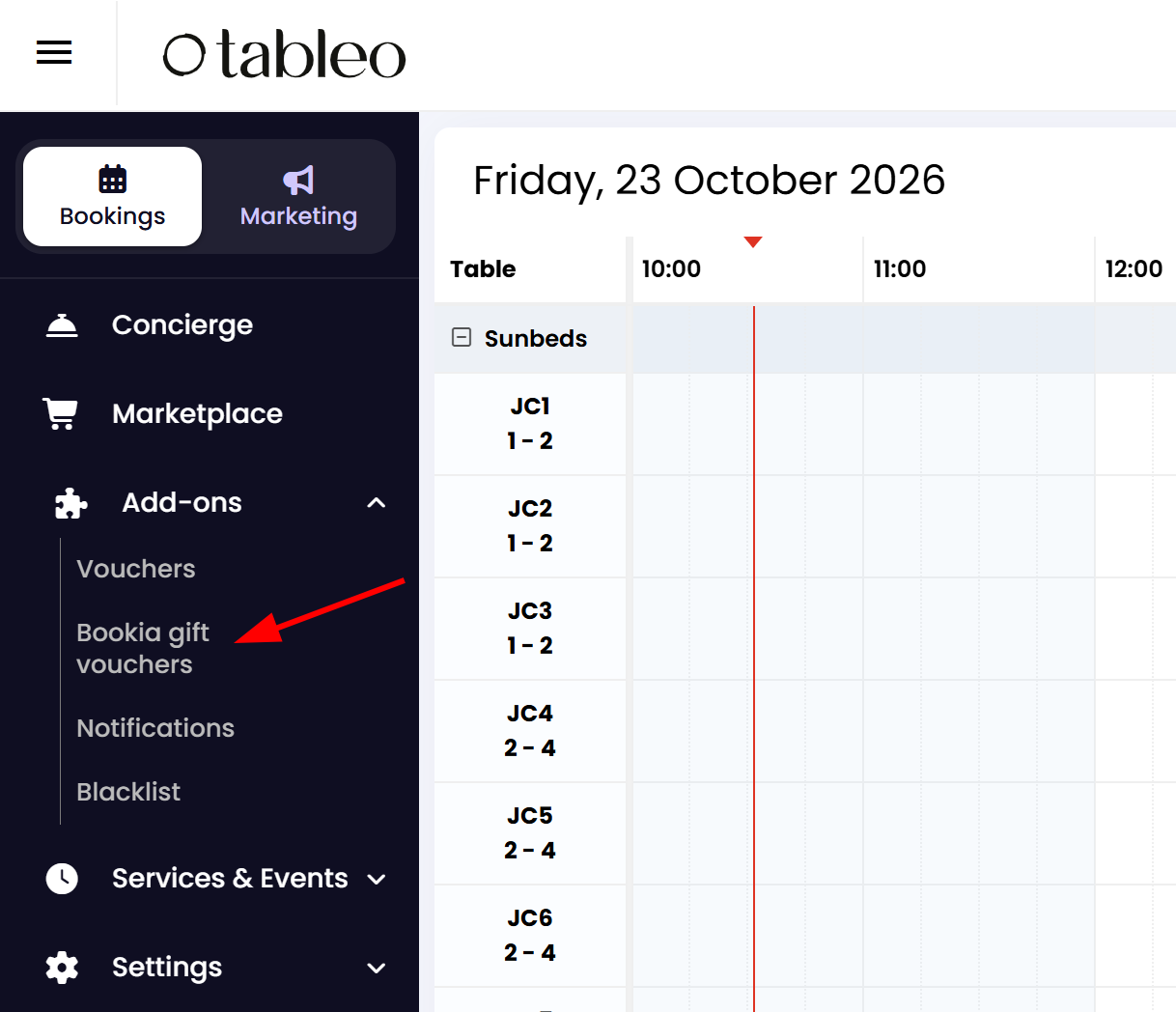
- In the left-hand side menu, click Add-ons.
- Click Bookia gift vouchers.
Complete the sign-up
Either way, you will arrive on the Bookia gift vouchers page.
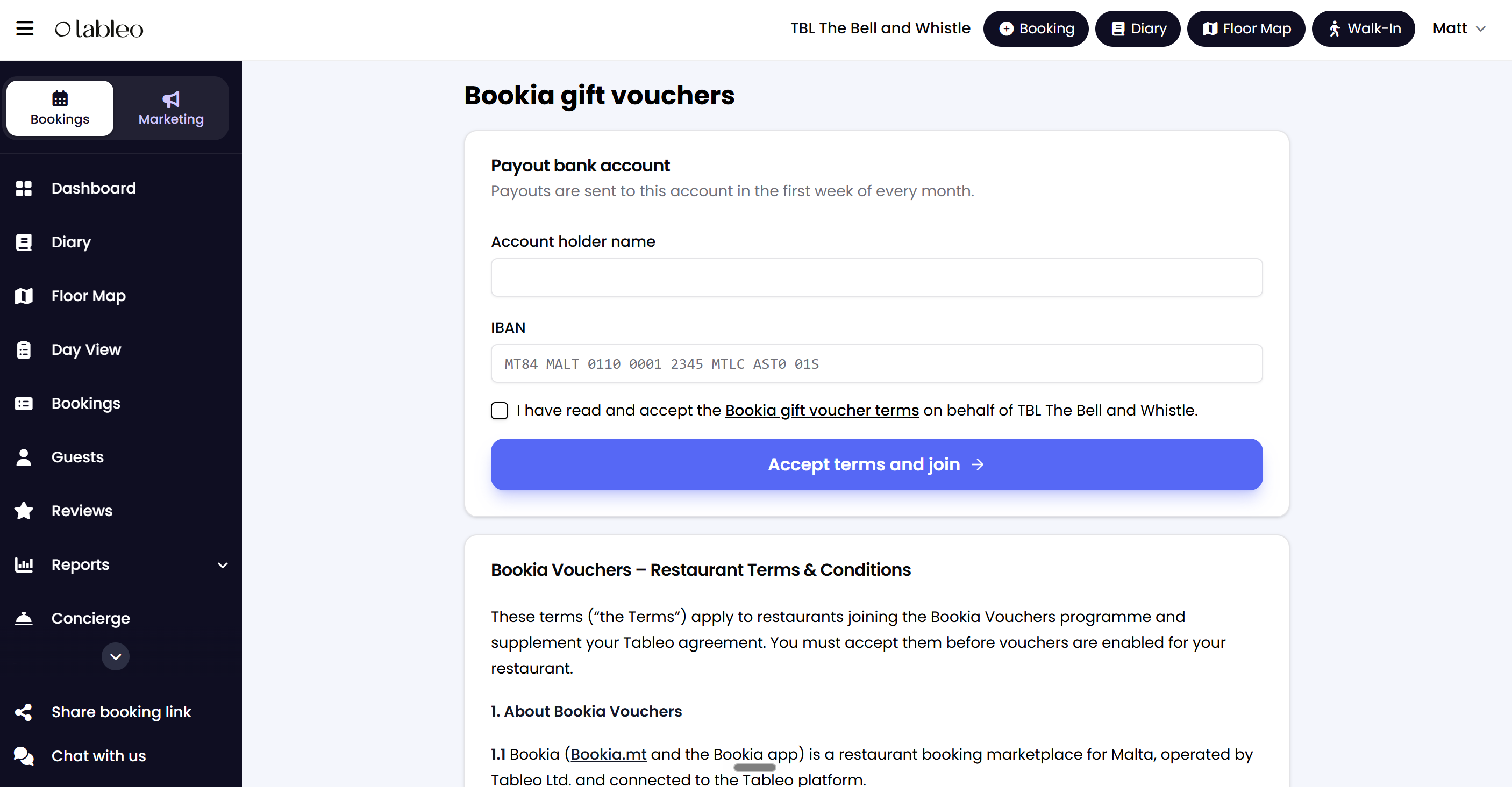
- Under Payout bank account, enter the Account holder name.
- Enter the IBAN of the bank account where you would like to receive your voucher payouts.
- Tick the box to confirm that you have read and accept the Bookia gift voucher terms on behalf of your restaurant. You can read the full terms on the same page, just below the form.
- Click Accept terms and join.
Once you have accepted the terms, vouchers are enabled for your restaurant.
Good to know
- Free to join: you pay no fees or commission. Bookia pays you the full face value of every voucher redeemed in Tableo.
- Payouts: they are sent to the bank account you entered, in the first week of every month.
- Participation is optional, and you must accept the terms yourself before vouchers are enabled for your restaurant.
Still have questions? Contact our support team through the chat in your Tableo dashboard.
While we strive to ensure the accuracy and currency of the information in our knowledge base, some articles may contain minor discrepancies due to the constant evolution of our services and products.
Was this article helpful?
That’s Great!
Thank you for your feedback
Sorry! We couldn't be helpful
Thank you for your feedback
Feedback sent
We appreciate your effort and will try to fix the article