Use Teo to ask questions about your restaurant’s settings and find where to make changes.
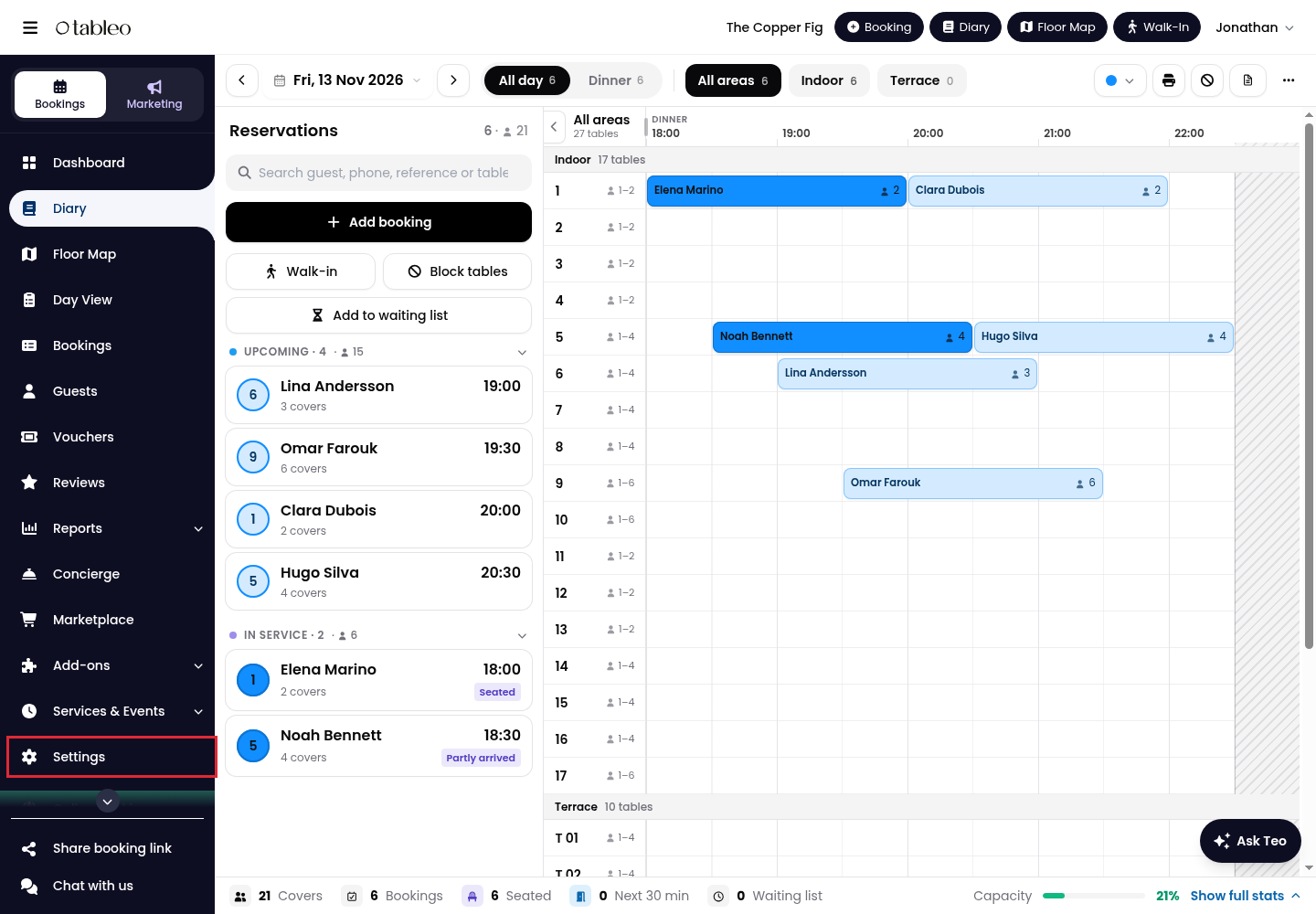
1. Click on Settings in the side menu.
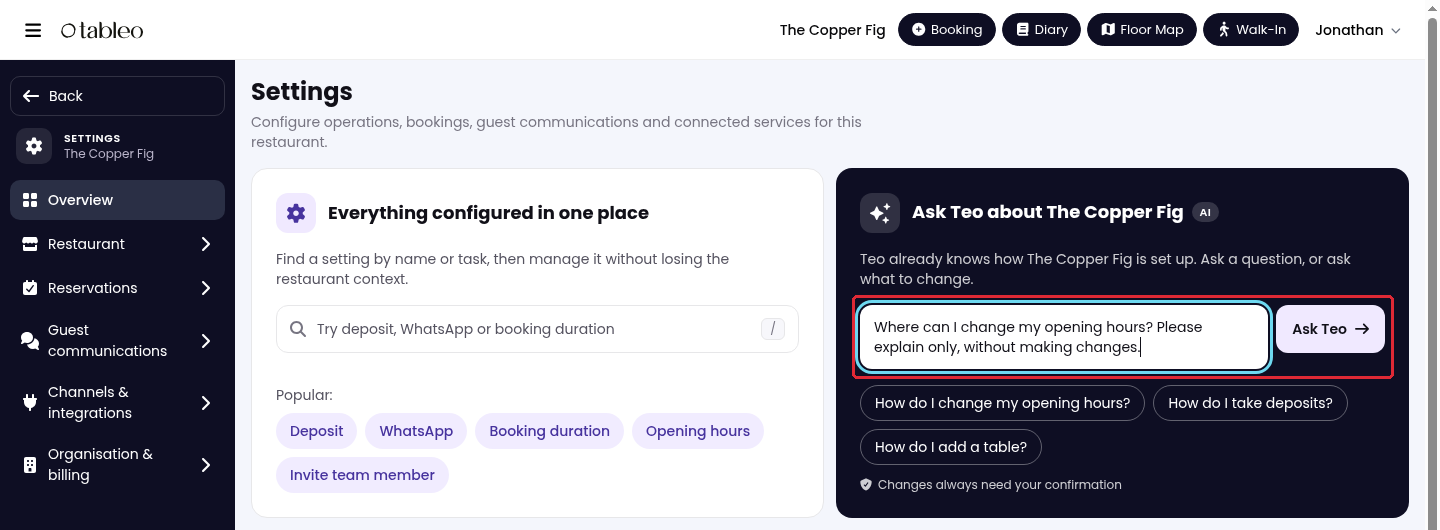
2. On Overview, type your question in the Ask Teo section, then click Ask Teo. For example: “Where can I change my opening hours?” You can also choose one of the suggested questions.
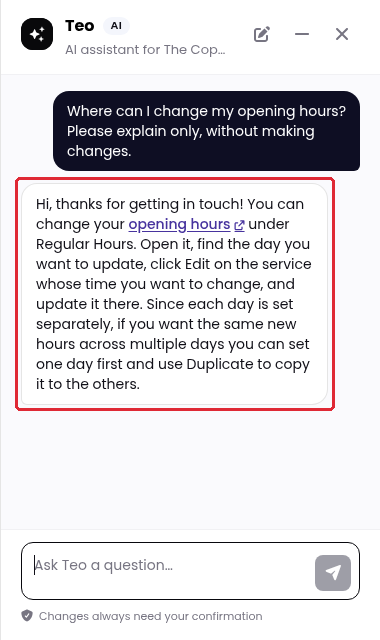
3. Read the reply in the side panel. Click a relevant link to open the setting. In this example, the opening hours link takes you to Regular Hours. To ask a follow-up question, type it in Message Teo and click Send.
If Teo cannot help with your question, your conversation will be passed to our Customer Service team for further assistance.
Check the relevant settings before acting on an answer, as AI responses can contain mistakes. Changes require your confirmation; review any proposed change before approving it.
You can also open the panel using Ask Teo on a settings page. Use Minimise Teo to minimise it or Close Teo to close it.
While we strive to ensure the accuracy and currency of the information in our knowledge base, some articles may contain minor discrepancies due to the constant evolution of our services and products.
Was this article helpful?
That’s Great!
Thank you for your feedback
Sorry! We couldn't be helpful
Thank you for your feedback
Feedback sent
We appreciate your effort and will try to fix the article