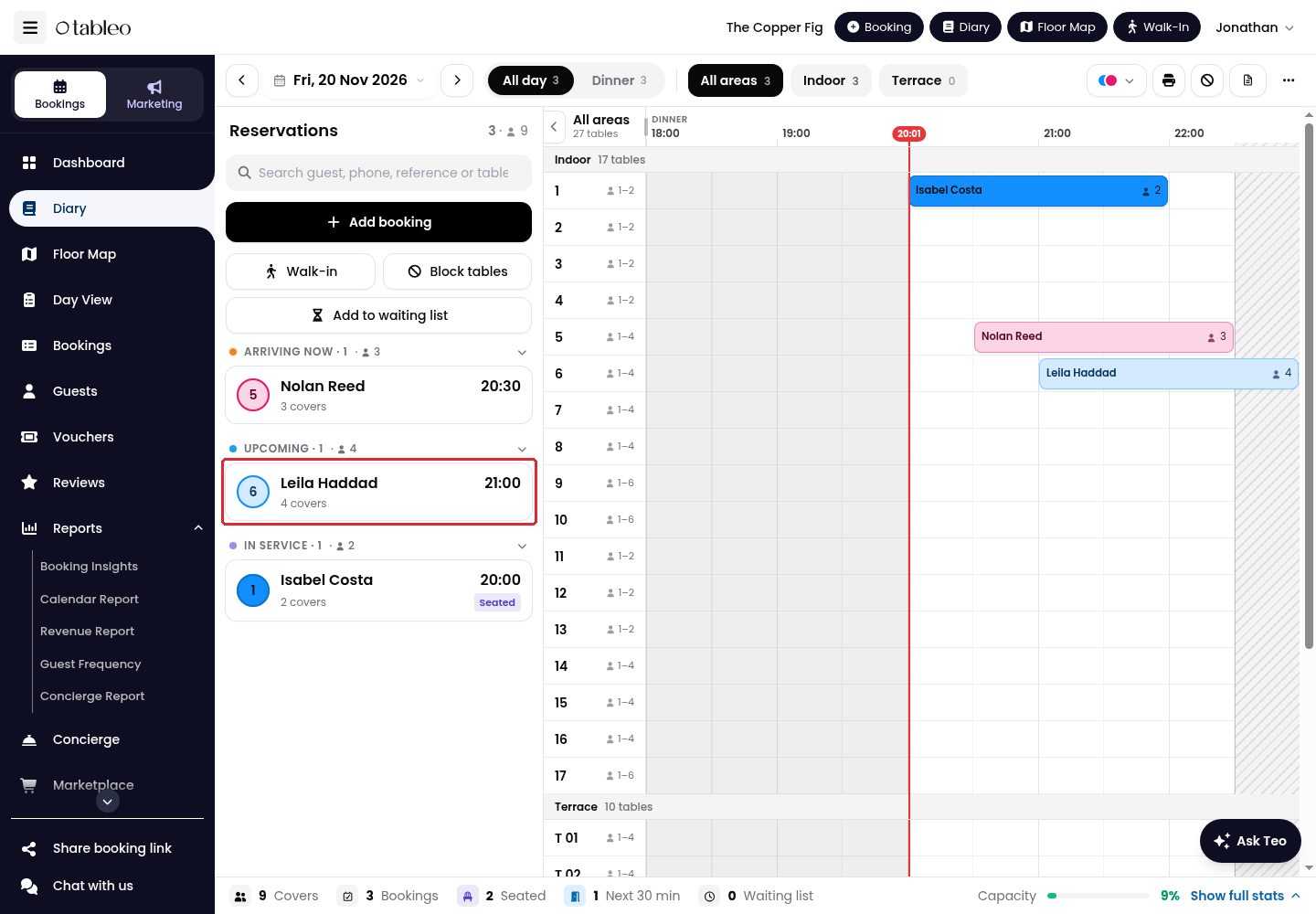
1. In the Diary, select the booking you want to change.
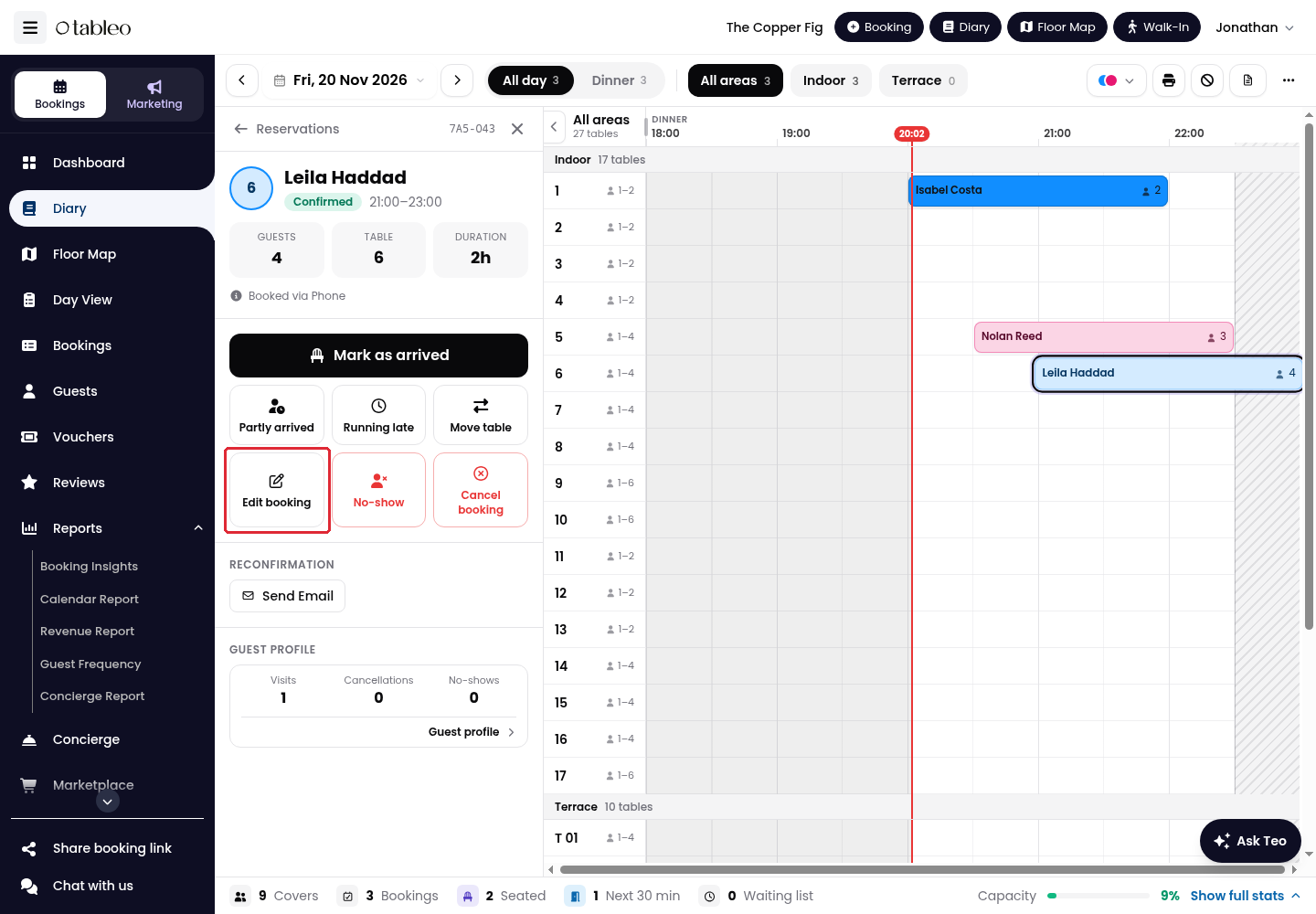
2. In the booking details, click on Edit booking.
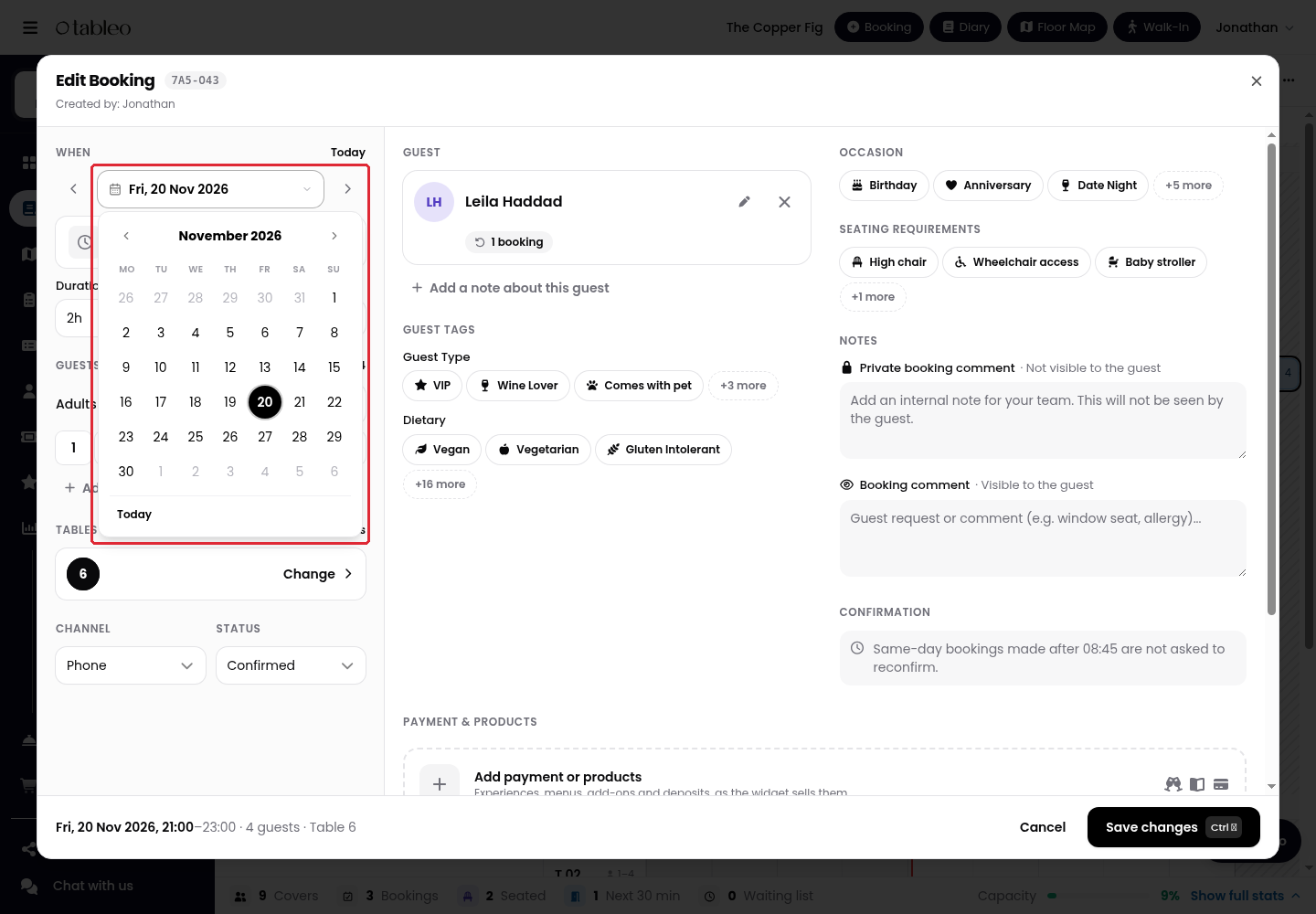
3. Under WHEN, click on the date and select the new booking date.
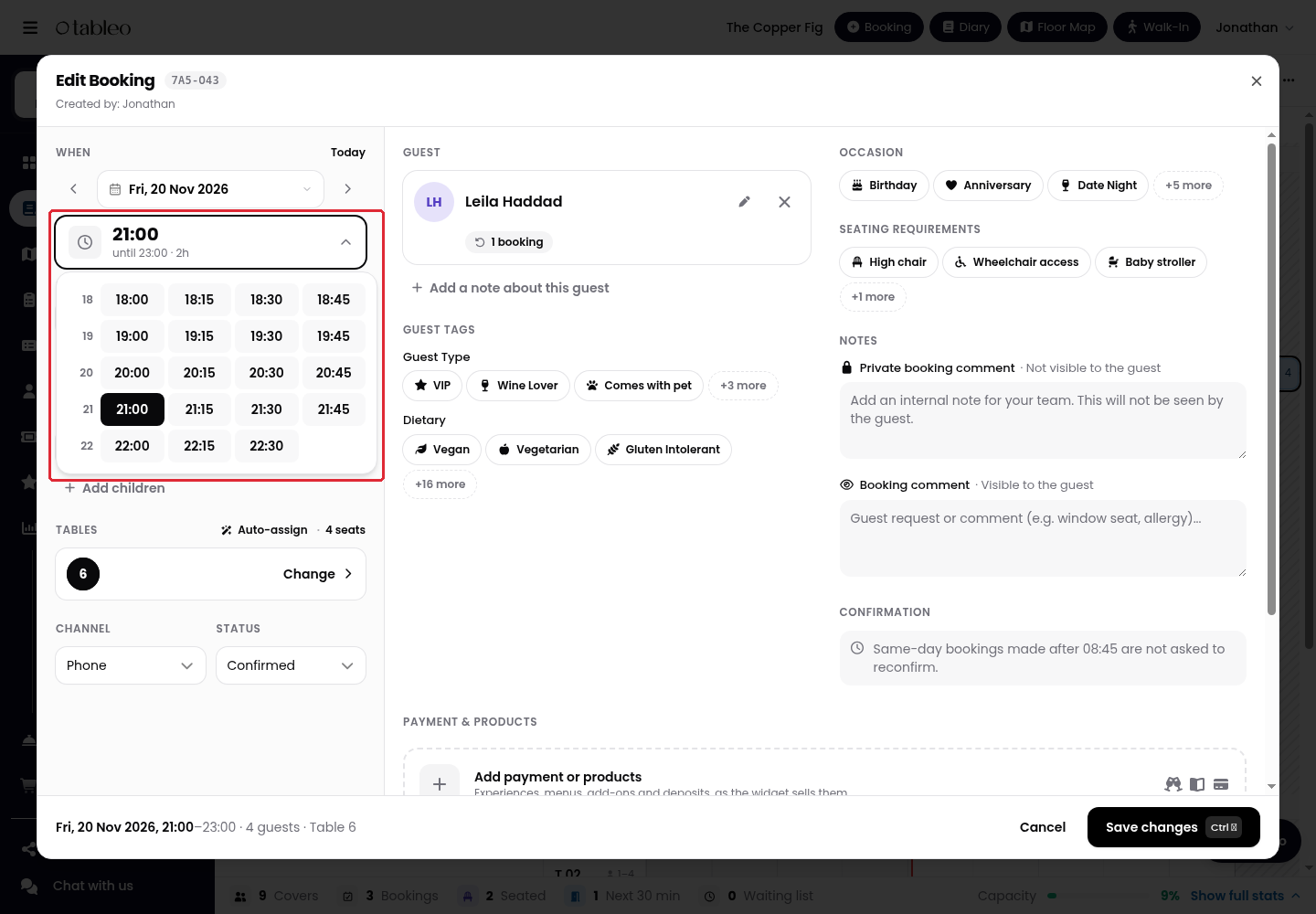
4. Click on the time and select the new booking time from the available choices.
5. Review the new date, start and end time, guest count and Tables. Use Change to review the table assignment if needed, then click on Save changes.
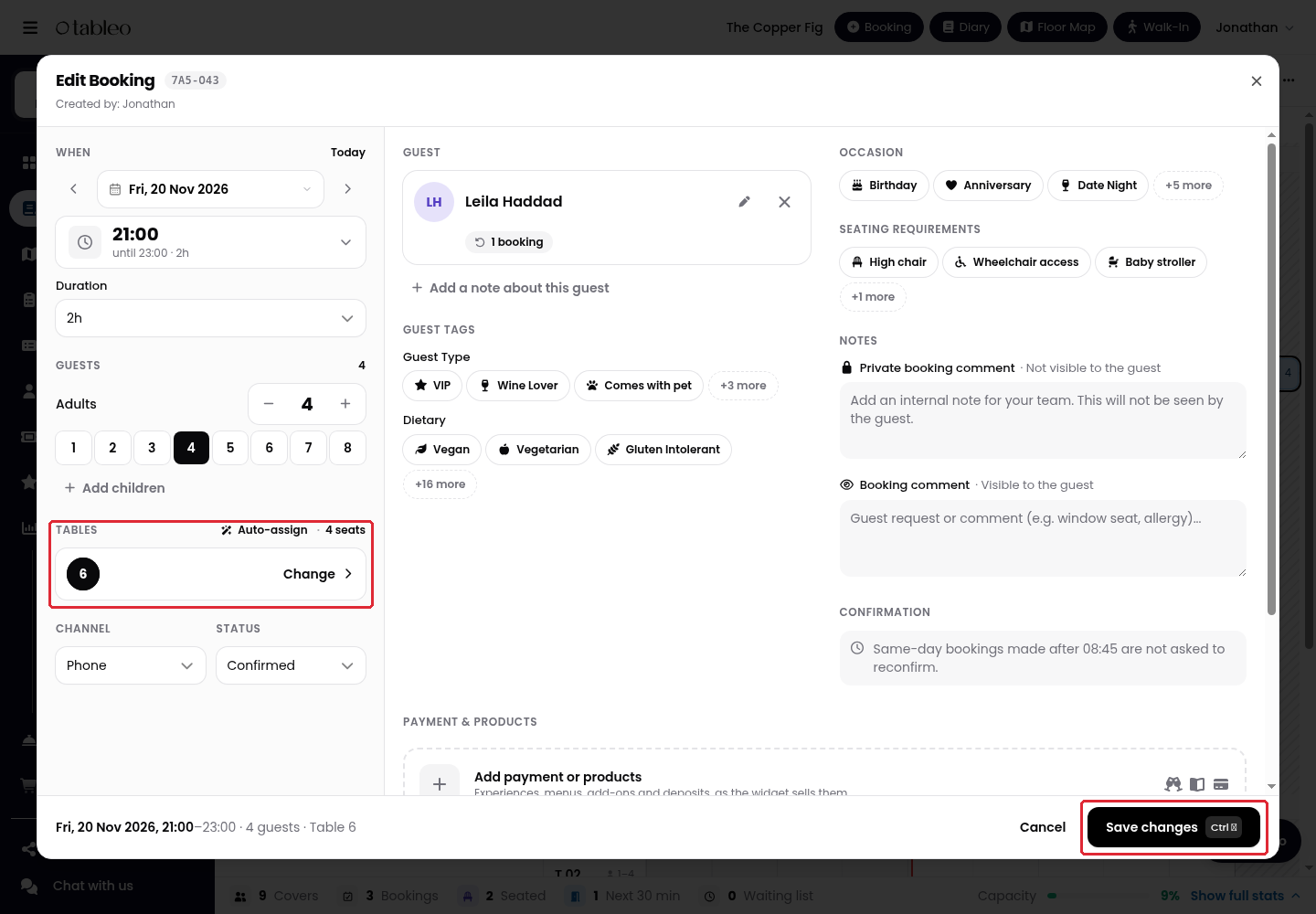
6. Reopen the booking and check that the saved date, time and table assignment are correct.
While we strive to ensure the accuracy and currency of the information in our knowledge base, some articles may contain minor discrepancies due to the constant evolution of our services and products.
Was this article helpful?
That’s Great!
Thank you for your feedback
Sorry! We couldn't be helpful
Thank you for your feedback
Feedback sent
We appreciate your effort and will try to fix the article