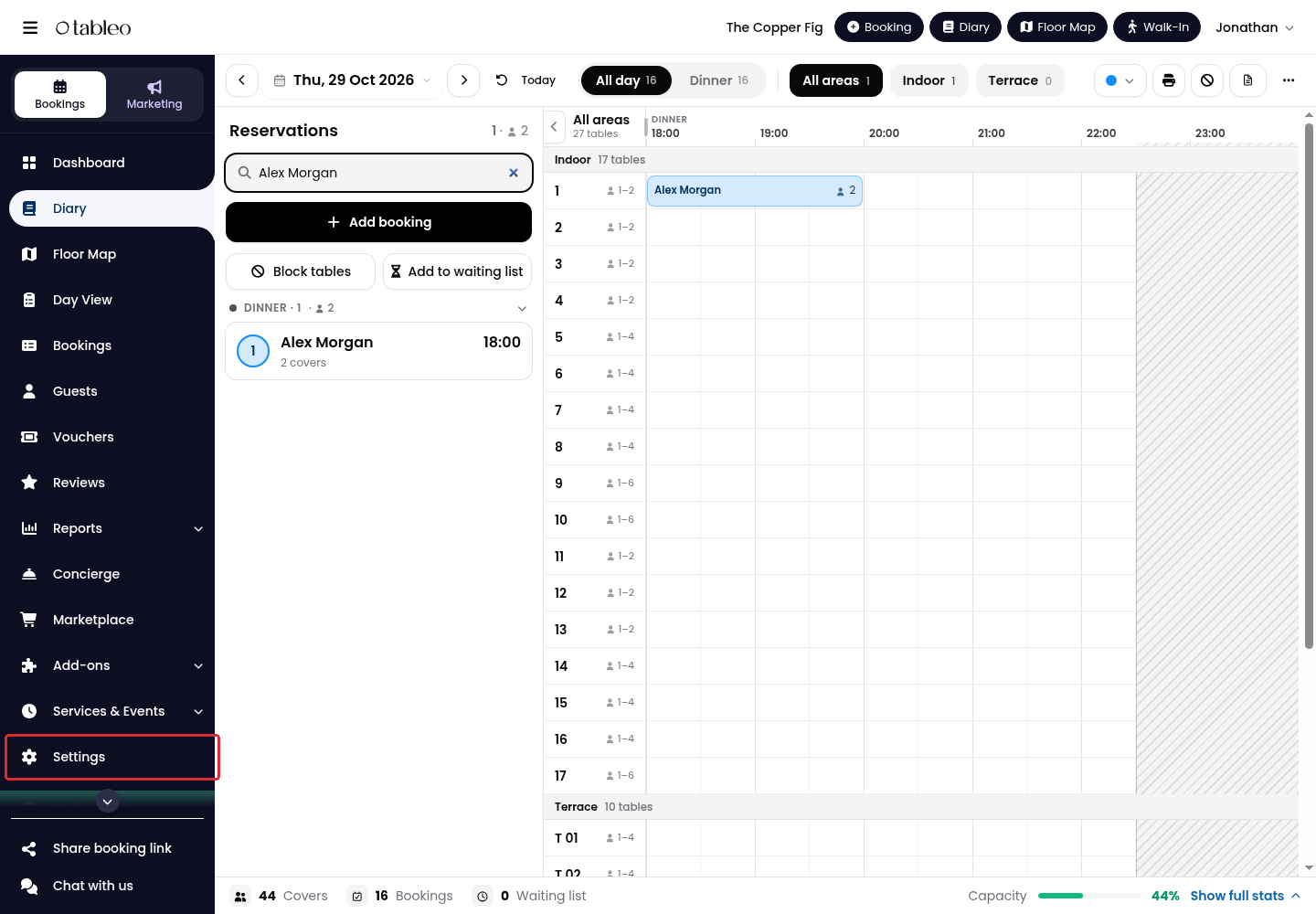
1. Click Settings in the side menu.
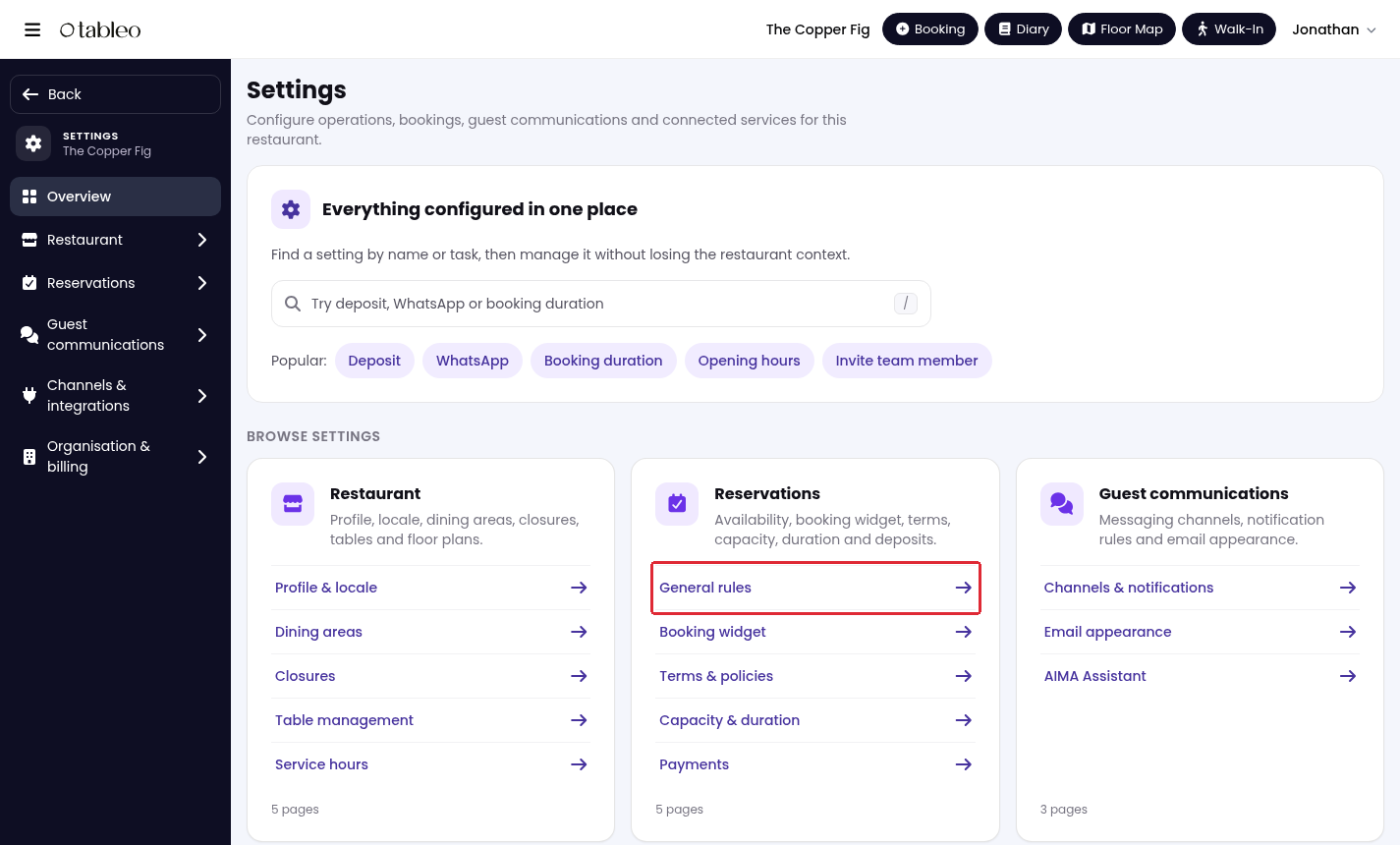
2. Under Reservations, open General rules.
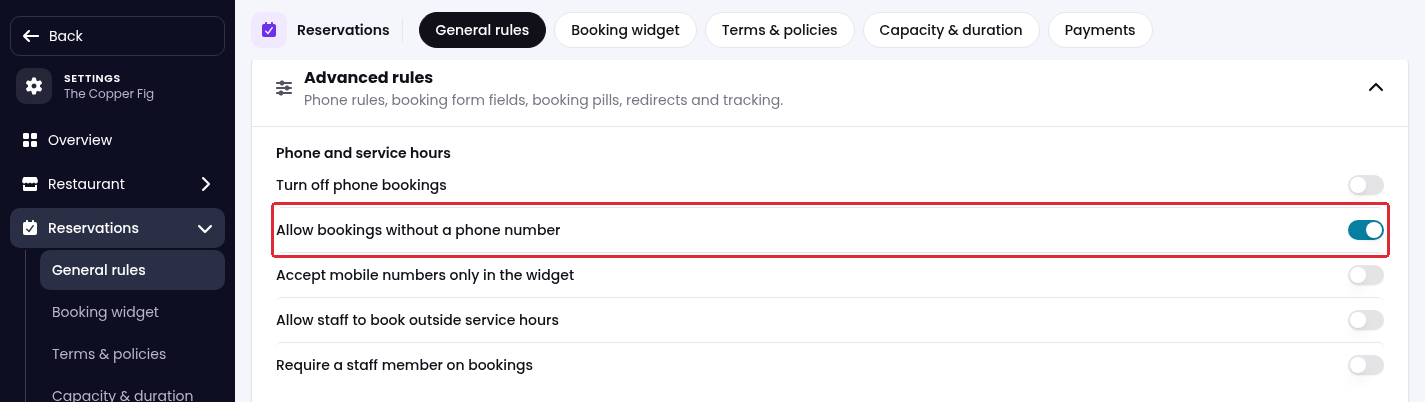
3. Scroll down and expand Advanced rules.
4. Under Phone and service hours, turn Allow bookings without a phone number on to let staff create bookings without a phone number, or off to require one.
5. Scroll to the bottom of the page and click Save changes.
This setting applies to bookings entered by staff. It does not change the contact details required for online bookings through the widget.
Was this article helpful?
That’s Great!
Thank you for your feedback
Sorry! We couldn't be helpful
Thank you for your feedback
Feedback sent
We appreciate your effort and will try to fix the article