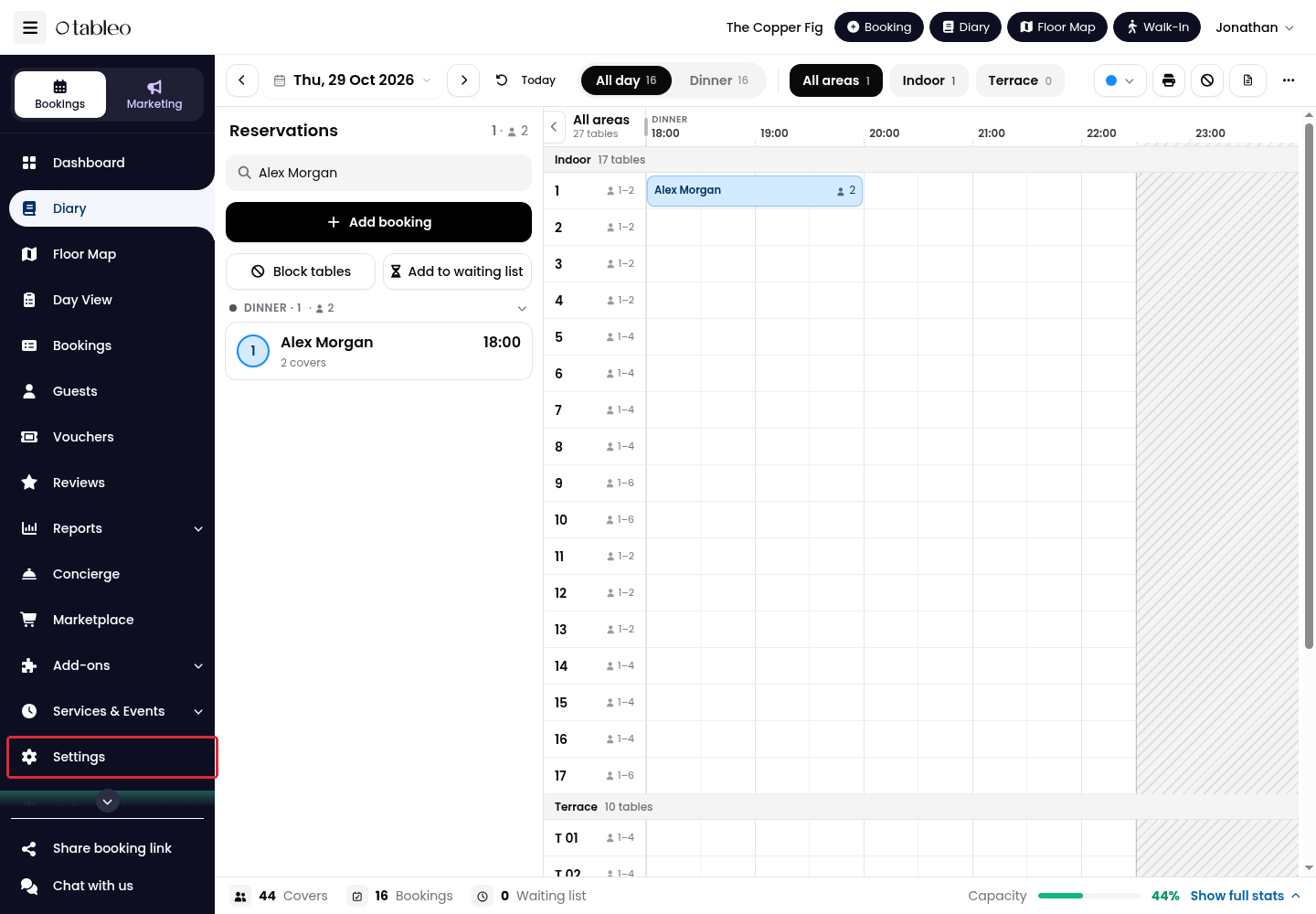
1. Click Settings in the side menu.
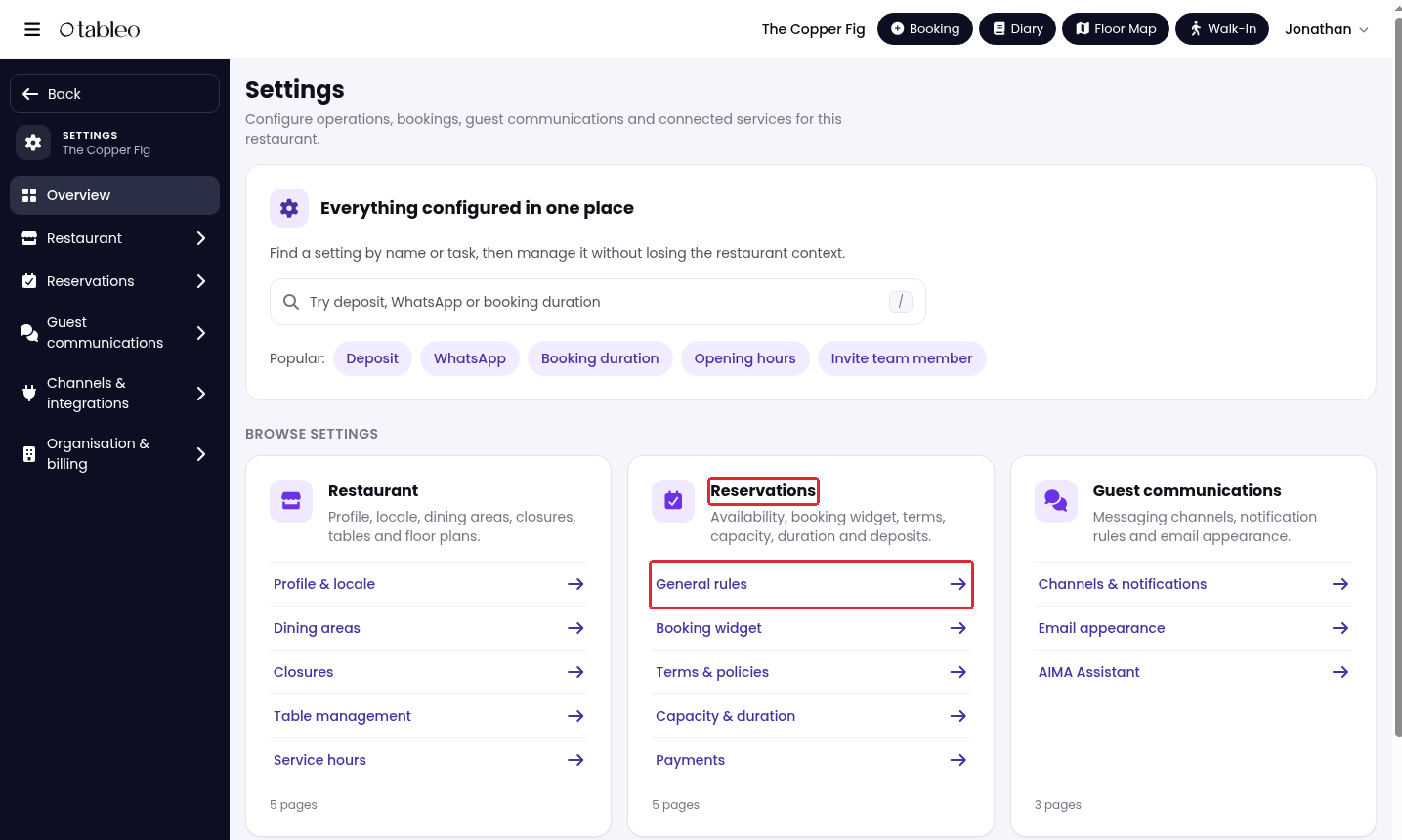
2. Open Reservations → General rules.
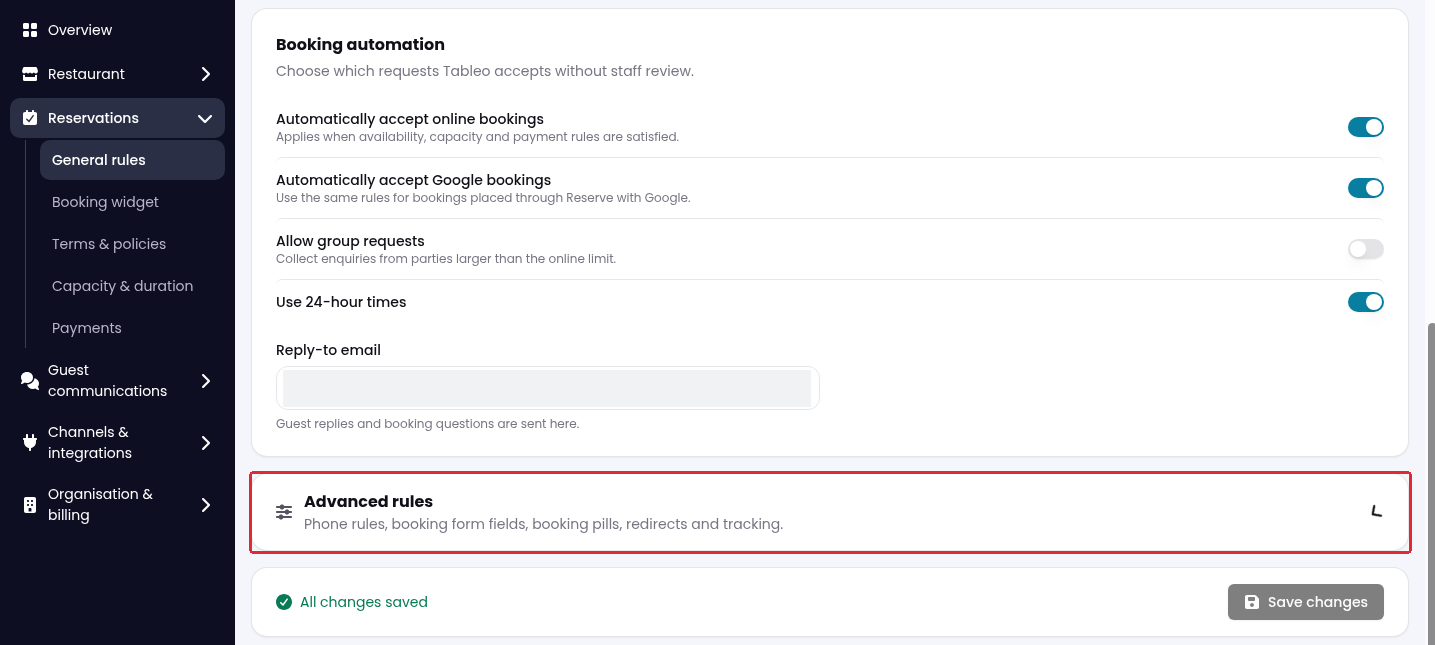
3. Scroll down and expand Advanced rules.
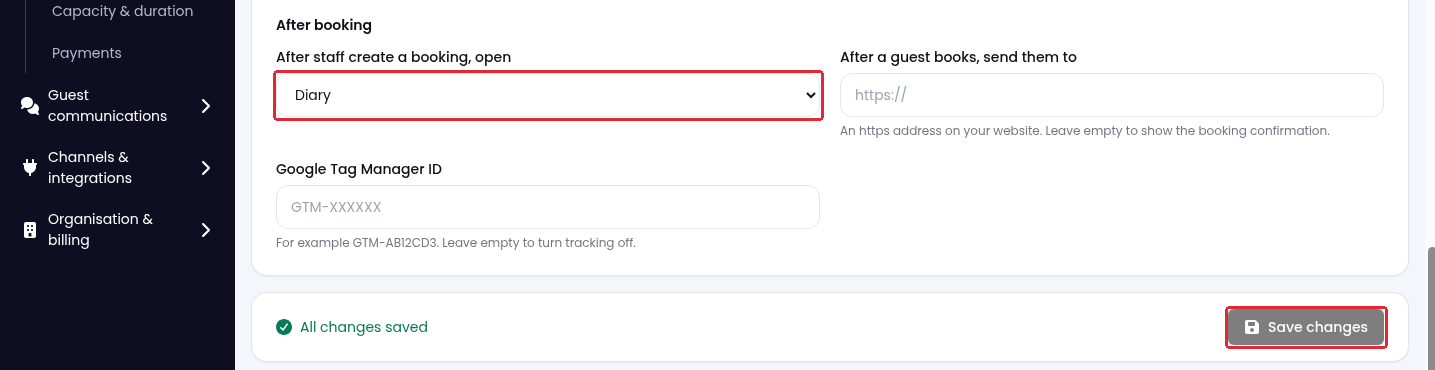
4. Under After booking, choose a destination from After staff create a booking, open:
- Diary: return to the Diary.
- All Bookings: open the bookings list.
- Show booking: view the booking you just created.
- Edit booking: open that booking for editing.
- Floor Map: open the Floor Map.
5. Click Save changes.
Was this article helpful?
That’s Great!
Thank you for your feedback
Sorry! We couldn't be helpful
Thank you for your feedback
Feedback sent
We appreciate your effort and will try to fix the article