You can stop online bookings for selected days through Settings or from the Diary. This changes online booking availability; it does not mean the restaurant is closed.
Using Settings
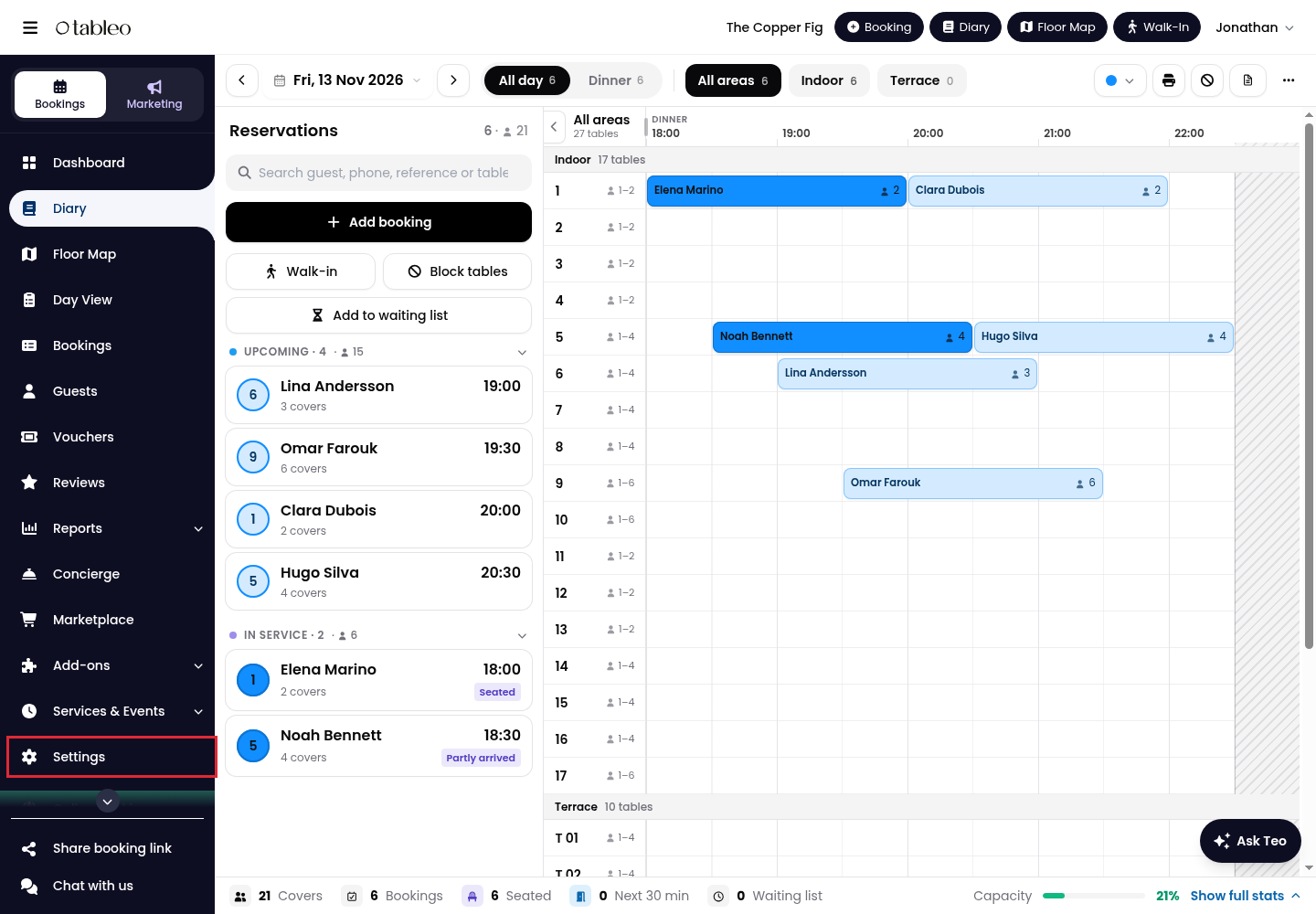
1. Click on Settings in the side menu.
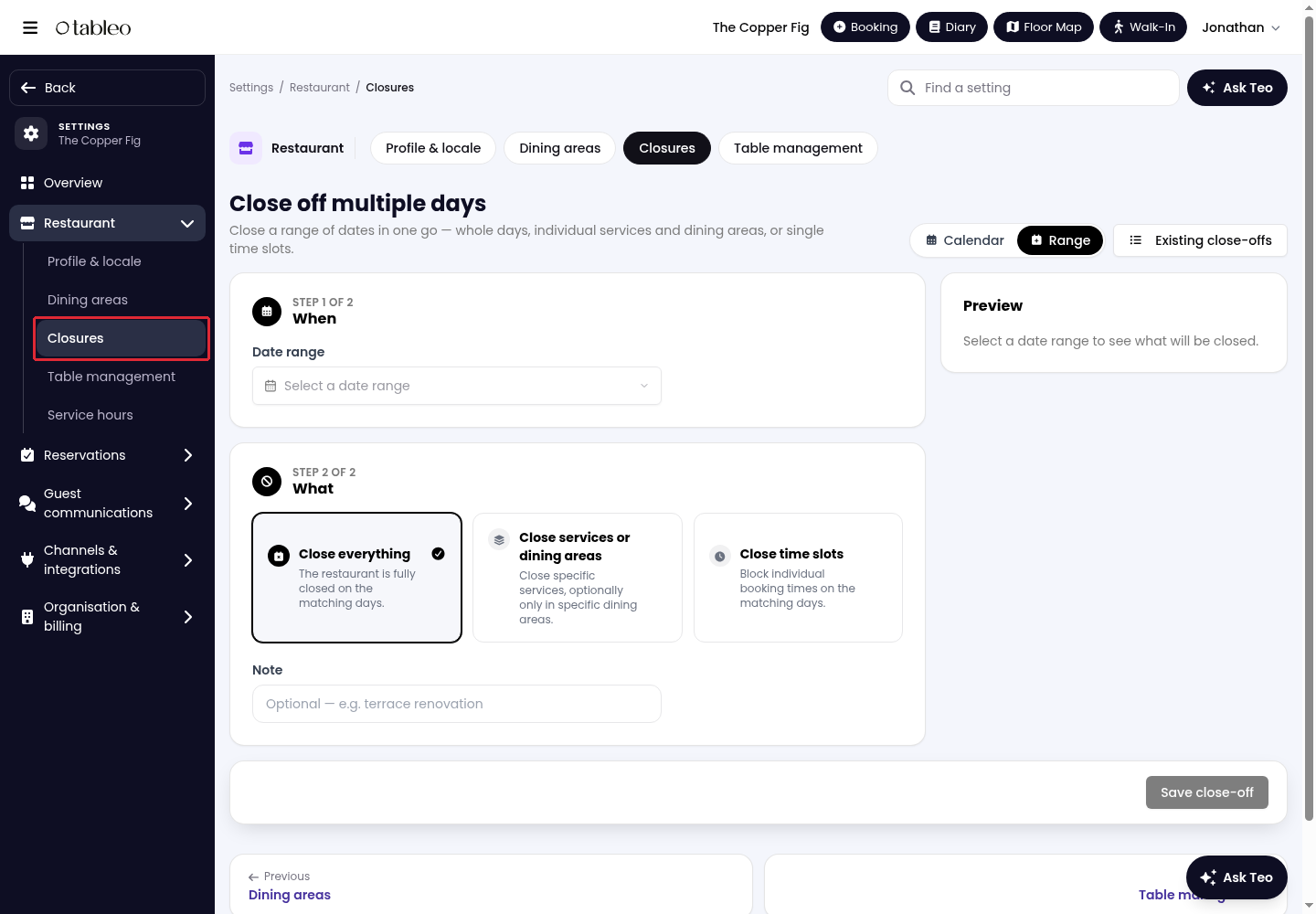
2. Open Restaurant, then select Closures.
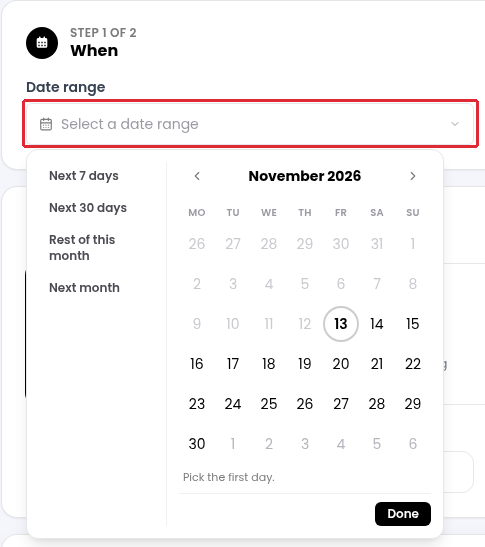
3. Under When, open Date range. Choose the first and last day, then click on Done. To stop online bookings for just one day, click on the same day twice to set it as both the start and end of the date range.
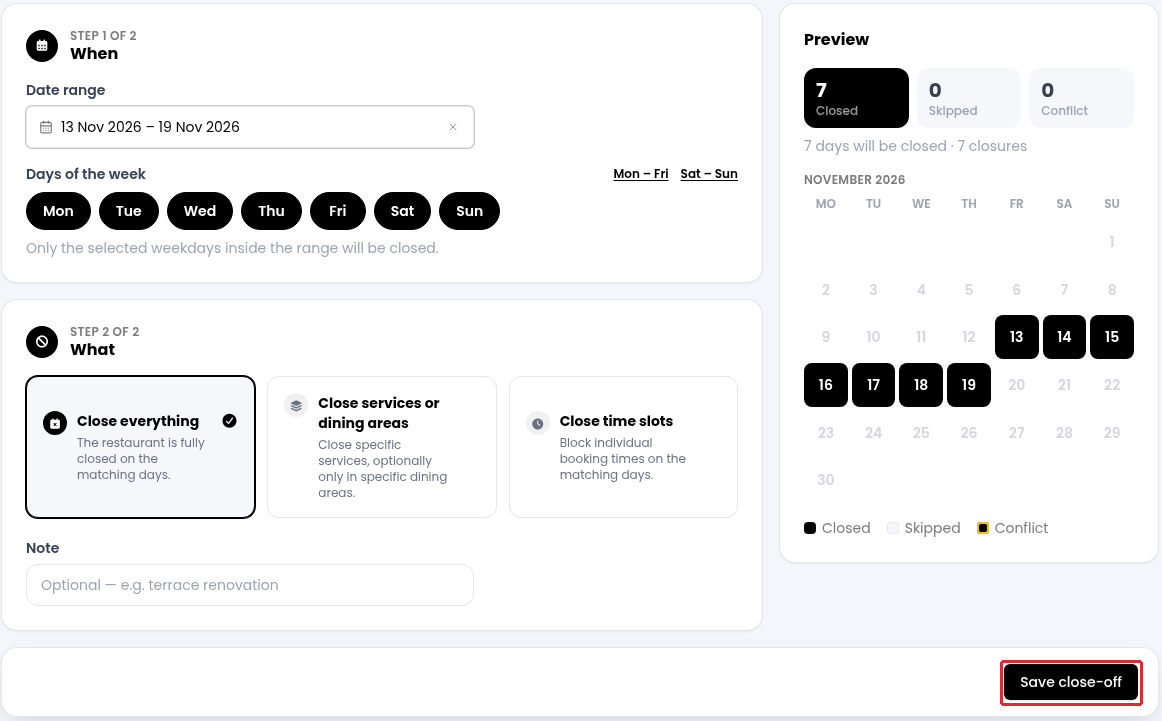
Use Days of the week to keep only the weekdays when you want to stop online bookings within that range.
4. Under What, select Close everything to stop all online bookings for the selected days.
5. Check the dates and selection in Preview. Add an optional Note, then click on Save close-off.
Using the Diary
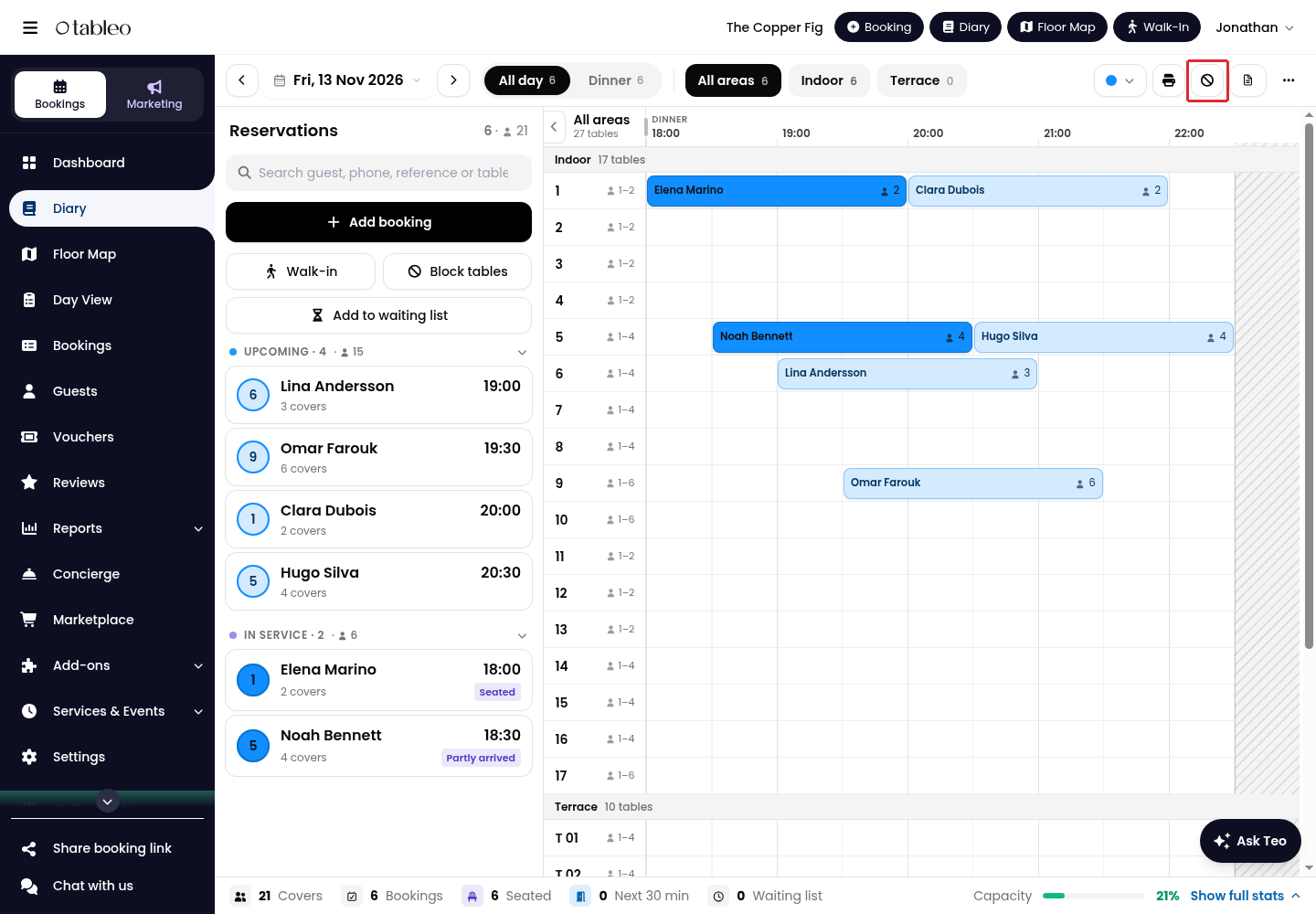
1. In the Diary, click on the Stop bookings icon in the top toolbar.
2. Select Multiple days.
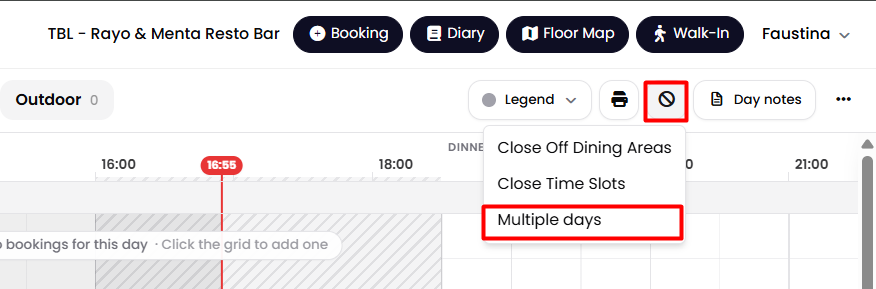
This opens Close off multiple days. Choose the day or days under When, select Close everything under What, check Preview, then click on Save close-off.
While we strive to ensure the accuracy and currency of the information in our knowledge base, some articles may contain minor discrepancies due to the constant evolution of our services and products.
Was this article helpful?
That’s Great!
Thank you for your feedback
Sorry! We couldn't be helpful
Thank you for your feedback
Feedback sent
We appreciate your effort and will try to fix the article