The Marketing & CRM automations feature lets you send automatic Anniversary, Birthday, and We Miss You messages to your patrons without any manual effort. Here's how to turn an automation on and customise it.
1. From the top of the screen, click on the Guest Marketing button. Then, on the side menu, go to Automations.
2. On screen, you will see the 3 possible automations available: Anniversary, Birthday, and We Miss You Automation. Note: if you are on the Organise plan, you can set one automation at a time, while the Grow plan allows you to set up to 2, and the Expand plan is unlimited.
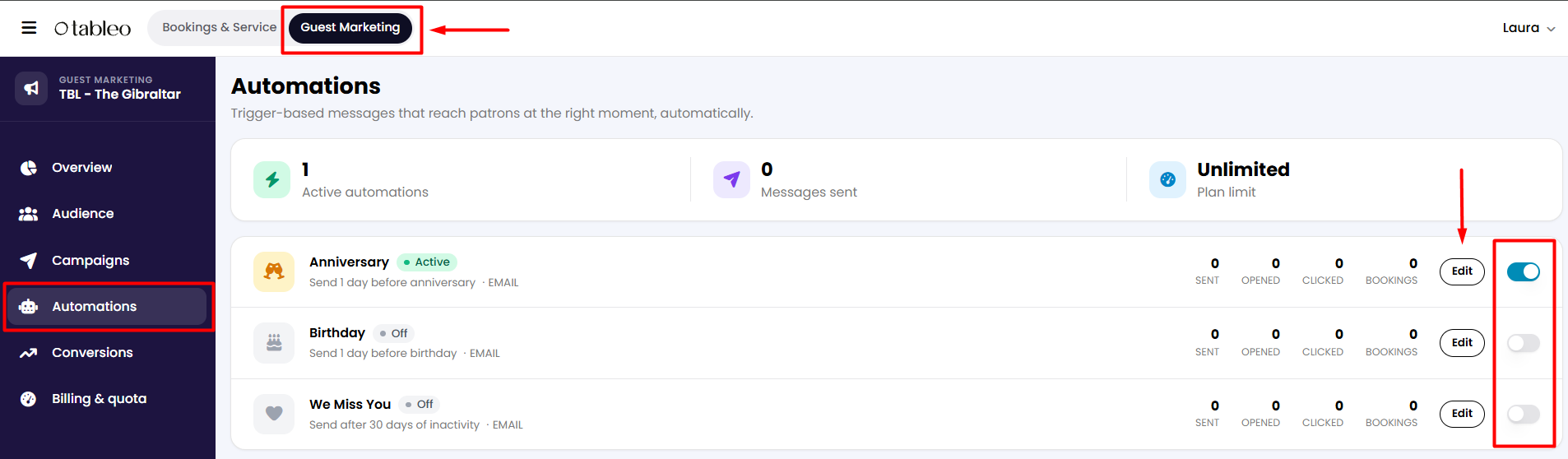
3. To activate any, click on the toggle on the right so it will appear in blue. Then click on the Edit button next to it.
4. A new tab will open where you can set your automation details: choose when you want your message to be sent and which channels it will be sent to. You can even decide if you want your messages to be received by locals only, based on the country code of the mobile number provided. At the top right corner, you can check if it's correctly activated.
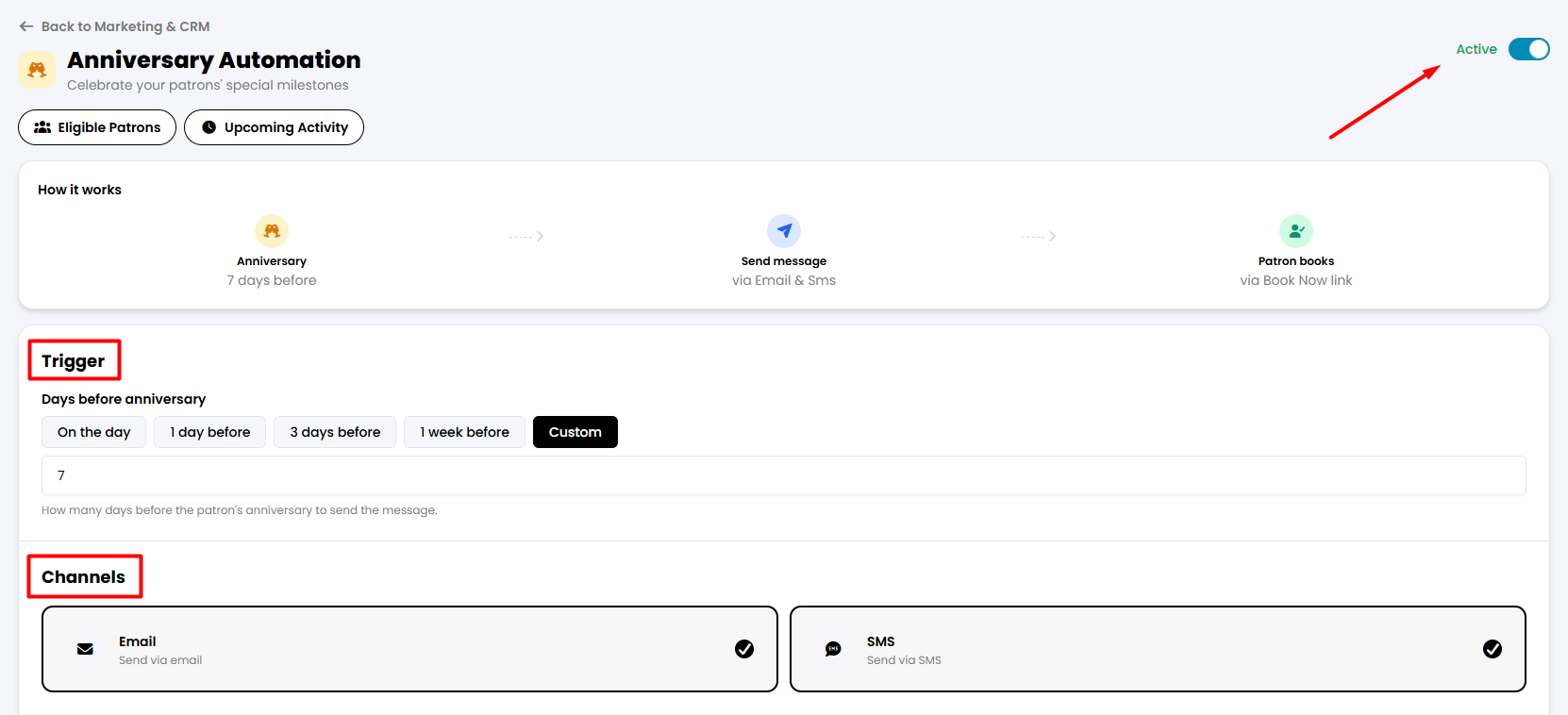

5. Scroll down the screen, and you will see the Email, SMS, or both templates, depending on which channel you selected. There you can edit the subject and body of the Email, or the message of the SMS. The text in between brackets will be filled in automatically.
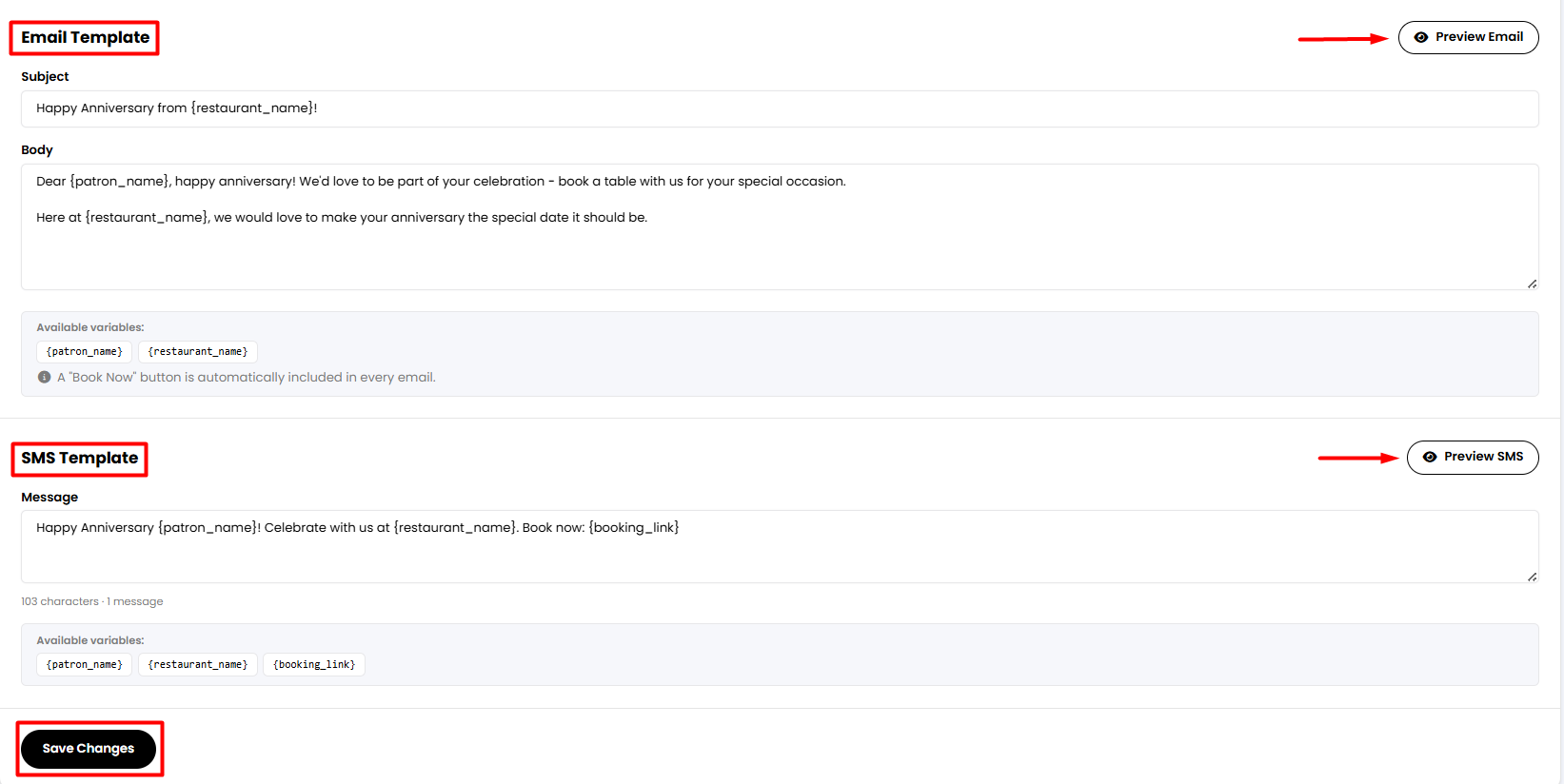
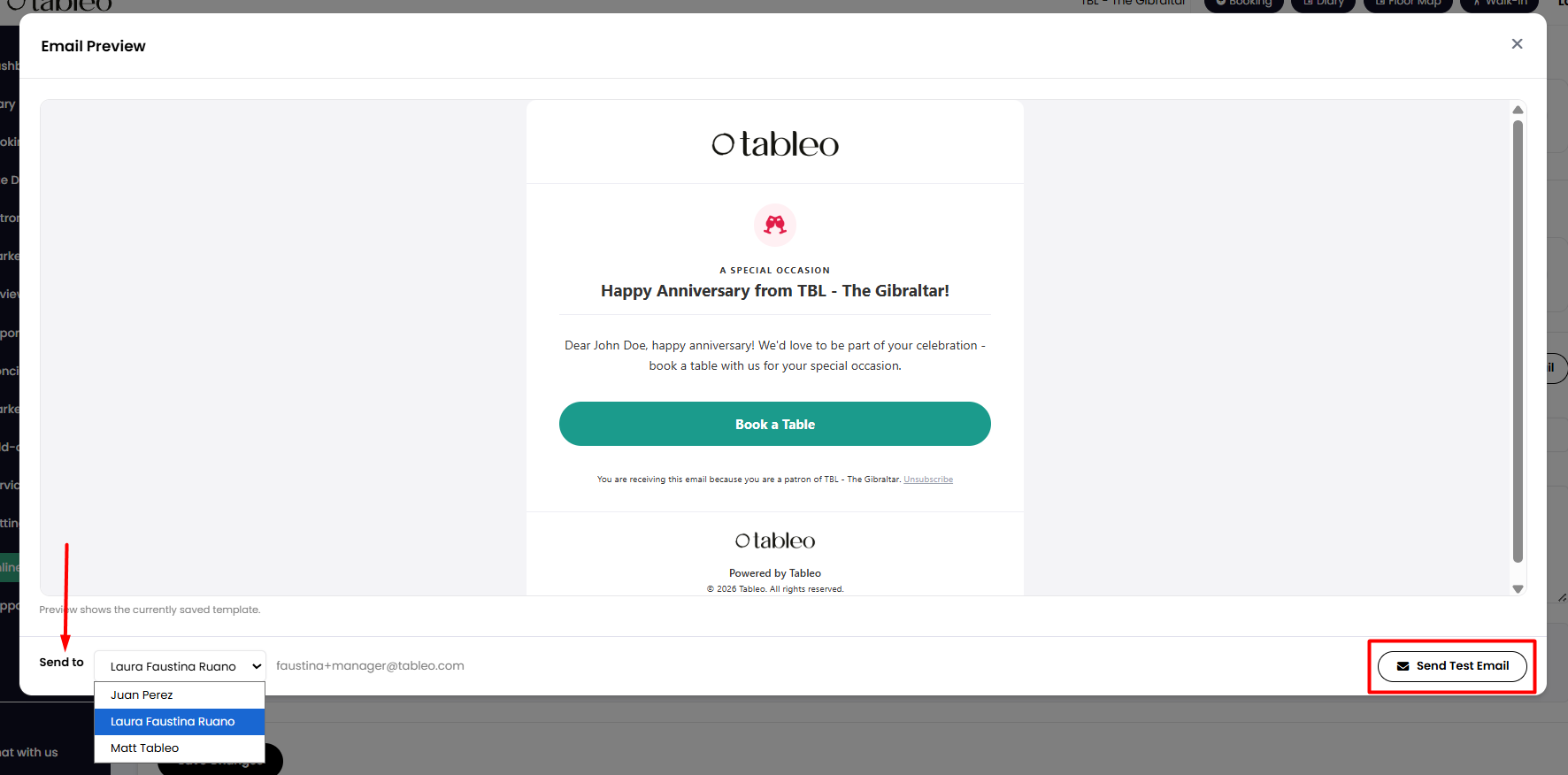
6. By clicking on the Preview button on the right side of the screen, a new tab will appear where you can see and test what the guest will receive. Just choose between your account's managers and click Send Test Email.
7. When finished, close this tab. Then click the Save Changes button to save your automation.
While we strive to ensure the accuracy and currency of the information in our knowledge base, some articles may contain minor discrepancies due to the constant evolution of our services and products.
Was this article helpful?
That’s Great!
Thank you for your feedback
Sorry! We couldn't be helpful
Thank you for your feedback
Feedback sent
We appreciate your effort and will try to fix the article