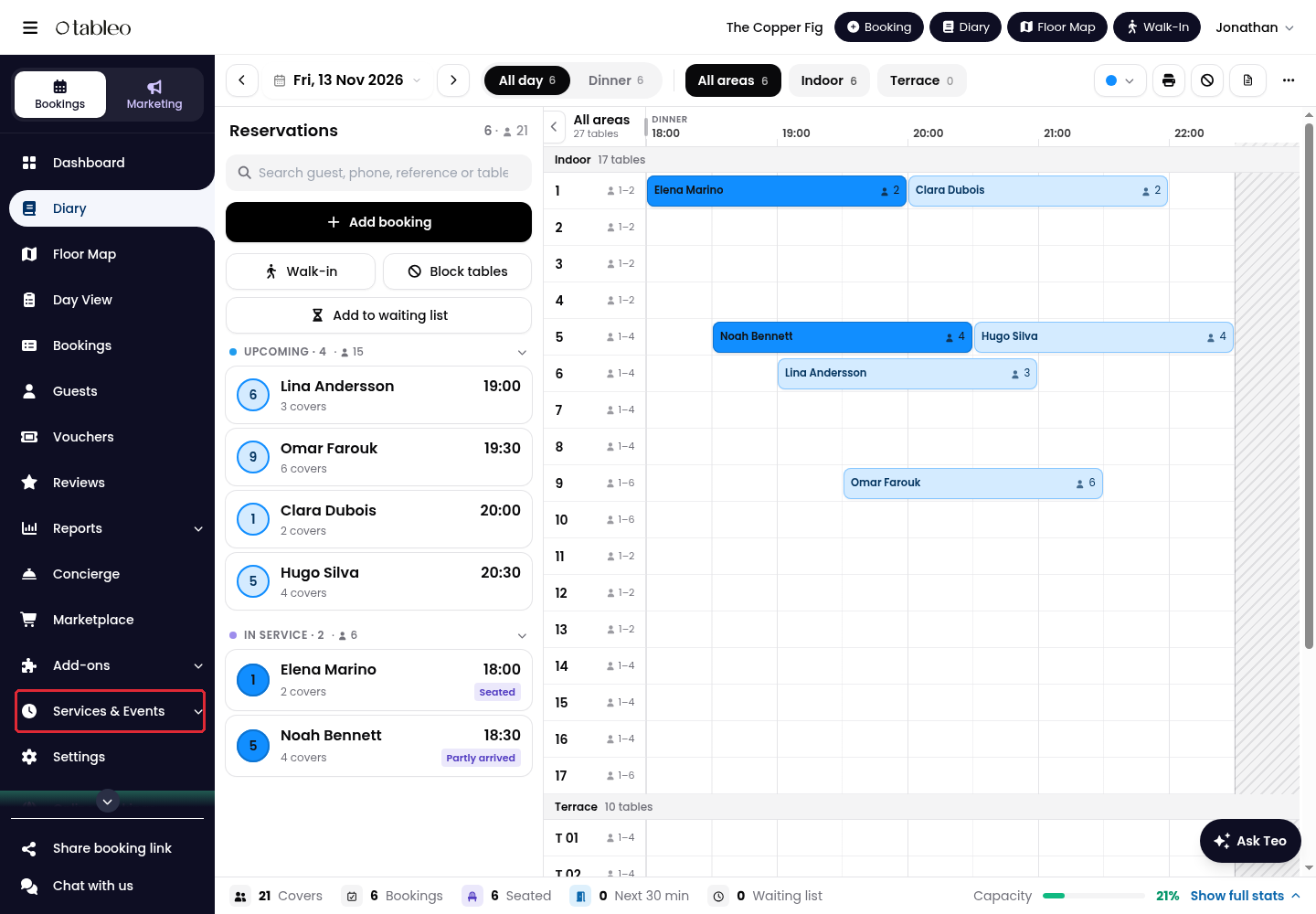
1. Expand Services & Events in the side menu, then click on Menus & Add-ons.
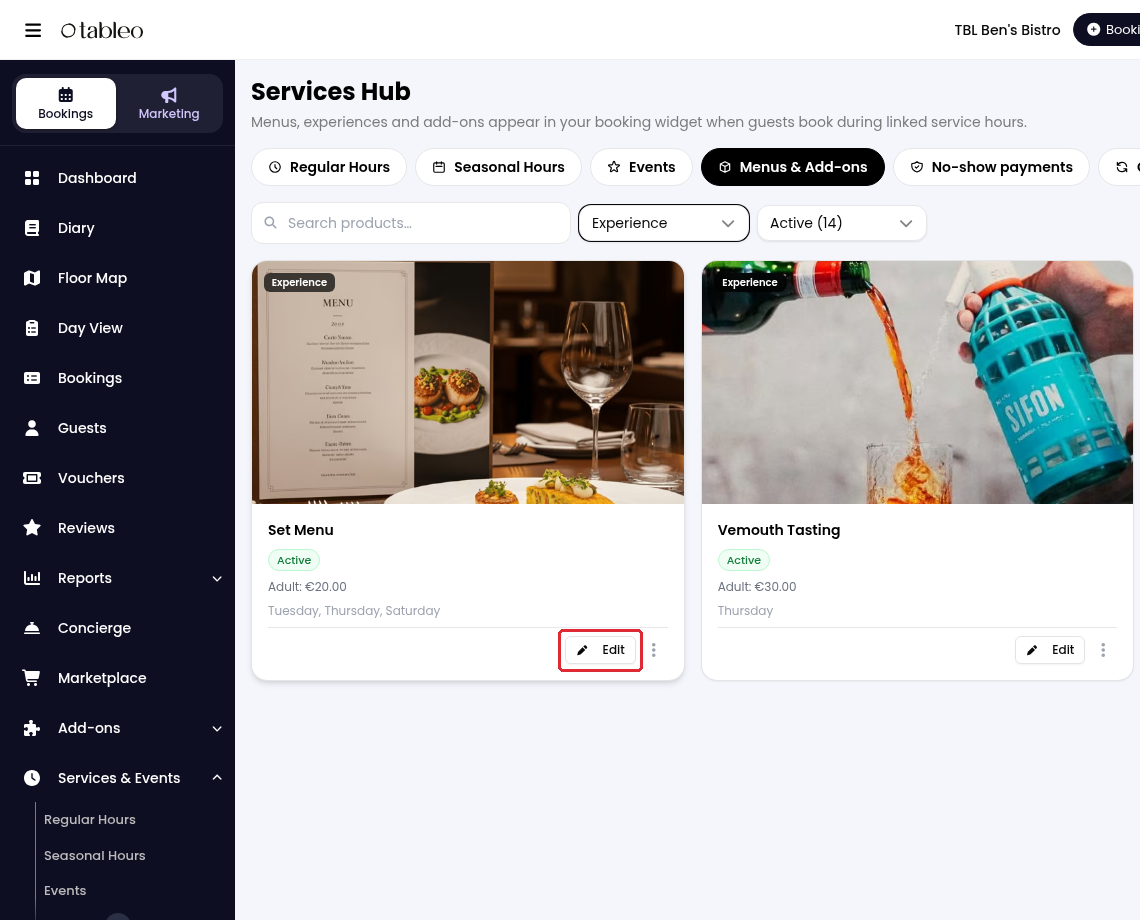
2. Open the product you want to make mandatory.
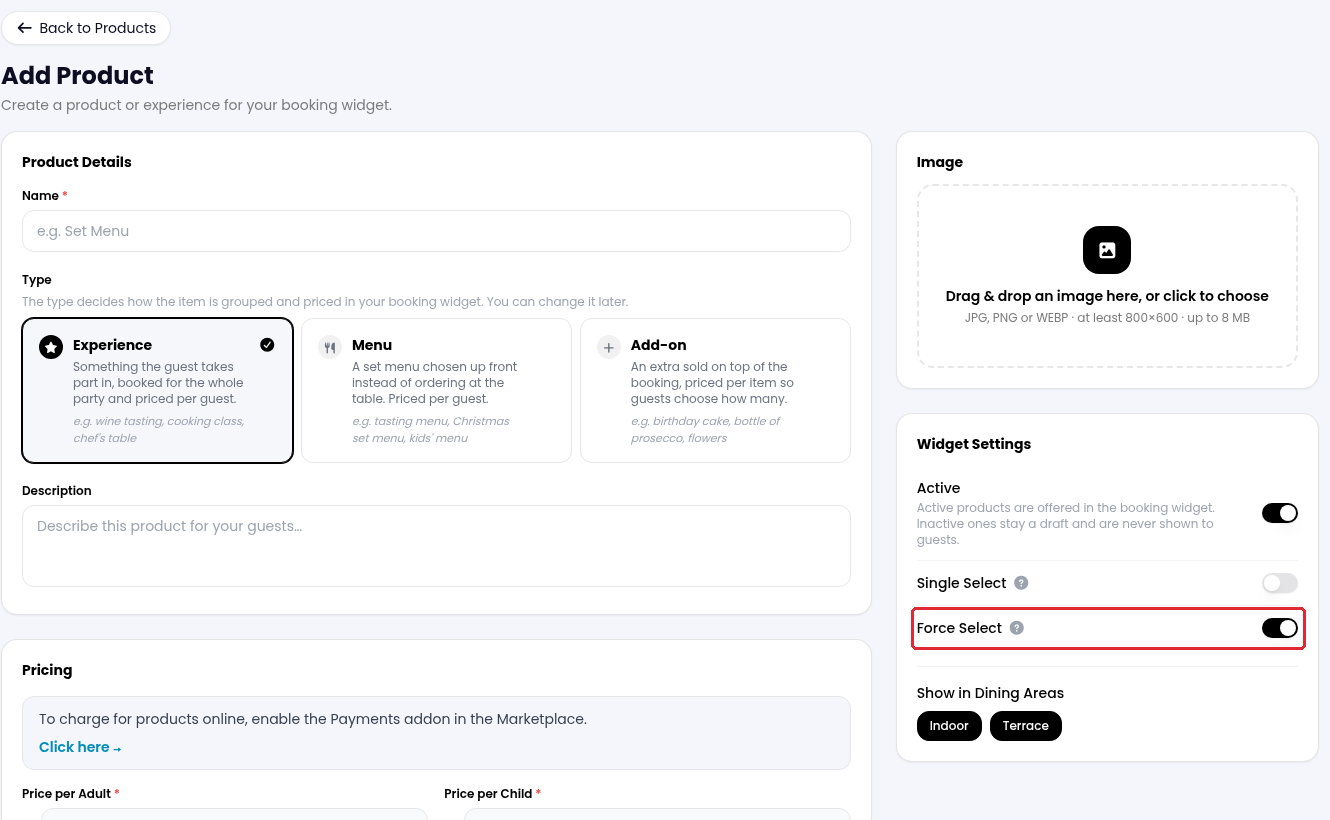
3. Under Widget Settings, turn on Force Select. The product is then selected automatically and guests cannot deselect it in the widget.
4. Click on Save Changes.
Single Select controls whether everyone in the booking chooses the same product. It is separate from Force Select. Add-on products do not show these switches.
For the full creation process, see How to create a Product.
While we strive to ensure the accuracy and currency of the information in our knowledge base, some articles may contain minor discrepancies due to the constant evolution of our services and products.
Was this article helpful?
That’s Great!
Thank you for your feedback
Sorry! We couldn't be helpful
Thank you for your feedback
Feedback sent
We appreciate your effort and will try to fix the article