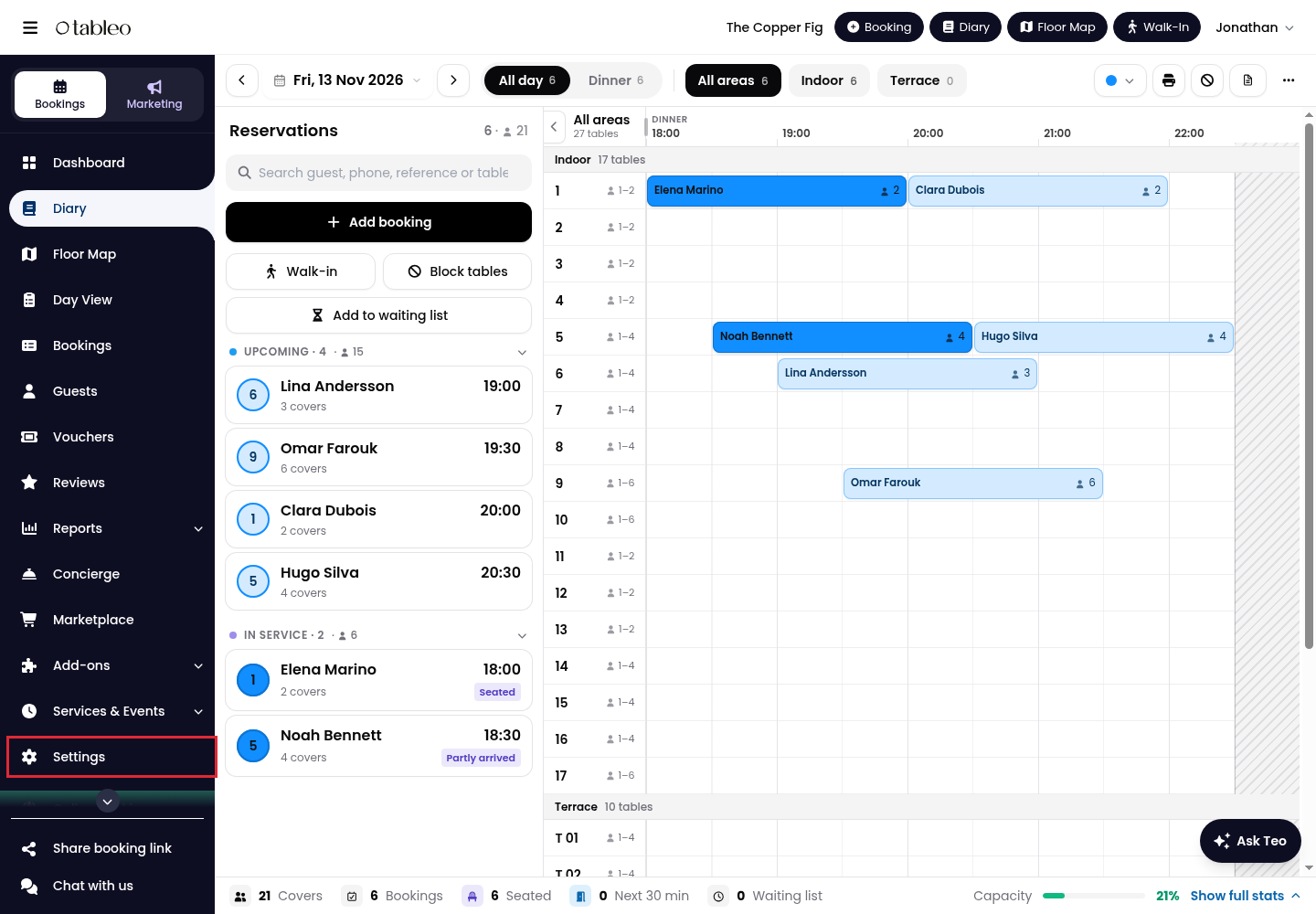
1. Click on Settings in the side menu.
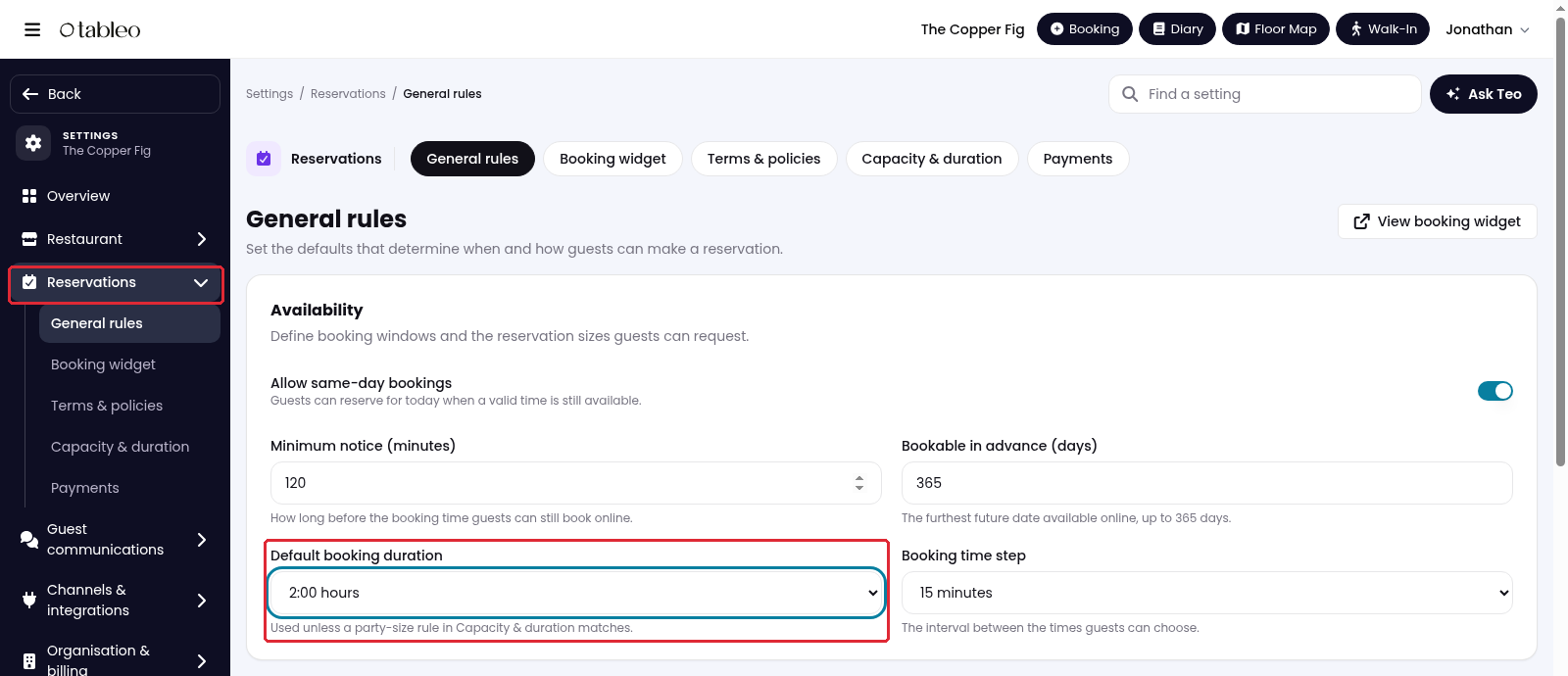
2. Open Reservations > General rules. In Availability, find Default booking duration.
3. Open Default booking duration and choose the usual length of a booking. Scroll through the list to find the duration you need.
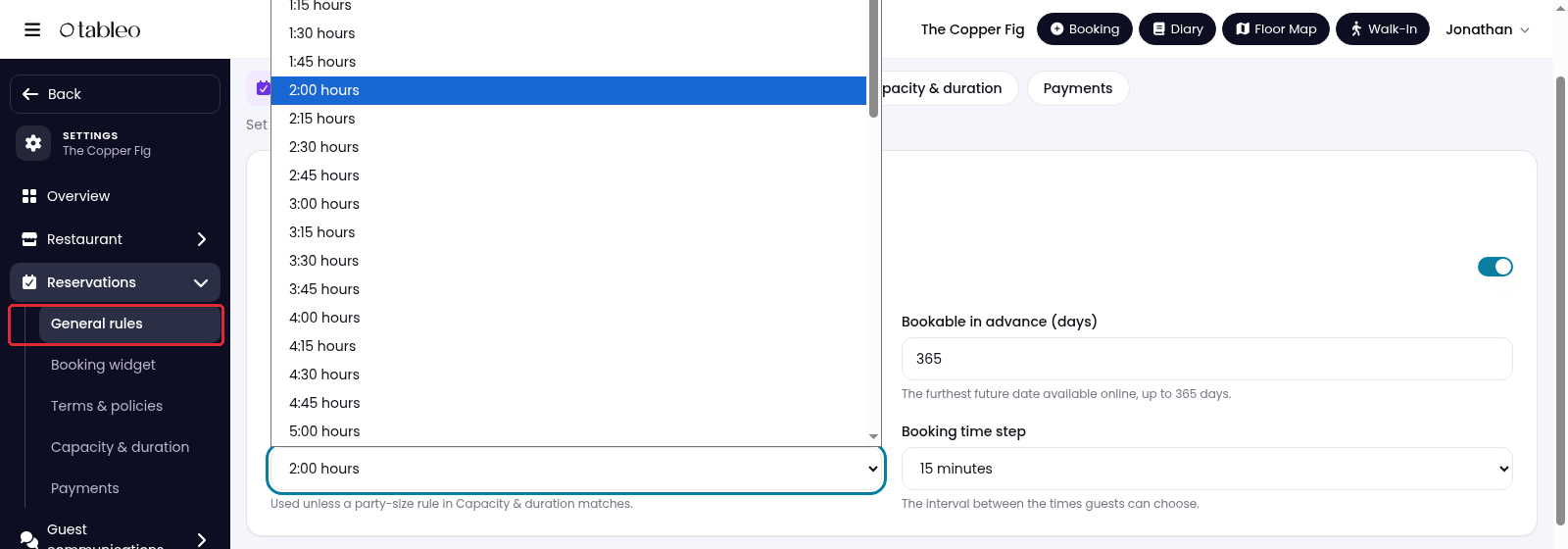
This duration is used unless a matching party-size rule is set in Capacity & duration.
4. Scroll to the bottom and click on Save changes.

Setting booking duration according to party size
1. Open Reservations > Capacity & duration.
2. Under Booking duration by party size, click on Add duration rule.
3. Set From (guests) and To (guests) for the party-size range.
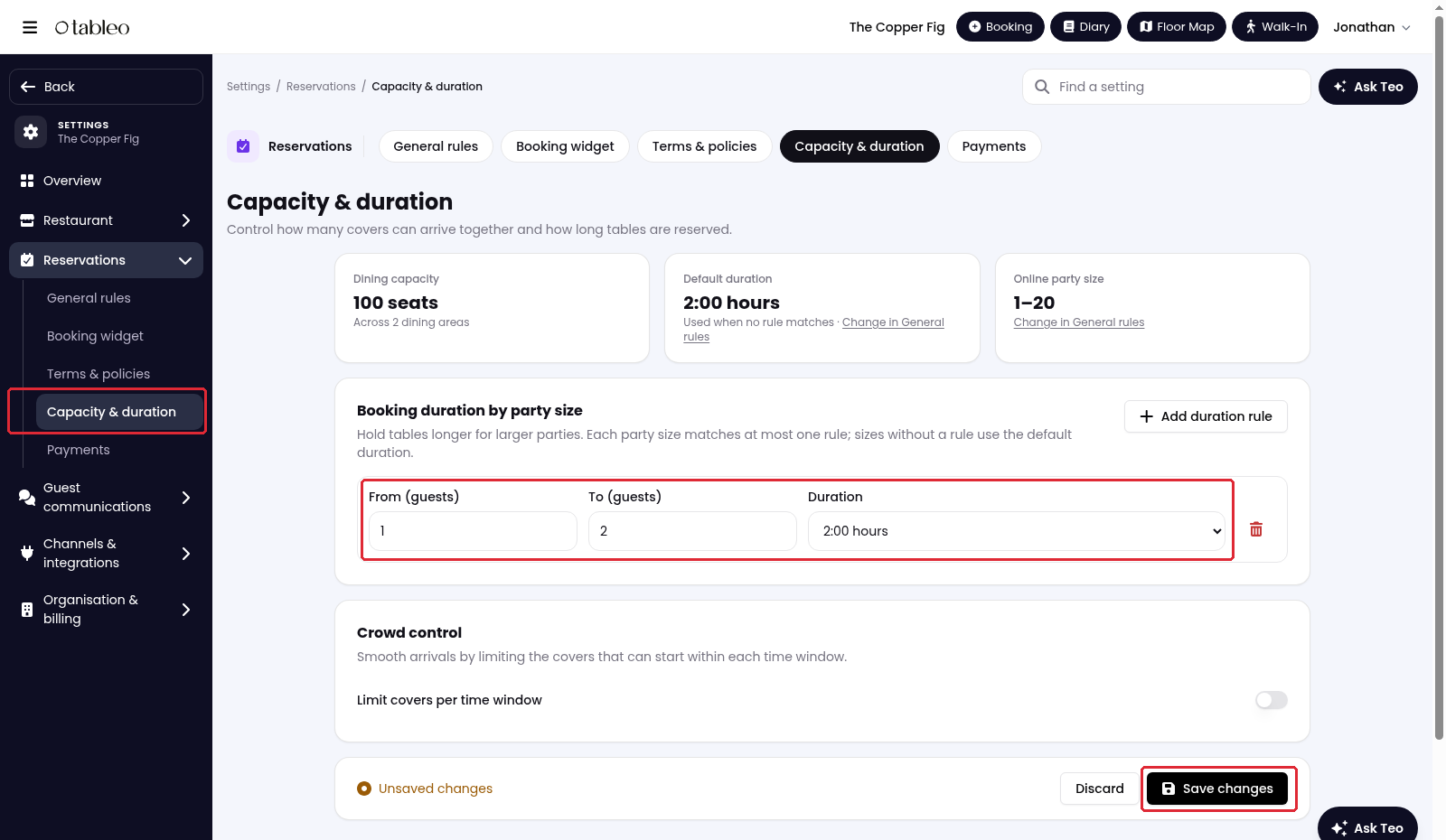
4. Open Duration and choose how long to reserve tables for that range.
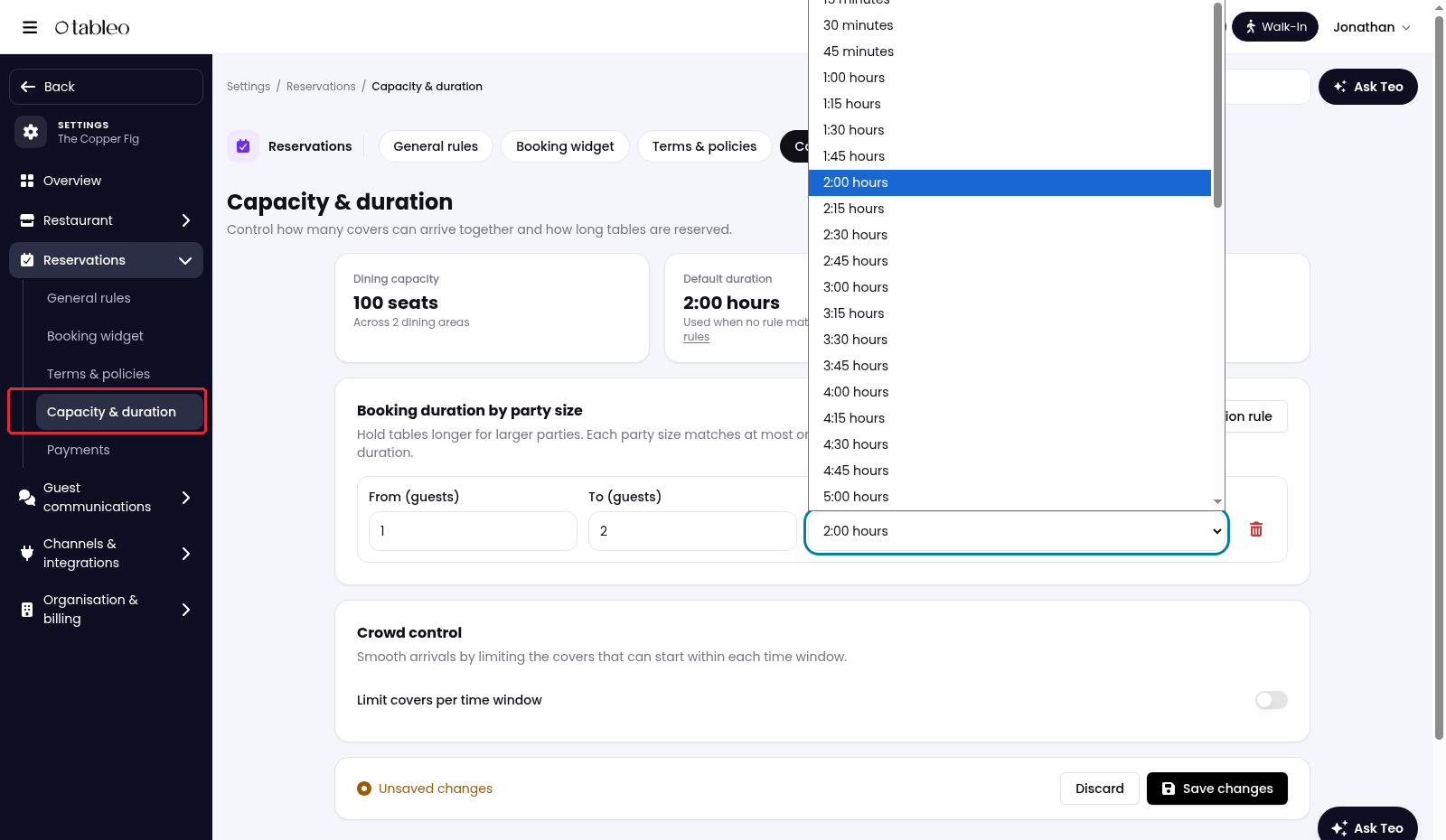
5. Add any other ranges you need, keeping them separate, so each party size matches at most one rule. Click on Save changes.
Party sizes without a matching rule use Default booking duration.
The booking end time is shown on the widget’s success page and in the confirmation email, so guests know when the table is needed back.
While we strive to ensure the accuracy and currency of the information in our knowledge base, some articles may contain minor discrepancies due to the constant evolution of our services and products.
Was this article helpful?
That’s Great!
Thank you for your feedback
Sorry! We couldn't be helpful
Thank you for your feedback
Feedback sent
We appreciate your effort and will try to fix the article