A duration change applies to one booking, not permanently to the table. For a general duration or rules based on party size, see booking-duration guide.
1. Click on Diary in the side menu.
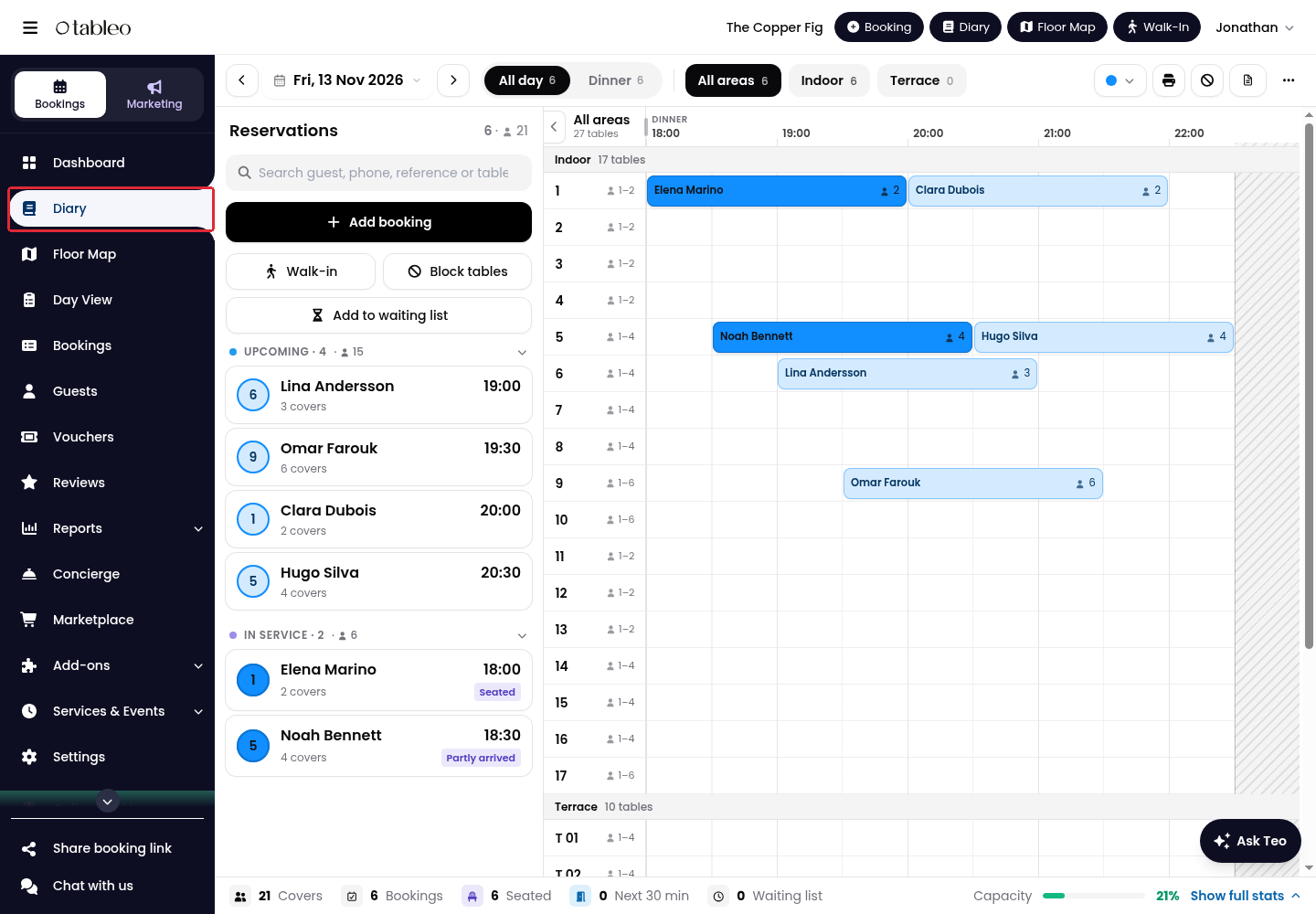
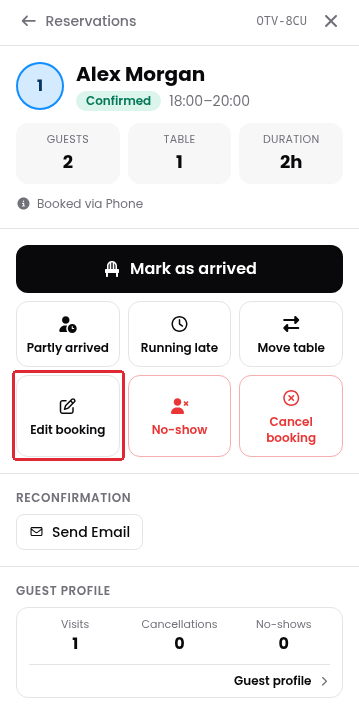
2. Select the date and find the booking assigned to the table. Click on the booking, then click on Edit booking.
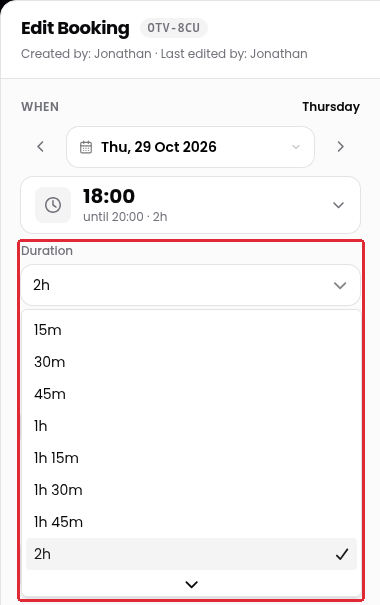
3. Open Duration and choose the length you need. Scroll through the list for more options.
4. Click on Save changes.
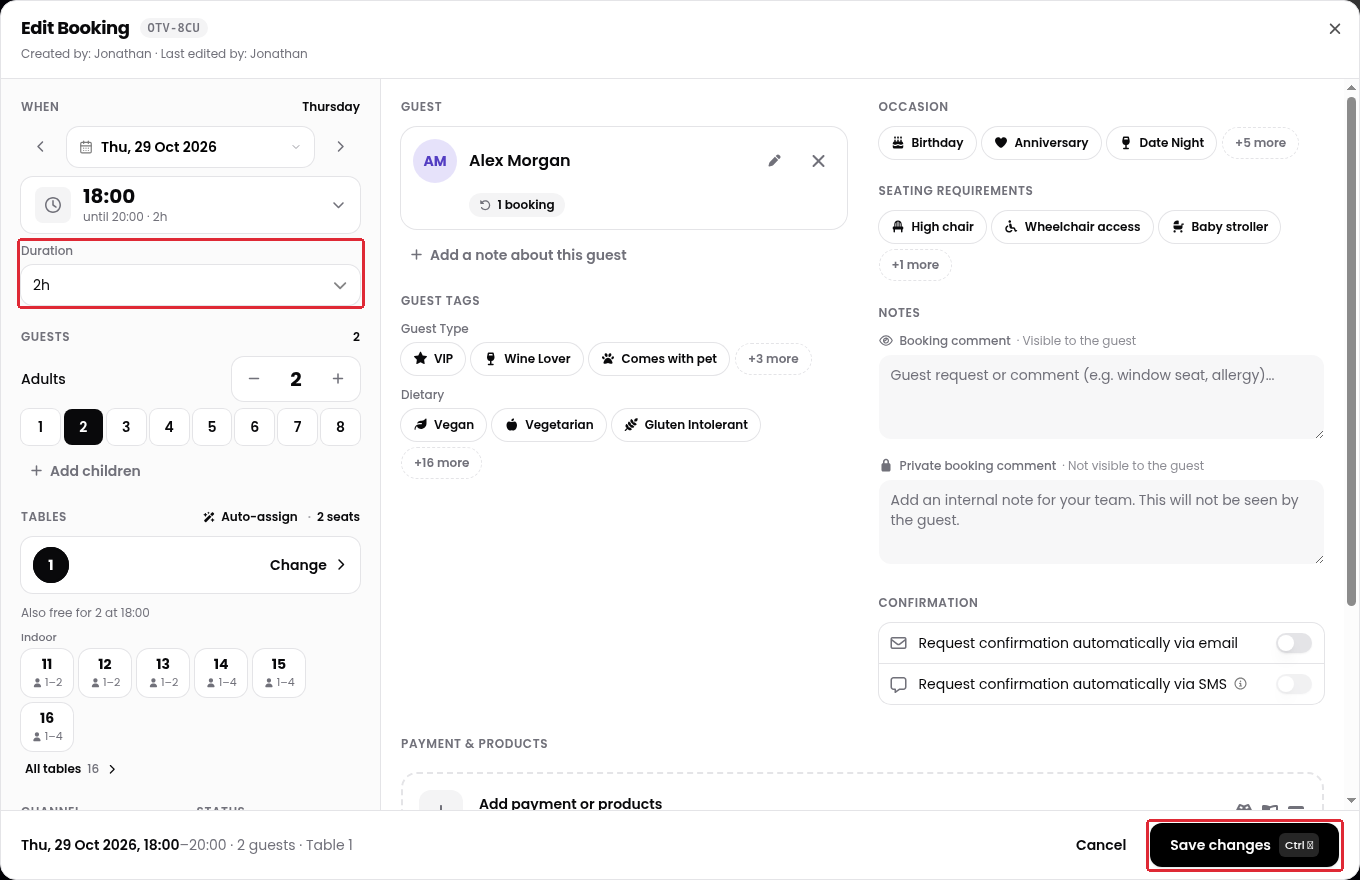
This changes only the selected booking. Repeat the process for other bookings assigned to the same table when they need a different duration.
While we strive to ensure the accuracy and currency of the information in our knowledge base, some articles may contain minor discrepancies due to the constant evolution of our services and products.
Was this article helpful?
That’s Great!
Thank you for your feedback
Sorry! We couldn't be helpful
Thank you for your feedback
Feedback sent
We appreciate your effort and will try to fix the article