Use Seat when guests arrive and Finish when they leave.
1. Click Floor Map in the top bar, then choose the day, service and dining area.
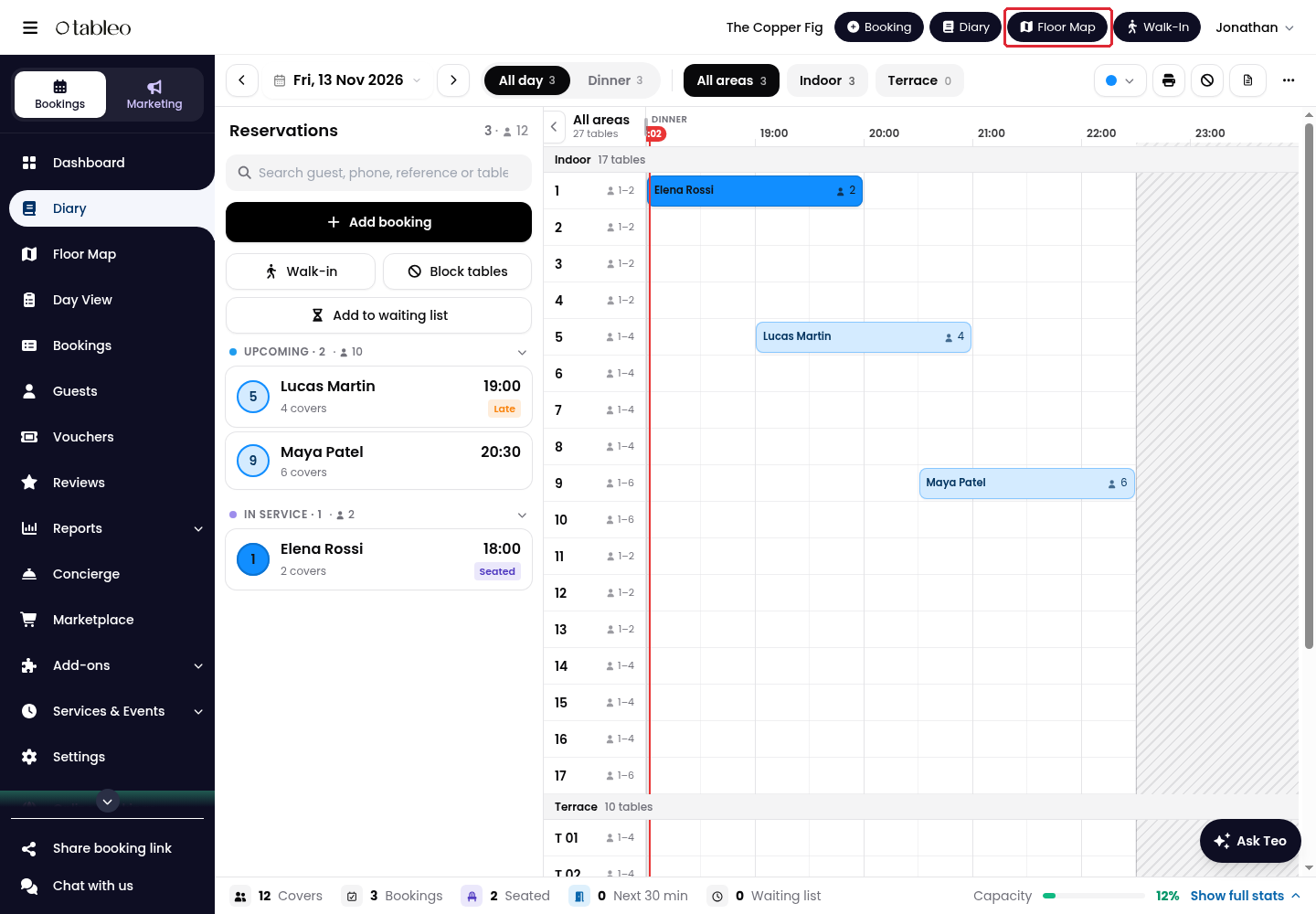
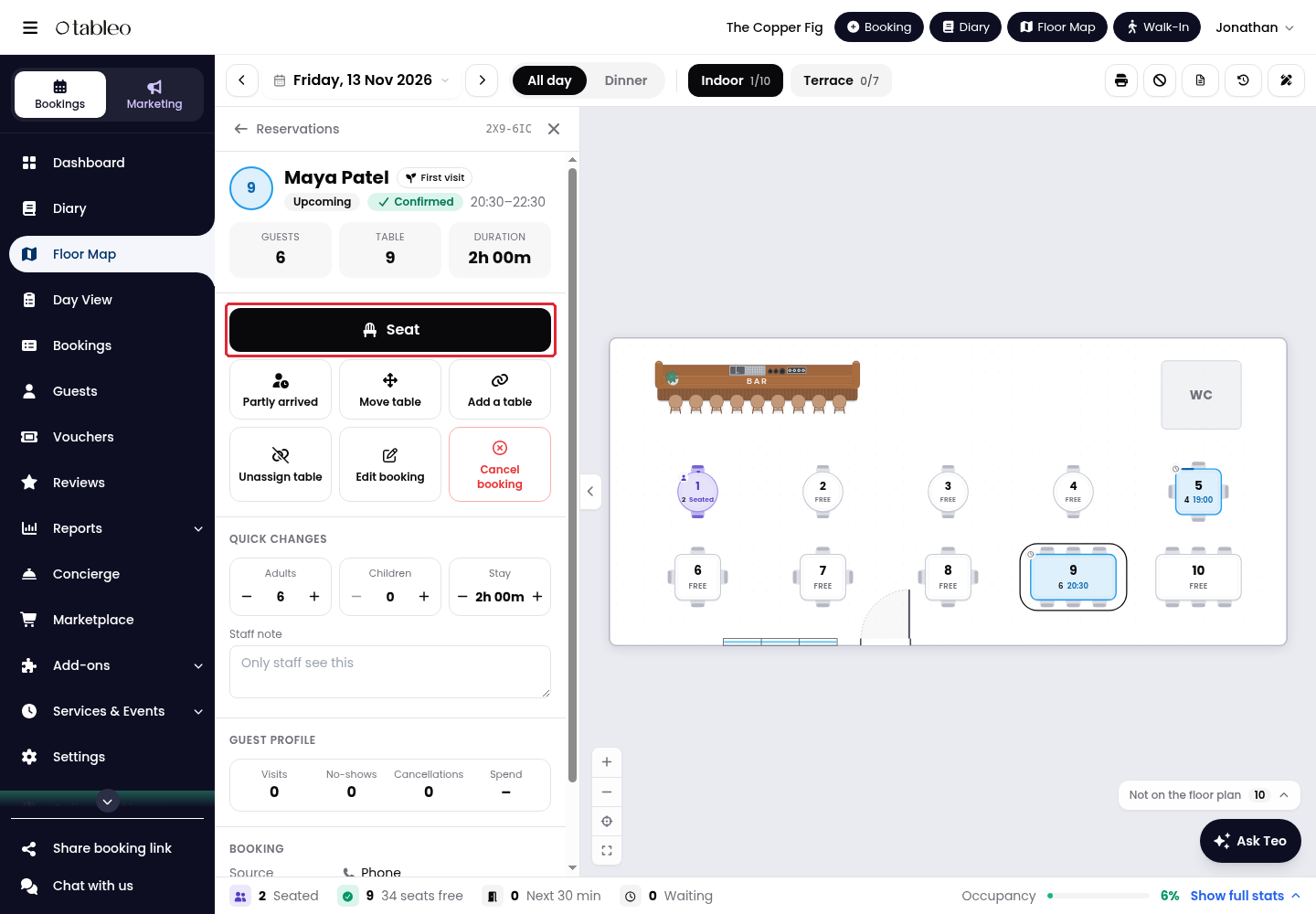
2. Click the booking in Reservations or on the map. Check its guest count and table, then click Seat.
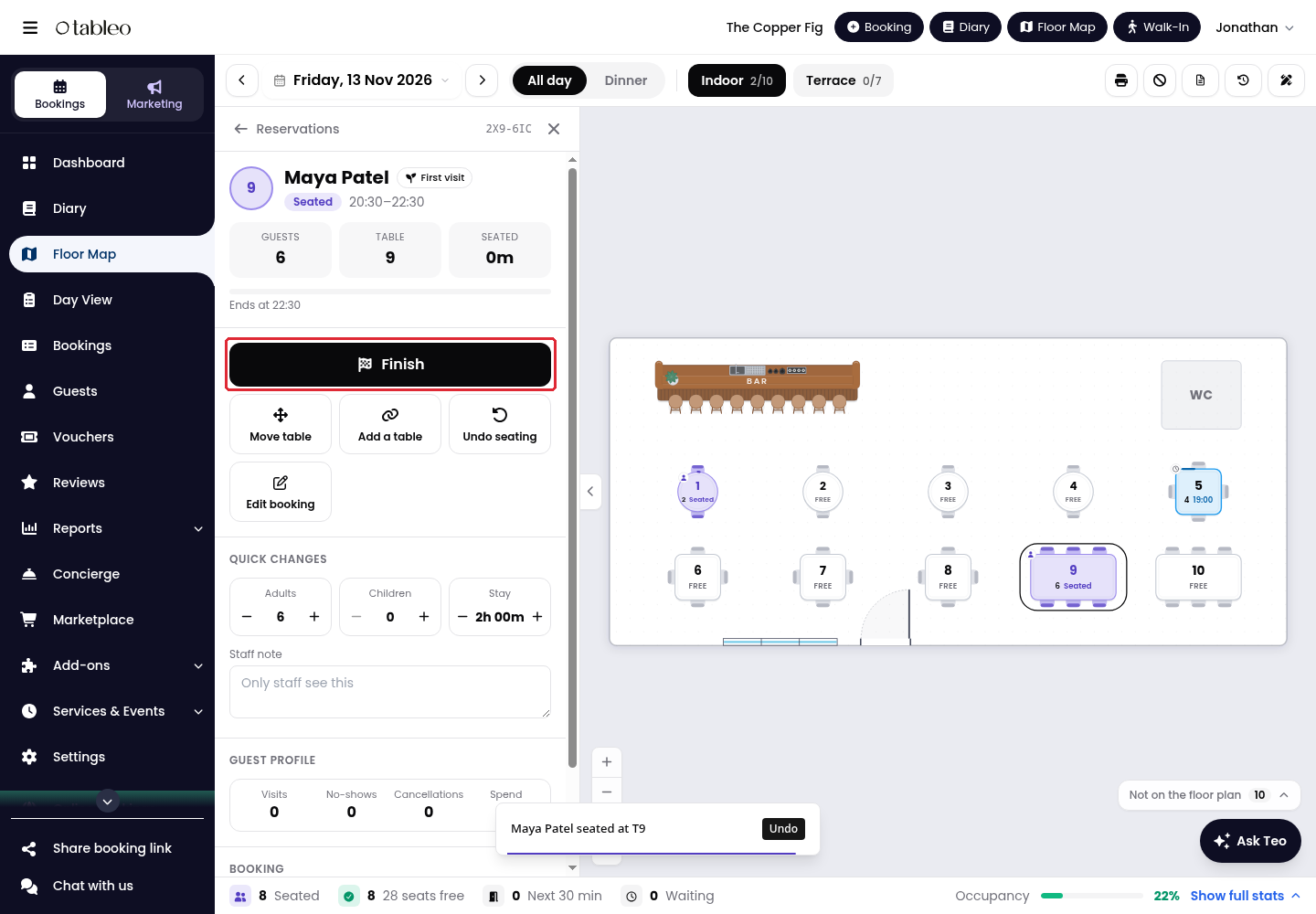
The booking moves to Seated and its table turns purple. The confirmation message briefly offers Undo.
3. When the guests leave, open the seated booking and click Finish to release the table.
If only some guests have arrived, use Partly arrived instead of Seat, then All arrived when the rest join.
If you seated a booking by mistake, open it and choose Undo seating.
While we strive to ensure the accuracy and currency of the information in our knowledge base, some articles may contain minor discrepancies due to the constant evolution of our services and products.
Was this article helpful?
That’s Great!
Thank you for your feedback
Sorry! We couldn't be helpful
Thank you for your feedback
Feedback sent
We appreciate your effort and will try to fix the article