Redeem your restaurant’s gift vouchers when guests pay their bill. This guide covers restaurant-issued vouchers, not Bookia gift vouchers.
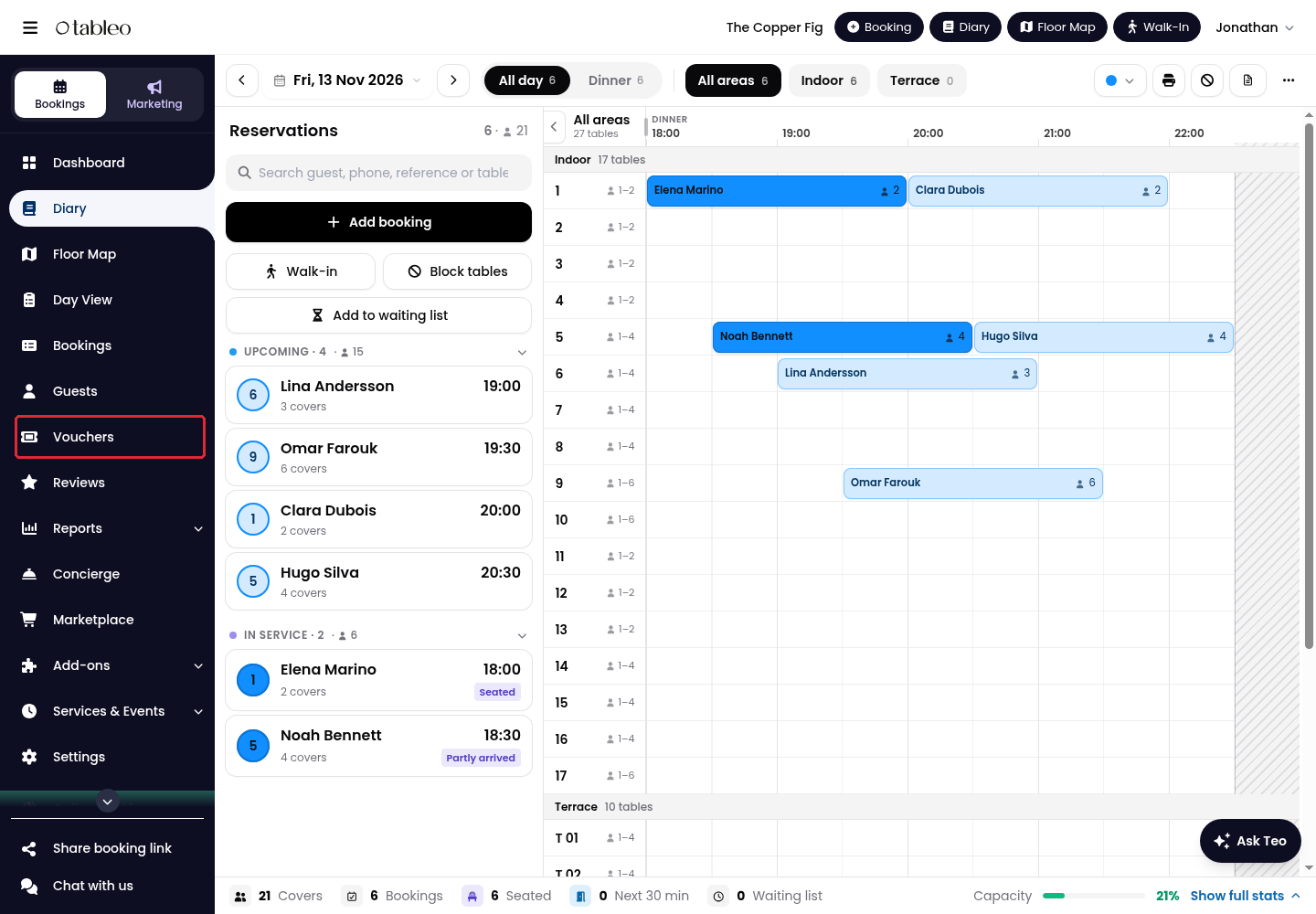
1. Click on Vouchers in the side menu.
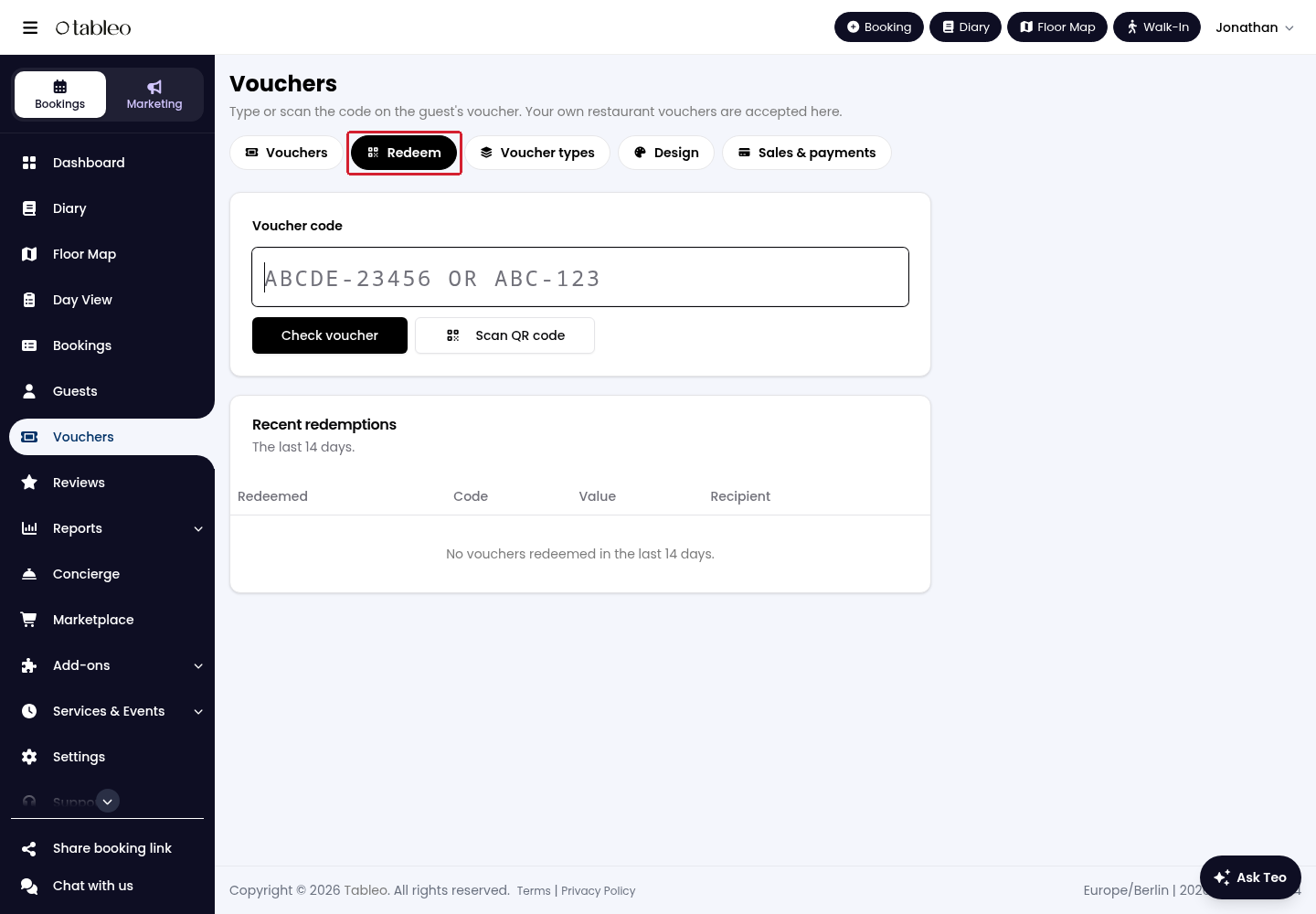
2. Open the Redeem tab.
3. Enter the Voucher code and click on Check voucher. Alternatively, click on Scan QR code, allow camera access in your browser and hold the voucher’s QR code in front of the camera.
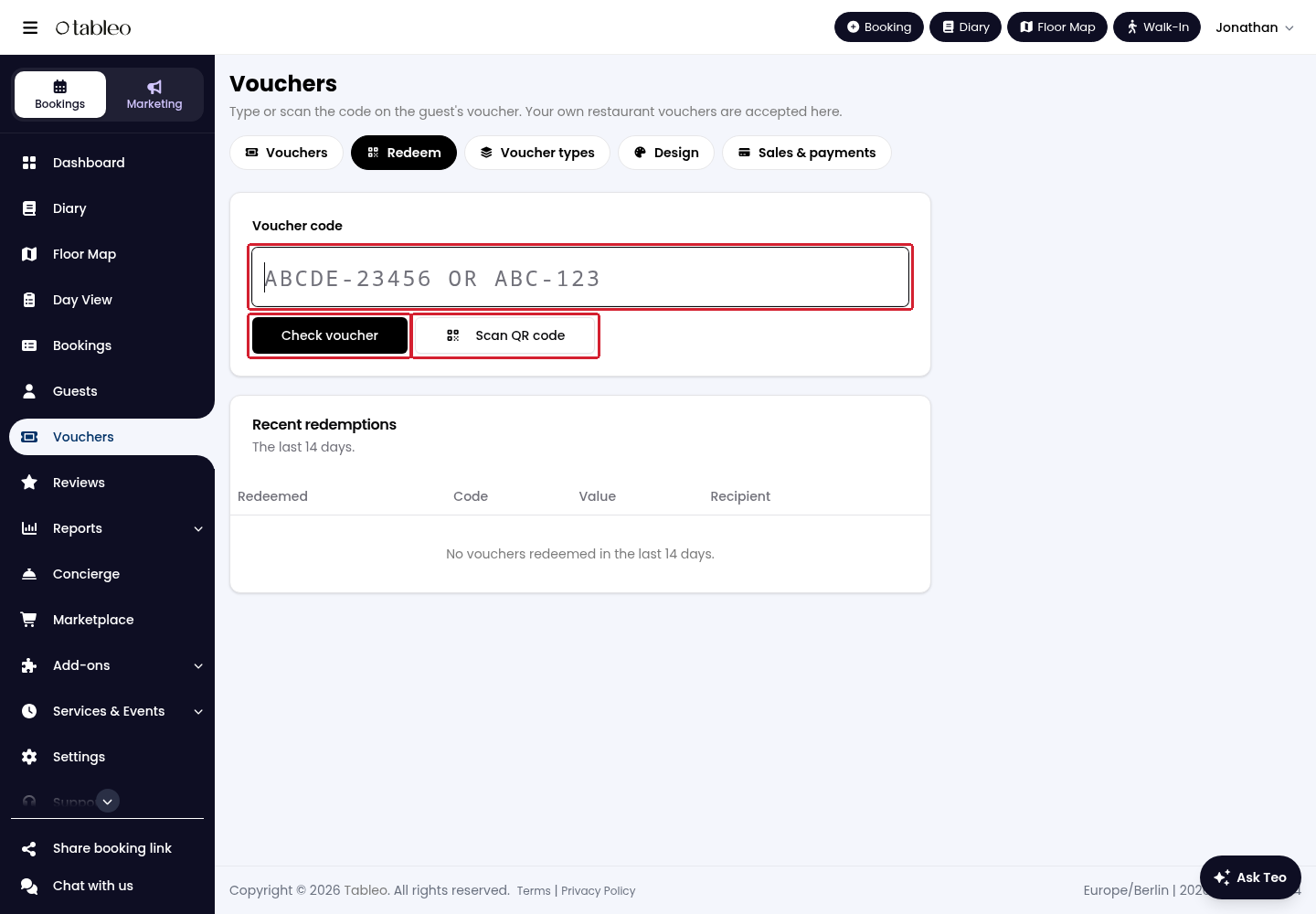
QR scanning is available in the browser, not only in the Manager app. If no camera is available or access is blocked, enter the code instead.
4. Check the Value, Recipient and Expires details, then click on Redeem, followed by the voucher value, to confirm.
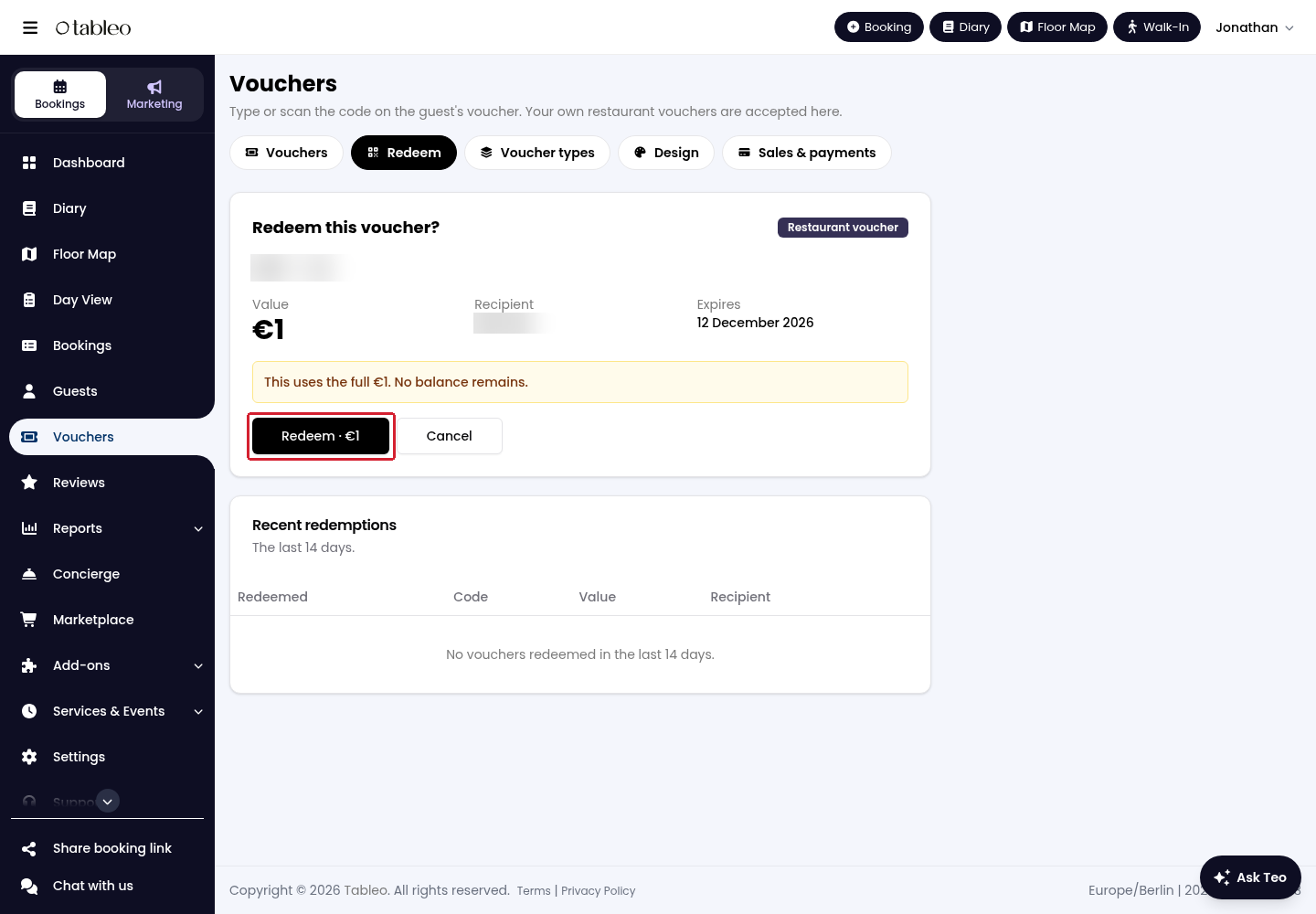
Redemption uses the voucher’s full value; no balance remains for a later visit. After confirmation, Tableo shows Redeemed. Remember to issue your fiscal receipt.
Recent redemptions appear below for the last 14 days. If the code is not found, check it and try again. Expired, already-used, cancelled or refunded vouchers cannot be redeemed. A voucher on hold cannot be used while its payment is being reviewed.
While we strive to ensure the accuracy and currency of the information in our knowledge base, some articles may contain minor discrepancies due to the constant evolution of our services and products.
Was this article helpful?
That’s Great!
Thank you for your feedback
Sorry! We couldn't be helpful
Thank you for your feedback
Feedback sent
We appreciate your effort and will try to fix the article