Choose what guests rate, then activate review requests.
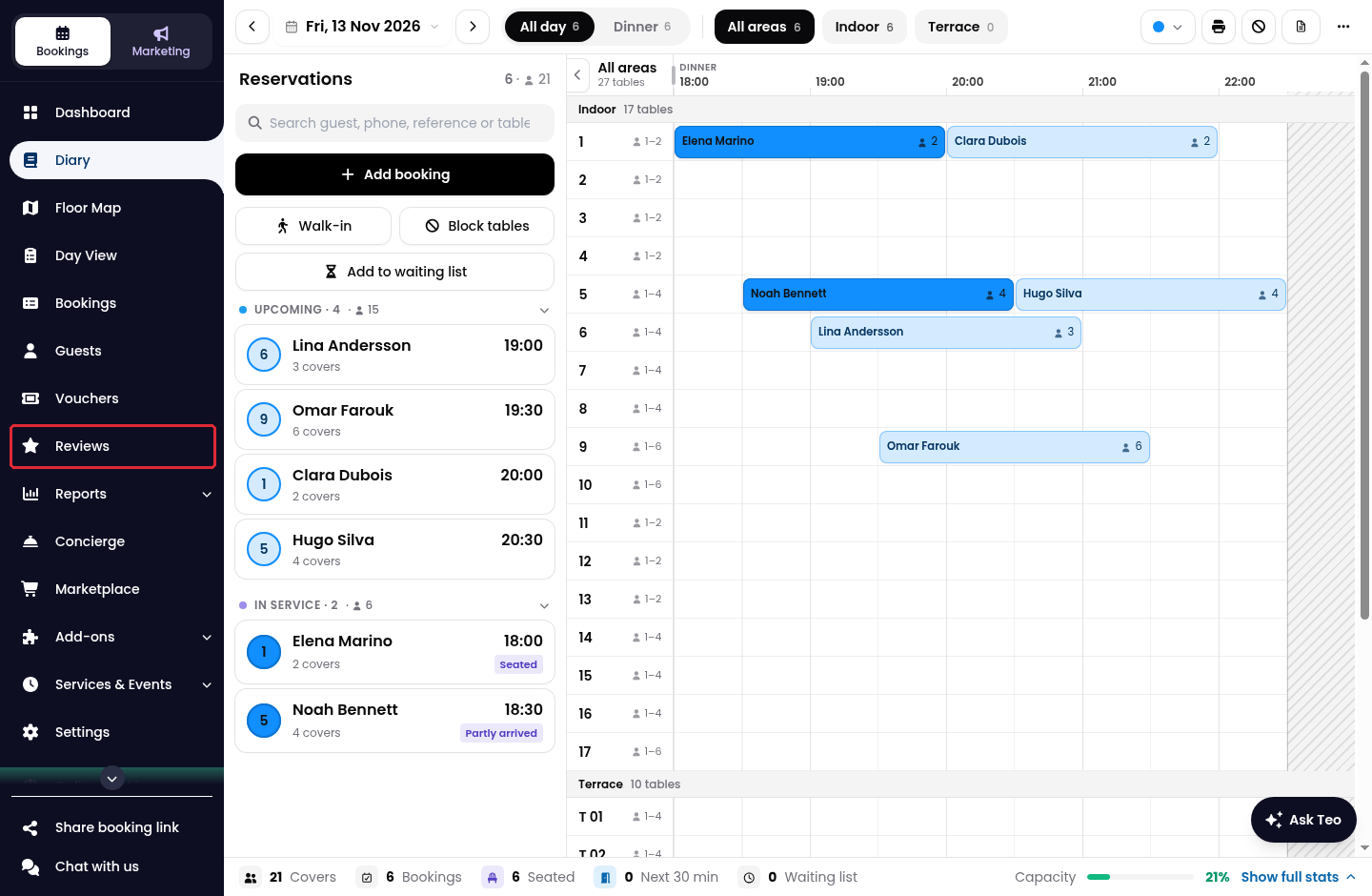
1. Click on Reviews in the side menu.
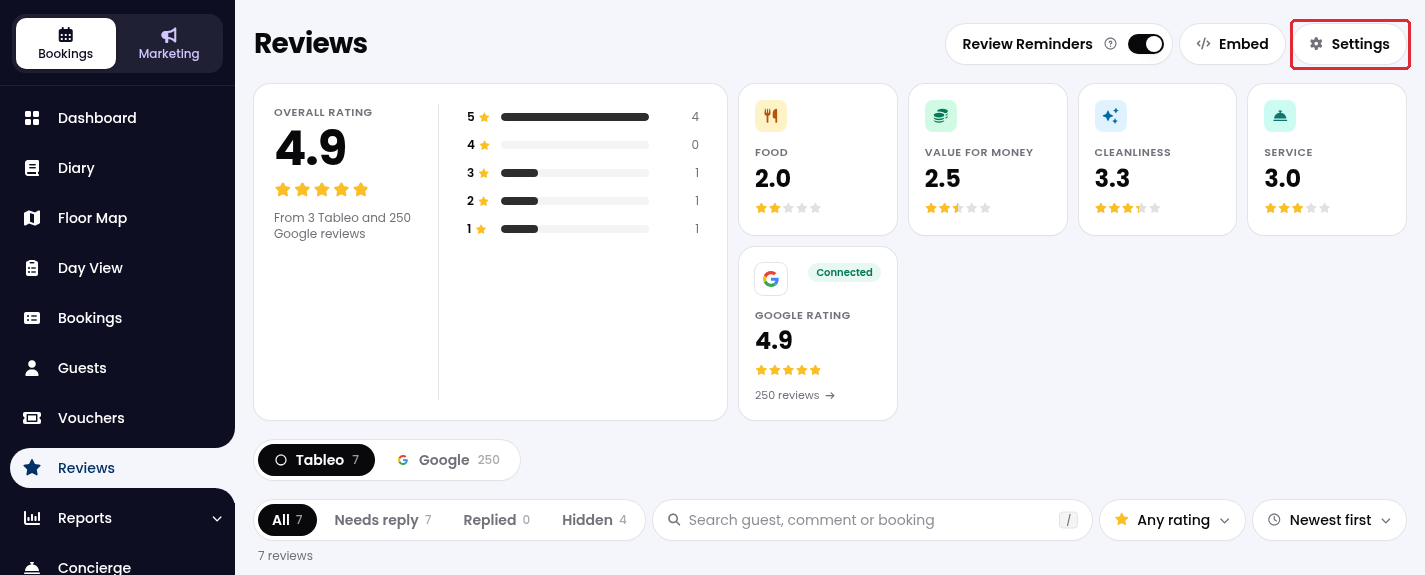
2. Click on Settings at the top right.
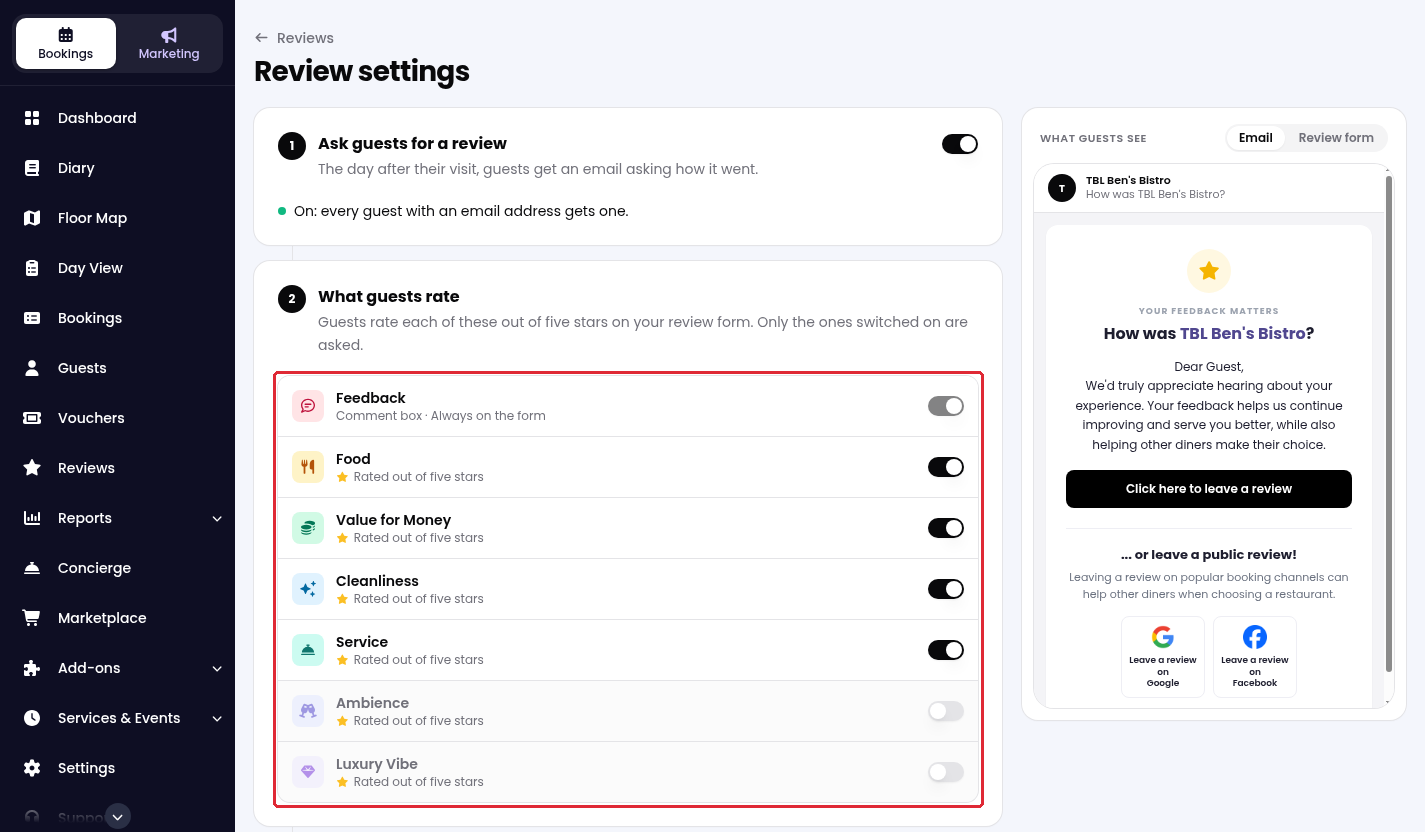
3. Under What guests rate, switch on the criteria you want guests to rate. If the form is empty, click on Use the usual set to get started.
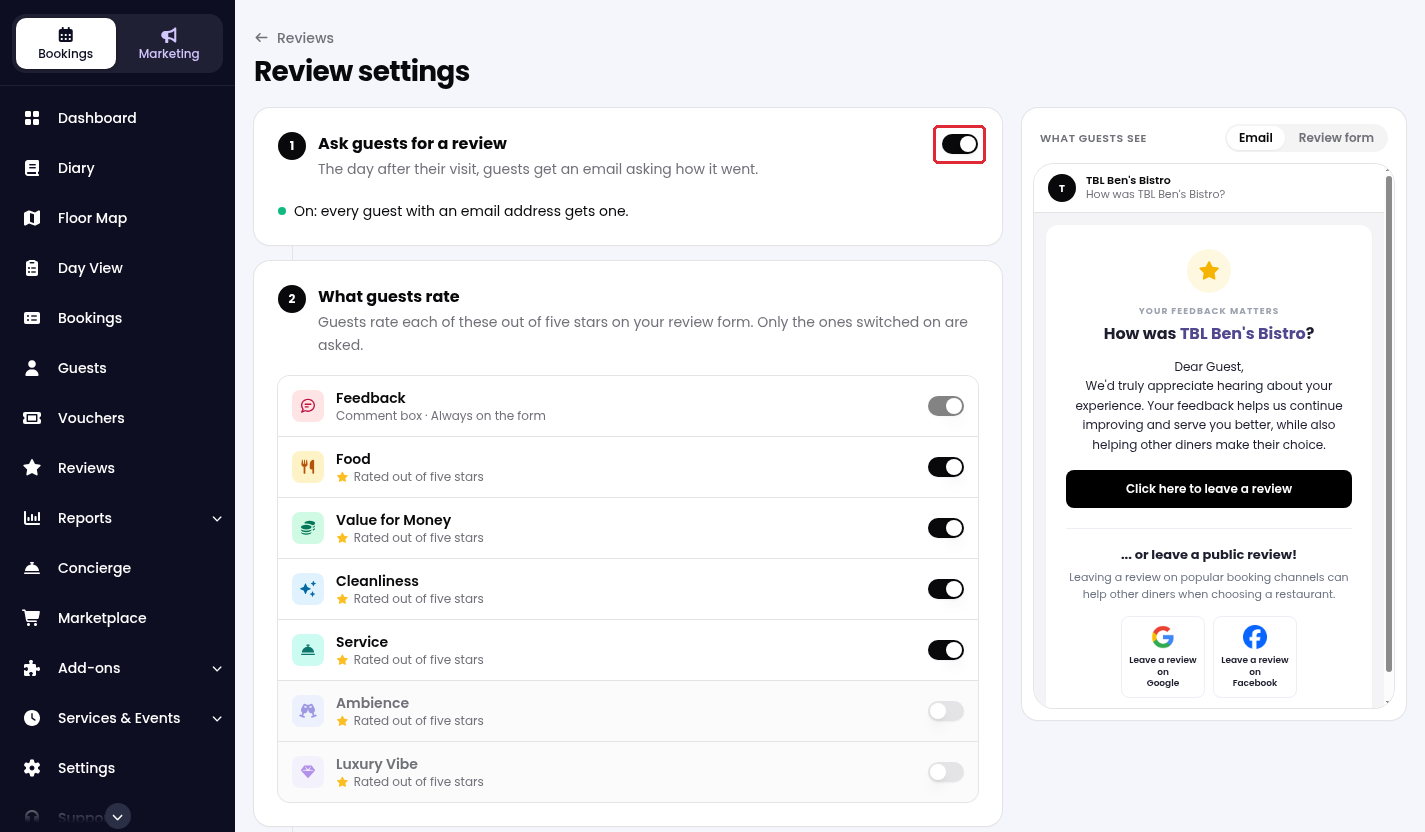
4. Turn on Ask guests for a review. Guests with an email address will receive a review request the day after their visit. Switch it off to stop review requests.
5. Use Email and Review form under What guests see to preview the guest experience.
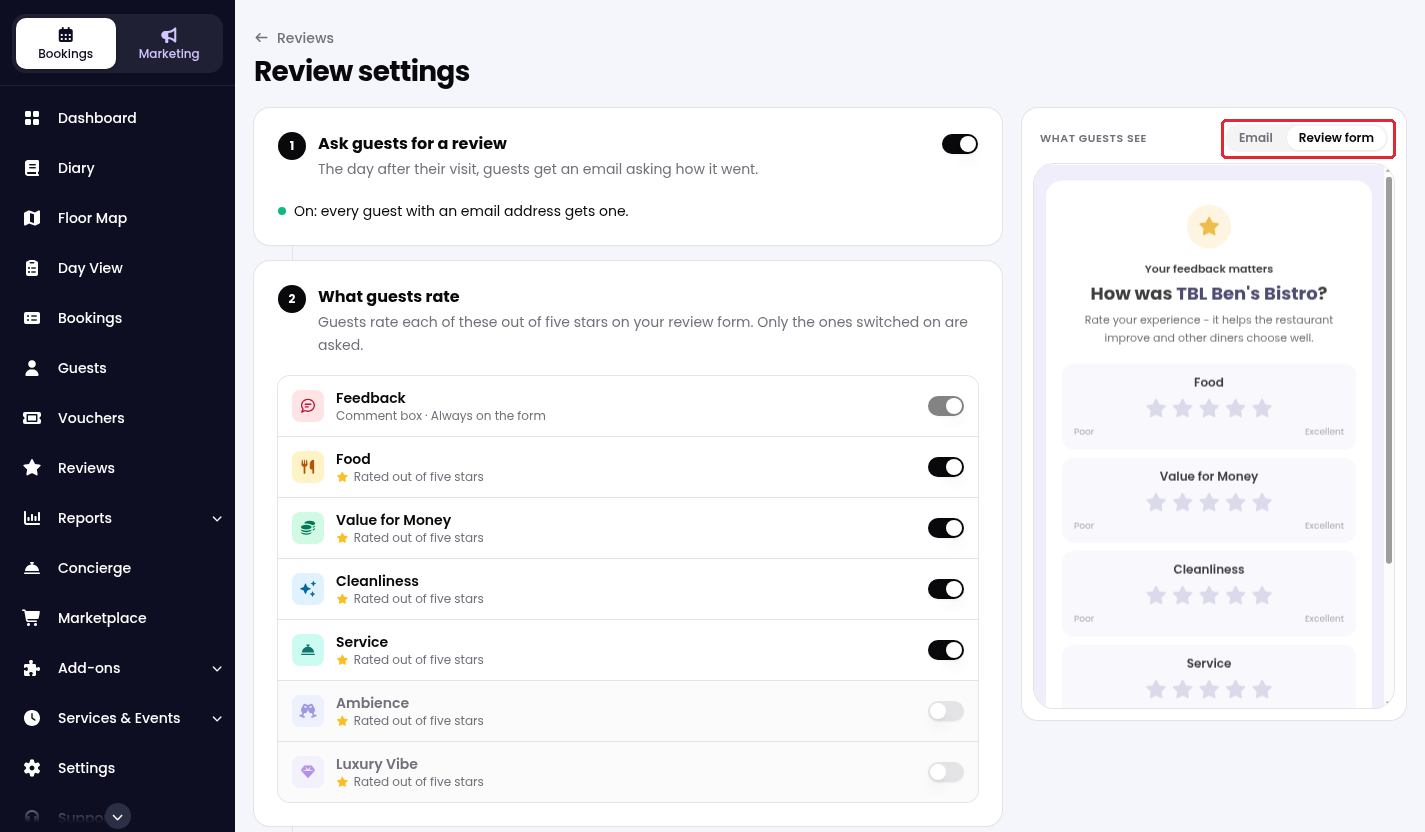
Rating criteria and the Ask guests for a review switch save automatically.
While we strive to ensure the accuracy and currency of the information in our knowledge base, some articles may contain minor discrepancies due to the constant evolution of our services and products.
Was this article helpful?
That’s Great!
Thank you for your feedback
Sorry! We couldn't be helpful
Thank you for your feedback
Feedback sent
We appreciate your effort and will try to fix the article