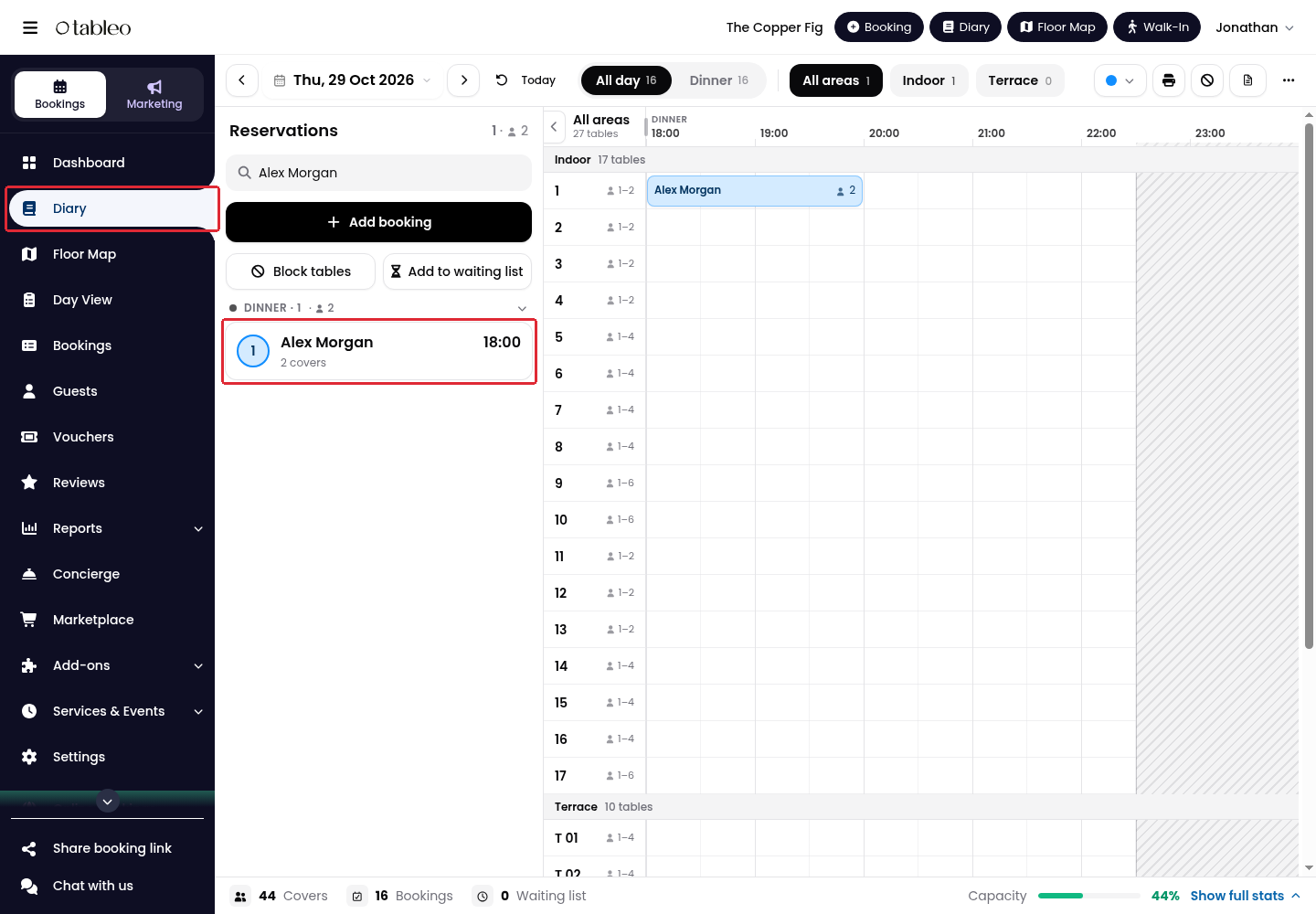
1. Click Diary in the side menu and select the booking date.
2. Click the booking you want to move, either in the reservations list or on the timeline.
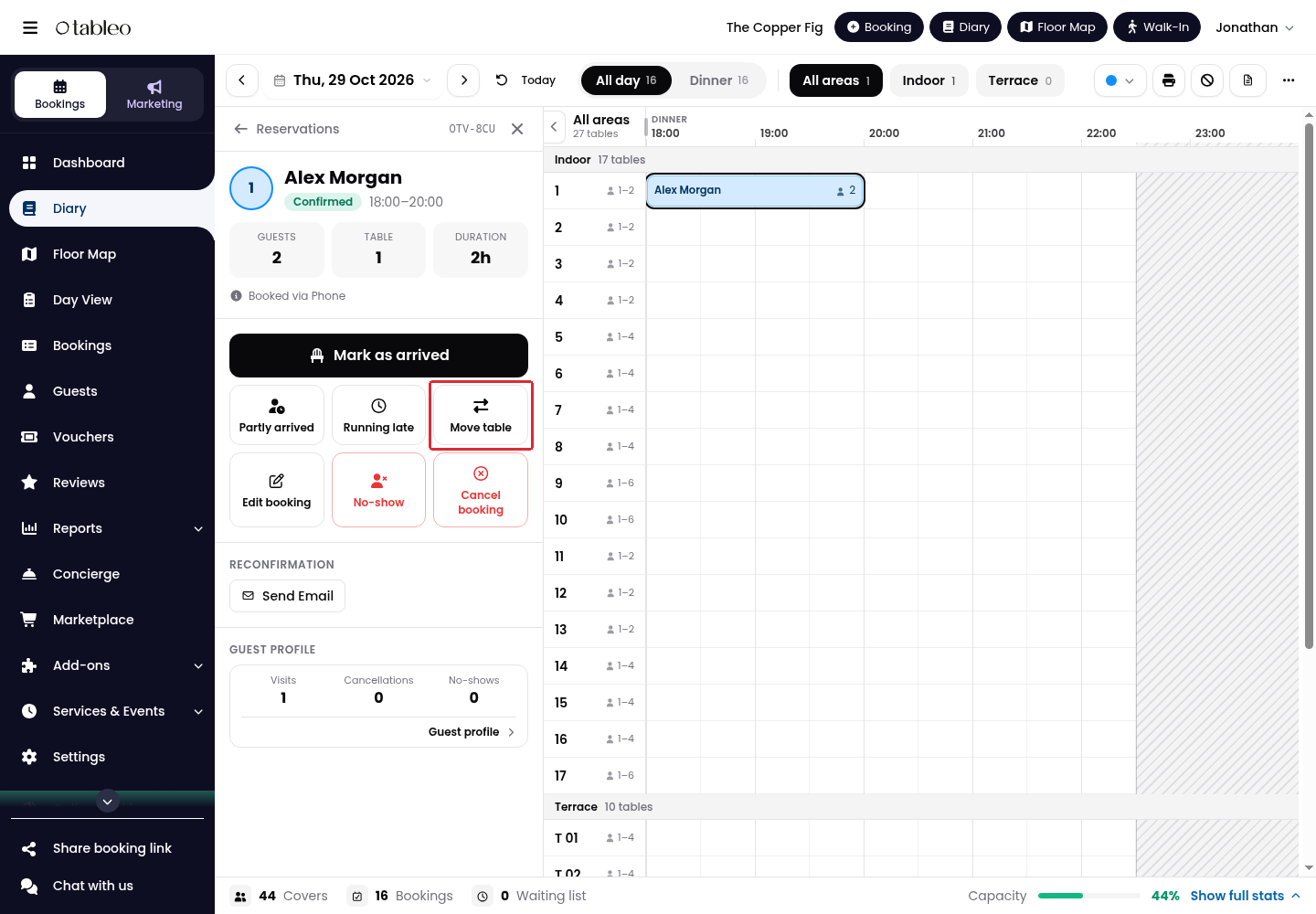
3. Click Move table in the booking details.
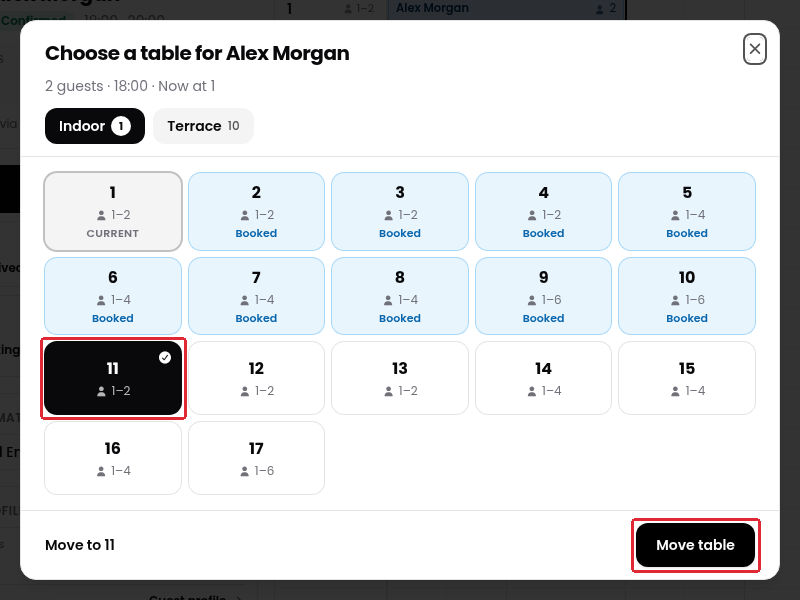
4. Select the table you want to assign. To choose a table in another dining area, click its tab, such as Terrace.
5. Check the selected table, then click Move table to apply the change.
Move a booking by dragging it
You can also drag the booking on the Diary timeline to the row of the table you want to assign. Keep it at the same start time if you only want to change the table.
Was this article helpful?
That’s Great!
Thank you for your feedback
Sorry! We couldn't be helpful
Thank you for your feedback
Feedback sent
We appreciate your effort and will try to fix the article