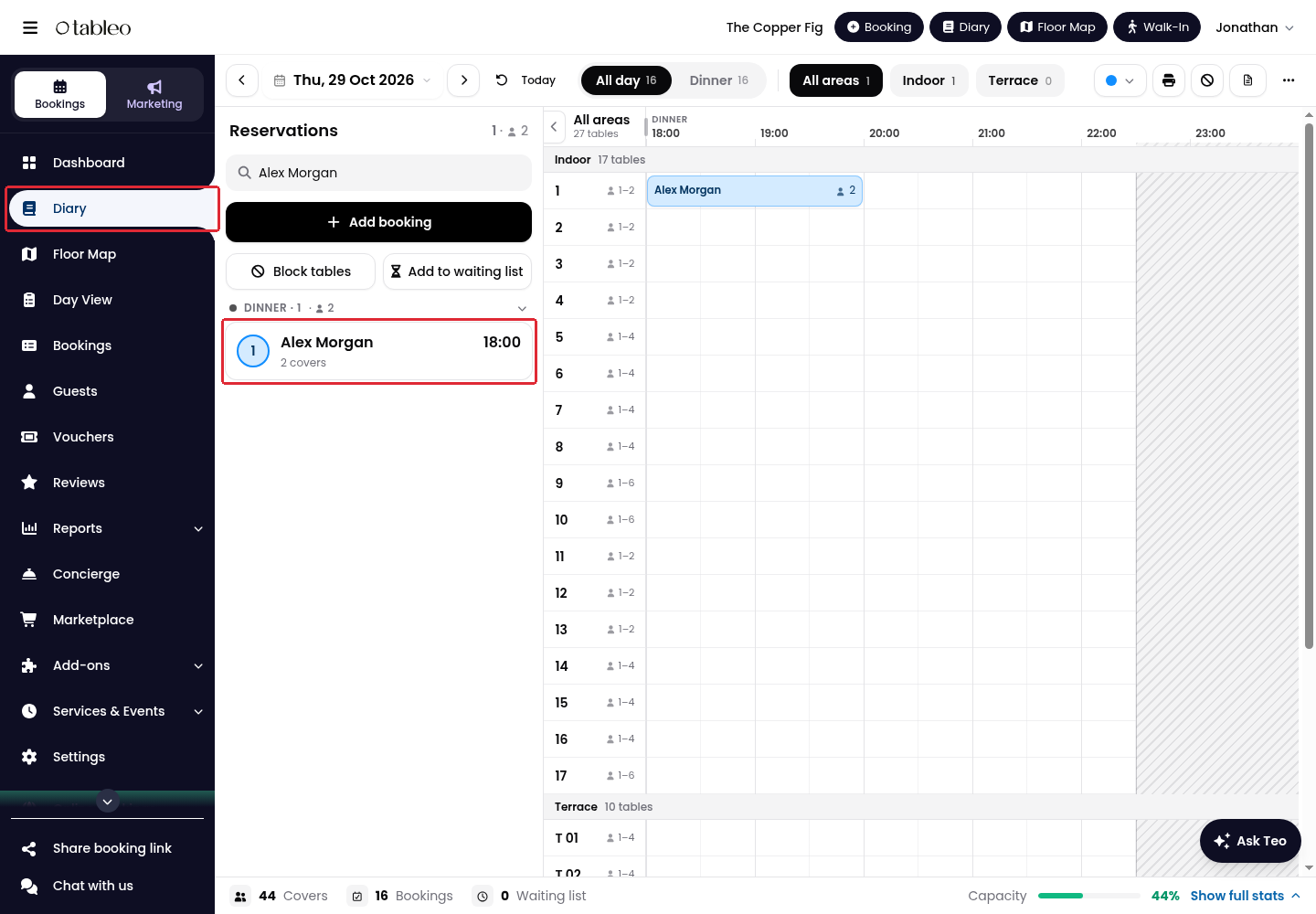
1. Click Diary in the side menu and select the booking date.
2. Click the booking you want to squeeze in, either in the reservations list or on the timeline.
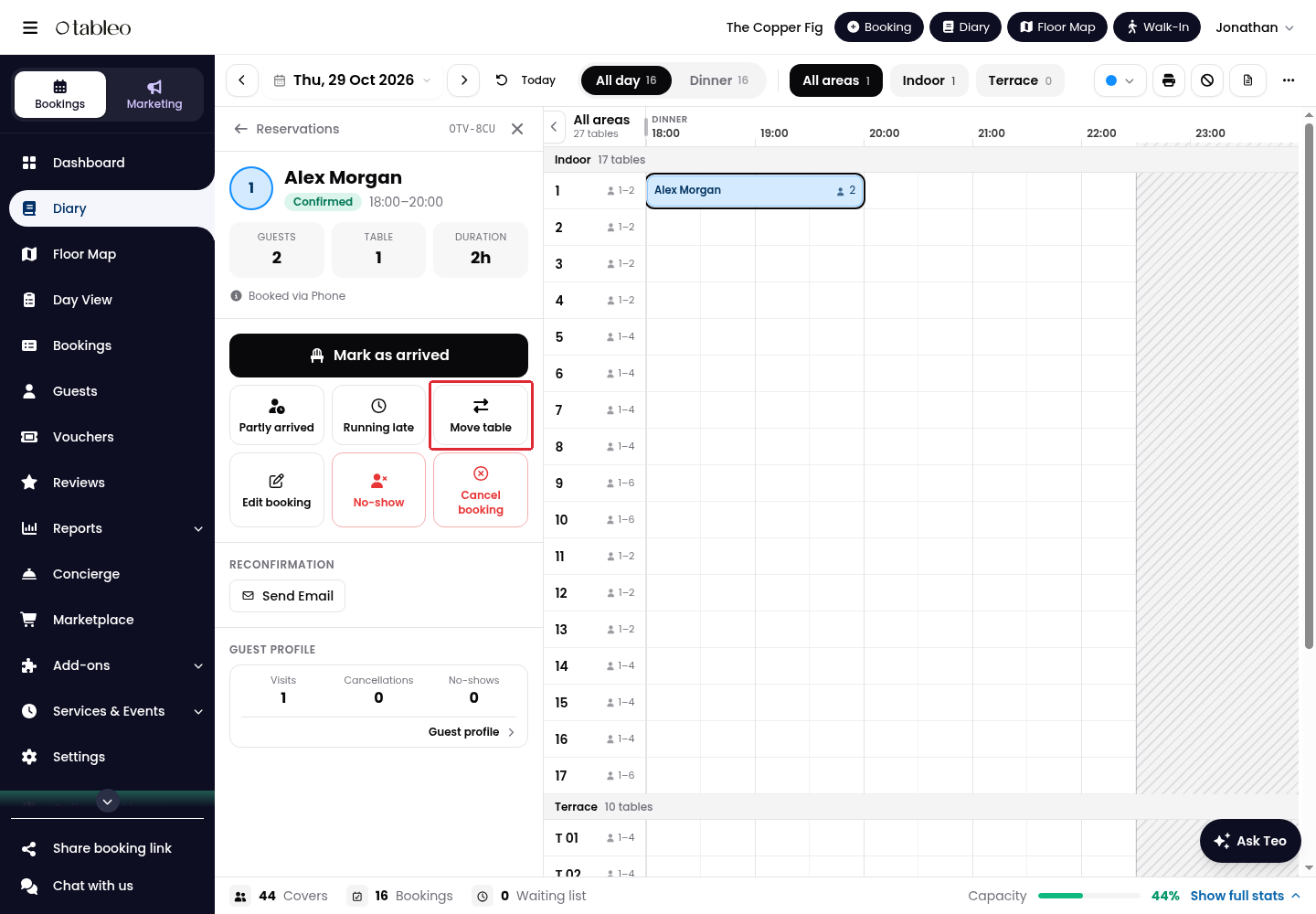
3. Click Move table in the booking details.
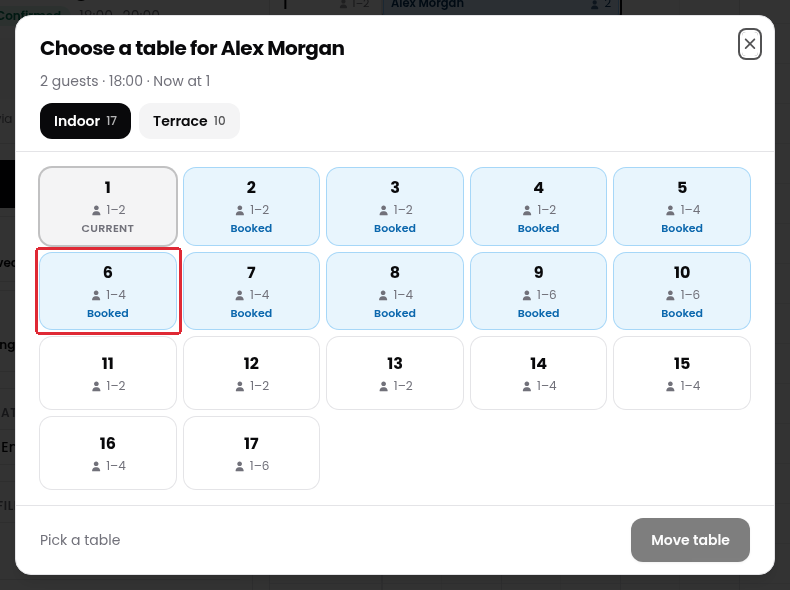
4. Select the table you want to use. Tables with an overlapping booking are marked Booked. To choose another dining area, click its tab, such as Terrace.
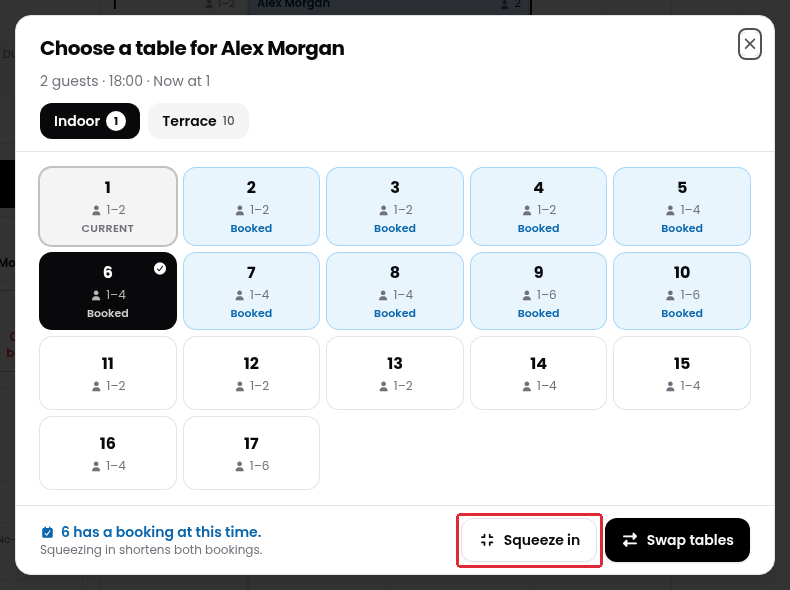
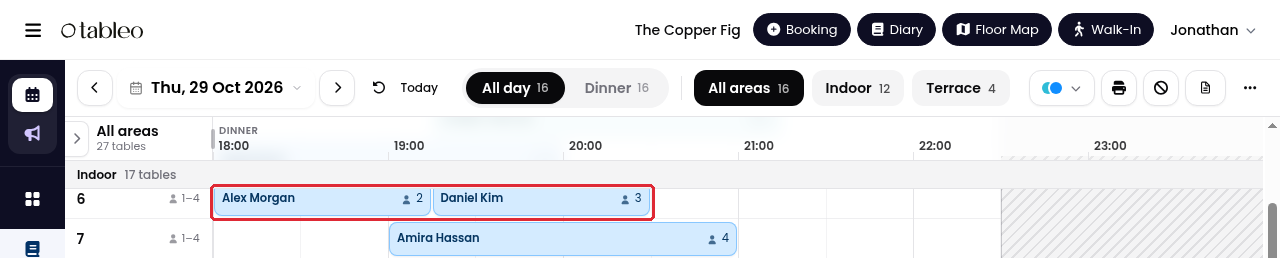
5. Tableo warns that squeezing in shortens both bookings. Click Squeeze in to apply the change. Swap tables is a different action, not the squeeze-in option.
6. Check both bookings on the Diary to confirm their table assignments and revised times.
Was this article helpful?
That’s Great!
Thank you for your feedback
Sorry! We couldn't be helpful
Thank you for your feedback
Feedback sent
We appreciate your effort and will try to fix the article