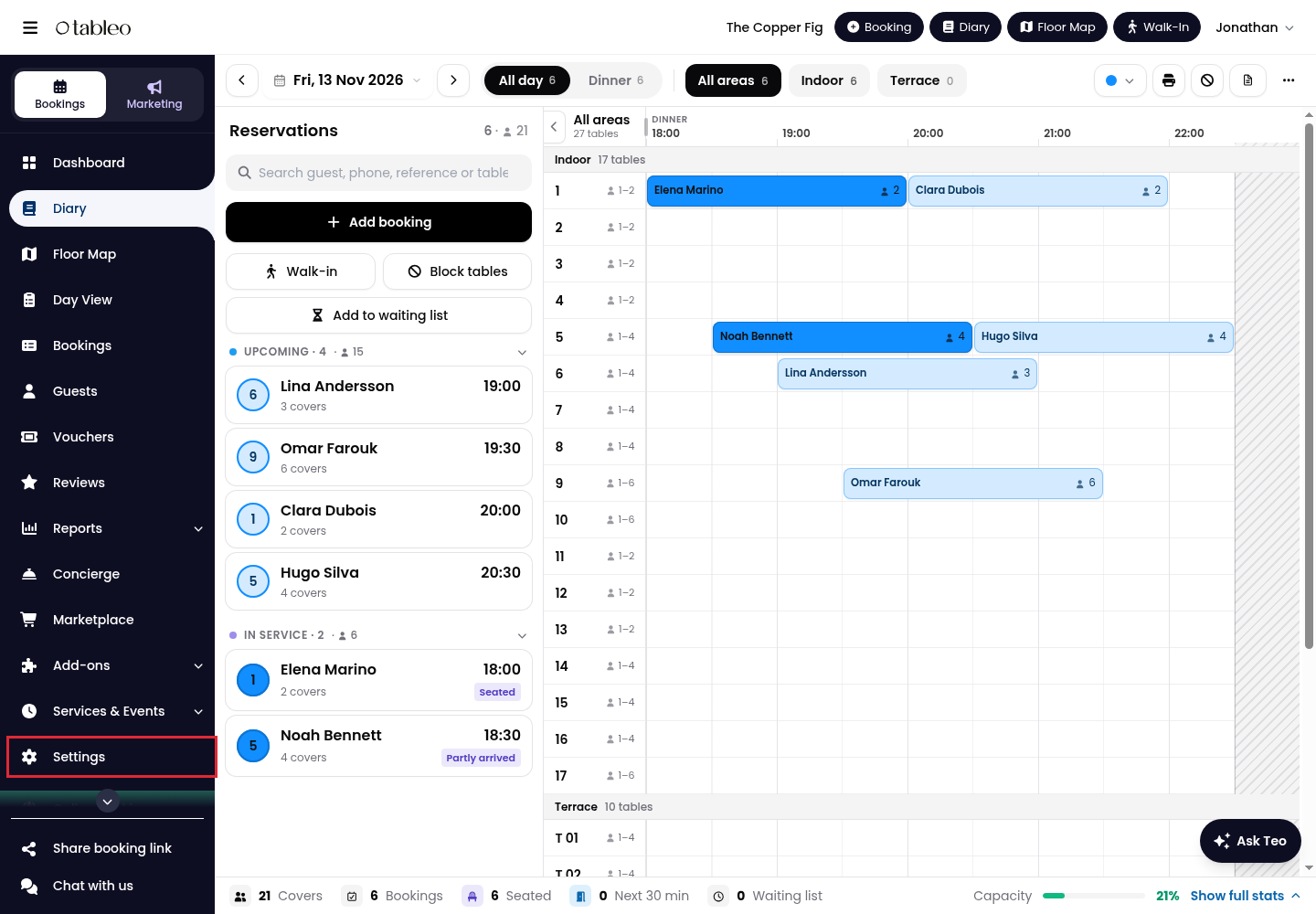
1. Click on Settings in the side menu.
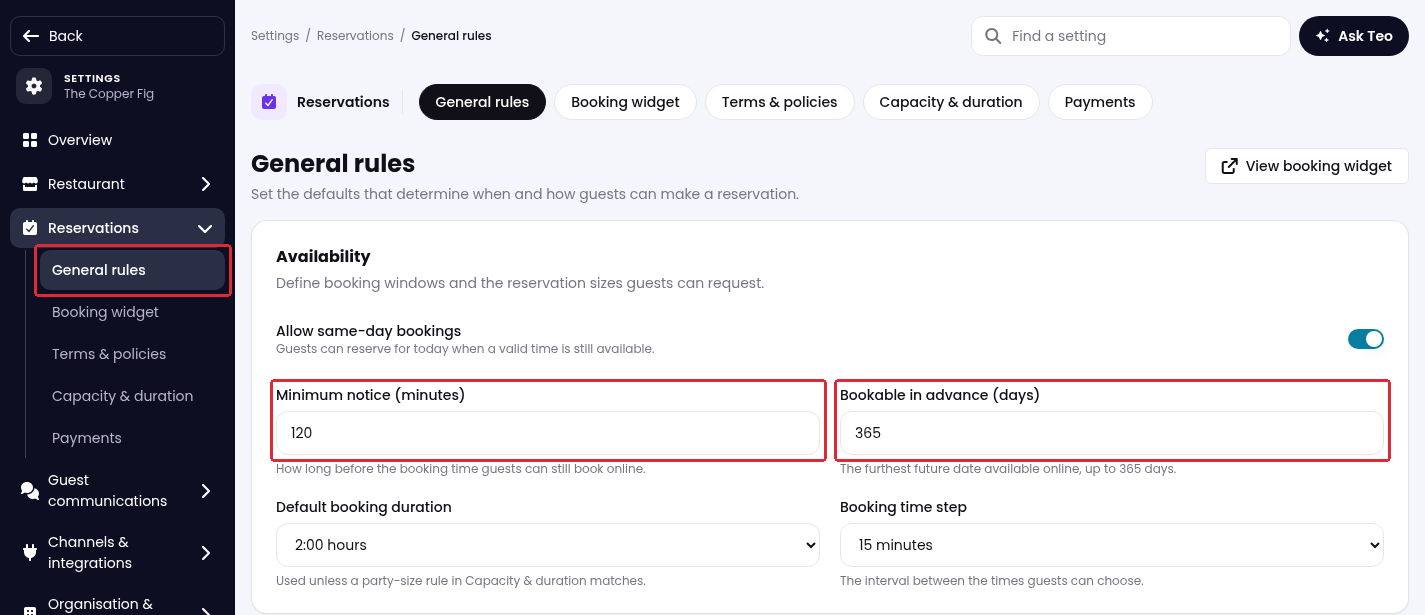
2. Go to Reservations → General rules.
3. Under Availability, set Minimum notice (minutes) to the minimum time guests must book before their arrival. For example, enter 120 to require two hours’ notice.
4. Set Bookable in advance (days) to how far ahead guests can book online, up to 365 days.
5. Scroll to the bottom and click Save changes.

While we strive to ensure the accuracy and currency of the information in our knowledge base, some articles may contain minor discrepancies due to the constant evolution of our services and products.
Was this article helpful?
That’s Great!
Thank you for your feedback
Sorry! We couldn't be helpful
Thank you for your feedback
Feedback sent
We appreciate your effort and will try to fix the article