Add a guest directly to your guest database without making a reservation.
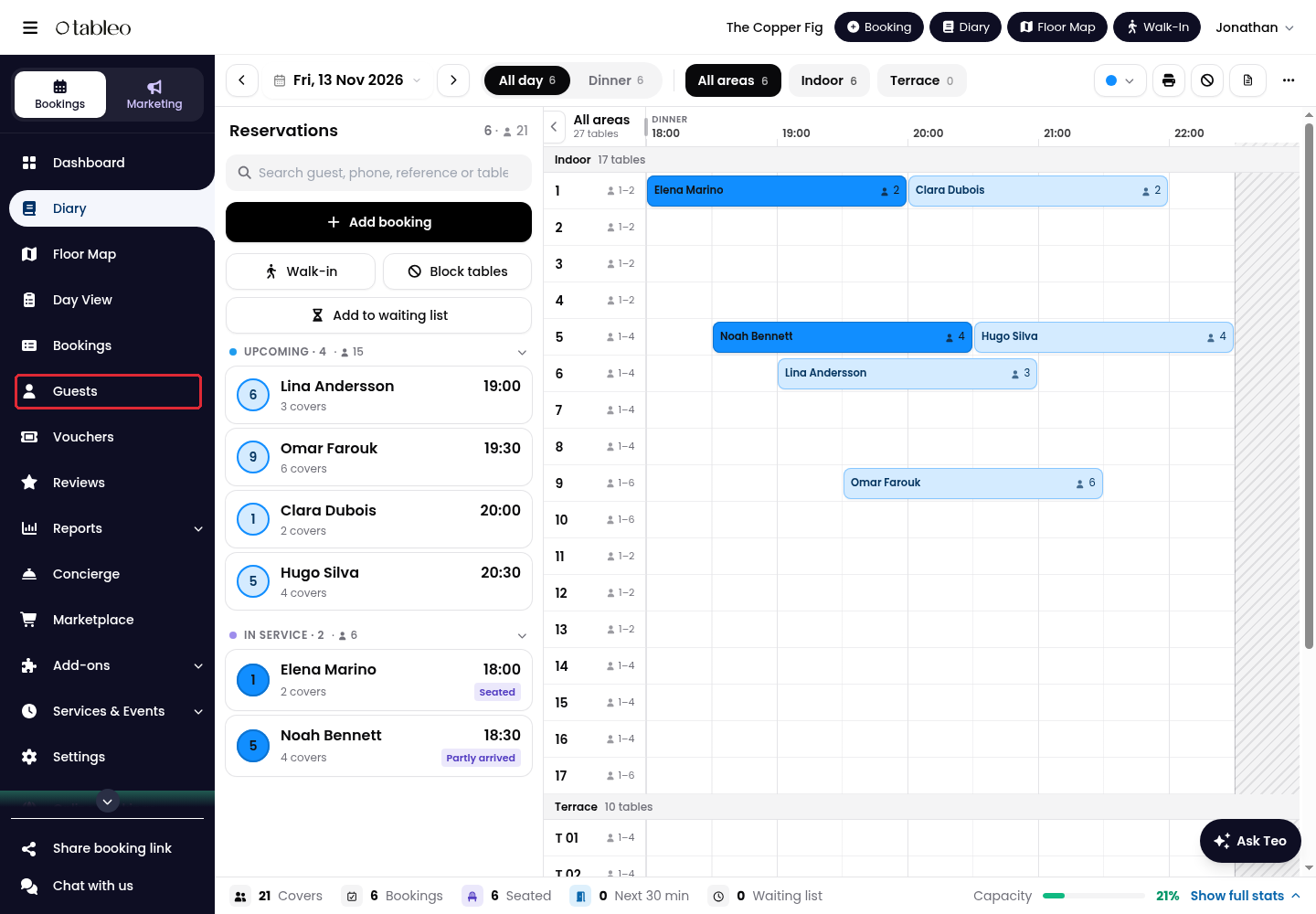
1. Click on Guests in the side menu.
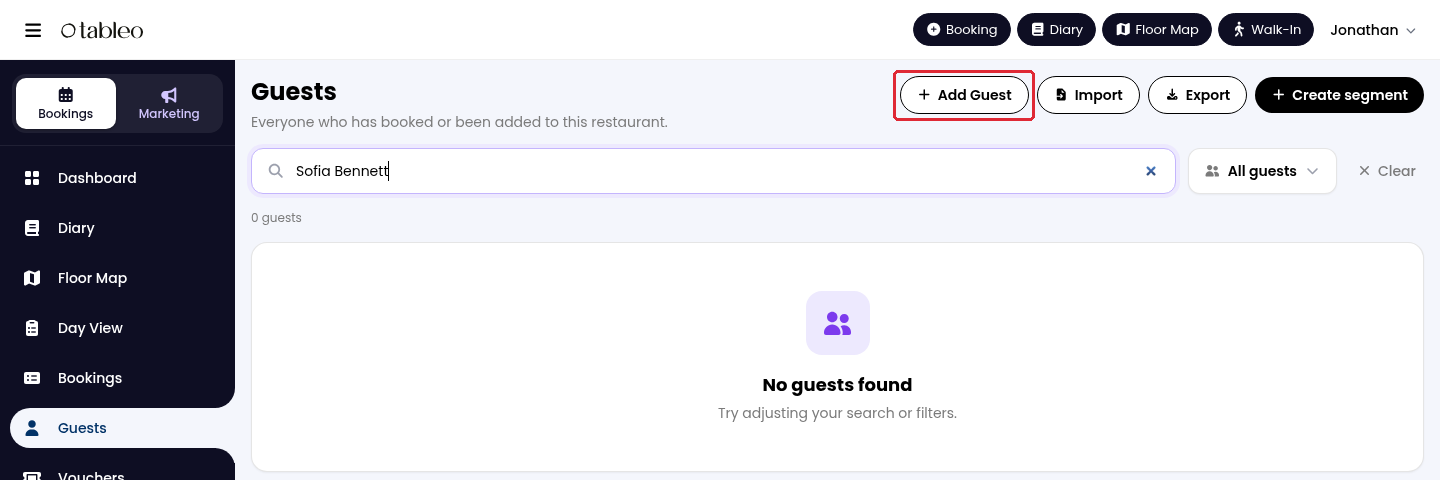
2. Click on Add Guest.
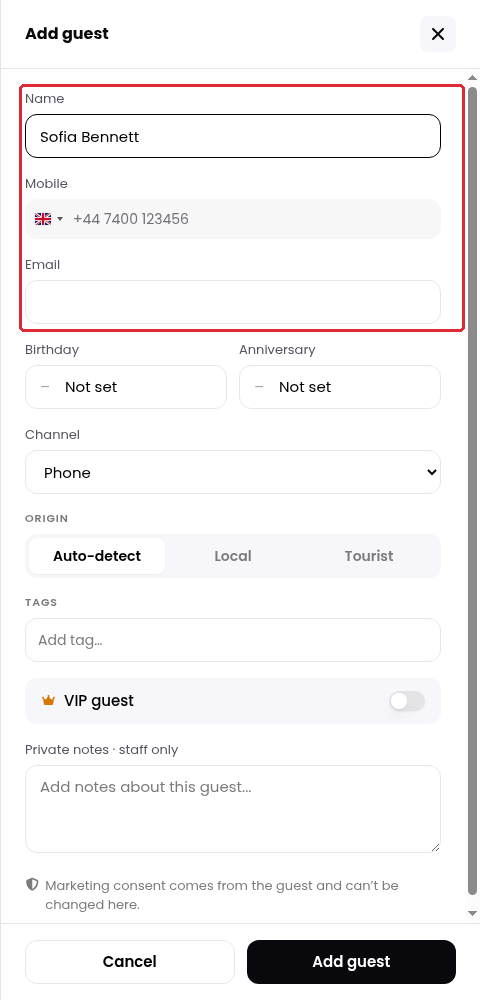
3. Enter the guest’s Name and contact details in Mobile and Email.
4. Add Birthday, Anniversary, Channel, Origin, tags or Private notes where relevant. Click on Add guest to save the profile.
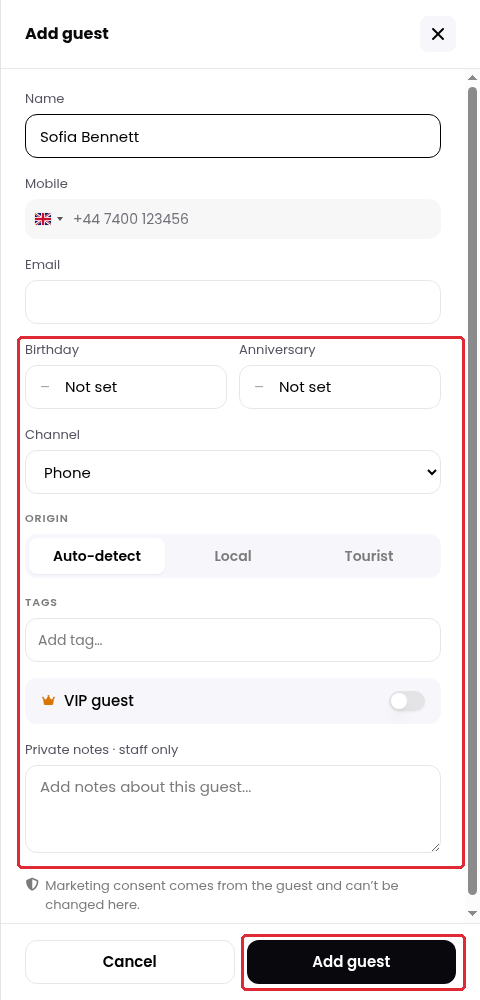
Birthday and Anniversary store guest information, not an occasion for a booking. Private notes are staff-only. Marketing consent comes from the guest and cannot be changed in this form.
While we strive to ensure the accuracy and currency of the information in our knowledge base, some articles may contain minor discrepancies due to the constant evolution of our services and products.
Was this article helpful?
That’s Great!
Thank you for your feedback
Sorry! We couldn't be helpful
Thank you for your feedback
Feedback sent
We appreciate your effort and will try to fix the article