Prepare your guest list as a CSV or Excel file, with a header row naming each column, such as first name, last name, email and phone number.
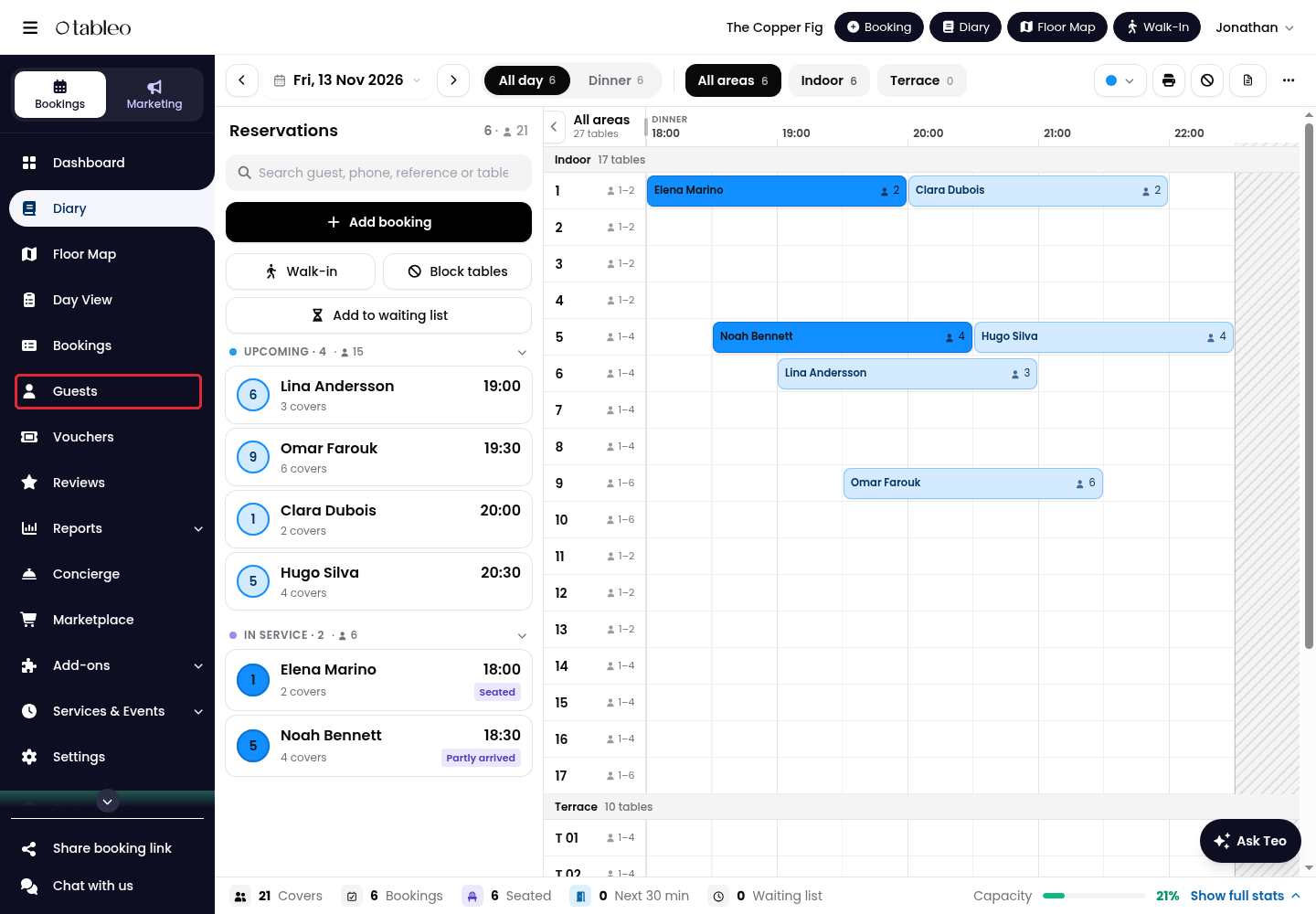
1. Click on Guests in the side menu.
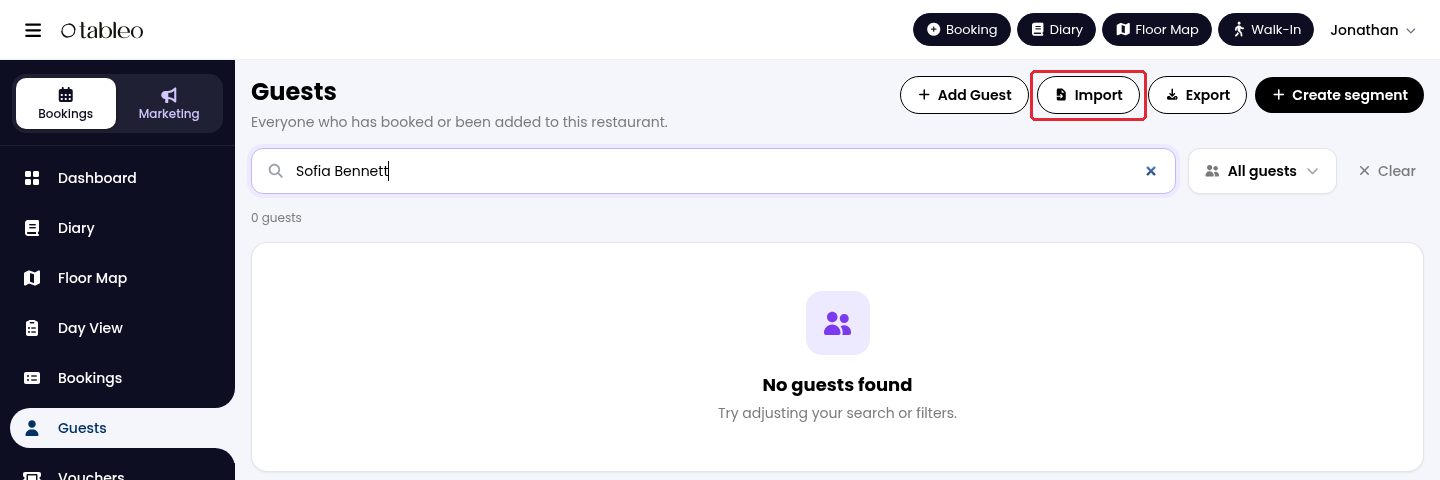
2. Click on Import.
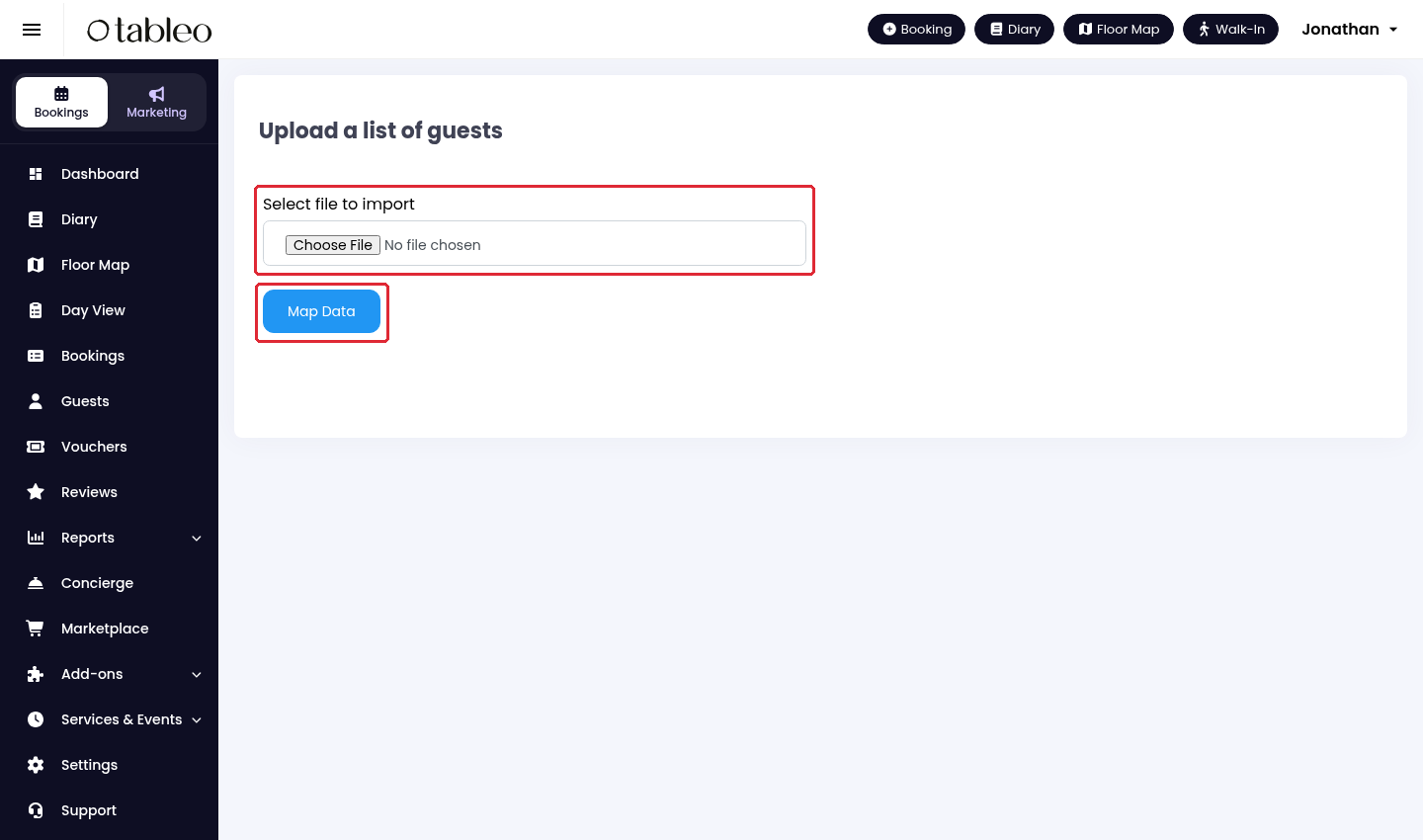
3. Under Select file to import, choose your file, then click on Map Data.
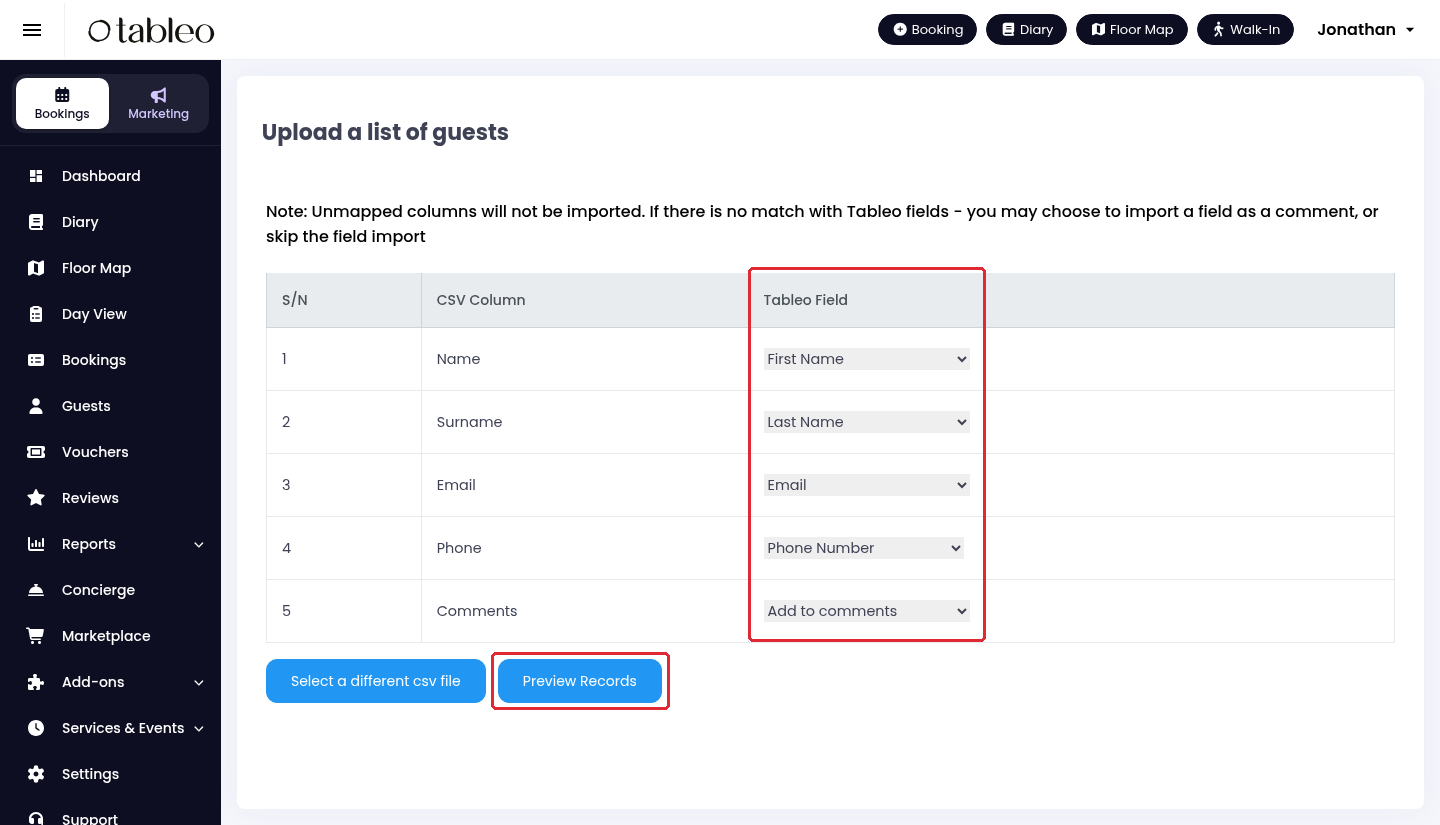
4. Match each CSV Column to its Tableo Field. For separate name columns, choose First Name and Last Name; for one combined column, choose Full Name.
Use Add to comments for extra information or Do not import to skip a column. Unmapped columns are not imported. Click on Preview Records.
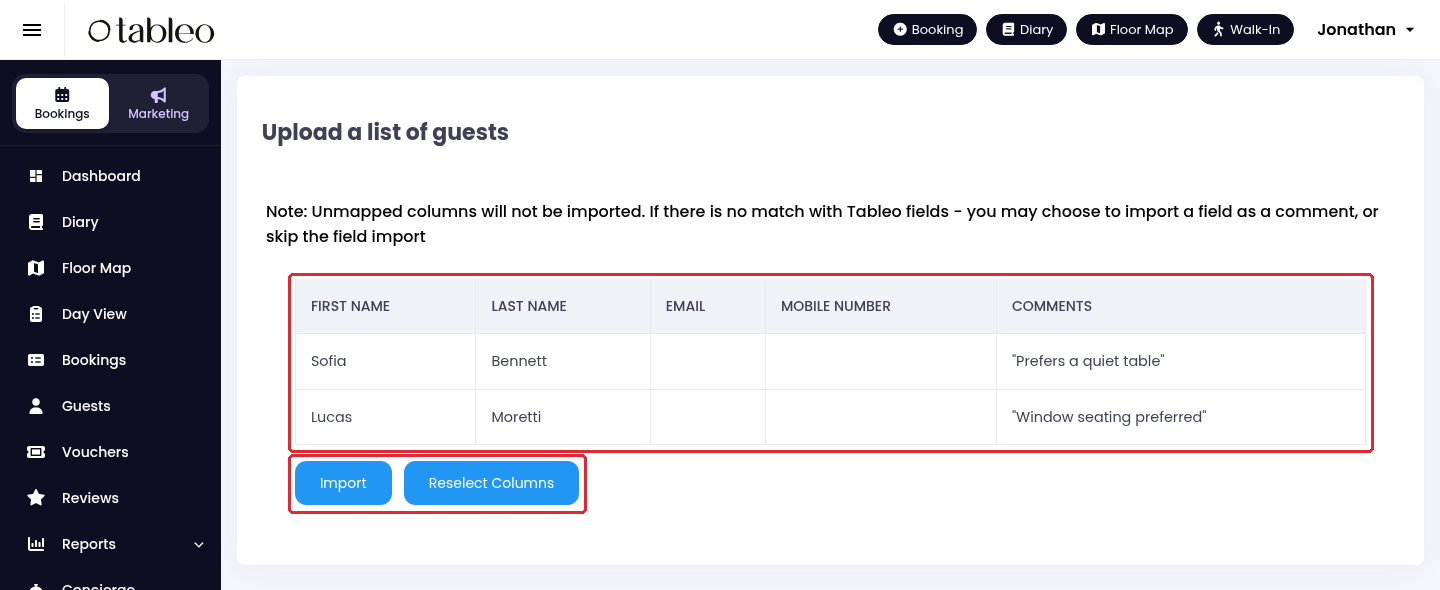
5. Check the preview. Use Reselect Columns to correct the mapping, or click on Import when the records are ready.
Importing guest details is not evidence of marketing consent. Only use a guest’s details for marketing where they have agreed to receive it.
While we strive to ensure the accuracy and currency of the information in our knowledge base, some articles may contain minor discrepancies due to the constant evolution of our services and products.
Was this article helpful?
That’s Great!
Thank you for your feedback
Sorry! We couldn't be helpful
Thank you for your feedback
Feedback sent
We appreciate your effort and will try to fix the article