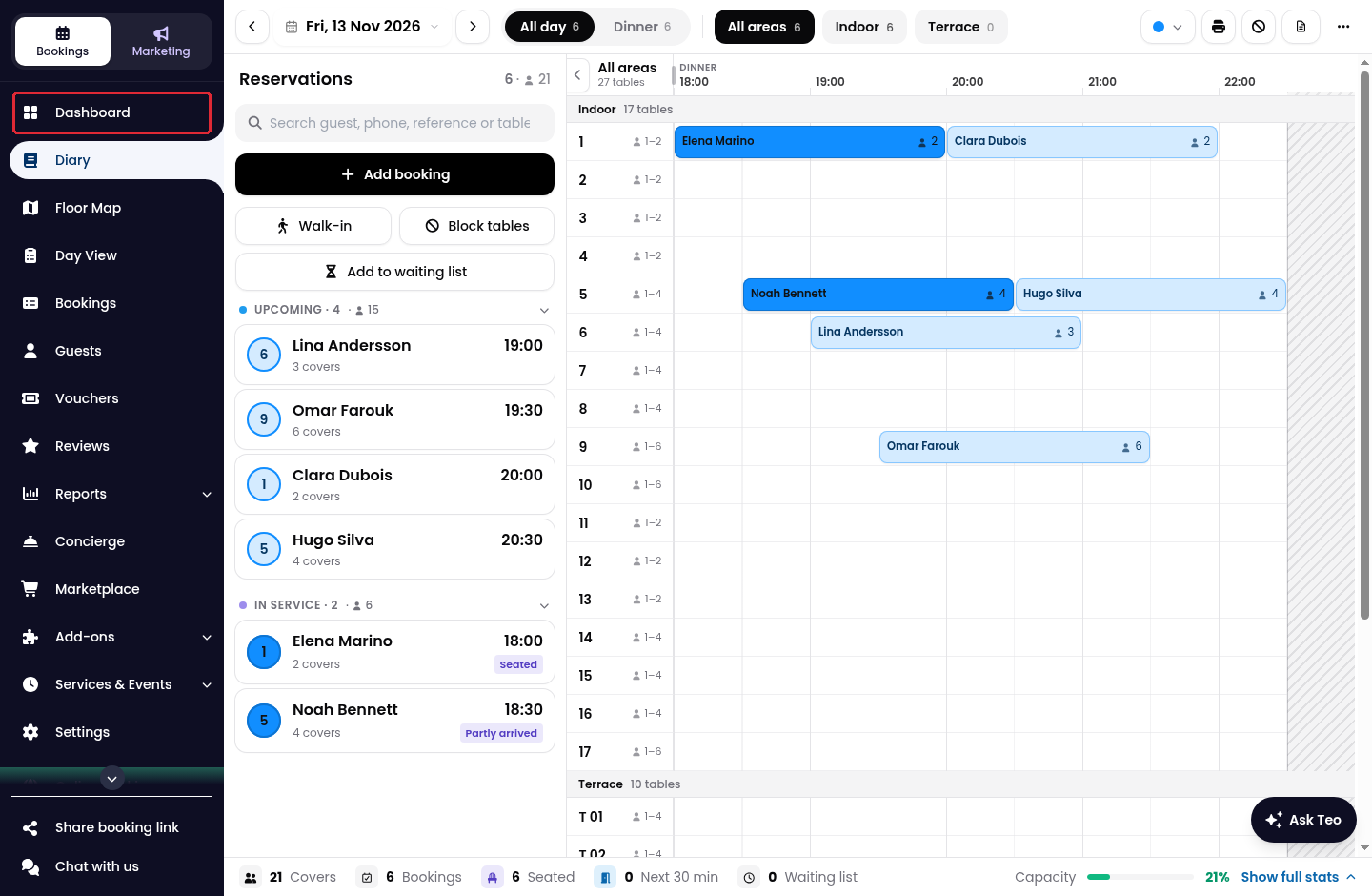
1. Click on Dashboard in the side menu.
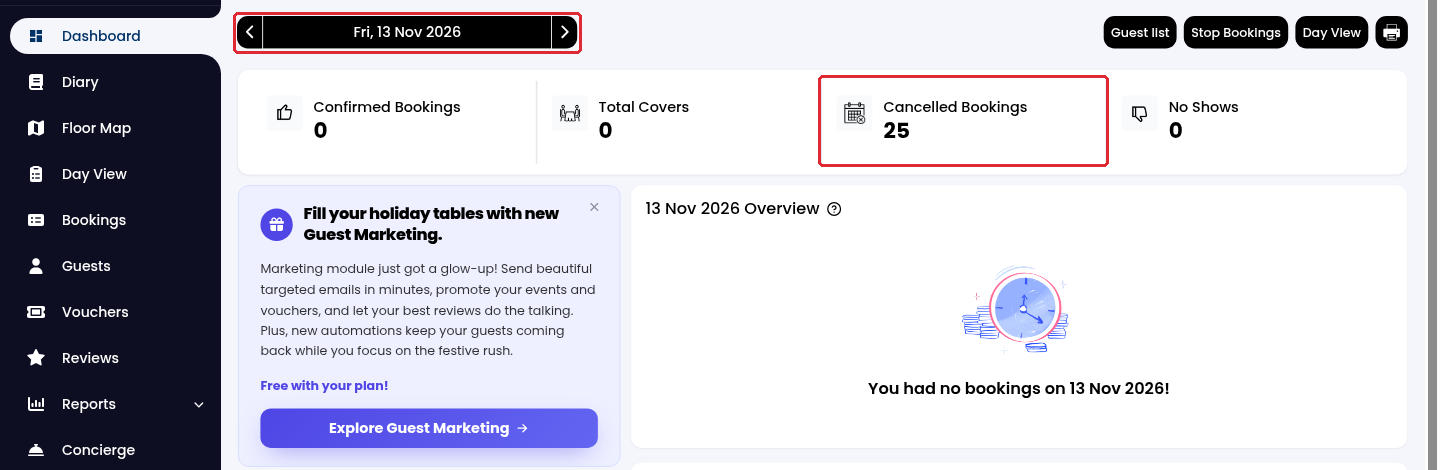
2. Choose the date using the previous/next arrows at the top, then click on Cancelled Bookings.
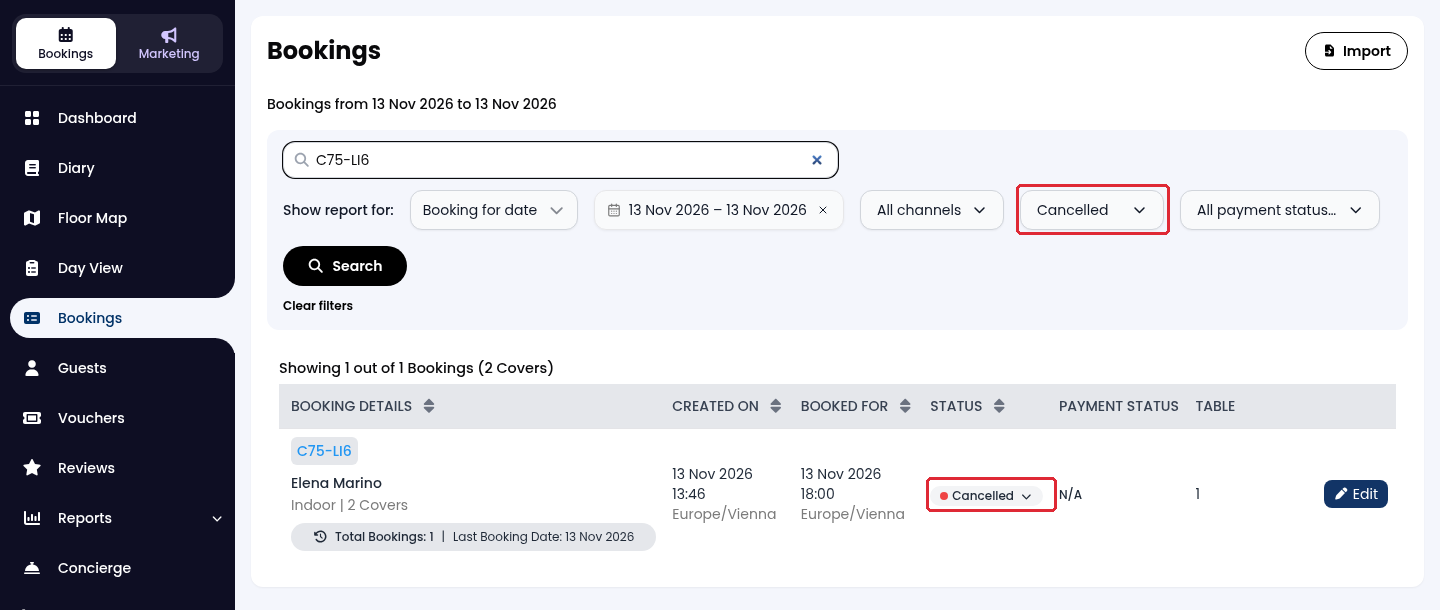
3. The Bookings page opens with the selected date and Cancelled status already applied. To find a specific booking, enter the guest name or booking reference in the search field and click on Search.
Alternatively, use the Bookings filters
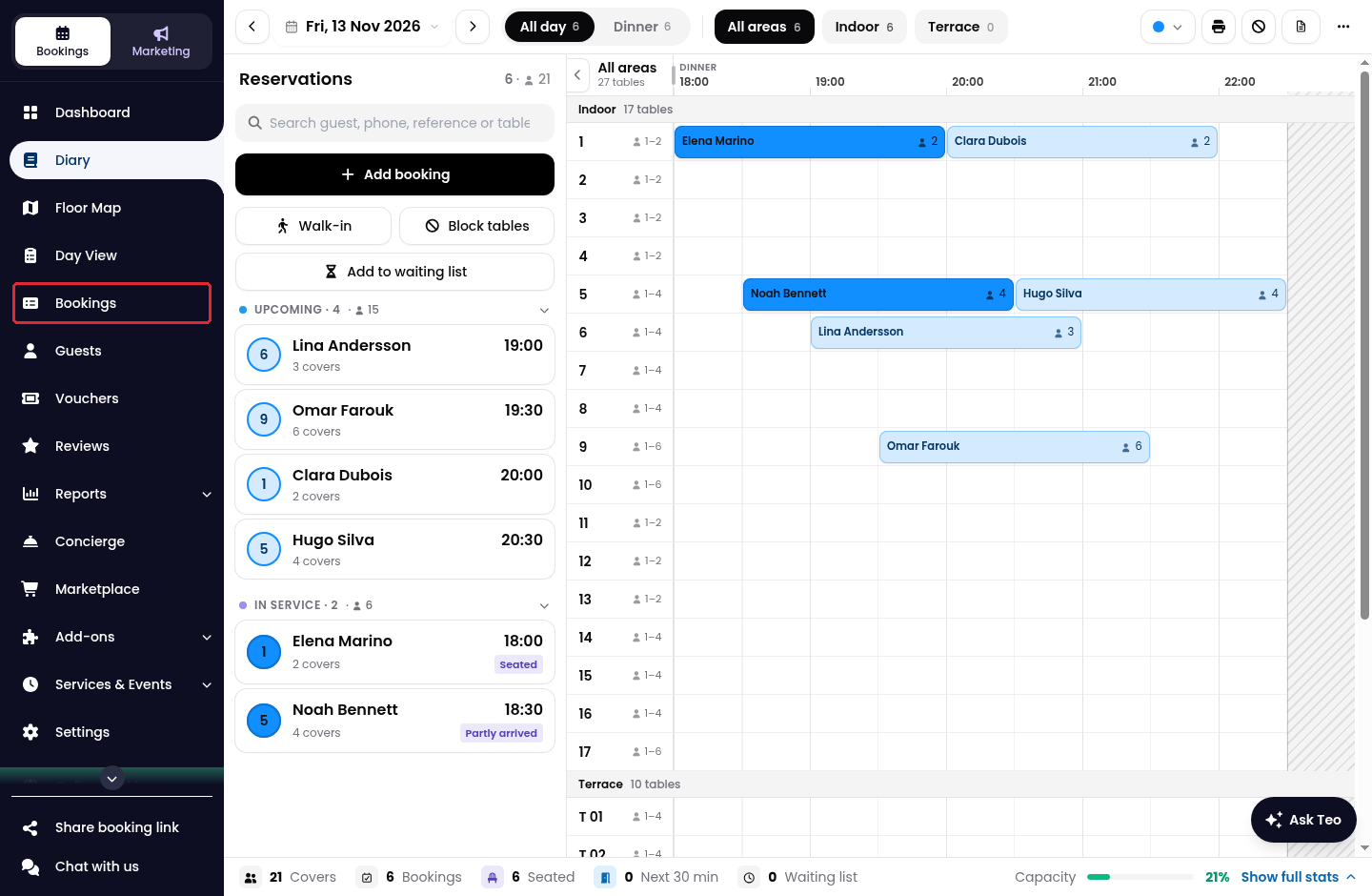
1. Click on Bookings in the side menu.
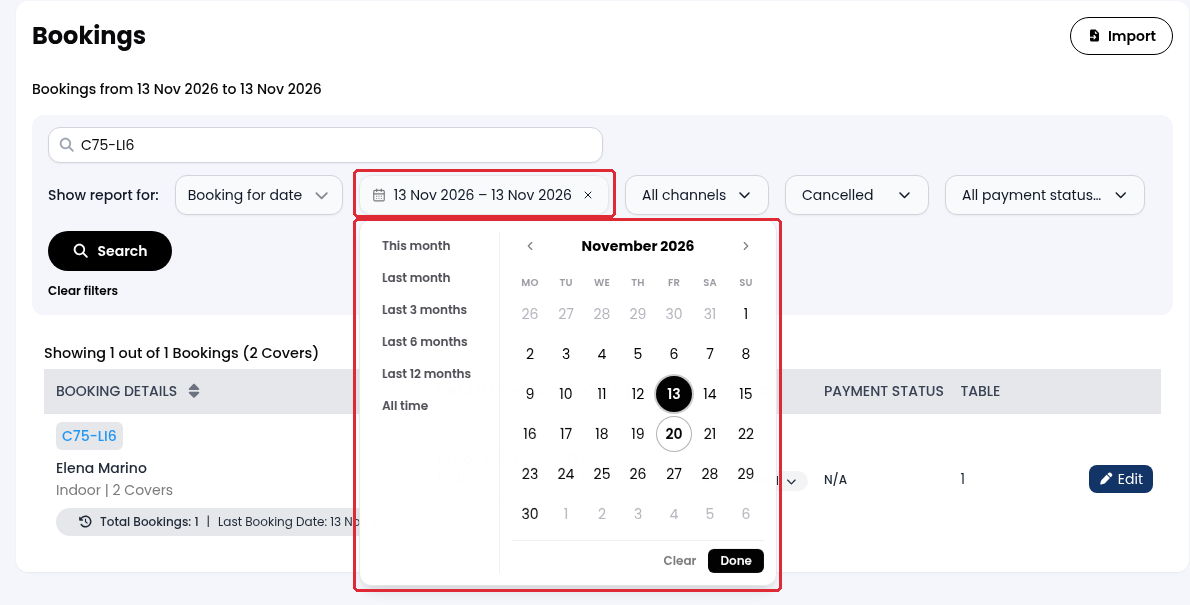
2. Keep Booking for date selected under Show report for. Open the date field, select the required date or date range, then click on Done.
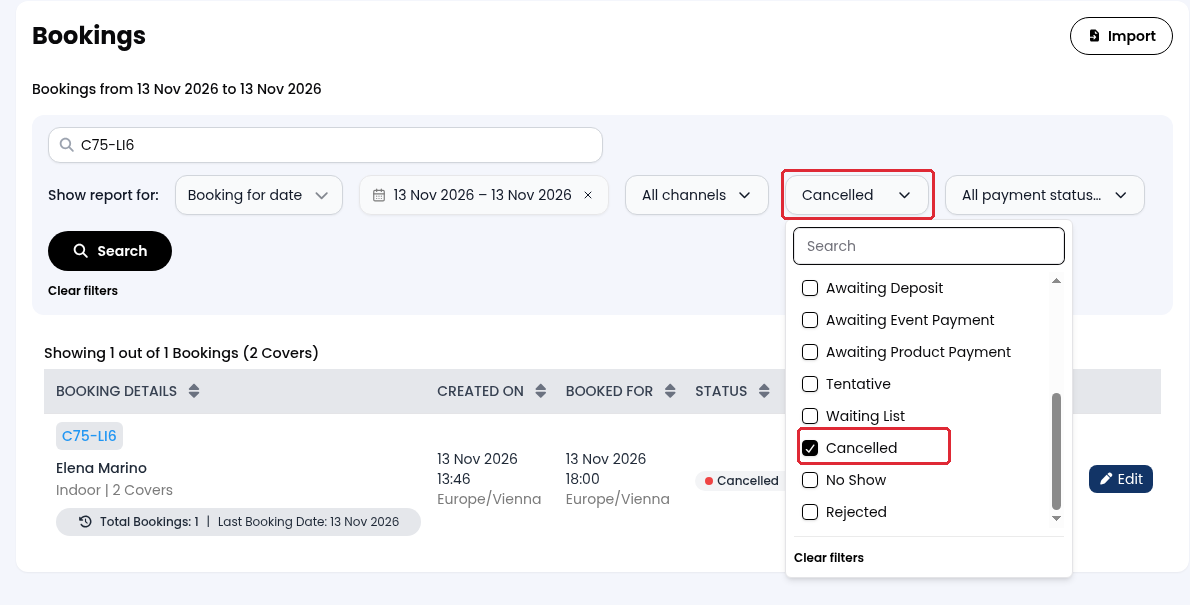
3. Open the status filter and select Cancelled. Clear any other selected statuses if you want to see cancellations only.
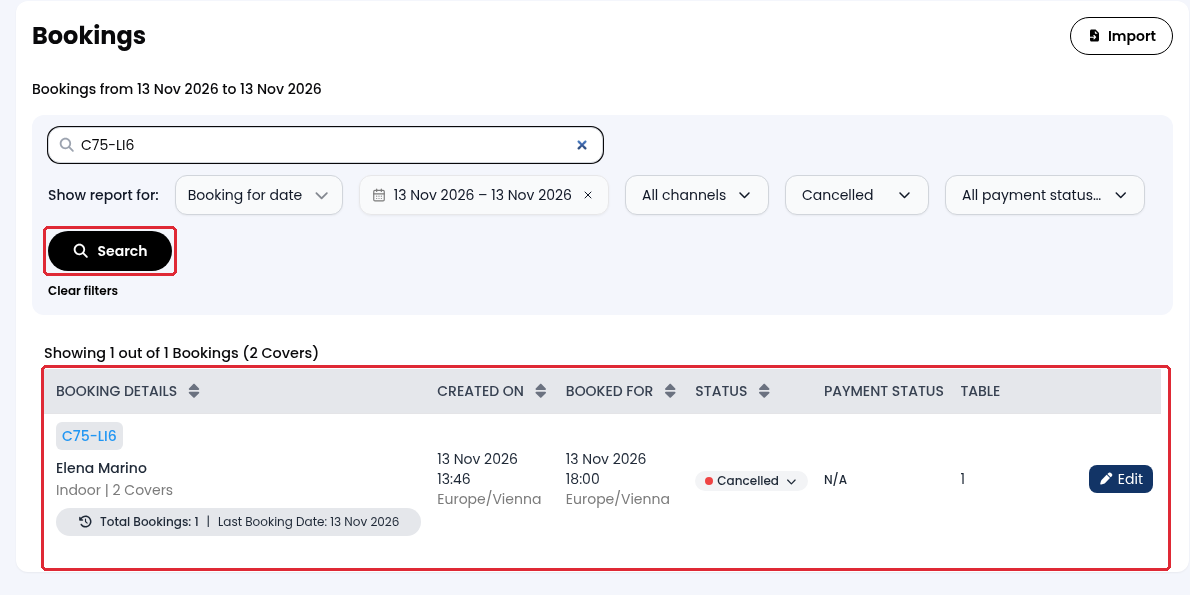
4. Click on Search to display the cancelled bookings that match your filters. You can also enter a guest name or booking reference to narrow the results.
While we strive to ensure the accuracy and currency of the information in our knowledge base, some articles may contain minor discrepancies due to the constant evolution of our services and products.
Was this article helpful?
That’s Great!
Thank you for your feedback
Sorry! We couldn't be helpful
Thank you for your feedback
Feedback sent
We appreciate your effort and will try to fix the article