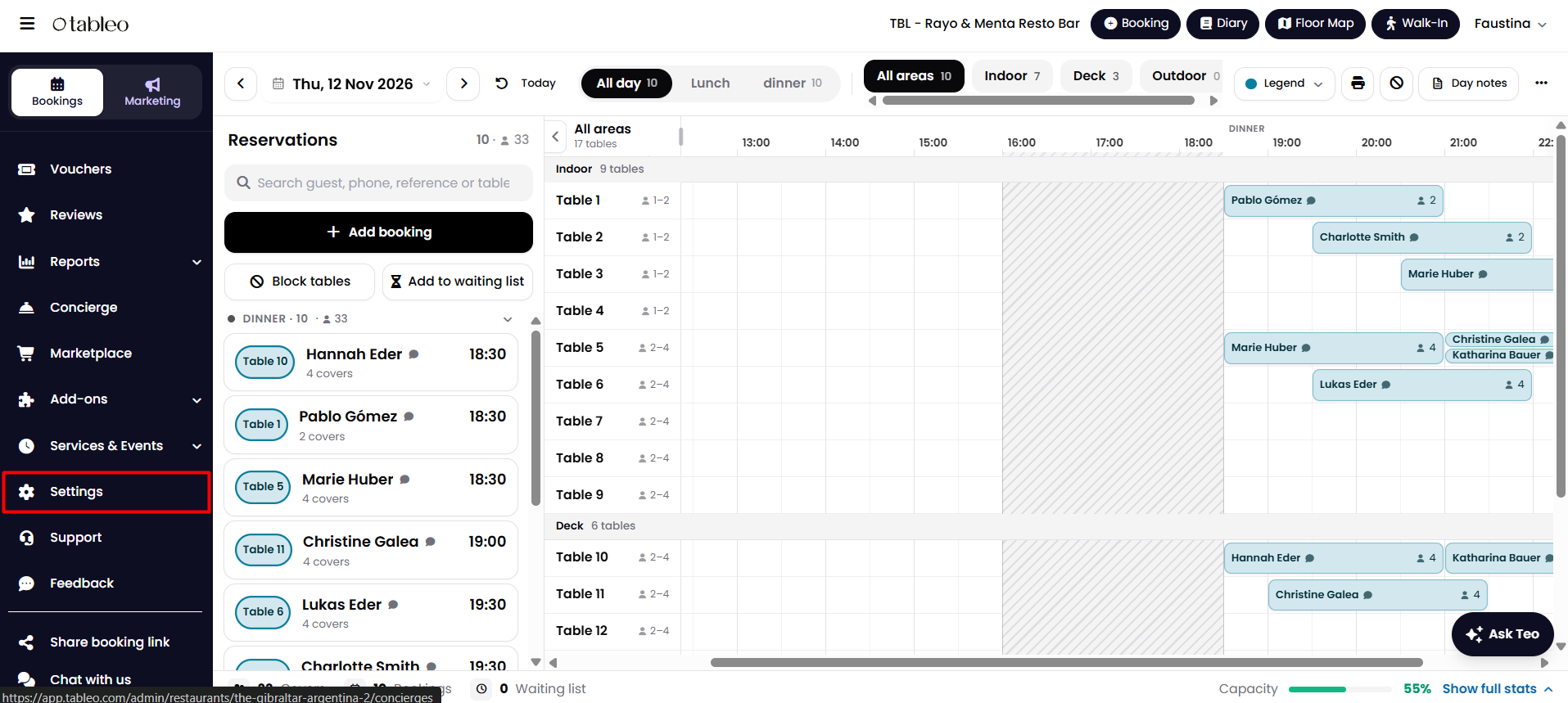
1. From the side menu, go to Settings.
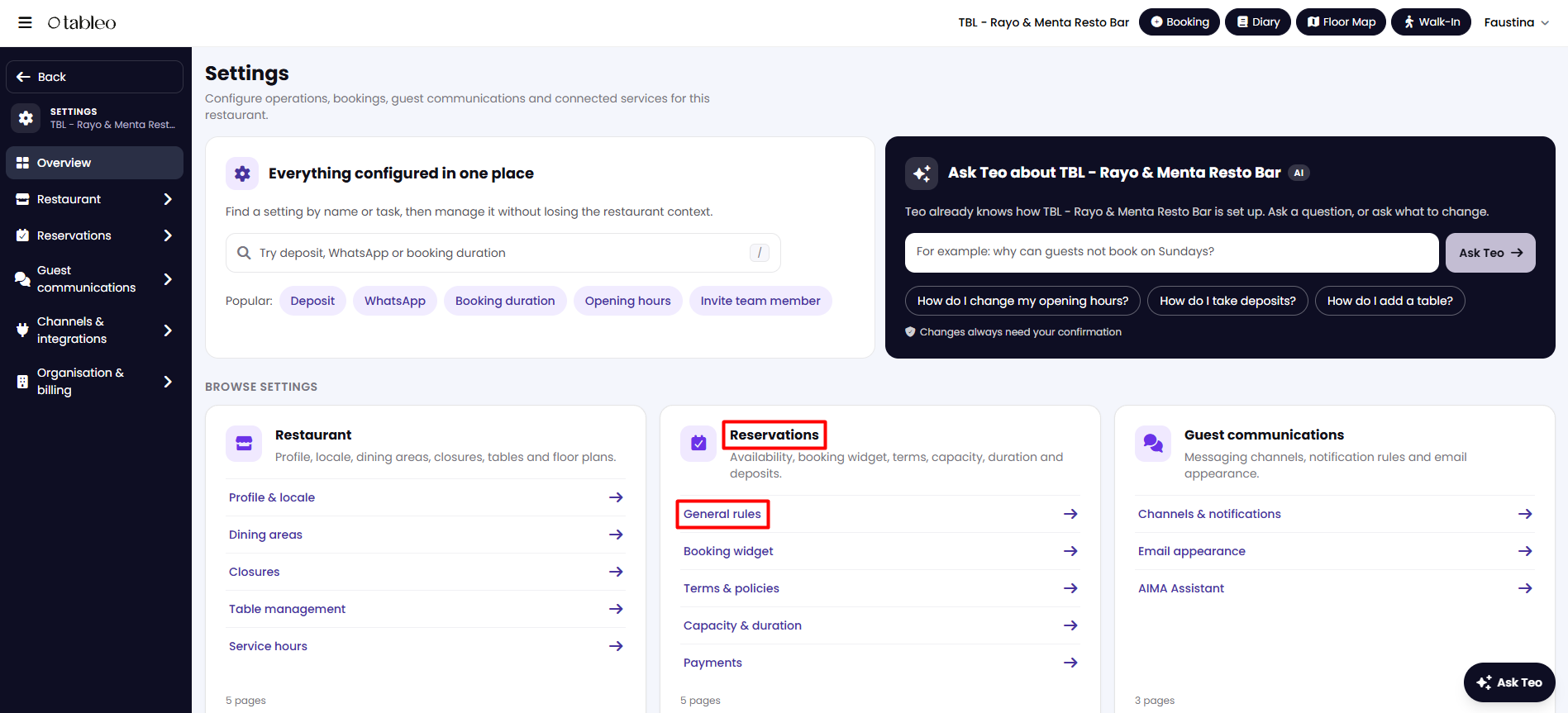
2. Go to Reservations > General Rules.
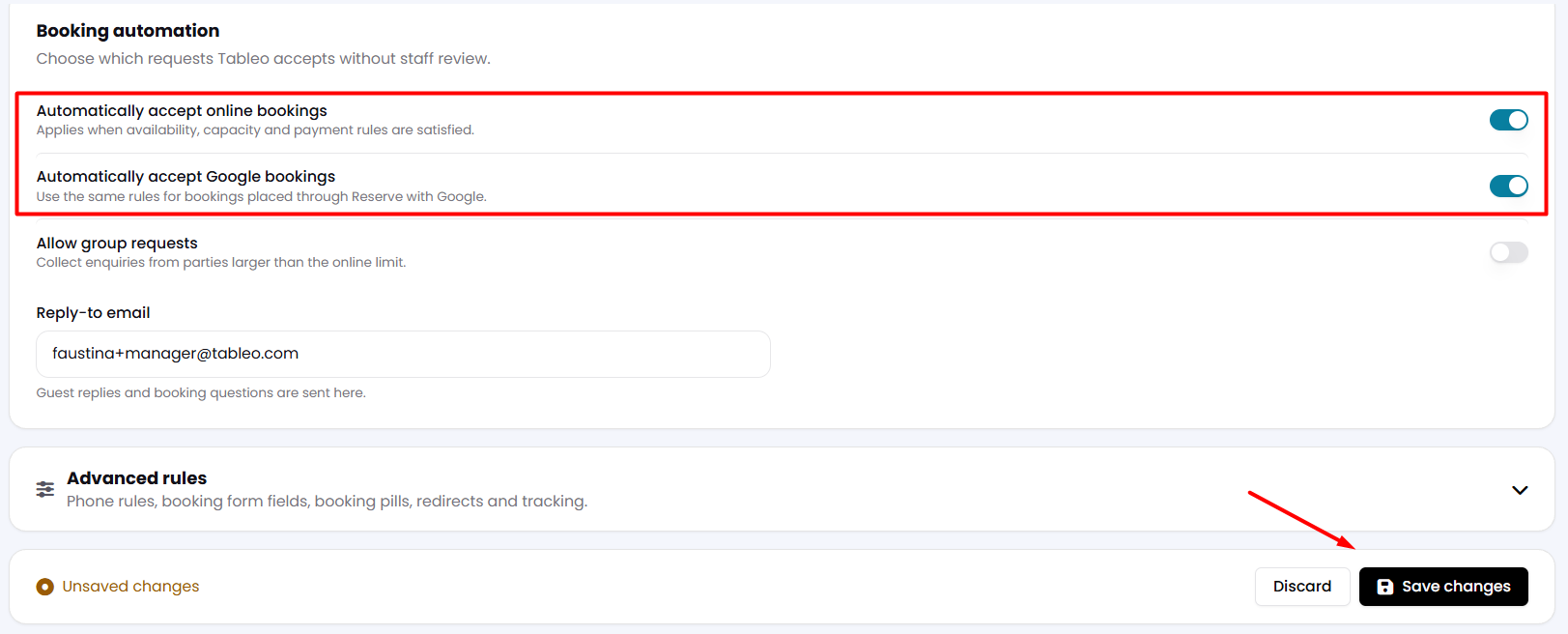
3. Scroll down to the Booking automation section.
4. Click on the toggle next to Automatically accept online bookings and Automatically accept Google bookings to activate them both. Click Save changes.
While we strive to ensure the accuracy and currency of the information in our knowledge base, some articles may contain minor discrepancies due to the constant evolution of our services and products.
Was this article helpful?
That’s Great!
Thank you for your feedback
Sorry! We couldn't be helpful
Thank you for your feedback
Feedback sent
We appreciate your effort and will try to fix the article