Use this process only for a booking with verified card details and a fee allowed by your cancellation terms. See how to configure card verification.
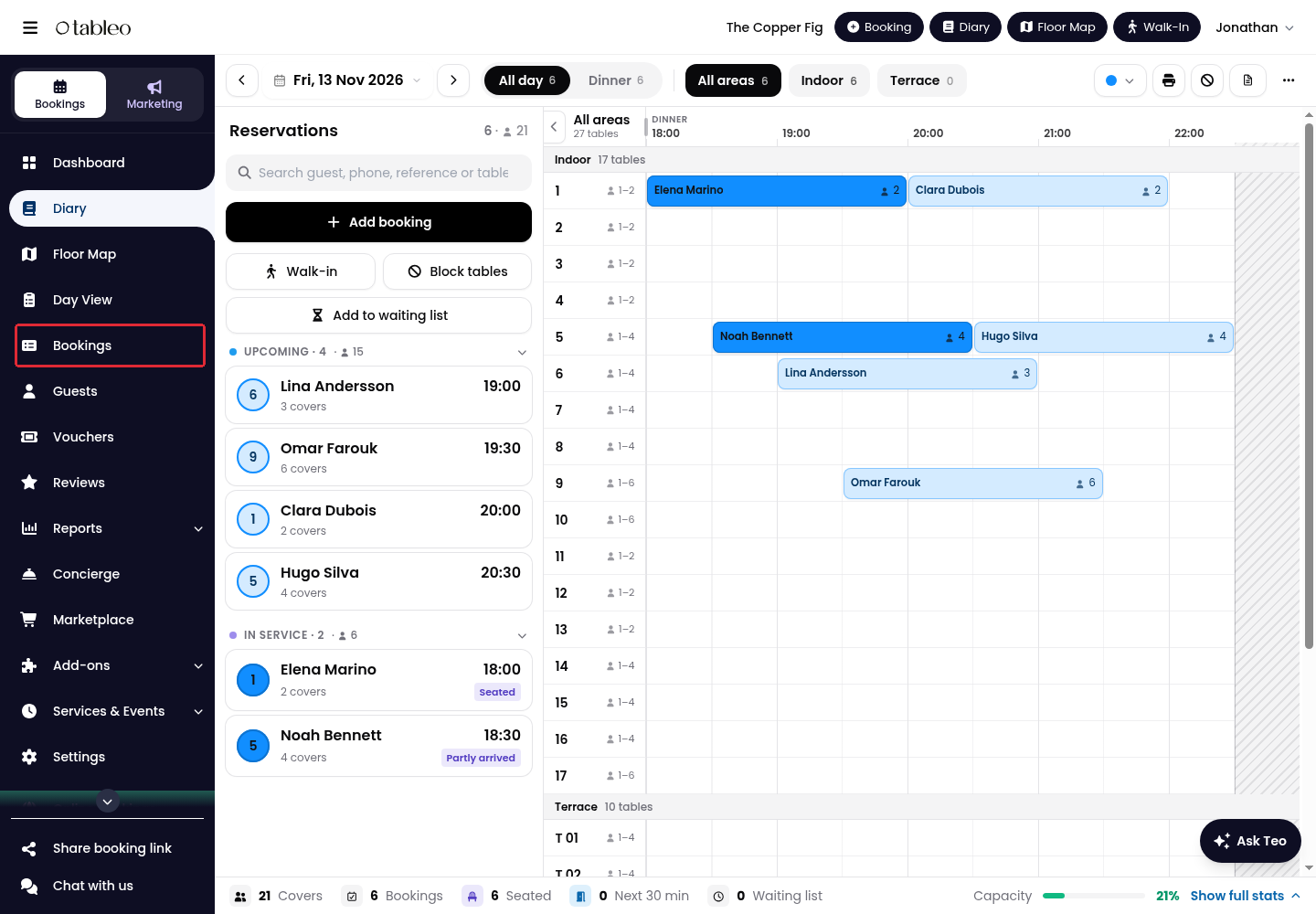
1. Click on Bookings in the side menu.
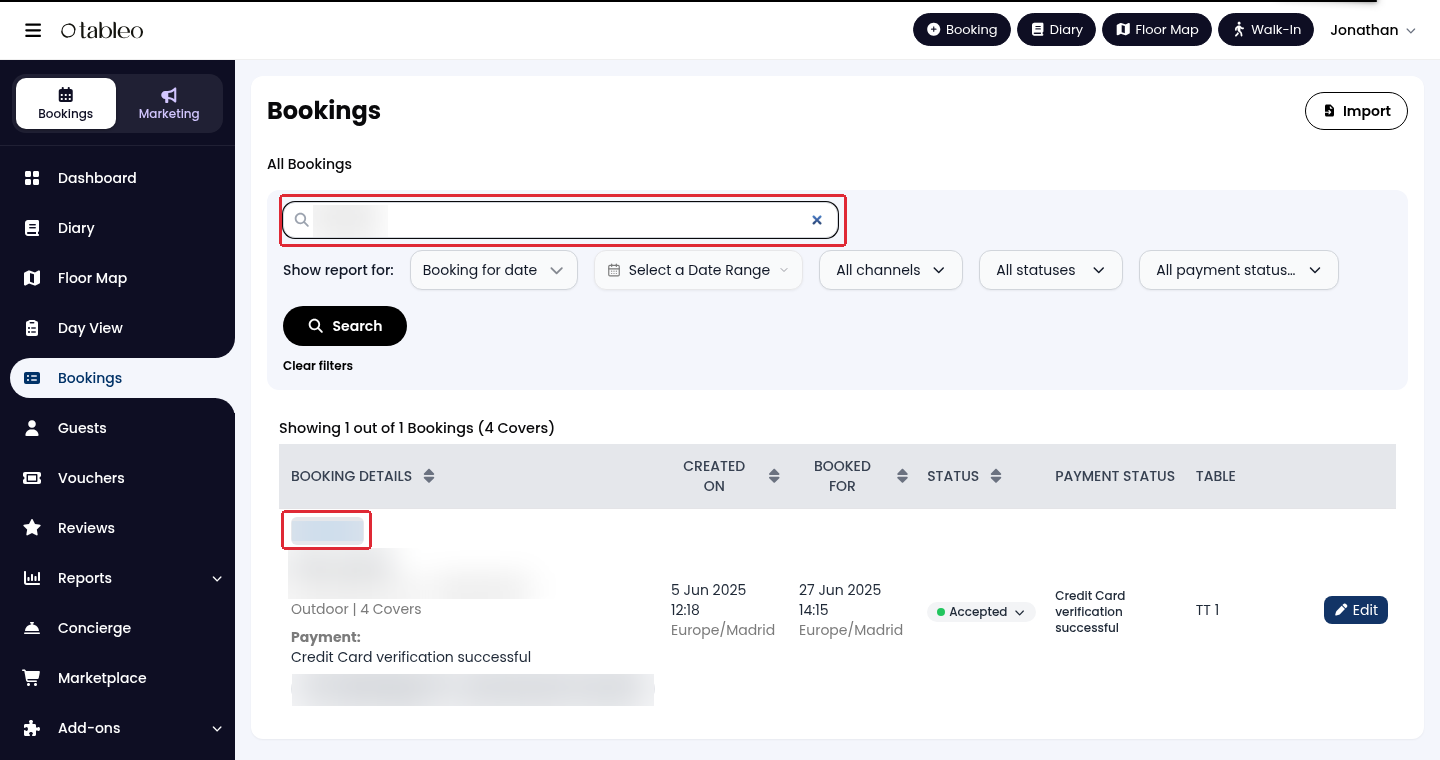
2. Use Search for bookings to find the booking, then click on Search. Click on its reference code to open the details.
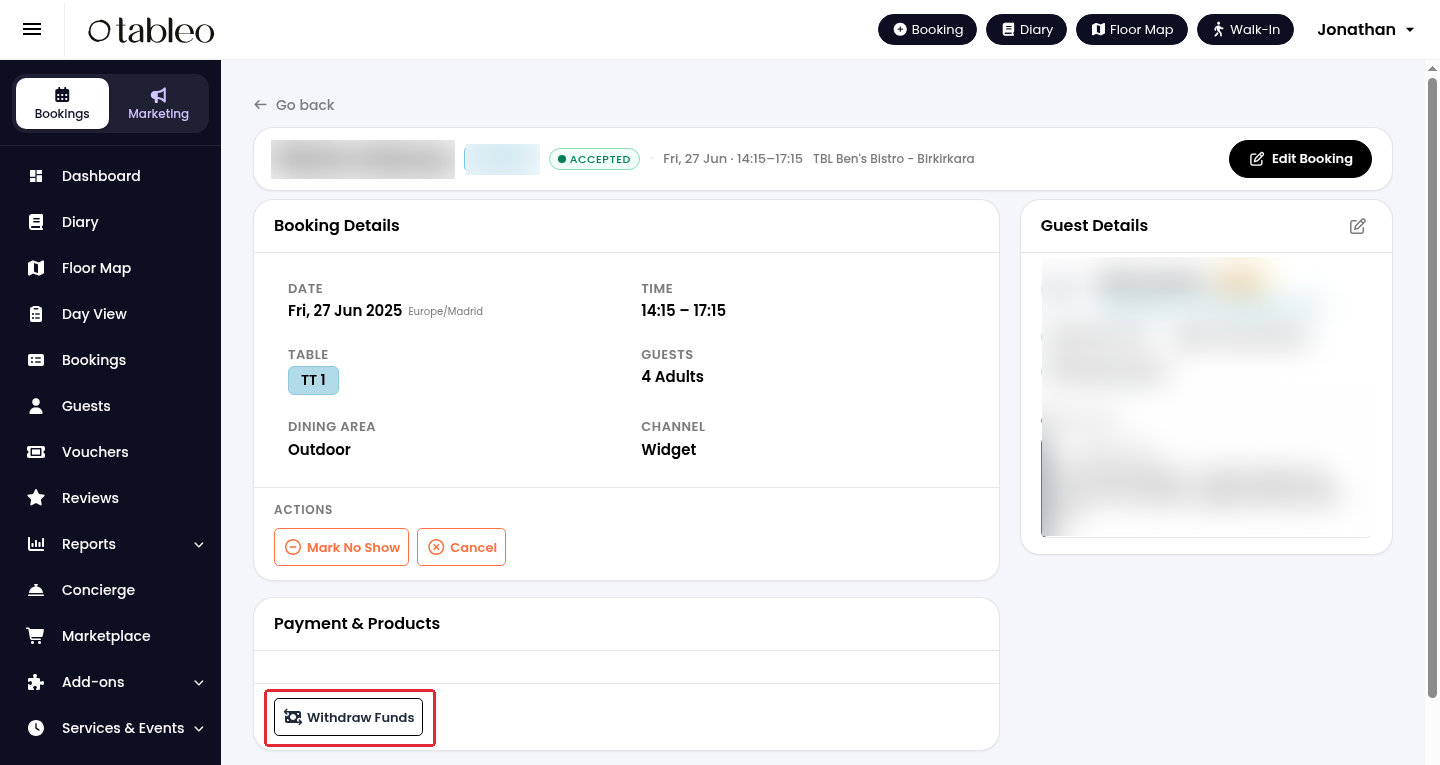
3. In Payment & Products, click on Withdraw Funds. This is the no-show or late-cancellation charge action, not a refund.
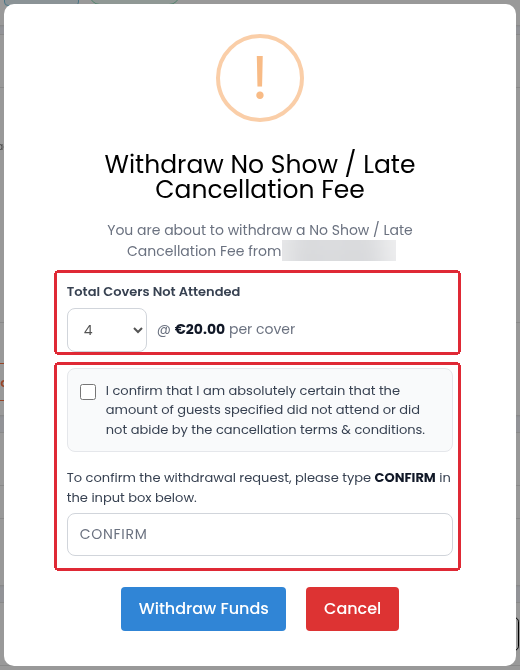
4. In Withdraw No Show / Late Cancellation Fee, set Total Covers Not Attended and review the amount per cover. Tick the confirmation only after checking the booking and cancellation terms. Type CONFIRM, then click on Withdraw Funds to submit the charge.
The bank can decline the charge, including when the card has insufficient funds. Check the result before treating the fee as collected; do not submit another charge while the first result is unclear.
While we strive to ensure the accuracy and currency of the information in our knowledge base, some articles may contain minor discrepancies due to the constant evolution of our services and products.
Was this article helpful?
That’s Great!
Thank you for your feedback
Sorry! We couldn't be helpful
Thank you for your feedback
Feedback sent
We appreciate your effort and will try to fix the article