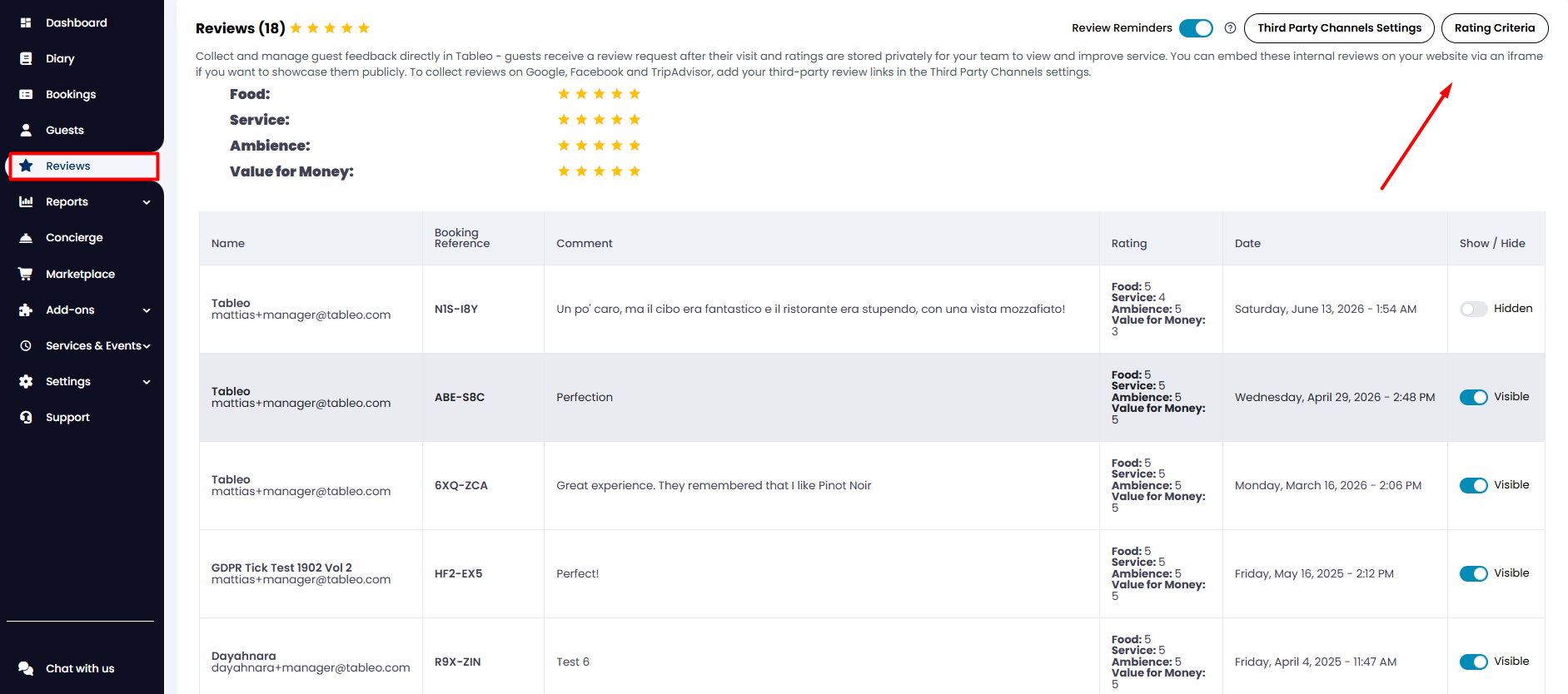
1. From your side menu, go to Reviews.
2. Here, you'll find all the reviews you've received (if any).
3. To edit or add review criteria, click on Rating Criteria in the top right corner.
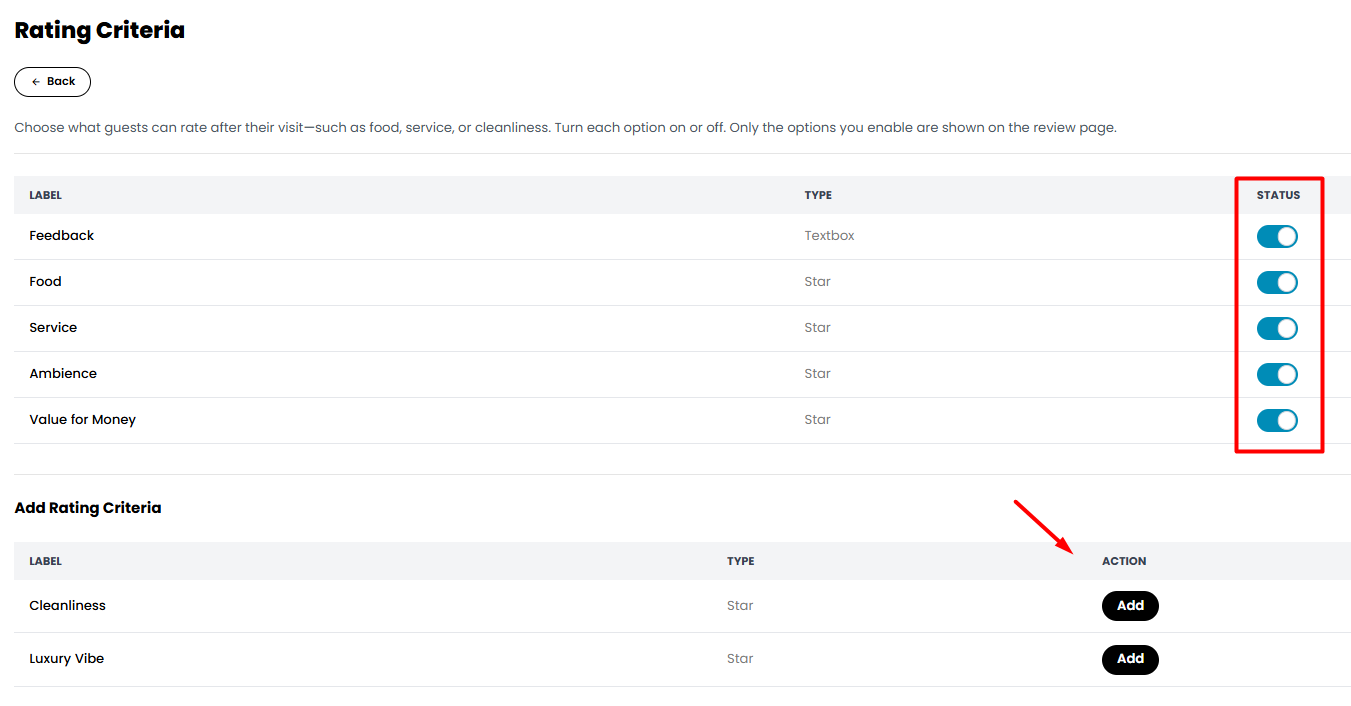
4. From there, you can select which types of reviews you'd like to gather from clients, such as "Food", "Service", "Ambience", and more. You can add more rating criteria as well in the lower part of the screen.
While we strive to ensure the accuracy and currency of the information in our knowledge base, some articles may contain minor discrepancies due to the constant evolution of our services and products.
Was this article helpful?
That’s Great!
Thank you for your feedback
Sorry! We couldn't be helpful
Thank you for your feedback
Feedback sent
We appreciate your effort and will try to fix the article