Want to reduce no-shows? The Booking Reconfirmation Add-on helps you prompt those guests to reconfirm their attendance closer to the reservation date through automated email and SMS reminders. You will no longer have to call a long list of guests every day to reconfirm bookings.
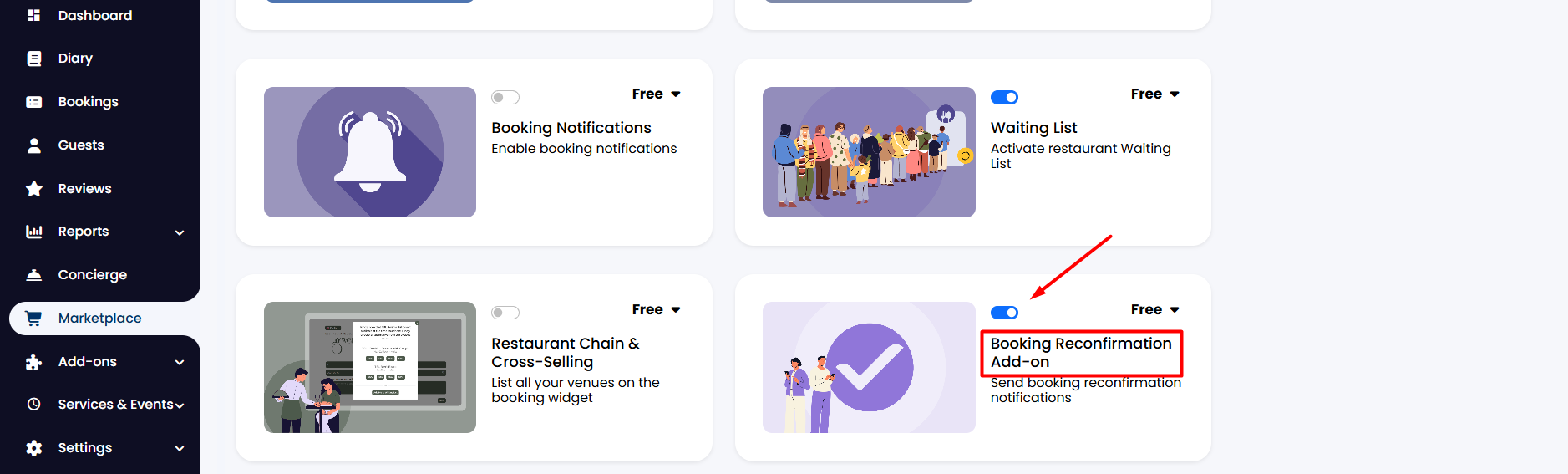
1. To set this up, from the side menu, go to Marketplace.
2. Find the Booking Reconfirmation Add-on and click on the toggle to enable it.
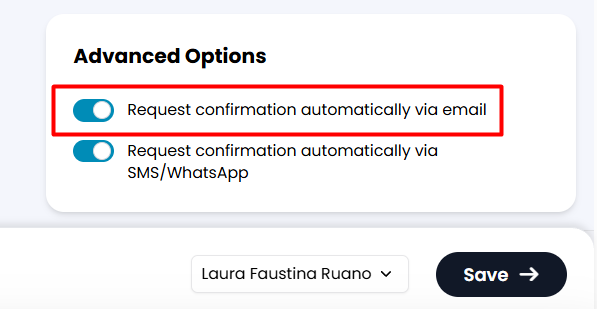
3. When entering a booking manually, make sure you enable the Request confirmation automatically via email option found in the Advanced Options section in the right column. This comes at no charge.
You can also choose to Request confirmation automatically via SMS/WhatsApp. In this case, SMS/WhatsApp charges apply.
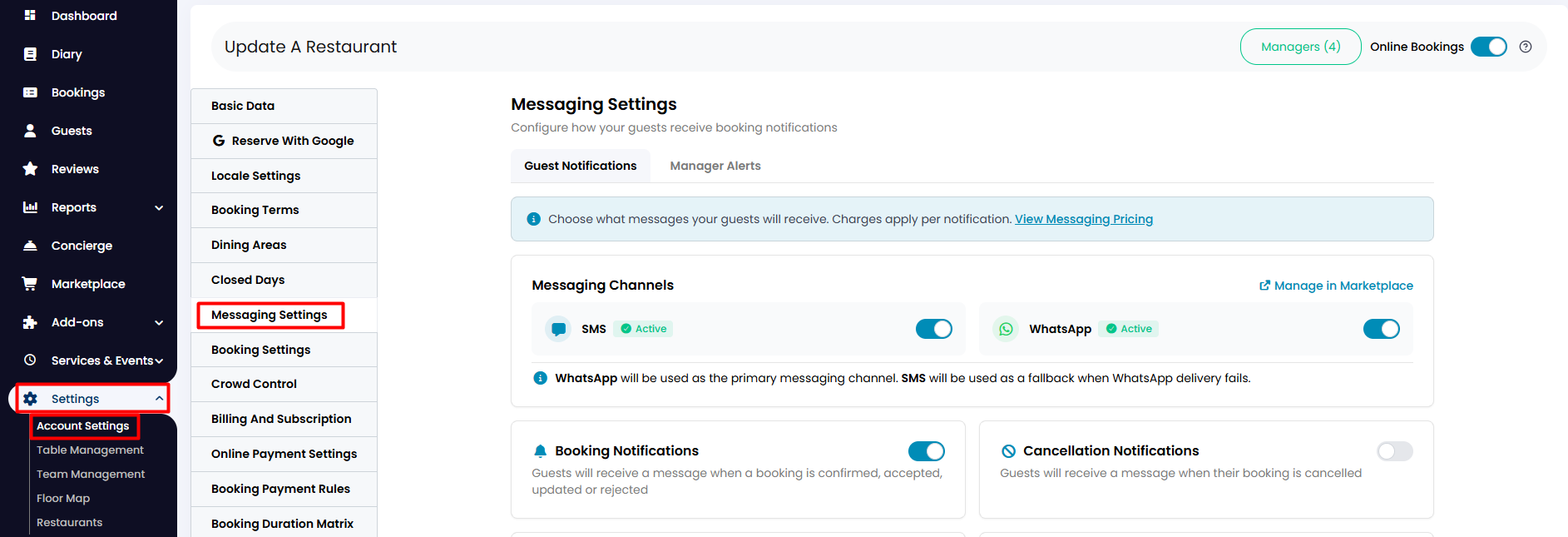
4. To activate SMS/WhatsApp reconfirmations, go from the side menu to Settings > Account Settings > Messaging Settings.
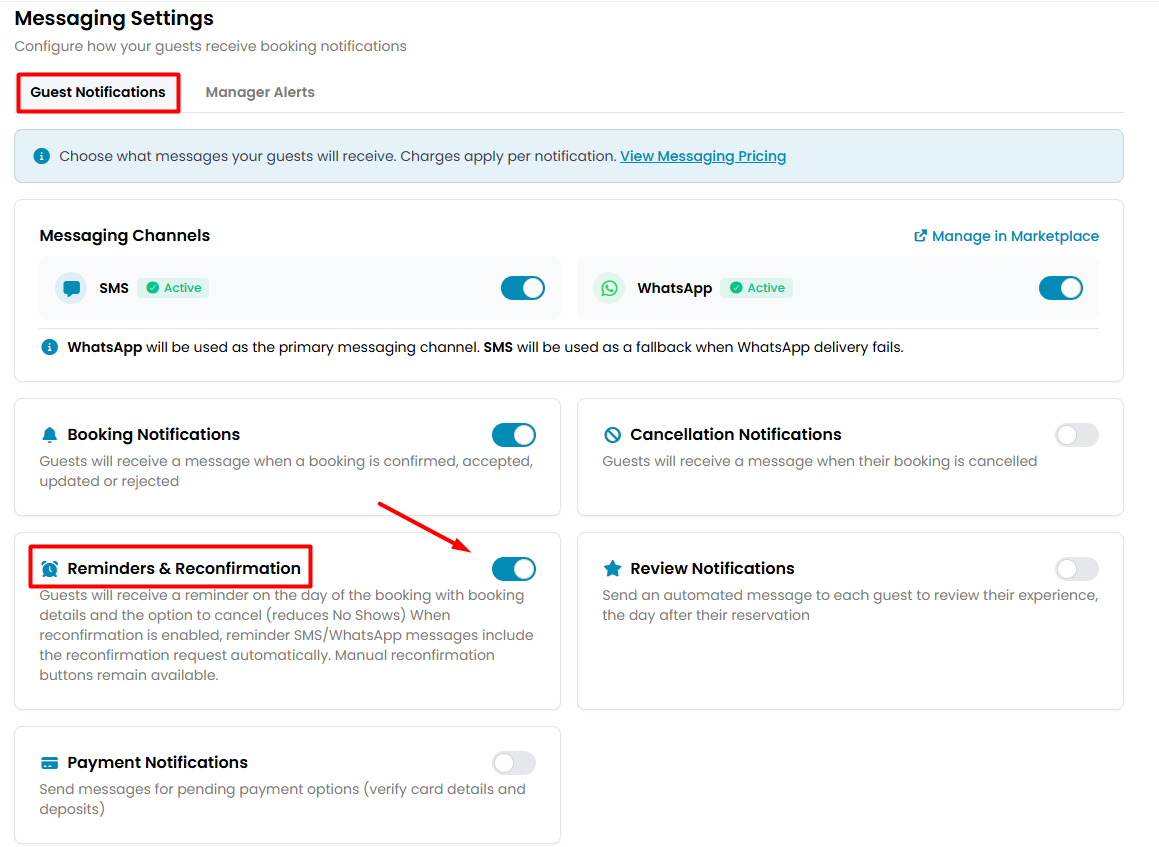
5. On the Guest Notifications section, click on the toggle to enable the Reminders & Reconfirmation notifications. Scroll down and click the Save button.
Automatic Reconfirmation
On the day of the booking, the system will automatically send out a reconfirmation email/SMS to your guests.
Manual Reconfirmation
Should you wish to send the reconfirmation before the day of the booking, you can do so manually by simply clicking on any booking through the Diary, Bookinga or Floor Map view and hitting Send Email or Send SMS/WhatsApp buttons.
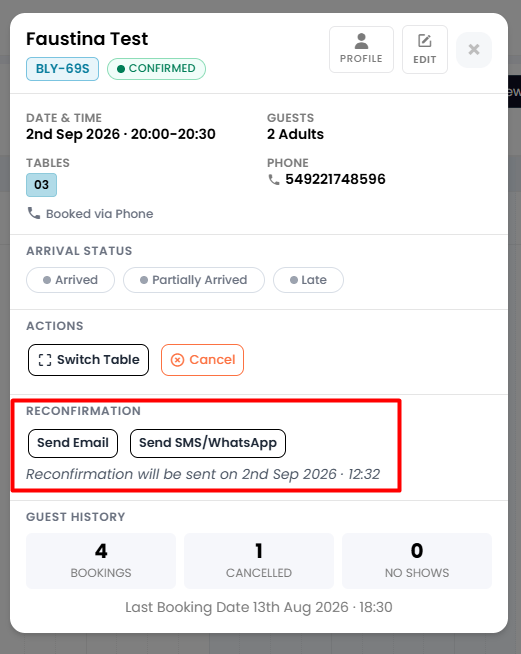
To note: If you send the reconfirmation manually, the system will not send the automatic confirmation on the day of the booking.
Was this article helpful?
That’s Great!
Thank you for your feedback
Sorry! We couldn't be helpful
Thank you for your feedback
Feedback sent
We appreciate your effort and will try to fix the article